
Two hundred applications land for one role, and the hiring manager needs a shortlist by Friday. That gap between the resume flood and real candidates is exactly where AI has quietly taken over the busiest parts of recruiting.
AI for Recruiters and HR Teams: 2026 Playbook
AI for recruiters has grown from a sourcing gimmick into infrastructure that touches every stage of hiring: drafting job descriptions, screening resumes, scheduling interviews, and summarizing candidate evaluations. HR teams use the same technology for onboarding, policy drafting, and employee communications. The gains are real — faster time-to-fill, less administrative drag, more consistent processes — but hiring is also one of the highest-stakes, most regulated domains for AI deployment. Bias, privacy law, and candidate trust all demand deliberate design.
This playbook covers the highest-value workflows based on published vendor documentation and industry practice, plus the fairness and compliance framework that separates responsible adoption from liability. It is informational, not legal advice; employment counsel should review any AI-driven hiring process before deployment.
Job Description Drafting: The Easiest Win
Writing job descriptions is the lowest-risk, highest-return AI use case in recruiting. The workflow:
- Provide the raw material. Feed the AI the hiring manager’s notes, the outgoing employee’s responsibilities, required vs. preferred qualifications, salary band, location, and work arrangement (remote/hybrid/onsite).
- Specify tone and length. “Professional but warm, 300–400 words, scannable with bullet points” beats an open-ended request every time.
- Request inclusive language review. Ask the AI to flag masculine-coded or exclusionary language (“rockstar,” “ninja,” “aggressive,” “young and hungry”) and suggest neutral alternatives. Research consistently shows that gendered language in postings skews applicant pools.
- Human final review. The hiring manager verifies responsibilities and requirements; HR verifies compliance elements (EEO statement, pay transparency disclosures where required by state law, accommodation language).
Compliance notes for postings
Many US states and cities now require salary ranges in job postings (California, New York, Colorado, Washington, and others, with more added regularly). AI-drafted postings must include these where required — build the requirement into your template prompt so it’s never forgotten. Similarly, ban-the-box laws restrict when you can ask about criminal history; make sure AI-drafted application materials and screening questions respect your jurisdiction’s timing rules.
Resume Screening Workflows
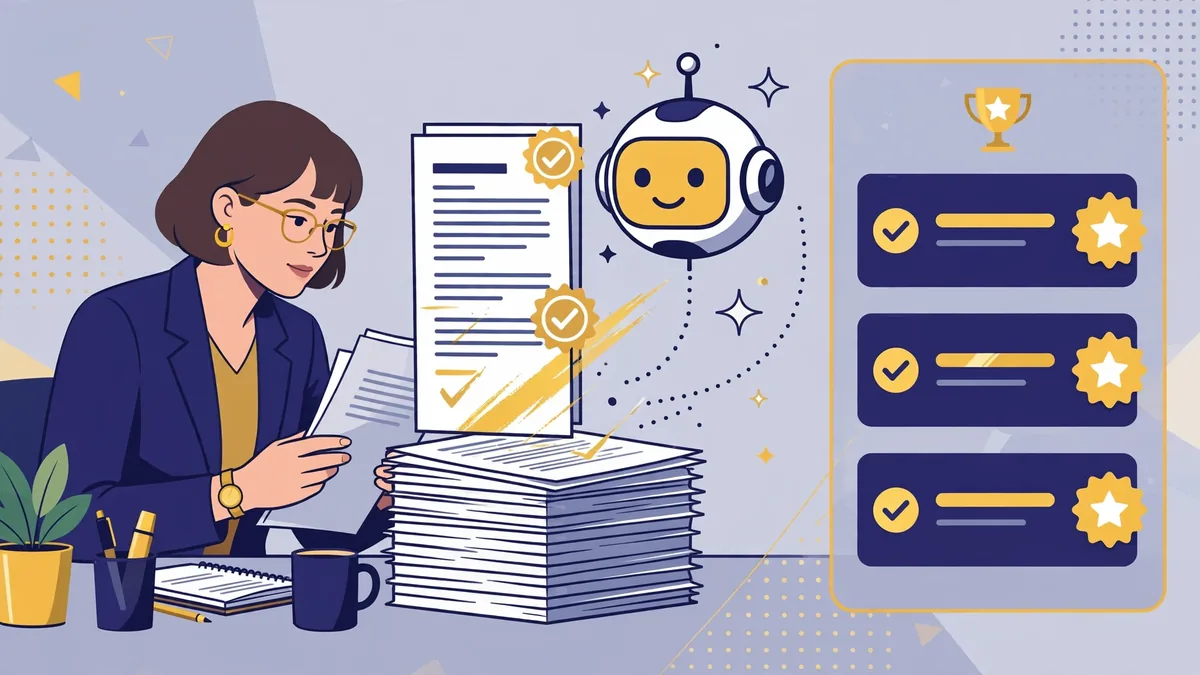
Resume screening is where AI delivers the biggest time savings — and where the biggest risks live. A well-designed workflow keeps both in view.
The responsible screening workflow
- Define criteria before touching the AI. Write down the must-have and nice-to-have qualifications for the role first, based on the job description. This prevents the AI from inventing its own criteria — the most common source of screening bias.
- Use structured extraction, not black-box ranking. The safer pattern: have the AI extract structured facts from each resume (years of experience, specific skills, education, certifications) into a consistent format, then apply your documented criteria to the structured output. This is auditable in a way that “score each resume 1–10” is not.
- Calibrate on a sample. Before running the full pipeline, screen 30–50 resumes both ways (AI-assisted and human) and compare. If the AI systematically downgrades certain backgrounds, your criteria or prompts need revision — not the candidate pool.
- Keep humans in the decision loop. AI narrows the funnel; humans decide who advances. Document the handoff criteria.
- Log everything. Retain screening criteria, prompts or configurations, and outcomes by stage. If your process is ever challenged, this documentation is your defense.
What the law says (and is starting to say)
- Title VII and disparate impact. US anti-discrimination law prohibits hiring practices that disproportionately exclude protected groups without business justification — regardless of intent. An AI screening tool with a biased outcome creates liability even if nobody intended discrimination. The EEOC has issued guidance making clear that employers are responsible for the outcomes of AI tools they use, including vendor-provided ones.
- Illinois BIPA and biometric privacy. If your process uses AI video interviews or facial analysis (a practice worth reconsidering — see below), Illinois’ Biometric Information Privacy Act imposes consent and data-handling requirements with significant penalties.
- New York City Local Law 144. Requires bias audits for automated employment decision tools used in NYC hiring, plus candidate notification. It’s the template other jurisdictions are watching.
- EU AI Act. Employment-related AI systems are classified as high-risk, with conformity, transparency, and human-oversight obligations for systems used in the EU.
- State AI hiring laws are multiplying. Several states have enacted or proposed laws requiring disclosure when AI is used in hiring decisions and, in some cases, bias testing. Track your operating states.
The practical upshot: never deploy AI screening without employment counsel reviewing the workflow, and prefer vendors that publish bias-audit results and support your documentation obligations.
A note on AI video interviews and game-based assessments
Automated video-interview analysis (assessing “enthusiasm” or “confidence” from facial expressions) has drawn sustained criticism from researchers and regulators, and several vendors have scaled back or discontinued these features. The science behind inferring job-relevant traits from facial movements is weak, the bias risks are severe, and candidate backlash is real. Most responsible TA teams have moved away from this category entirely.
Interview Scheduling and Coordination
Interview scheduling is pure coordination overhead — and AI handles it well with minimal risk:
- Self-scheduling links integrated with interviewers’ calendars eliminate the email ping-pong. Most modern ATS platforms include this natively.
- AI scheduling assistants can negotiate times across multiple interviewers, handle reschedules, and send reminders — via email or chat, with human escalation when conflicts arise.
- Interview kits: AI drafts structured interview guides from the job description — role-specific questions, evaluation rubrics, and scorecards. Structured interviews are both fairer and more predictive than unstructured conversations, so this is a genuine quality improvement, not just efficiency.
The key discipline: interview questions and evaluation criteria should be standardized per role and reviewed for bias (no questions touching protected characteristics, no “culture fit” proxies for demographic similarity). AI makes it easy to generate these consistently — use that power for standardization, not improvisation.
Candidate Communication and Experience
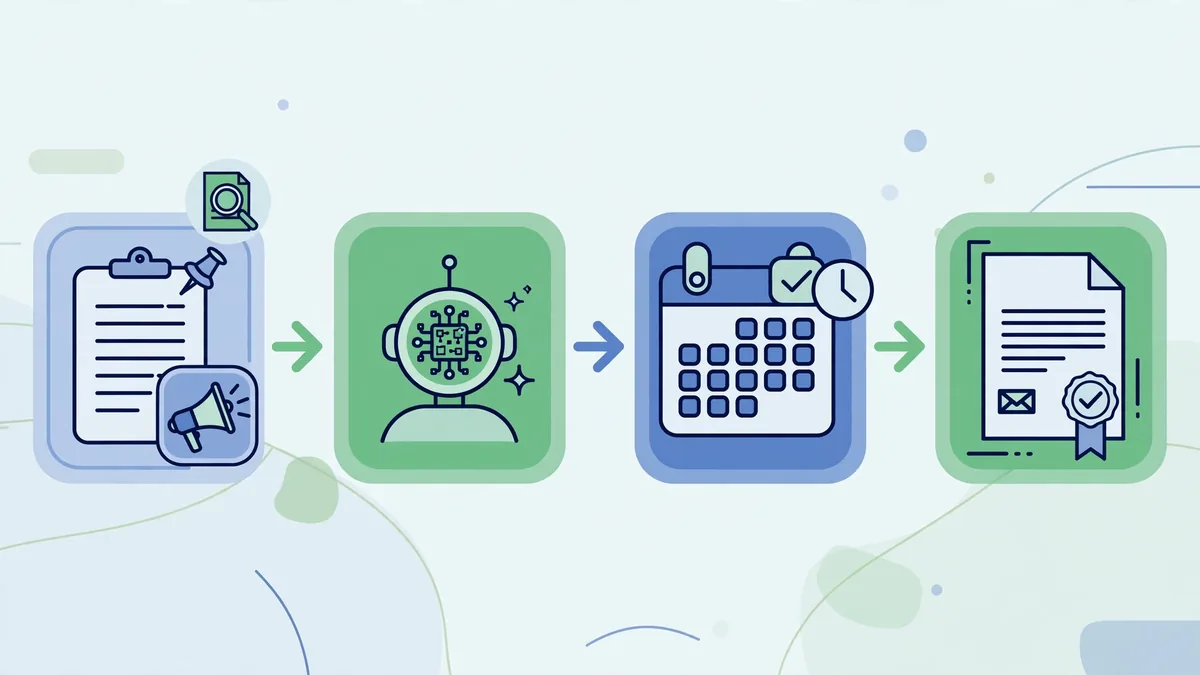
Candidate ghosting damages employer brands, and it’s usually a bandwidth problem, not a malice problem. AI helps:
- Status updates at scale. Draft personalized updates for candidates at each pipeline stage. A short, specific message (“You’ve advanced to the panel round; expect scheduling within 3 business days”) dramatically improves candidate experience.
- Rejection messages with dignity. AI drafts kind, specific rejection notes referencing the candidate’s actual strengths — far better than silence or form letters. Never let AI invent feedback (“you lacked leadership experience” when the real reason was headcount freeze); keep rejections honest and general where specifics aren’t documented.
- FAQ chatbots for applicants. Benefits questions, timeline questions, “what’s the interview process” — a well-trained chatbot on your careers page deflects repetitive inquiries and improves the candidate experience. (See our no-code chatbot guide for implementation patterns that apply here.)
Disclosure: Candidates increasingly expect to know when they’re interacting with AI. Several jurisdictions are moving toward requiring it. Disclosing AI use in hiring communications is both emerging best practice and, in some places, emerging law.
HR Beyond Hiring: Onboarding, Policy, and Employee Support
The same technology serves HR teams after the hire:
- Onboarding sequences: AI drafts role-specific 30-60-90 day plans, welcome messages, and training checklists from the job description and team context.
- Policy drafting: First drafts of handbook updates, remote-work policies, and internal announcements — always reviewed by HR leadership and counsel before publication. AI is fast at structure and plain language; it’s not a substitute for legal review of policy.
- HR helpdesk: Chatbots trained on handbooks and benefits documentation answer routine employee questions (“How do I add a dependent to my health plan?”), freeing HR for complex cases. Accuracy here matters enormously — train only on current official documents and review answers regularly.
- Performance review assistance: AI helps managers turn scattered notes into structured, behavior-based feedback drafts. The manager’s judgment remains the review; the AI just fights the blank page. Watch for bias creep — ensure the underlying notes, not the AI’s embellishments, drive the content.
Evaluating Vendors: A Buyer’s Checklist
The HR tech market is crowded with AI claims. Based on what regulators and practitioners actually require, evaluate vendors on:
- Published bias audits. Does the vendor conduct and share third-party bias testing? NYC Local Law 144 made this mandatory for covered tools; responsible vendors do it regardless.
- Explainability. Can the vendor explain why the system ranked or filtered candidates? Black-box scoring you can’t explain is a liability you can’t defend.
- Data practices. Where does candidate data go? Is it used to train models? How long is it retained? Candidates have privacy rights (and in states like California, deletion rights) that your vendor must support.
- Configurability. Can you define your own criteria, or does the tool impose its own model of a “good candidate”? The former supports your compliance; the latter undermines it.
- Integration. Does it work with your ATS (Greenhouse, Lever, Workday, Ashby, etc.) without manual data exports that create their own privacy risks?
- Candidate experience. Try the candidate-facing side yourself. Clunky, opaque, or creepy-feeling AI touchpoints cost you talent.
Well-known platforms in this space include Eightfold, Phenom, and HireVue (which has pivoted toward skills-based assessment), plus AI features embedded in major ATS platforms. Evaluate against the checklist above rather than brand recognition.
Implementation Roadmap: Your First 90 Days
Rolling out AI in hiring works best as a phased program rather than a big-bang launch:
- Days 1–30: Foundations. Pick one low-risk use case (job description drafting is the classic starting point). Document your current baseline metrics: time-to-fill, time-to-screen, cost-per-hire, and candidate satisfaction scores. Get employment counsel’s sign-off on the planned workflow and confirm your vendor’s data-processing terms.
- Days 31–60: Pilot. Run the AI workflow alongside your existing process on a small set of open roles. Compare outputs, collect feedback from recruiters and hiring managers, and refine prompts, templates, and criteria. If screening is in scope, run the calibration exercise described earlier on a real sample.
- Days 61–90: Expand and govern. Roll the proven workflow out to the full team with written standard operating procedures. Establish the ongoing governance cadence: monthly metric reviews, quarterly bias and quality audits, and a clear owner for the AI hiring stack. Add the next use case (interview kits or scheduling automation) only once the first is stable.
This measured pace does two things: it builds internal trust in the tools, and it creates the documentation trail that regulators and auditors expect to see.
Frequently Asked Questions About AI for Recruiters and HR
Will AI replace recruiters?
No — it’s reshaping the role, not eliminating it. Sourcing, screening, and scheduling get faster, which pushes recruiters toward higher-value work: candidate relationships, hiring-manager advisory, offer negotiation, and employer branding. The recruiters thriving with AI are the ones who let it handle volume while they handle judgment.
Is it legal to use AI to screen resumes?
Yes, provided the process doesn’t produce discriminatory outcomes and complies with applicable disclosure and audit requirements (which vary by jurisdiction — NYC’s Local Law 144, Illinois BIPA, and emerging state laws). Employers are responsible for their tools’ outcomes, including vendor-provided tools. Have employment counsel review your workflow before deployment.
How do I reduce bias in AI hiring tools?
Define job-related criteria before involving AI, use structured extraction rather than black-box scoring, calibrate against human review on a sample, keep humans as final decision-makers, choose vendors with published bias audits, and re-audit periodically — model behavior and applicant pools both drift over time.
Should we tell candidates we’re using AI?
Increasingly, yes — and in some jurisdictions you must. Beyond legal requirements, transparency is good candidate experience: top talent is wary of opaque automated processes. A simple statement in the application flow (“We use AI-assisted tools to help review applications; all hiring decisions are made by our team”) goes a long way.
What’s the ROI of AI in recruiting?
The most commonly reported gains, based on vendor case studies and industry surveys: 30–60% reductions in time-to-screen, meaningful drops in time-to-fill for high-volume roles, and improved candidate response rates from better communication. Treat vendor ROI claims skeptically and measure your own baseline before and after adoption.
Can small companies use AI recruiting tools, or is this enterprise-only?
Small companies benefit significantly — arguably more, since they lack dedicated sourcing teams. Many ATS platforms aimed at smaller teams (Ashby, Breezy HR, Workable) include AI features at accessible price points, and general AI assistants handle job-description drafting and interview-kit creation at minimal cost. Start with the free or low-cost use cases and expand as hiring volume justifies it.
For compliance baselines on AI in hiring, review guidance from SHRM, the Society for Human Resource Management.
Keep exploring: If you found this guide to ai for recruiters and hr useful, read AI for Interview Preparation: The Complete Guide (2026), Best AI Transcription Tools Compared (2026), How to Write Better AI Prompts: A Practical Guide for more practical ways to use ai for recruiters and hr.
What is the best use of AI for recruiters and HR teams?
Resume screening is the highest-ROI use of AI for recruiters and HR teams: it cuts first-pass review time by up to 75% while applying consistent criteria. Pair it with AI-drafted job descriptions and interview scheduling, and AI for recruiters and HR stops being a pilot project and becomes daily workflow.
Does AI for recruiters and HR introduce hiring bias?
It can if trained on biased historical data. Responsible AI for recruiters and HR means auditing outputs for disparate impact, keeping humans in final decisions, and documenting criteria. Done right, AI for recruiters and HR actually reduces bias by forcing structured, consistent evaluation.
Which HR tasks should not be handed to AI?
Final hiring decisions, terminations, and sensitive employee conversations should stay human. Use AI for recruiters and HR for drafting, screening, scheduling, and analytics — the repetitive layer — while people handle judgment calls. The best AI for recruiters and HR setups keep a human in the loop by policy.
Conclusion
AI for recruiters and HR teams works best as a force multiplier for good process, not a shortcut around it. The teams seeing real returns share a pattern: they define criteria before automating, keep humans deciding, document everything, choose vendors with real bias audits, and treat compliance as a design requirement rather than an afterthought. Start with the low-risk wins — job descriptions, interview kits, scheduling — build your governance muscle there, and only then extend AI into screening and selection decisions. Hiring shapes people’s lives and your company’s future; the technology deserves both your ambition and your care.
What’s the biggest mistake teams make with AI for recruiters and HR?
Automating before defining criteria. AI for recruiters and HR amplifies whatever hiring rubric you give it — vague criteria produce vague shortlists. Define what ‘good’ looks like first, then let AI for recruiters and HR apply it consistently. The technology is rarely the problem; the process is.


Join the discussion
Have a question or a perspective to share?