
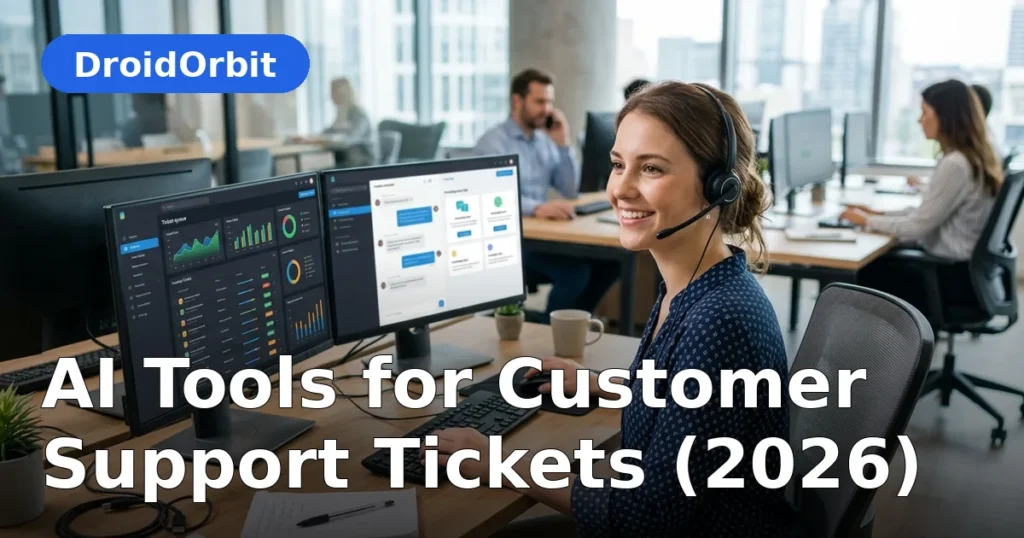
The support ticket queue is where customer patience goes to die. Tickets pile up, sit unassigned, get bounced between agents, and age quietly until someone complains loudly. AI tools for customer support tickets change the mechanics of the queue itself: software that reads every incoming ticket, understands what the customer actually needs, routes it to the right person, drafts the reply, and in many cases resolves it without a human ever touching it.
This guide is about the ticket lifecycle specifically — not chatbots in general, but what happens from the moment a ticket is created to the moment it is closed. You will learn how AI triage, routing, agent assistance, auto-resolution, and ticket analytics work in 2026, which platforms offer them, and how to deploy them without breaking the support experience your customers rely on.
AI Tools for Customer Support Tickets: The Ticket Lifecycle and Where AI Intervenes

A support ticket passes through predictable stages, and AI now touches every one:
- Intake. Ticket arrives via email, form, chat, phone, or social. AI normalizes it: detects language, strips signatures, identifies the customer and their history.
- Classification. AI reads the content and tags it: topic, product area, urgency, sentiment, and whether it matches a known issue.
- Routing. Based on classification plus agent skills, workload, and business rules, the ticket goes to the right queue or person — instantly, not after sitting in "unassigned" for hours.
- Resolution. AI drafts replies, suggests knowledge-base articles, or fully auto-resolves routine tickets. Agents handle the rest with AI assistance.
- Follow-up. AI schedules and personalizes follow-ups, satisfaction surveys, and reopen detection ("the customer replied 'this didn't work' — reopen and escalate").
- Analysis. Every ticket becomes data: trending topics, resolution times, agent performance, emerging product issues.
Most teams roll out AI tools for customer support tickets in this order: classification and routing (lowest risk) first, then auto-resolution (highest leverage, needs the most care).
AI Triage: Reading Every Ticket Instantly
Triage is the highest-ROI starting point because it fixes the most universal pain: tickets waiting in the wrong queue.
What AI triage does:
- Intent classification. Determines what the customer wants — refund, technical help, billing question, account change — from free-text descriptions, even messy ones with typos and multiple issues.
- Priority scoring. Combines urgency signals (language like "urgent" or "cancel," SLA clocks, customer tier, sentiment) into a priority score so critical tickets surface immediately.
- Sentiment and emotion detection. Flags angry, frustrated, or confused customers for faster or more senior handling.
- Duplicate detection. Spots that this ticket is the same incident as five others — often the first sign of an outage or bug — and links them.
- Language detection and routing. Sends non-English tickets to the right language queue or triggers translation workflows.
Getting triage right: train on your historical tickets, not generic data. Review classifications weekly for the first month and correct mistakes — the model learns your business's specific language. Define what "urgent" means in writing; the AI can only apply the standard you give it.
Smart Routing: The Right Ticket to the Right Agent

Once classified, tickets need to land with someone who can actually solve them. AI routing considers:
- Skill matching. Billing issues to billing specialists, technical issues to the product-area expert.
- Workload balancing. Distributes across available agents instead of piling onto the fastest responder.
- Customer context. VIP customers, high lifetime value, or previous escalations route to senior agents automatically.
- Follow-the-sun. Routes by timezone and shift so tickets do not sit overnight when another region is staffed.
- Round-robin with intelligence. Even distribution weighted by complexity — hard tickets spread fairly, not dumped on whoever is online.
The metric that matters: time from ticket creation to first meaningful action. Good routing collapses this from hours to seconds, and customers feel the difference immediately even before resolution speed changes.
Agent Assist: AI Beside Every Support Rep
Agent-assist tools work inside the ticket, alongside the human:
- Reply drafting. The AI reads the ticket and conversation history, then drafts a response the agent reviews, edits, and sends. Good drafts save minutes per ticket; over hundreds of tickets, that is enormous.
- Suggested knowledge articles. Relevant help-center content surfaces automatically, so agents stop hunting through wikis.
- Thread summarization. Long, multi-reply tickets get condensed to the key facts — essential when tickets transfer between agents or shifts.
- Tone and compliance checks. Flags responses that sound dismissive, or that risk violating policy (promising refunds outside authority, sharing sensitive data).
- Next-best-action suggestions. Based on similar resolved tickets, the AI suggests the most likely resolution path.
Agent-assist is the safest AI deployment in support: the human stays in control of every customer-facing word, while the AI removes the research and typing overhead. New hires become effective dramatically faster because the AI effectively mentors them through each ticket.
Auto-Resolution: When AI Closes Tickets Itself

The most powerful — and most delicate — capability: AI resolving tickets end-to-end without human involvement.
What auto-resolution handles well:
- Status inquiries ("where is my order?") answered from order systems via integration.
- Password resets and account unlocks through secure identity verification.
- Policy questions answered from the knowledge base with cited sources.
- Appointment rescheduling, address changes, and subscription modifications via backend APIs.
- Standard troubleshooting flows for known issues.
The guardrails that make it safe:
- Confidence thresholds. The AI only auto-resolves when its confidence is high; anything uncertain routes to a human.
- Scope limits. Define exactly which intents are eligible for auto-resolution. Start with 2–3; expand quarterly.
- Customer escape hatch. Every automated interaction offers an obvious path to a human. No exceptions.
- Full audit trail. Every auto-resolved ticket keeps its transcript, the sources used, and the actions taken — reviewable anytime.
- Feedback loops. Post-resolution surveys specifically for AI-handled tickets, with low scores triggering human review of the transcript.
The honest truth: auto-resolution quality depends entirely on integrations and knowledge quality. A bot connected to your order, CRM, and billing systems resolves real problems. A bot with only FAQ articles mostly creates the appearance of resolution. Invest in the plumbing before expanding the scope.
Ticket Analytics: Turning Support Into Intelligence
Every ticket is a data point about your product and business. AI analytics makes that data usable:
- Trending topics. Which issues are spiking this week? Often the earliest warning of bugs, confusing UI changes, or shipping problems.
- Resolution analytics. Which intents resolve fastest, which stall, where handoffs multiply — the map of your process friction.
- Agent performance. Resolution rates, CSAT, handle times per agent — for coaching, not punishment.
- Customer effort signals. Tickets with many back-and-forths or reopens indicate broken processes, not difficult customers.
- Root-cause clustering. Groups related tickets to show that 200 "different" complaints are actually one bug.
The strategic value: support stops being a cost center and becomes the company's best sensor for product and operational problems. Smart teams pipe these insights directly to product and operations with a weekly review ritual.
Platforms Worth Evaluating
The helpdesk market has consolidated AI features into the major suites. Based on publicly documented capabilities:
- Zendesk. Full suite (email, chat, voice, knowledge base) with AI agents for auto-resolution, copilot for agent assist, intelligent triage, and QA analytics. Strong for teams wanting one platform for the whole ticket lifecycle.
- Intercom. Conversational-first platform with the Fin AI agent, known for in-app support and strong auto-resolution for SaaS companies.
- Freshdesk (Freshworks). Freddy AI covers chatbots, triage, and agent assist at pricing aimed at small and mid-size teams.
- HubSpot Service Hub. Natural fit for HubSpot CRM users, with AI chatbots, conversation intelligence, ticket automation, and knowledge tools.
- Salesforce Service Cloud. Enterprise-grade with Agentforce AI agents, deep CRM integration, and advanced routing — powerful but heavier to implement.
- Zoho Desk. Affordable helpdesk with AI assistance (Zia) for sentiment, triage, and agent productivity — good value for smaller teams.
- Ada / Forethought. AI-native platforms focused on automated resolution and triage, often layered onto existing helpdesks.
Evaluate with a pilot on your real tickets: import a sample of historical tickets, run triage and drafting, and measure classification accuracy and draft quality before committing.
Deployment Plan: From Pilot to Full Rollout
Phase 1: Triage and routing (weeks 1–4)
Connect the AI to your ticket flow in shadow or live-assist mode. Measure classification accuracy against human labels. Tune until accuracy is high, then let it route live. This phase alone typically transforms queue dynamics.
Phase 2: Agent assist (weeks 4–8)
Turn on reply drafting, summarization, and article suggestions. Train agents on reviewing and editing drafts — the skill is fast, critical review, not blind acceptance. Track handle time and CSAT.
Phase 3: Limited auto-resolution (weeks 8–12)
Enable auto-resolution for 2–3 high-volume, low-risk intents with strict confidence thresholds and full audit trails. Review every auto-resolved ticket daily at first. Expand intents quarterly based on performance data.
Phase 4: Analytics and optimization (ongoing)
Build the weekly insights review: trending topics to product teams, process friction to operations, coaching themes to team leads. This is where ticket AI pays strategic dividends beyond efficiency.
Metrics That Matter
- Classification accuracy: % of tickets correctly categorized (target: high 80s+ after tuning).
- Time to first action: creation → meaningful handling (should collapse with routing).
- Auto-resolution rate: % fully resolved without human touch, per intent.
- Average handle time: for agent-handled tickets (should fall with assist).
- First-contact resolution: issues solved in the first interaction.
- Reopen rate: tickets that come back — the quality check on auto-resolution.
- CSAT by handling type: AI-resolved vs. agent-assisted vs. agent-only. Watch for gaps.
- Cost per ticket: total support cost ÷ tickets resolved.
If auto-resolution rises but CSAT falls or reopens spike, your AI tools for customer support tickets are creating work, not removing it. Pull back scope and fix quality before expanding.
Common Pitfalls
- Skipping the knowledge cleanup. AI trained on outdated articles gives outdated answers confidently. Audit content before expanding auto-resolution.
- Hiding the human option. Customers must always reach a person easily. Buried escalation paths breed rage.
- Auto-resolving sensitive topics. Billing disputes, cancellations with retention offers, safety issues — keep humans in the loop.
- Ignoring the audit trail. If you cannot review what the AI did and why, you cannot improve it or defend it.
- Vanity containment metrics. "70% contained" means nothing if customers reopen or call in furious. Measure resolution quality, not just deflection.
- Set-and-forget. Products, policies, and customer language change constantly. Assign weekly review ownership permanently.
FAQ
What are AI tools for customer support tickets?
They are software features that automate parts of the ticket lifecycle: AI triage classifies and prioritizes incoming tickets, smart routing assigns them to the right agent, agent-assist drafts replies and summarizes threads, auto-resolution closes routine tickets independently, and analytics surfaces trends across all tickets.
Which is the best AI helpdesk for support tickets?
It depends on your current stack and scale. Zendesk, Intercom, Freshdesk, HubSpot Service Hub, and Salesforce Service Cloud all offer mature AI ticket features; Zoho Desk is a strong value option for smaller teams. Pilot 2–3 finalists on your real historical tickets and compare classification accuracy and draft quality before deciding.
How much do AI ticketing tools cost?
Lightweight helpdesks start under $50 per month; mid-market platforms run several hundred to a few thousand monthly; enterprise suites are custom-quoted. Many vendors now include AI features in standard tiers or price partly on AI resolutions, so model your ticket volume carefully before signing.
Can AI really resolve support tickets without humans?
Yes, for well-defined routine intents — order status, password resets, policy questions, appointment changes — when the AI is integrated with your backend systems and knowledge base. Complex, emotional, or high-stakes tickets should still route to humans. Start auto-resolution narrow (2–3 intents) and expand based on measured quality.
Will AI ticketing replace support agents?
It changes their work more than eliminating it. Routine tickets get automated while agents handle complex cases, edge exceptions, and quality review of AI output. Most teams keep headcount flat while handling growing volume — the same team serves more customers.
How do I measure whether ticket AI is working?
Track classification accuracy, time to first action, auto-resolution rate per intent, average handle time, first-contact resolution, reopen rate, CSAT split by handling type, and cost per ticket. If automation rises but satisfaction falls or reopens spike, reduce scope and fix quality first.
Conclusion
AI tools for customer support tickets work because the ticket lifecycle is exactly the kind of structured, high-volume, pattern-rich work AI handles well. Triage and routing fix the queue dynamics, agent assist makes every rep faster and new hires productive sooner, auto-resolution clears the routine volume, and analytics turns the whole operation into business intelligence.
The deployment order matters: triage first, assist second, auto-resolution third — each phase building the data quality and team trust the next one needs. Keep humans in charge of sensitive topics and quality review, measure per-intent rather than in aggregate, and never let a containment metric substitute for actual customer satisfaction.
Start with a triage pilot on your real tickets this month. When classification accuracy is high and time-to-first-action collapses, you will have the foundation — and the credibility — to automate the rest.




Pingback: Ai Tools For Customer Service 2 — Complete 2026 Guide