
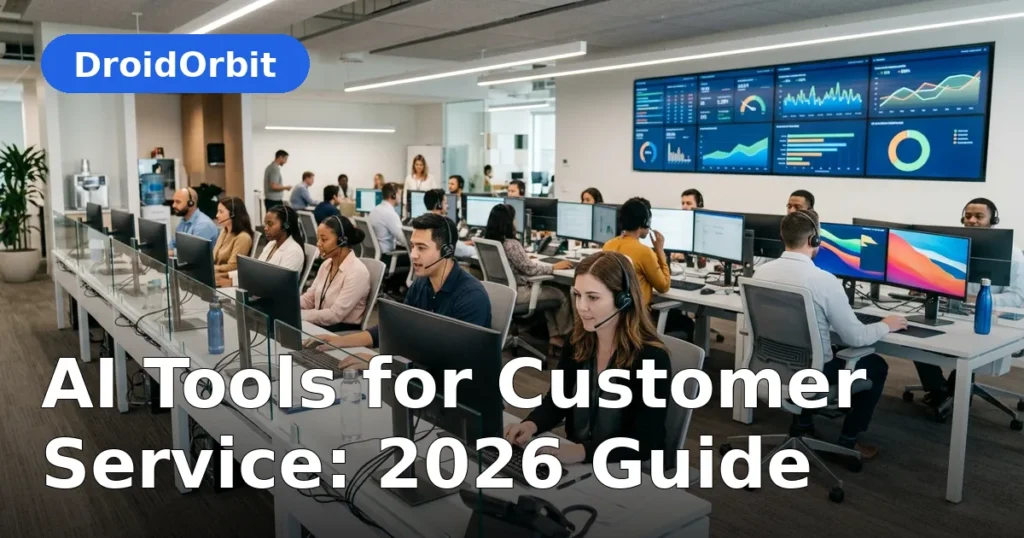
Customer expectations have never been higher. Shoppers and subscribers want answers in seconds, at any hour, on whatever channel they happen to be using — and they will happily switch to a competitor when service feels slow or impersonal. AI tools for customer service have become the practical answer to this pressure: software that can hold natural conversations, draft replies for human agents, route tickets (our AI Tools for Customer Support Tickets (2026) covers ticket workflows in depth), transcribe calls, and surface the right help-center article before a customer even asks.
This guide walks through what AI tools for customer service actually do in 2026, the main categories on the market, the features that matter when you are comparing vendors, and a realistic deployment plan that avoids the common traps — our AI Tools for Small Business Automation (2026) extends the playbook beyond support. Whether you run a three-person support team or a 300-seat contact center, the goal is the same: faster resolutions, happier customers, and agents who spend their time on work that actually needs a human.
What Are AI Tools for Customer Service?

AI tools for customer service are software products that use artificial intelligence — primarily large language models, natural language understanding, speech recognition, and machine-learning classification — to handle or assist with support work. They show up in several forms:
- Conversational AI chatbots that chat with customers on websites, apps, WhatsApp, and social channels.
- Agent-assist tools that listen to live conversations and suggest replies, summarize threads, or pull up relevant knowledge-base content for the human agent.
- Ticket triage and routing that reads incoming emails and tickets, classifies intent, detects urgency and sentiment, and sends each case to the right queue or agent.
- Voice AI that answers phone calls with natural-sounding speech, authenticates callers, and resolves routine requests without a human picking up.
- Quality and analytics tools that score conversations, detect emerging issues, and forecast staffing needs.
A few years ago these were separate niches. In 2026 most leading platforms have converged: a single product often covers chat, email, voice, and agent assistance from one console, with analytics baked in. That convergence is good news for buyers, because it means fewer integrations to maintain and one shared knowledge base powering every channel.
How AI Is Changing Customer Service in 2026
From deflection to resolution
Early chatbot generations were built around "deflection" — keep the customer away from the agent. The result was often frustrating menu trees and dead-end conversations. Modern conversational AI is designed around resolution instead: understanding the customer's actual goal in plain language and taking action, like checking an order status, processing a return, or rescheduling an appointment, by calling into your backend systems through APIs.
Agents become specialists
When AI handles password resets, shipping questions, and "where is my order" checks, human agents stop being generalists firefighting an endless queue and become specialists handling complex, emotional, or high-value conversations. Teams that deploy well report that agent job satisfaction improves because the repetitive grind disappears.
Every channel, one brain
Customers no longer think in channels; they start on Instagram, follow up by email, and call when it is urgent. AI platforms that share conversation context across channels eliminate the dreaded "please repeat your issue" moment. The customer's identity and history travel with them.
Proactive support
AI monitoring can spot patterns — a spike in login-error tickets, a wave of complaints about a new feature — hours before a human analyst would notice. Some tools can trigger proactive outreach: messaging affected customers with a workaround before they write in.
Key Features to Look For

Not every tool does everything, so start your evaluation with a clear feature checklist:
- Natural language understanding: The bot should handle typos, slang, and multi-intent messages ("My package is late and I also want to change my address") without breaking.
- Knowledge-base integration: It should read your existing help center, manuals, and policy docs, and cite sources it used.
- Escalation paths: Graceful handoff to a human with full conversation context, plus clear rules for when to escalate (frustration signals, high-value customers, regulated topics).
- Multilingual support: Real translation quality in the languages your customers actually use, not machine-gibberish.
- Action capability: Look for the ability to perform tasks (refunds, bookings, account changes) via integrations, not just answer questions.
- Analytics and reporting: Resolution rates, containment rates, customer satisfaction (CSAT), average handle time, and conversation transcripts for review.
- Security and compliance: SOC 2 certification, GDPR support, data retention controls, and options to keep training data out of your private conversations.
- Easy authoring: Non-technical staff should be able to update answers and workflows without writing code.
The Main Categories of AI Customer Service Tools
1. AI Chatbots and Virtual Agents
The most visible category. These bots live on your website, mobile app, and messaging channels. The best-known platforms include Intercom's Fin, Zendesk AI agents, Ada, Forethought, Drift (now part of Salesloft), and Sierra. They differ in how deeply they integrate with your systems: basic bots answer FAQs from a knowledge base, while advanced ones connect to order management, CRM, and billing systems to complete transactions.
When evaluating, ask for a live demo using YOUR help-center content, not the vendor's polished sample data. Pay attention to how the bot handles questions it cannot answer — the handoff quality matters more than the happy-path demo.
2. Agent-Assist and Copilot Tools
These sit beside your human agents rather than replacing them. During a live chat or call, the AI suggests replies, auto-fills ticket fields, summarizes long threads for a newly assigned agent, and flags compliance risks in real time. Salesforce's Agentforce, Zendesk's agent copilot features, and similar offerings from Freshworks and HubSpot fall here.
Agent-assist is often the safest first step for companies nervous about full automation: the human stays in control, but average handle time drops and new hires ramp up faster because the AI effectively coaches them through every conversation.
3. AI Voice and IVR
Phone support is getting an AI upgrade. Voice AI platforms can answer calls with natural speech, understand spoken requests, authenticate callers, and resolve routine issues — bill payments, appointment scheduling, balance inquiries — around the clock. When a call needs a human, the AI passes a written summary so the agent starts informed.
This category has matured quickly thanks to better speech-to-text and text-to-speech. Listen carefully to voice quality in demos: robotic or laggy audio will hurt your brand more than a queue ever did.
4. Ticket Triage, Routing, and Auto-Tagging
Behind the scenes, AI reads every incoming ticket and email, classifies the topic and urgency, detects the customer's sentiment and language, and routes the case to the right team with suggested priority. For high-volume inboxes this alone can be transformative — no more "miscellaneous" queue where tickets go to die.
5. Knowledge Management and Self-Service
AI search over your help center understands what customers mean, not just the keywords they type, and surfaces the right article. Some tools auto-generate article drafts from resolved tickets, keeping documentation current without manual effort. A strong self-service experience reduces ticket volume at the source.
6. Conversation Analytics and Quality Assurance
Instead of managers sampling a handful of calls, AI scores every conversation: Was the issue resolved? Was the tone appropriate? Did the agent follow policy? It also surfaces trending topics and emerging complaints, turning support into an early-warning system for product and operations teams.
Well-Known Platforms Worth Knowing

The market is crowded, so here are the names you will encounter most often, with what each is known for based on publicly documented capabilities:
- Zendesk: A full support suite (ticketing, chat, voice, knowledge base) with AI agents, copilot, and QA features layered across it. Strong for teams already on Zendesk or wanting an all-in-one suite.
- Intercom: Known for its Fin AI agent and conversational support platform, popular with SaaS and tech companies. Strong on in-app messaging.
- Salesforce Service Cloud / Agentforce: Enterprise-grade, deeply integrated with the Salesforce ecosystem. Agentforce focuses on autonomous agents for service and sales tasks.
- Freshdesk (Freshworks): Aimed at small and mid-size teams, with Freddy AI features for chatbots, triage, and agent assist at accessible pricing.
- HubSpot Service Hub: Fits naturally for companies already using HubSpot CRM, with AI chatbots, conversation intelligence, and knowledge-base tools.
- Ada: Specializes in AI agents that resolve inquiries across channels, with an emphasis on no-code building and integrations.
- Forethought: Focuses on AI triage, knowledge, and agent assist, popular with support teams wanting automation inside existing helpdesks.
- Sierra: Founded by former Salesforce leadership, focused on conversational AI agents for large brands, with attention to brand voice and guardrails.
- Tidio and Crisp: Lighter-weight, affordable options popular with small businesses and ecommerce stores for live chat plus AI.
- LivePerson: Conversational AI platform with a long history in enterprise messaging and voice.
This is not an exhaustive list, and the right choice depends on your current stack, ticket volume, channels, and budget — not on brand fame.
How to Implement AI Customer Service Tools: A Realistic Plan
Step 1: Audit your current support operation
Before buying anything, gather baseline numbers: monthly ticket volume by channel, average first-response time, average resolution time, CSAT scores, and the top 20 ticket topics. You cannot measure improvement without a baseline, and the top-topics list tells you exactly which use cases to automate first.
Step 2: Pick one high-volume, low-complexity use case
Start narrow. Classic first candidates: order tracking, password resets, return policies, appointment rescheduling, billing questions. A pilot scoped to 2–3 intents is far more likely to succeed than a bot that tries to answer everything on day one.
Step 3: Clean up your knowledge base
AI is only as good as the information it can access. Outdated help-center articles, contradictory policy pages, and undocumented tribal knowledge will all show up in bot answers. Audit and rewrite your top articles before launch; assign an owner to keep them current.
Step 4: Choose your deployment model
- Bot-first: The AI greets every customer and resolves what it can, escalating the rest. Best for high-volume, repetitive queries.
- Agent-assist first: Humans keep handling conversations; AI works in the background suggesting replies and summarizing. Best for complex or sensitive support.
- Hybrid: Bot handles after-hours and simple intents; agents take over for everything else.
Many teams start with agent-assist, build trust in the AI's accuracy, then expand the bot's autonomous scope.
Step 5: Design escalation carefully
Define exactly when the bot hands off: customer asks for a human, sentiment turns negative, the topic is on a sensitive list (billing disputes, legal issues, safety), or the bot's confidence is low. The handoff must carry the full transcript and a summary — making the customer repeat themselves destroys trust.
Step 6: Test with real conversations
Run the bot in a shadow or limited mode first: let it draft answers that agents review before sending, or expose it to a small percentage of traffic. Review transcripts daily in the first weeks and fix wrong answers immediately.
Step 7: Train your team
Agents need to understand what the AI does, how to correct it, and how their own role is changing. The teams that resist AI most are usually the ones that were never told the plan. Position it as removing drudgery, not removing jobs.
Measuring Success: Metrics That Matter
- Resolution rate / containment rate: What percentage of conversations does the AI fully resolve without a human? Track this per intent, not just overall.
- First-contact resolution: Does the customer's issue get solved in the first interaction?
- Average handle time (AHT): For agent-assisted conversations, is the AI shortening them?
- CSAT and NPS: Customer satisfaction specifically for AI-handled conversations vs. human-handled ones.
- Escalation rate: How often does the bot hand off, and is that rate trending down as you improve it?
- Cost per resolution: Total support cost divided by resolved conversations — the ultimate efficiency metric.
- Agent satisfaction and turnover: Often overlooked; good AI deployments improve both.
Be honest about the numbers. A bot that "contains" 70% of chats but leaves customers furious is worse than no bot at all.
Common Pitfalls and How to Avoid Them
- Launching with stale knowledge: The number-one cause of embarrassing bot answers. Keep content fresh.
- Hiding the handoff: Customers should always be able to reach a human easily. Burying the "talk to an agent" option breeds resentment.
- Over-automating sensitive topics: Billing disputes, account closures, health and safety issues — keep humans firmly in the loop.
- Ignoring voice quality: A chatbot that reads well can still sound terrible on the phone. Test voice deployments by actually calling in.
- Set-and-forget mentality: Customer language, products, and policies change constantly. Assign someone to review AI performance weekly.
- Privacy blind spots: Make sure the vendor does not train public models on your customer conversations unless you have explicitly agreed, and check data residency requirements for your industry.
Best Practices for 2026
- Be transparent: It is fine — and increasingly expected — to let customers know when they are chatting with AI.
- Design for the failure case first: The escalation experience matters more than the success path.
- Feed the AI your best content: Treat your knowledge base as a product, with owners and review cycles.
- Measure per-intent, not just in aggregate: "70% contained" hides the 5 intents where the bot fails every time.
- Close the loop with product teams: Support AI surfaces bugs and friction; make sure that intelligence reaches the people who can fix root causes.
- Start small, expand deliberately: Prove value on 2–3 intents, then widen the scope quarter by quarter.
FAQ
What is the best AI tool for customer service?
There is no single best tool — it depends on your existing software, ticket volume, channels, and budget. Teams already on Zendesk, Salesforce, or HubSpot often do best with that platform's built-in AI. Standalone options like Intercom, Ada, or Forethought can be better fits for specific needs. Evaluate 2–3 finalists with a pilot on your real data before committing.
How much do AI customer service tools cost?
Pricing varies widely: lightweight chatbots for small businesses can start under $50 per month, mid-market platforms typically run several hundred to a few thousand dollars monthly, and enterprise deployments are custom-quoted. Many vendors now price partly on AI resolutions or conversations rather than per-seat licenses, so model your expected volume before signing.
Will AI replace customer service agents?
In practice, AI changes agent roles more than it eliminates them. Routine queries get automated while agents handle complex, emotional, and high-stakes conversations. Most successful deployments keep humans firmly in the loop for escalations, and agent headcount often stays flat while the business grows — the team handles more volume without growing.
Can AI chatbots really resolve issues, or do they just deflect?
Modern AI agents can genuinely resolve issues when connected to your backend systems — checking order status, processing returns, updating account details. The key is integration: a bot with API access to your order and CRM systems resolves; a bot with only FAQ articles mostly deflects. Ask vendors specifically about action-taking capabilities.
How long does it take to deploy an AI customer service tool?
A focused pilot on 2–3 intents can launch in 2–6 weeks if your knowledge base is in decent shape. Full multi-channel rollouts with deep integrations typically take 2–4 months. The biggest schedule risk is usually content cleanup and integration work, not the AI itself.
Is customer data safe with AI support tools?
Reputable vendors offer SOC 2 compliance, encryption, data retention controls, and options to exclude your data from model training. Always review the vendor's data-processing terms, confirm where data is stored, and check industry-specific requirements (healthcare, finance) before deployment.
Conclusion
AI tools for customer service have moved past the hype phase into practical, measurable value. The technology in 2026 can genuinely resolve routine issues across chat, email, and voice, coach human agents in real time, and turn support conversations into business intelligence. But the tools are only half the equation — clean knowledge, thoughtful escalation design, honest measurement, and ongoing tuning determine whether your deployment delights customers or frustrates them.
Start with a narrow pilot, measure against a real baseline, and expand what works. Do that, and AI tools for customer service become what they should be: the reason your customers get answers in seconds and your agents get to do work that matters.




Join the discussion
Have a question or a perspective to share?