

Every prompt you type into an AI tool is data leaving your device — and what happens next varies enormously between providers, plans, and settings. This AI tools privacy guide explains what actually happens to your prompts, ranks the real risks, and gives you six settings to lock down today. AI tools privacy is a skill, not a product — and it starts with knowing what to check.
This guide is based on publicly documented privacy policies, data-retention statements, and security documentation from major AI providers, plus established information-security practices. It is not legal advice — for regulated industries, involve your compliance team — but it will give you a working framework: what actually happens to your prompts, where the real risks are, and a practical checklist you can apply to any AI tool in about fifteen minutes.

What Actually Happens When You Submit a Prompt
When you send text to a cloud AI service, it typically goes through four stages:
- Transit. Your prompt travels over an encrypted (HTTPS/TLS) connection to the provider’s servers. This part is standard and rarely the weak link.
- Processing. The model generates a response. This happens on the provider’s infrastructure — or, in some enterprise setups, in a dedicated cloud region.
- Retention. The provider stores some record of the interaction for some period. This is where policies diverge sharply: some keep data for 30 days for abuse monitoring and then delete it; others retain it indefinitely unless you opt out; some use it for model training.
- Training. The most consequential stage. If your data is used for training, fragments of it can theoretically influence future model behavior — and in rare documented cases, models have regurgitated training-adjacent content. Most major providers now offer ways to opt out of training on consumer plans and exclude it by default on business tiers, but the defaults matter and they differ by provider.
The key insight: the privacy risk of AI tools is rarely interception — it is retention and reuse. Your prompt is far more likely to sit in a provider’s logs or training pipeline than to be stolen in transit. So the questions that matter are: how long is it kept, who can see it, and is it used to train models?
Data Retention Policies: What the Major Providers Say
The setting that matters most: training opt-out. Several major providers train on consumer conversations by default, with the toggle buried in settings. The single highest-value AI tools privacy action is finding that toggle in every tool you use and turning it off. Five minutes per tool, permanent AI tools privacy improvement.
Policies change, so treat the following as a framework for what to look for rather than a permanent record — always check the current policy before relying on it for sensitive work:
- ChatGPT (OpenAI). OpenAI’s documentation states that data from consumer ChatGPT conversations may be used to improve models unless you opt out through settings (the “improve the model for everyone” toggle). Business offerings — ChatGPT Team, Enterprise, and API usage under business terms — come with contractual commitments not to train on your data. Retention windows for abuse monitoring apply even when training is off.
- Claude (Anthropic). Anthropic’s published policy has historically been stricter by default: consumer conversations are not used for training by default, with defined retention windows. As with all providers, verify the current terms, since policies evolve.
- Google Gemini. Google’s AI products sit inside Google’s broader data ecosystem. Consumer Gemini activity may be subject to Google’s activity controls and human-reviewer processes for quality improvement, with settings to manage or delete activity. Workspace business tiers carry different contractual terms.
- Microsoft Copilot. Copilot’s enterprise versions (Microsoft 365 Copilot) operate under Microsoft’s enterprise data-protection commitments, including the promise that prompts and responses are not used to train foundation models. Consumer Copilot tiers have different terms.
- API usage generally. Across providers, API calls under business agreements typically carry stronger protections than consumer chat products: no training on API data is the common contractual standard. This is one reason developers building products on AI APIs face a different risk profile than casual chat users.
The pattern is consistent: consumer chat products monetize partly through data improvement loops; business and API tiers compete on data protection. If you handle anything sensitive, the paid business tier is not just a feature upgrade — it is a different privacy contract.
The Real Risks, Ranked by Likelihood
Risk ranking, practical edition: pasting customer data into a consumer chatbot dwarfs every other AI tools privacy risk most people face. Then API keys and credentials, then proprietary documents. Calibrate your AI tools privacy habits to actual likelihood — the exotic attack scenarios can wait until the basics are handled.
Not all AI privacy fears deserve equal attention. Ranked from most to least likely for a typical professional user:
1. Pasting sensitive data into a consumer-tier tool. This is the number one real-world incident pattern: employees pasting source code, customer lists, financial figures, or unreleased plans into a free chatbot. The data enters a retention and possible training pipeline outside company control. Surveys of enterprise security teams consistently rank this as the top AI-related data-loss vector.
2. Retention beyond your control. Even without training, your prompts may sit in provider logs for weeks or months, accessible to the provider’s trust-and-safety teams and potentially subject to legal process. Assume anything you type could be read by the provider’s staff under defined circumstances.
3. Third-party plugins, GPTs, and integrations. Custom GPTs, extensions, and connected apps can send your conversation data to third parties whose privacy policies you never read. Each integration multiplies your exposure surface. Audit these ruthlessly.
4. Prompt injection via pasted content. Pasting untrusted text (a webpage, a document from a stranger) into an AI tool can expose you to prompt-injection attacks that try to exfiltrate data or manipulate outputs. This is a security risk more than a privacy one, but it belongs on the list.
5. Model memorization and regurgitation. Documented but rare: models occasionally reproduce fragments of training data. The practical risk to an individual user is low, but it is the reason sensitive data should never enter training pipelines in the first place.
6. Interception in transit. The least likely, thanks to TLS encryption — unless you are on a compromised network with certificate issues, in which case you have bigger problems.
Enterprise vs Consumer Tiers: What You Actually Buy
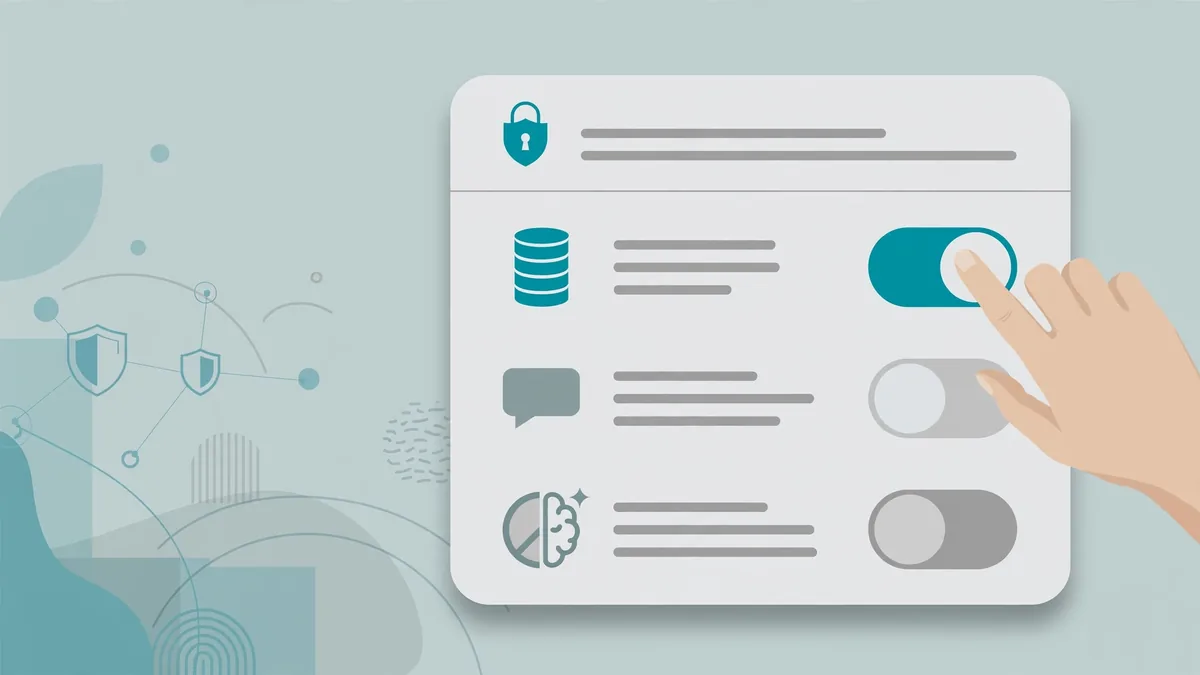
The privacy differences between a free consumer account and a business tier are structural, not cosmetic:
| Protection | Typical Consumer Tier | Typical Business/Enterprise Tier |
|—|—|—|
| Training on your data | Often opt-out (you must disable it) | Contractually excluded |
| Data retention | Provider-defined windows | Shorter windows, sometimes configurable |
| Human review of conversations | Possible for quality/safety | Restricted, often excluded |
| SSO and access controls | Basic or absent | SSO, SCIM, audit logs |
| Data processing agreements | Standard terms | DPAs, SOC 2 reports available |
| Data residency options | Provider’s choice | Sometimes selectable regions |
For freelancers and small teams, the mid-tier business offerings (often $20–$30 per user per month) are the sweet spot: you get the no-training contractual commitment without enterprise sales calls. If you regularly handle client data, customer PII, or unreleased business information, this is one of the highest-ROI upgrades available.
PII Redaction Habits: The Skill That Matters Most
The redaction habit: strip names, emails, account numbers, and company identifiers before pasting anything into an AI tool. Good AI tools privacy is mostly this one discipline, applied consistently. Keep a “sanitize first” sticky note on your monitor until AI tools privacy redaction becomes automatic.
Since no policy protects data you never send, the highest-leverage privacy skill is redaction — stripping sensitive details before prompting. Build these habits:
Develop a personal redaction reflex. Before pasting anything into an AI tool, scan for: full names, email addresses, phone numbers, street addresses, account numbers, API keys and passwords, medical details, financial figures tied to identifiable people, and unreleased business information. Replace specifics with placeholders: “Customer A,” “Project X,” “[REDACTED account number].” AI works fine with anonymized context — it does not need real names to debug code or draft a strategy.
Never paste secrets, ever. API keys, passwords, and tokens should never enter a prompt. If you need help with code containing secrets, rotate the secret first or replace it with a dummy value. This is non-negotiable — secrets in prompts are compromised secrets.
Use local models for the most sensitive work. Open-weight models run entirely on your own hardware can handle drafting, summarization, and analysis of sensitive documents with zero data leaving your machine. They are less capable than frontier cloud models, but for confidential material the trade-off is worth it. This is the strongest protection available: data that never leaves your device cannot be retained by anyone.
Separate your contexts. Use one account or workspace for general work and keep sensitive projects isolated — or better, keep them local. Do not mix client-confidential prompts into the same consumer chat history where you brainstorm blog ideas.
Check sharing and history settings. Disable chat history where the option exists if you do not need it. Review which conversations are saved. Remember that “delete conversation” in most UIs deletes your view of it; backend retention windows are governed by the privacy policy, not the delete button.
AI Tools Privacy: Evaluating Any AI Tool in 15 Minutes
Before adopting a new AI tool for anything beyond trivia, run this checklist against its published documentation:
- Find the privacy policy and data-use terms. If you cannot find a clear statement about training use within five minutes, treat that as a red flag.
- Check the default, not just the option. Is training opt-in or opt-out? Defaults reveal priorities.
- Look for retention windows. How long are prompts stored, and for what stated purposes?
- Check for human review. Does the provider state that humans may review conversations? Under what circumstances?
- Verify the business tier terms. If you will handle client or customer data, confirm the business tier contractually excludes training.
- Review sub-processors and integrations. Who else touches your data — cloud hosts, analytics providers, plugin developers?
- Check compliance certifications. SOC 2 Type II, ISO 27001, GDPR/CCPA statements, and HIPAA eligibility (for health data) where relevant.
- Test the opt-outs. Toggle the settings yourself; do not assume defaults from documentation.
If a vendor fails steps 1–3 — no findable policy, unclear defaults, unstated retention — do not put anything sensitive into it, regardless of how useful it looks.
Special Cases Worth Knowing
Healthcare (HIPAA). In the United States, protected health information requires a signed Business Associate Agreement (BAA) with the AI provider. Consumer tiers do not offer BAAs. Some providers offer HIPAA-eligible configurations on enterprise tiers; verify in writing before any PHI touches the tool.
Children’s data (COPPA). Do not input children’s personal information into AI tools, and be cautious about tools marketed for classroom use — verify their student-data protections specifically.
Legal and financial documents. Attorney-client privileged material and non-public financial information deserve the strictest handling: business tiers at minimum, local models preferred, and redaction always.
Code and intellectual property. Source code is among the most commonly leaked categories. Use business-tier tools with no-training commitments for proprietary code, and never paste credentials. Some companies go further and restrict AI coding assistants to self-hosted or VPC-deployed options.
Journalism and source protection. Reporters should treat AI tools as insecure channels for source communications — use local models or avoid AI processing of sensitive source material entirely.
Keep Exploring These Guides
If you found this ai tools privacy walkthrough useful, these related guides go deeper on adjacent workflows:
- What Are the Best AI Tools? A Use-Case-First Guide for 2026
- Claude vs ChatGPT vs Gemini: The 3-Way Comparison
Frequently Asked Questions
Is it safe to use free AI chatbots for work?
It depends on the work. For general brainstorming, drafting, and learning with non-sensitive material, consumer tiers are fine. For anything containing customer data, proprietary information, credentials, or unreleased plans, free consumer tiers are the wrong tool — their data-use terms are the least protective. Upgrade to a business tier or redact aggressively.
How do I stop an AI company from training on my data?
On most consumer products, look in settings for a data-use or “improve the model” toggle and disable it. Note the nuances: opting out usually stops future training use, does not delete already-retained data instantly, and does not shorten abuse-monitoring retention. Business and API tiers typically exclude training contractually, which is stronger than a toggle.
Does deleting my chat history delete my data from the provider’s servers?
Deleting a conversation removes it from your visible history. Backend retention — for abuse monitoring, legal compliance, and debugging — is governed by the privacy policy’s stated windows, not by the delete button. Assume deleted chats may persist in provider systems for the policy’s retention period.
Are AI browser extensions and custom GPTs safe?
They expand your risk surface. Each extension or custom GPT can transmit your prompts and page content to its developer, governed by that developer’s own policy. Before installing, check what data the extension requests access to (page content? browsing history?) and whether its developer publishes a privacy policy. Remove extensions you no longer use.
Should my company block AI tools entirely?
Blanket bans usually backfire — employees route around them with personal accounts, which is worse for visibility and control. The mature approach is an approved-tools list (business tiers with proper DPAs), clear acceptable-use guidance, redaction training, and monitoring. Give people a safe path and most will take it.
What is the single most important privacy setting to change?
Disable training/data-improvement use in every consumer AI product you use — it is usually a single toggle in settings. Then, if you handle anything sensitive professionally, move that work to a business tier where no-training is contractual rather than optional.
Is incognito mode enough for AI tools privacy?
No. Incognito only prevents local history storage — your prompts still reach the provider’s servers under the same terms. Real AI tools privacy comes from provider settings (training opt-outs, retention controls) and your own redaction habits, not from your browser mode.
Conclusion
Using AI tools safely is not about paranoia or abstinence — it is about matching the tool’s data contract to the sensitivity of your material. Public information and general work fit consumer tiers with training opt-outs disabled. Client data, proprietary work, and anything regulated belong on business tiers with contractual no-training commitments, or better yet, on local models where data never leaves your machine. Spend 30 minutes today applying this AI tools privacy checklist to your three most-used tools.
The habits compound: redact by reflex, never paste secrets, audit integrations, and evaluate new tools against the fifteen-minute checklist before they touch anything sensitive. AI is enormously useful; a few deliberate privacy practices keep it that way without the 3 a.m. worry about what you pasted last Tuesday.





Join the discussion
Have a question or a perspective to share?