
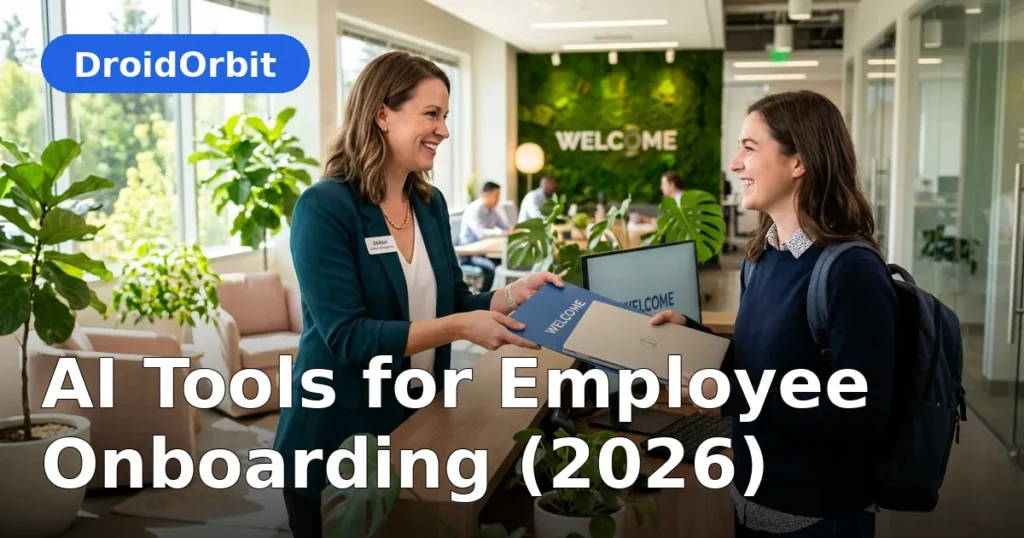
The first weeks of a new job determine far more than most businesses realize: how fast someone becomes productive, whether they feel they belong, and often whether they stay past the first year. Yet onboarding at small and mid-size companies is frequently improvised — a stack of PDFs, a rushed tour, and a manager who is too busy to train properly. AI tools for employee onboarding offer a better path: personalized training plans, always-available answers to new-hire questions, automated checklists, and progress tracking that flags struggling newcomers early.
This guide covers how AI improves each phase of onboarding, the categories of tools involved, practical implementation for teams without dedicated HR staff, and the human elements AI should never replace. No fabricated statistics or miracle claims — just realistic applications and honest boundaries.
AI Tools for Employee Onboarding: Why Onboarding Matters More Than You Think

A weak onboarding experience has compounding costs. New hires take longer to reach full productivity, make more early mistakes, and form weaker connections to the team. Managers, meanwhile, repeat the same explanations for every hire and wonder why training "takes so long."
The underlying problem is usually not effort but structure — and AI tools for employee onboarding attack the structure problem directly: onboarding knowledge lives in people's heads, training is one-size-fits-all, and nobody tracks whether the new hire actually absorbed anything. AI helps precisely here — structuring the unstructured, personalizing the generic, and making progress visible.
The Phases of Onboarding and Where AI Fits
Phase 1: Pre-boarding (offer accepted → day one)
The gap between signing and starting is when excitement curdles into anxiety. AI-assisted pre-boarding keeps momentum:
- Automated welcome sequences deliver the right information at the right time: paperwork first, team introductions closer to day one, first-week agenda last.
- AI chatbots answer the questions new hires are nervous to ask a human: dress code, parking, lunch norms, what to bring.
- Document assistants help complete tax forms, direct deposit setup, and policy acknowledgments, explaining jargon in plain language.
The goal is simple: the new hire arrives informed and calm instead of confused and nervous.
Phase 2: Orientation (week one)
Orientation is information firehose week — company history, policies, systems, security training. AI makes it digestible:
- Personalized learning paths adjust to the hire's role, experience level, and pace instead of forcing everyone through identical modules.
- AI tutors explain policies conversationally and quiz gently to confirm understanding, replacing the skim-and-sign ritual.
- Knowledge assistants trained on your handbook, wikis, and past Q&A answer "how do I…" questions instantly, 24/7.
Phase 3: Role training (weeks 2–8)
This is where productivity is actually built, and where AI's impact is largest:
- Role-specific training plans generated from the job description and team practices, sequenced from foundational to advanced.
- Simulated practice — AI role-plays for customer-facing roles (support chats, sales calls) let new hires practice with feedback before touching real customers.
- Mentor-matching assistance suggests the right buddy or mentor based on skills, availability, and working style.
- Progress tracking shows managers exactly where each new hire stands: what is completed, what is struggling, what needs a human conversation.
Phase 4: Integration (months 2–6)
Becoming a real team member takes months. AI supports the long tail:
- Check-in prompts remind managers to have the 30/60/90-day conversations that often get skipped.
- Feedback analysis spots themes across new-hire surveys — if every hire mentions the same confusing process, that is a process problem, not a people problem.
- Continued learning recommendations suggest next skills based on role trajectory and demonstrated strengths.
Categories of AI Onboarding Tools

- HR platforms with AI (BambooHR, Gusto, Rippling, Deel): handle the administrative spine — paperwork, checklists, provisioning — with AI assistance for drafting documents, answering policy questions, and tracking completion.
- Learning management systems (Docebo, TalentLMS, 360Learning, and similar): deliver training content with AI-personalized paths, auto-generated quizzes, and engagement tracking.
- Knowledge assistants / AI chatbots: trained on your handbook and wikis to answer new-hire questions conversationally. Can be standalone or built into platforms like Slack, Teams, or Notion AI.
- AI meeting and documentation tools (Otter.ai, Fireflies, Notion AI): capture training sessions as searchable notes so new hires can revisit anything.
- Recruiting-to-onboarding suites: some applicant tracking systems now extend into onboarding, carrying interview notes and role context forward so training starts informed.
For small businesses without HR software, the pragmatic stack is often: an AI assistant trained on your handbook documents + a shared checklist + scheduled manager check-ins. You do not need an enterprise suite to onboard well.
Building an AI-Assisted Onboarding Program: Step by Step
Step 1: Document what new hires must know
Before buying tools, list it: the 20 questions every new hire asks, the systems they need access to, the policies that actually matter, the unwritten norms (how we communicate, what "urgent" means here). This list becomes your AI's training data and your checklist's backbone. Most businesses discover their onboarding was vague only when forced to write it down.
Step 2: Create the source of truth
Consolidate the answers into a handbook or wiki — even a simple shared document works. AI assistants are only as good as their source material; a chatbot trained on outdated PDFs will confidently teach outdated processes. Assign one owner to keep it current.
Step 3: Design the 30/60/90-day journey
Map what "good" looks like at each milestone:
- Day 30: knows the systems, the people, and the basic workflows; can complete routine tasks with guidance.
- Day 60: works independently on standard tasks; understands team norms and customer context.
- Day 90: fully productive; contributing ideas; integrated into the team.
Build AI-supported checklists and learning paths against these milestones, with manager check-ins anchoring each one.
Step 4: Deploy the AI layer
Set up the pieces that fit your size: a handbook-trained chatbot for questions, automated checklist reminders, personalized learning paths if you have an LMS, and scheduled check-in prompts for managers. Start with the question-answering bot — it delivers value from day one and trains itself on real new-hire questions.
Step 5: Keep humans at the center
AI handles information delivery and tracking. Humans handle belonging: the welcome lunch, the buddy who checks in genuinely, the manager who asks "how are you finding it, really?" No chatbot creates the feeling of being wanted on a team. Design the program so AI frees humans for the relationship work, not replaces it.
What AI Should Never Replace in Onboarding

Draw these lines clearly:
- The human welcome. A manager's genuine attention on day one matters more than any automated sequence.
- Cultural transmission. Values are learned by watching people, not reading modules. Pair new hires with exemplars.
- Judgment of readiness. AI tracks completion; humans judge whether someone is truly ready for independent customer-facing work.
- Difficult conversations. If a new hire is struggling, that conversation is human, private, and empathetic — never automated.
- Belonging. Inclusion in jokes, lunches, and informal networks cannot be systematized. Buddies and team rituals do this work.
The rule for AI tools for employee onboarding: AI delivers information and tracks progress; humans deliver belonging and judgment.
Measuring Onboarding Success
Track these to know whether your program works:
- Time to productivity: weeks until the new hire meets the role's standard output. Define "standard" per role in advance.
- 30/60/90-day check-in completion: are the conversations actually happening?
- New-hire satisfaction: short surveys at 2 weeks and 90 days. Keep them brief or nobody answers.
- Early turnover: departures in the first 6–12 months are the loudest signal of onboarding failure.
- Manager confidence: ask managers at 90 days whether they would hire the person again knowing what they know now.
- Question patterns: what does the onboarding chatbot get asked most? Clusters reveal documentation gaps.
Review these quarterly and fix the program, not the people, when numbers disappoint.
Onboarding for Remote and Hybrid Teams
Remote onboarding fails more often because the informal learning — overhearing conversations, watching how things get done — disappears. AI helps fill specific gaps:
- Always-available Q&A matters more remotely, where asking a "silly" question means scheduling a call instead of leaning over a desk.
- Recorded and transcribed training sessions let remote hires revisit anything, searchable by topic.
- Virtual buddy programs with scheduled check-ins replace hallway encounters — put them on the calendar or they will not happen.
- Digital-first documentation becomes mandatory; if it is not written down and searchable, remote hires cannot learn it.
But remote onboarding needs more deliberate human contact, not less: video welcome calls, virtual coffees with teammates, explicit invitations to ask questions. The AI handles information; intentional human rituals handle connection.
Common Pitfalls
- Training the AI on stale documents. Outdated handbook + confident chatbot = new hires learning wrong processes. Keep source material current.
- Checklist theater. Completing 47 checklist items is not the same as being ready. Measure understanding and capability, not clicks.
- Skipping the manager's role. No AI compensates for a manager who never checks in. The 30/60/90 conversations are non-negotiable.
- One-size-fits-all paths. An experienced hire and a career-changer need different journeys. Use the AI's personalization instead of a single track.
- Privacy overreach. Onboarding tools collect sensitive personal data. Limit access, be transparent about what is tracked, and comply with employment data regulations.
- Forgetting culture. Information transfer without belonging produces competent strangers. Invest equally in the human rituals.
A Minimal Onboarding Stack for Small Businesses
You do not need enterprise HR software. A practical small-business setup:
- A living handbook (shared doc or wiki) covering the 20 essential questions, key policies, and how-we-work norms.
- An AI assistant with access to that handbook for 24/7 new-hire Q&A.
- A 30/60/90-day checklist (even a spreadsheet) with owners and due dates.
- Calendar-scheduled check-ins at weeks 1, 2, 4, 8, and 12 — with the manager, the buddy, and the team.
- A feedback survey at day 14 and day 90 — five questions maximum.
Total software cost can be near zero if you use tools you already have. The investment is the afternoon spent writing down what new hires need to know — which pays for itself with the very first hire.
FAQ
What are AI tools for employee onboarding?
They are software products that use AI to improve new-hire onboarding: chatbots that answer new-hire questions from your handbook, personalized training plans, automated checklists and reminders, AI-generated quizzes, progress tracking dashboards, and practice simulations for customer-facing roles.
How much do AI onboarding tools cost?
It varies widely. A handbook-trained AI assistant can cost little beyond tools you already use. Dedicated HR platforms with AI features typically run $6–$20 per employee per month. Learning management systems range from free tiers to enterprise pricing. Small businesses can build an effective program with mostly existing tools plus disciplined process.
Can AI replace human trainers for onboarding?
No — and it should not try. AI excels at delivering information, answering routine questions, tracking progress, and personalizing learning paths. Humans remain essential for welcome and belonging, cultural transmission, judging readiness, and handling struggling new hires with empathy. The best programs use AI to free humans for the relationship work.
How long should employee onboarding take?
Role-dependent, but a useful frame is 30/60/90 days: functional basics by day 30, independent standard work by day 60, full productivity and integration by day 90. Complex or senior roles take longer. AI shortens the information-transfer phases but does not compress the human integration timeline — belonging still takes months.
What is the biggest onboarding mistake small businesses make?
Improvising it — handing new hires a stack of documents and hoping the manager finds time to train. The fix costs an afternoon: write down what new hires must know, build a 30/60/90-day checklist, schedule the check-ins, and set up a simple Q&A resource. Structure beats good intentions every time.
How do I measure whether onboarding is working?
Track time-to-productivity per role, completion of 30/60/90-day check-ins, new-hire satisfaction surveys, early turnover (first 6–12 months), and manager confidence at 90 days. Also watch what your onboarding assistant gets asked — question clusters reveal documentation gaps to fix.
Conclusion
AI tools for employee onboarding solve the structural problems that make most onboarding weak: scattered knowledge, generic training, invisible progress, and managers too busy to teach. A handbook-trained assistant answers questions at midnight, personalized paths adapt to each hire, and progress dashboards show exactly who needs help.
But the technology is the scaffolding, not the building. New hires stay because they feel competent, connected, and wanted — and only humans deliver the last two. Build the AI layer to handle information flawlessly, then invest the freed-up human time in welcome, mentorship, and genuine belonging.
Start this week: write down the 20 questions every new hire asks, put the answers somewhere searchable, and schedule real check-ins for your next hire's first 90 days. That foundation — plus whatever AI assistance fits your size — will outperform most companies' entire onboarding programs.


Join the discussion
Have a question or a perspective to share?