
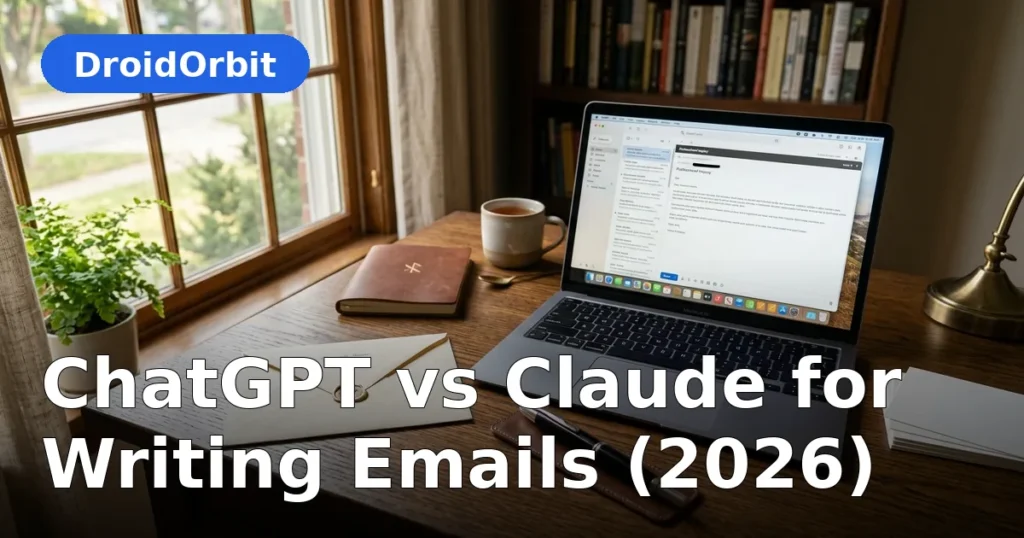
Email remains the backbone of professional communication, and AI drafting has quietly become one of the most common workplace uses of large language models. When it comes to chatgpt vs claude for writing emails, the contest is closer than in many other writing categories — both assistants handle everyday business correspondence well. But "good enough" is not the standard for email. Tone is everything: a follow-up that reads slightly pushy, an apology that sounds slightly defensive, or a cold pitch that feels slightly robotic can cost you a reply, a deal, or a relationship.
This comparison looks at how ChatGPT and Claude handle the email tasks professionals actually face in 2026: routine correspondence, delicate situations, cold outreach, follow-up sequences, and internal communication. The evaluation is based on each model's documented strengths and widely reported behavior — not lab benchmarks — so you can decide which one deserves a place in your inbox workflow.
ChatGPT vs Claude for Writing Emails: The Core Skill Is Tone Calibration

Email is a tone-delivery mechanism — and in the chatgpt vs claude for writing emails matchup, tone is where the two models diverge first. The facts in a business email are usually simple; what matters is how they land. This is where the two models diverge most.
Claude's default register is measured and diplomatic. It naturally produces emails that sound like they were written by a thoughtful colleague — direct but not blunt, warm but not gushing. For sensitive emails (deliver bad news, address a misunderstanding, negotiate terms), Claude's instinct for understatement is a genuine asset. It is less likely to oversell enthusiasm or accidentally introduce friction.
ChatGPT's default register is more energetic and assertive. Its emails tend to open with momentum and close with a clear call to action. For sales outreach, networking follow-ups, and situations where you want to project confidence, this energy works well. The risk is over-calibration: ChatGPT sometimes writes emails that are a touch too polished, a touch too eager — the kind of message that reads fine but feels slightly "generated."
Both models take tone direction well. "Make this firmer," "soften this," "more casual," "write it like a senior executive" — both adjust reliably. The difference is in the starting point: Claude starts closer to the tone most professionals want for sensitive mail, while ChatGPT starts closer to the tone that works for outreach and momentum.
A practical tone test
Try this with both models: paste a difficult email you actually need to send — a late-payment nudge, a scope-creep pushback, a polite rejection — and ask each to draft it. Then read both drafts aloud. Most professionals report that Claude's version needs fewer edits before sending. That small gap, repeated across dozens of emails a week, is where the productivity difference lives.
Everyday Business Correspondence
For routine emails — meeting scheduling, status updates, quick acknowledgments, information requests — both models are excellent, and the choice barely matters. Either one will turn "remind the team about Friday's deadline and ask for the Q3 numbers" into a clean, professional message in seconds.
Where small differences appear is in efficiency of the interaction. ChatGPT tends to produce a finished draft in one shot with minimal back-and-forth, which suits quick-fire correspondence. Claude tends to ask a clarifying question or offer two tonal variants when the situation is ambiguous, which suits correspondence where getting it right matters more than getting it fast.
If your inbox is mostly high-volume and low-stakes, ChatGPT's one-shot speed is the better fit. If your inbox is lower-volume but higher-stakes — executives, clients, partners — Claude's carefulness pays off.
Difficult and Sensitive Emails

This is Claude's strongest email category, and it is not close. Delivering bad news, addressing underperformance, responding to complaints, navigating misunderstandings — these emails require emotional intelligence, and Claude's training shows it. Its drafts acknowledge the other party's perspective, take responsibility where appropriate without groveling, and propose next steps without sounding transactional.
ChatGPT handles sensitive emails competently but with a different instinct: it tends to over-explain and over-reassure. A ChatGPT-drafted apology can run long and sound slightly corporate; a Claude-drafted apology is usually shorter and more human. ChatGPT also has a habit of adding upbeat closings ("Looking forward to turning this around together!") that can read as tone-deaf in genuinely difficult situations.
None of this means you should send sensitive emails without reading them. AI drafts of difficult messages always need human review — the model does not know the relationship history, the office politics, or what was said in the last meeting. Use the draft as a starting structure, then adjust for the human context only you know.
Cold Outreach and Sales Emails
Cold outreach reverses the ranking. ChatGPT is the stronger cold-email writer for most use cases. Its instincts — strong subject lines, clear value propositions, confident calls to action — match what makes outreach work. It generates variations quickly, which matters when you are testing subject lines and openers across a campaign. It also handles common outreach frameworks naturally: personalization hook, relevance bridge, soft ask.
Claude writes perfectly respectable cold emails, but they can feel slightly reserved for the genre. Cold outreach rewards a degree of boldness — a clear ask, a confident claim — and Claude's instinct is to hedge. That said, for high-value, low-volume outreach (enterprise prospects, partnership inquiries, investor emails), Claude's restraint can actually be an advantage. A thoughtful, non-pushy email stands out in an inbox full of aggressive pitches.
One caution that applies to both: AI-generated cold outreach at scale contributes to the flood of generic pitches everyone already ignores. The models are best used to draft and personalize, not to mass-produce. Genuine personalization — referencing something specific about the recipient — still outperforms any template, AI-written or not.
Follow-Up Sequences

Follow-ups are where most outreach dies, and both models handle the mechanics well: polite check-ins, value-add follow-ups, breakup emails. ChatGPT has a slight edge in sequence thinking — ask it to plan a five-touch follow-up sequence and it will vary the angle of each touch naturally (reminder, new information, social proof, direct ask, graceful exit). Its outputs are ready to drop into a sales engagement tool.
Claude's follow-ups read more naturally as individual messages, which suits relationship-driven follow-up rather than cadence-driven sequences. If your follow-ups go to a small number of important contacts, Claude's versions feel less like a sequence and more like genuine correspondence — which is exactly what you want.
Internal Communication
Internal emails — updates to your team, requests to colleagues, messages to leadership — have their own conventions: brevity, clarity, appropriate level of formality. Both models adapt well when told the audience.
ChatGPT is good at the "executive summary" style: turning a messy brain-dump into a crisp update with key points up top. Managers who need to communicate downward efficiently will appreciate this. Claude is good at the "thoughtful colleague" style: requests that respect the recipient's time, updates that include useful context without rambling.
For upward communication — emails to executives or board members — Claude's concision and judgment about what to include versus omit give it a slight edge. ChatGPT sometimes includes more background than a busy executive wants.
Subject Lines
Subject lines deserve their own mention because they determine whether emails get opened. ChatGPT is the stronger subject-line generator: it produces more options, with better variety in approach (curiosity, directness, personalization, urgency), and its suggestions skew toward what actually gets clicks. Asking for "ten subject lines for this email, ranging from formal to casual" is a perfect ChatGPT task.
Claude's subject lines are fine but less adventurous. It tends toward the descriptive and professional, which is safe but not always optimal for open rates. For internal or formal correspondence, Claude's restraint is appropriate; for marketing and outreach, ChatGPT's range wins.
Multilingual and Non-Native Speaker Support
For professionals writing in a second language, both models are valuable drafting partners. They correct grammar, suggest more natural phrasing, and adjust formality levels. ChatGPT's broader language coverage and larger ecosystem of integrations give it an edge for less common languages. Claude's explanations of why a phrasing works tend to be clearer, which helps non-native speakers learn rather than just copy.
A useful workflow for non-native English professionals: draft the email yourself, then ask either model to polish it while preserving your meaning. Review the changes to build your own instincts over time.
Privacy and Confidentiality Considerations
Emails often contain sensitive information — deal terms, personnel matters, unreleased plans. Before pasting any of this into an AI assistant, understand the data policies of the service you are using. Both OpenAI and Anthropic offer business and enterprise tiers with stronger data protections, including commitments not to train on your inputs. Free and consumer tiers have less restrictive terms.
The practical rule: never paste anything into an AI chat that you would not want potentially exposed — passwords, credentials, highly sensitive personal data, or confidential information covered by NDA. For routine business correspondence this is rarely an issue, but for legal, HR, or M&A-related emails, use your organization's approved AI tools with proper data agreements, or keep the AI out of it entirely.
Head-to-Head Comparison
| Email task | ChatGPT | Claude |
|---|---|---|
| Routine correspondence | Excellent, fast one-shot drafts | Excellent, slightly more careful |
| Sensitive/difficult emails | Good, can over-explain | Excellent — diplomatic instinct |
| Cold outreach | Excellent — strong CTAs, variants | Good — better for high-value targets |
| Follow-up sequences | Excellent sequence planning | More natural individual messages |
| Internal updates | Great executive-summary style | Great thoughtful-colleague style |
| Subject lines | Excellent range and variety | Good but conservative |
| Tone adjustment | Very responsive to direction | Very responsive, better starting point |
| Non-native speaker help | Broad language coverage | Clearer explanations |
Which Should You Choose for Email?
For most professionals, the honest answer on chatgpt vs claude for writing emails is that either model handles email well, and the deciding factor is your email mix. If your inbox runs on outreach, sales, and high-volume correspondence, ChatGPT's speed and energy fit better. If your inbox runs on client relationships, sensitive situations, and careful stakeholder communication, Claude's diplomacy fits better.
The highest-leverage move is not picking one model but building a small personal library of prompts: your standard follow-up, your meeting request, your polite decline, your project update. Save the versions that work, refine them over time, and use whichever assistant you prefer to execute them. Good email systems beat good email models.
FAQ
Can I trust AI to write important emails unsupervised?
No. AI drafts are starting points, not finished products. Always review important emails before sending — check the tone against your knowledge of the recipient, verify any facts or commitments, and make sure the message reflects your actual intent. The model does not know your relationship history or the context of previous conversations.
Which AI is better for cold email subject lines?
ChatGPT generally produces stronger subject lines with more variety in approach and tone. Ask for a batch of options across different styles, then pick and refine. Test subject lines with real sends when volume allows — open-rate data beats any model's opinion.
Will recipients know my email was AI-written?
Possibly, if you send the draft unedited. Both models have recognizable tics — ChatGPT's structured enthusiasm, Claude's polished diplomacy. The fix is simple: edit the draft in your own voice before sending. Change the opening line, adjust a phrase or two, and remove anything that does not sound like you. A minute of editing erases most of the tells.
Is it safe to paste work emails into ChatGPT or Claude?
For routine correspondence, generally yes, but check your employer's AI policy first — many companies restrict which tools can be used and what data can be shared. Avoid pasting credentials, personal data, or information covered by confidentiality agreements into consumer-tier AI chats. Business tiers from both providers offer stronger data protections.
Can these tools help with email overload generally?
Yes, beyond drafting: both can summarize long threads, extract action items, and help you triage. Paste a rambling thread and ask for a three-line summary with open questions highlighted. This is one of the highest-ROI uses of AI for email — it attacks the reading side of inbox overload, not just the writing side.
Do AI email assistants work in languages other than English?
Both handle major world languages well for email drafting, including Spanish, French, German, Portuguese, and others. Quality varies by language, with English strongest. For critical emails in another language, have a native speaker review the final version.
Conclusion
In the chatgpt vs claude for writing emails matchup, the verdict splits by situation: Claude for the emails where tone is delicate, ChatGPT for the emails where momentum matters. Both will handle your routine correspondence effortlessly. The real productivity gain comes not from the choice of model but from systematizing your email workflow — templates for recurring messages, a review habit for sensitive ones, and the discipline to edit every AI draft before it leaves your outbox. Pick the assistant that matches your inbox, build your prompt library, and get back the hours email used to steal.

Join the discussion
Have a question or a perspective to share?