

Meetings generate decisions — and then lose them. The action items discussed get buried in notes nobody re-reads, owners forget their commitments, and the next meeting rehashes the last one. An AI meeting notes to action items workflow fixes this in five steps: capturing everything discussed, transcribing with AI, extracting tasks automatically, assigning clear owners and deadlines, and following through systematically.
The cost of lost action items is enormous: stalled projects, repeated discussions, dropped commitments, and the slow erosion of accountability. Teams that systematically convert meetings into tracked tasks execute dramatically better than teams that rely on memory and good intentions.
Why an AI Meeting Notes to Action Items Workflow Beats Manual Notes

Manual meeting notes fail predictably: the note-taker misses half the discussion while writing, action items get phrased vaguely (“look into the pricing question”), owners are implied rather than stated, deadlines are absent, and the notes file sits unopened until someone asks “what did we decide?”
Even diligent note-takers cannot capture everything — they are participants too, and writing competes with thinking. The result is lossy compression: a 60-minute nuanced discussion becomes 10 bullet points that omit the commitments that mattered.
An AI meeting notes to action items workflow removes the capture bottleneck entirely: AI transcribes everything, extracts commitments systematically, and structures them for action. Humans shift from frantic scribing to judgment — reviewing extracted items, confirming owners, setting deadlines. Nothing discussed gets lost; everything committed gets tracked.
Step 1: Capture Everything
The workflow starts with complete capture — no more relying on memory.
Record and transcribe by default
Make recording + AI transcription the default for every meeting: video calls (Zoom, Teams, Meet all offer this), in-person meetings (a phone on the table with a transcription app), and hybrid sessions. Announce recording at the start — legally required in many jurisdictions, courteous everywhere. The AI meeting notes to action items workflow depends on having the full record; partial capture produces partial extraction.
Use AI meeting assistants
Tools like Otter.ai, Fireflies, and built-in platform transcription capture speaker-separated transcripts in real time. Many now flag potential action items live — a first pass that the workflow refines. Choose tools that integrate with your calendar (auto-join) and your task system (export paths) — capture is only useful if it flows downstream.
Supplement with human notes
AI captures words; humans capture context: the whiteboard sketch, the tense exchange, the decision’s backstory. A brief human supplement — 5 bullet points of context per meeting — dramatically improves extraction quality. The note-taker, freed from verbatim scribing, can focus on meaning: “decided X because Y, despite Z’s concern about W.”
Centralize the transcripts
Every meeting’s transcript lands in one searchable place: linked to the calendar event, tagged by project, accessible to attendees. Centralization enables the pattern recognition in step five — and ensures nobody’s action items hide in someone’s personal notes app. Set retention policies upfront (how long transcripts are kept, who can access them) so the archive stays useful rather than becoming a liability.
Standardize meeting templates
Different meeting types need different capture: standups need blockers and commitments, planning sessions need decisions and owners, retrospectives need insights and experiments. Create lightweight templates per meeting type that guide both the AI extraction and human review. The AI meeting notes to action items workflow adapts its extraction to the meeting’s purpose — a standup’s “I am blocked on X” becomes an action item for unblocking, while a retrospective’s insight becomes a process experiment.
Step 2: Extract Action Items With AI
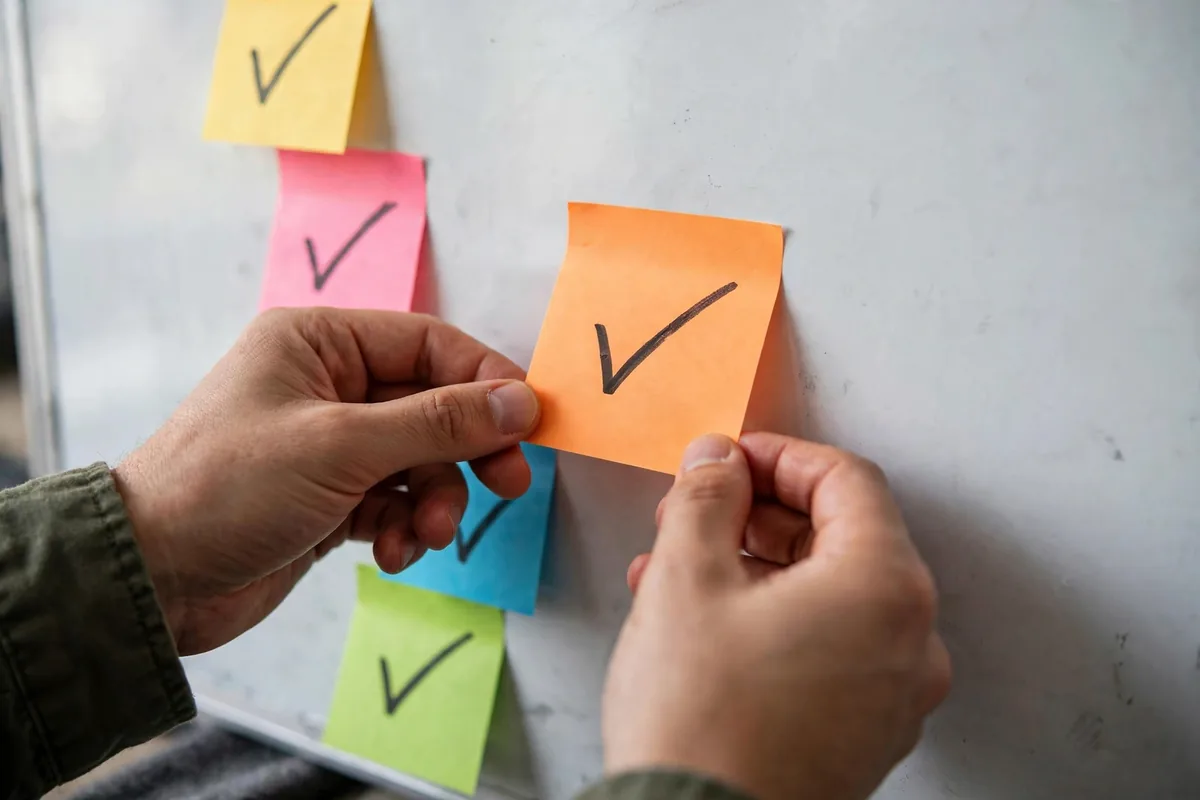
With transcripts captured, AI identifies the commitments.
How AI extraction works
AI scans transcripts for commitment language: “I will,” “let us,” “we need to,” “action item,” “by Friday,” named owners, and decision statements. Modern models understand context — distinguishing “we should consider” (discussion) from “we will implement” (commitment). The AI meeting notes to action items workflow typically surfaces 90%+ of genuine commitments, with humans catching the nuanced remainder.
Structure every extracted item
Each action item needs four fields: the task (specific, verb-led), the owner (one person — shared ownership means no ownership), the deadline (explicit date, not “soon”), and the context (which meeting, what decision prompted it). AI drafts all four from transcript context; the reviewer confirms and corrects. Vague items get clarified now, not discovered vague later.
Distinguish types
Not everything extracted is equal: decisions (record for reference), action items (track to completion), questions parked (revisit later), and FYIs (no action needed). AI categorizes; humans verify. This triage prevents the task list from drowning in non-tasks — a common failure when extraction runs without classification.
Review promptly
Extraction review should happen within 24 hours — ideally right after the meeting while context is fresh. The meeting organizer or a designated reviewer spends 10 minutes: confirming items, assigning missing owners, setting deadlines, and deleting false positives. Prompt review is the quality gate that makes the AI meeting notes to action items workflow trustworthy.
For teams choosing transcription tooling, AI transcription comparisons and meeting assistant roundups help select the right capture layer.
Step 3: Assign Owners and Deadlines Explicitly
Extracted items without owners and deadlines are wishes. Step three makes them commitments.
One owner per item
Every action item gets exactly one owner — the person accountable for completion. Contributors can help, but accountability is singular. When AI extraction suggests an owner from context (“Sarah said she would handle it”), confirm with Sarah — implied ownership confirmed beats assumed ownership. The AI meeting notes to action items workflow enforces this rule without exception.
Negotiate realistic deadlines
Deadlines set in meetings are often aspirational. The owner confirms or renegotiates within 24 hours: “Friday works” or “I need until Wednesday — the data arrives Tuesday.” Realistic deadlines beat optimistic ones — missed deadlines erode the system’s credibility faster than longer timelines do. AI can suggest deadlines from context and workload data, but the owner commits.
Make commitments visible
Publish action items where the team sees them: the project board, the team channel, the shared task list. Visibility creates gentle accountability — people complete what colleagues can see. Send each owner their items directly too (no “check the board” diffusion). The AI meeting notes to action items workflow treats visibility as a feature, not an admin burden.
Handle the unowned
Every extraction surfaces items with no clear owner — “someone should update the docs.” These get assigned in review: either someone volunteers, the organizer assigns, or the item gets explicitly dropped (better than lingering unowned). Unowned items are decisions deferred; the workflow forces the decision.
Step 4: Track to Completion
Commitments tracked get completed. Step four builds the tracking.
Integrate with your task system
Action items flow into the team’s actual task manager — Asana, Jira, Todoist, Linear — not a separate meeting-actions silo. Integration (via AI assistant exports, Zapier, or native connections) should be automatic: extracted item → task created with owner, deadline, and meeting context linked. Tasks living where work happens get done; tasks in a separate list get forgotten.
The weekly action review
Every week, review open action items: completed (celebrate), in progress (any blockers?), overdue (renegotiate or escalate). This 15-minute ritual — often part of the team standup — is the heartbeat of accountability. The AI meeting notes to action items workflow produces the items; the review ensures they matter.
Escalate stuck items
Items blocked or overdue twice get escalated: what is blocking, what help is needed, is the item still relevant? Some action items die legitimately — priorities change. Explicitly canceling is better than silently ignoring; the workflow distinguishes “dropped by decision” from “dropped by neglect.”
Connect to the next meeting
Each meeting’s agenda starts with previous action items review: what got done, what did not, what is next. This closes the loop — meetings become accountable sequences rather than isolated events. AI can auto-generate the review section from tracked item statuses, making preparation effortless.
Step 5: Learn From the Patterns
Tracked action items are data. Step five mines it.
Analyze completion patterns
Which types of items complete reliably? Which stall? Do certain owners consistently overload? Do vague items fail more than specific ones? AI analysis of completion data reveals systemic patterns — the meeting habits and item characteristics that predict follow-through. The AI meeting notes to action items workflow improves when guided by its own data.
Improve meeting quality
Patterns often point upstream: meetings generating dozens of vague items need better facilitation; recurring “revisit” items need decision authority present; items consistently missing deadlines need realistic scoping. Use the data to fix meetings, not just track their outputs — the workflow’s highest value is making meetings themselves better.
Build the organizational memory
Decisions and their rationales, archived with context, become searchable institutional knowledge: “why did we choose X?” gets answered from the record, not from someone’s memory. Over time, this archive prevents repeated debates and preserves reasoning through personnel changes. The AI meeting notes to action items workflow compounds into organizational intelligence.
Report accountability health
Monthly: completion rate, average time-to-complete, overdue percentage, and items-per-meeting trends. Healthy teams complete 80%+ on time. Declining metrics signal process problems (too many items, unclear ownership, unrealistic deadlines) before they become culture problems. Measure what matters — follow-through is the ultimate meeting metric.
Email-heavy teams can extend these capture habits — AI email assistants help ensure commitments made over email get the same systematic treatment as meeting commitments.
Common Meeting Notes Mistakes
- No recording: relying on memory and partial notes
- Vague items: “look into X” without owner or deadline
- Shared ownership: “the team will handle it” means nobody will
- No review ritual: extracted items never confirmed or tracked
- Siloed lists: action items separate from where work happens
Multi-step AI processes like this benefit from structured chaining — prompt chaining techniques show how to orchestrate capture-to-task pipelines reliably.
The Action-Item Owner Rule
Every action item needs exactly one owner and one date. Items with two owners get done by nobody; items with no date get done never. When AI extracts action items from your meeting notes, your 5-minute review job is to assign the owner and the date to each one. That review is the entire difference between notes that drive work and notes that gather dust.
Publish the list where the team already works, not in the meeting doc. Paste action items into your task tool with the owner tagged, and review open items at the start of the next meeting. The loop only closes when last week’s items get checked before this week’s begin.
FAQ
What if people do not want meetings recorded?
Address concerns directly: recordings serve the team (accurate records, no note-taking burden), access is limited to attendees, retention policies are clear, and anyone can request sensitive segments be excluded. Most resistance fades after experiencing the benefits — accurate action items help everyone.
How accurate is AI action item extraction?
Modern AI captures 85–95% of genuine commitments from clear transcripts, with false positives requiring human filtering. Accuracy depends on meeting discipline — clear “I will do X by Y” statements extract perfectly; vague discussions need human interpretation. The review step handles the gap.
Should we track every tiny action item?
Track everything discussed as a commitment, however small — small items slip most easily and their accumulation stalls projects. The overhead is minimal with AI extraction; the cost of lost small items is surprisingly high. If it was worth saying, it is worth tracking.
What about decisions, not just action items?
Extract and record decisions separately: what was decided, rationale, who decided, date. Decision logs prevent re-litigation — “we already decided this on March 3rd because…” ends debates instantly. The AI meeting notes to action items workflow handles both commitments and decisions as first-class outputs.
How do we handle action items from informal discussions?
Hallway decisions and chat threads generate commitments too. The discipline: whoever commits states it explicitly (“I will send the proposal by Thursday”), and it enters the task system. Extend the workflow’s habits beyond formal meetings — accountability should not depend on calendars.
Conclusion
An AI meeting notes to action items workflow turns meetings from time sinks into execution engines: complete AI capture, systematic extraction, explicit ownership and deadlines, integrated tracking, and pattern learning. Five steps from “great meeting” to “great follow-through.”
Start with your next meeting: record it, transcribe with AI, and extract action items within 24 hours. That single cycle — the core of the AI meeting notes to action items workflow — will show you how much was previously slipping through the cracks, and the full system ensures nothing ever does again.




Join the discussion
Have a question or a perspective to share?