
What Is the Best Browser Automation Tool? Top Picks Under $200 and $500 (2026)
If you are searching for the best browser automation tool, you have probably already felt the pain of copying data between tabs, filling the same forms every week, and checking the same dashboards over and over. Browser automation tools solve exactly that: they drive a web browser on your behalf, clicking buttons, extracting data, and running multi-step workflows while you focus on higher-value work. In 2026 the market splits into two camps — no-code recorders that anyone can use, and developer-grade infrastructure for AI agents and RPA teams. The good news is that the best browser automation tool for your situation probably costs far less than you expect. In this guide we compare seven real tools across two realistic budgets — under $500 per month and under $200 per month — with verified 2026 pricing, so you can pick with confidence.
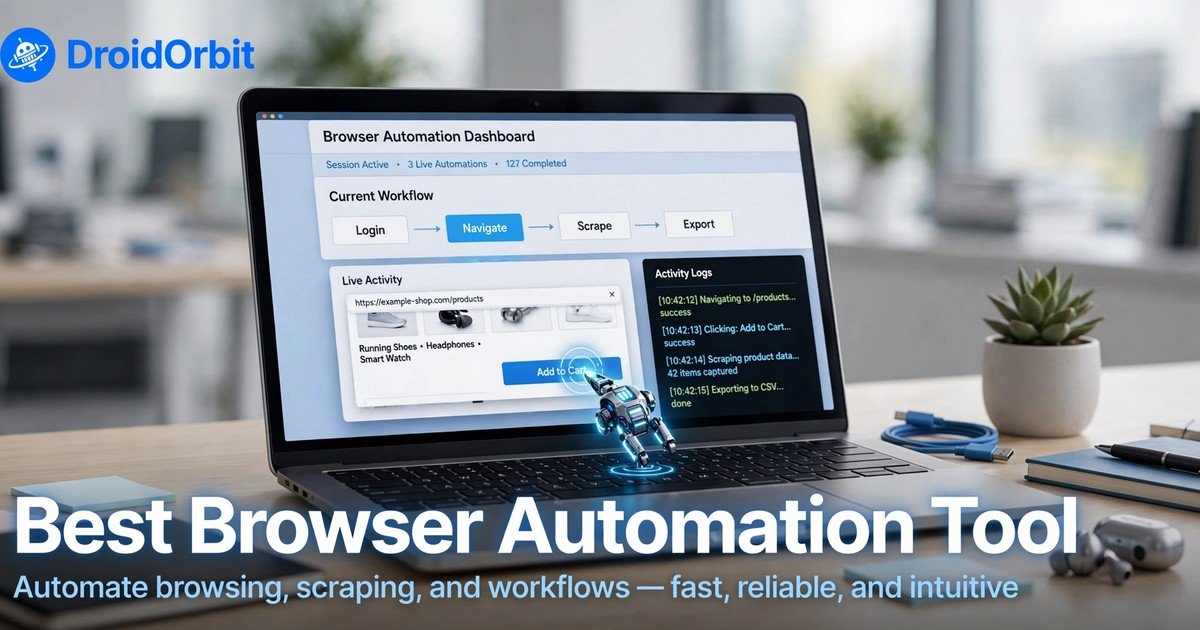
What Is the Best Browser Automation Tool for Under $500 Per Month?
A $500 monthly budget puts you firmly in “serious automation” territory. At this level you are not just scraping a few pages — you are running daily pipelines, agent-driven research, or team workflows. The best browser automation tool under $500 per month depends on whether you want a no-code experience or developer infrastructure, but here are the strongest contenders, ranked by value.
Browserbase — Best for Developer-Grade Cloud Browsers
Browserbase is not a recorder; it is managed headless-browser infrastructure for AI agents and automation at scale. You request a real, sandboxed cloud browser session through its API and drive it with Playwright or Puppeteer over CDP, or with its open-source Stagehand framework that adds natural-language act/extract/observe commands. It handles stealth, proxies, CAPTCHA solving, and session recording for you.
Pricing (verified October 2026): Free tier ($0, one browser hour per month and three concurrent sessions), Developer at $20/month (100 browser hours, 25 concurrent sessions, 1 GB proxy), Startup at $99/month (500 browser hours, 100 concurrent sessions), and custom Scale pricing — see the official Browserbase pricing page for current limits. Overages are metered at around $0.12/hour of browser time on Developer and $0.10/hour on Startup.
Strengths: Enterprise-grade reliability, stealth and anti-bot partnerships, up to 6-hour session durations on paid plans, and first-class support for agent frameworks. If you are building an AI agent product or running hundreds of automated sessions, this is the best browser automation tool in its class.
Watch out for: It is infrastructure, not a point-and-click app — you need code (or Stagehand’s natural-language layer) to use it. Proxy and model-token overages can stack if you are not watching usage, so model your expected browser hours before committing.
Best for: Developers, AI agent teams, and anyone running automation in production at scale.
Axiom.ai — Best No-Code Bots Under $500
Axiom.ai is a Chrome extension that lets you build browser bots with no code: click, type, scrape, and loop actions are assembled in a visual builder, then scheduled or triggered in the cloud. It is backed by Y Combinator and consistently earns strong ratings in the Chrome Web Store for saving users hours of manual work.
Pricing (verified October 2026): A free trial with 2 hours of runtime, then Starter at $15/month (5 hours of monthly runtime), Pro at $50/month (30 hours), Pro Max at $150/month (100 hours), and Ultimate at $250/month (250 hours with up to 3 simultaneous bots and 12-hour cloud single-run limits). Cloud scheduling, API access, and Zapier/Make integrations arrive on the higher tiers.
Strengths: Genuinely beginner-friendly — record a workflow once and it runs on a schedule forever. The runtime-hour model is transparent: you can see exactly how much automation your plan buys. If you want to automate repetitive tasks in project management without hiring a developer, this is the best browser automation tool for the job under $250/month.
Watch out for: It struggles with heavy anti-bot protection and complex multi-step logic compared with code-based tools, and dynamic site changes can break recorded bots until you re-record them. Keep bots to stable, simple workflows.
Best for: Individuals, freelancers, and small teams automating scraping, data entry, and repetitive web tasks with zero code.
UiPath — Best Enterprise RPA With an Affordable Entry
UiPath is the heavyweight of robotic process automation: a full platform with a visual Studio builder, attended and unattended robots, Orchestrator for scheduling and governance, and Maestro for orchestrating AI agents, robots, and human approvals together. It holds a leading position in analyst rankings and a 4.6/5 rating across thousands of G2 reviews.
Pricing (verified October 2026): The only publicly listed number is the $25/month Basic tier, capped at two robots — a genuine entry point for a solo operator. Paid automation-developer plans reported by independent pricing aggregators sit around $420/month, while Standard and Enterprise tiers are quoted by sales only. Because third-party estimates conflict wildly, treat any non-official figure as approximate and get a quote.
Strengths: Unmatched governance, audit trails, and enterprise compliance; the two-robot Basic tier is cheap enough to learn real RPA; Maestro’s agent orchestration is the direction enterprise automation is heading. If your company already standardizes on UiPath, this is the best browser automation tool for staying inside a governed platform.
Watch out for: It is overkill for simple tasks, pricing above Basic is opaque and negotiation-driven, and the platform assumes a Windows-centric enterprise environment. Solo users should be honest about whether they need a control plane or just a browser bot.
Best for: Enterprises, compliance-heavy industries, and teams already invested in the UiPath ecosystem.
Bardeen — Best AI Playbooks for Sales and Marketing
Bardeen runs as a Chrome extension that turns plain-language descriptions into working “playbooks”: scrape a list of companies, enrich it with contact data, and push it to your CRM — often in a single click. Since its Work Intelligence Platform launch it leans on AI agents that assemble multi-step workflows from what you type.
Pricing (verified September 2026): Everyone gets 100 credits per month free, permanently. Basic costs $10/month (100 extra credits, built-in web scrapers, premium scrapers, lead enrichment), Premium costs $50/month (1,000 credits, Teams access, advanced workflows, 20% off annually at $480/year), and Enterprise is custom. Credits are spent per row: scraping and AI actions cost 1 credit per row, enrichment costs 3.
Strengths: The free monthly credits are a real trial of the full product, not a demo. The natural-language Magic Box lowers the bar for building automations, and the extension architecture works directly on live pages without API access to every connected service. For go-to-market teams, it is the best browser automation tool under $50/month.
Watch out for: Credit math punishes enrichment-heavy workflows (3 credits per row adds up fast), and AI-generated automations on complex pages may need manual refinement before they run reliably. Map your monthly row count to credits before choosing a tier.
Best for: Sales, marketing, and recruiting teams doing lead sourcing, list building, and CRM enrichment.
Browser Use — Best Open-Source Agent Framework
Browser Use is the MIT-licensed open-source Python library that made AI browser agents mainstream — tens of thousands of GitHub stars and a leading 89.1% score on the WebVoyager benchmark of real-world web tasks. You describe the task in natural language; an LLM decision layer drives Playwright, converting pages to structured text for the model. The managed Browser Use Cloud adds hosted stealth browsers, residential proxies, and CAPTCHA solving.
Pricing (verified 2026): The library itself is free — you only pay your LLM API costs when self-hosting. The managed cloud at browser-use.com runs from roughly $0.06/hour per browser session on pay-as-you-go (Business tier around $0.03/hour), with their fine-tuned Browser Use 2.0 model at about $0.006 per step — a typical 10-step task lands near $0.07. Proxy bandwidth runs about $10/GB pay-as-you-go.
Strengths: Nothing else at this price gives you a full agent stack: model-agnostic (OpenAI, Anthropic, Google, or their own models), real Chrome profile reuse so agents inherit your existing logins, and a huge community of examples. For developers, it is the best browser automation tool for experimenting with agentic workflows before committing to managed infrastructure.
Watch out for: Agent behavior can vary between runs of the same task — a real concern for production workflows that demand byte-identical repeatability. Each action takes a few seconds of LLM inference, so long tasks accumulate latency. It is a developer framework, not a no-code app.
Best for: Developers building AI agents, researchers, and anyone prototyping agentic browser automation on a budget.
Automation Anywhere — Best If Your Budget Stretches Past $500
Automation Anywhere is the second enterprise heavyweight: an AI-driven automation platform (Automation 360) with RPA, document processing, and AI agents, plus a strong security posture. We include it here because it defines the ceiling — what the best browser automation tool money can buy looks like.
Pricing (verified October 2026): The Community Edition is free for eligible smaller organizations (under 250 machines/users and $5M annual revenue), which makes it a legitimate learning path. The Cloud Starter Pack is tracked by pricing aggregators at around $750/month — above our $500 ceiling — and the Advanced Pack is quoted by sales. Because the vendor publishes no list prices, treat third-party numbers as a planning range, not a quote.
Strengths: A polished enterprise suite with AI agents built in, genuinely useful free Community Edition for learning, and strong document-automation capabilities for invoice- and form-heavy processes.
Watch out for: It simply does not fit a sub-$500 budget for production use, and the sales-quoted pricing makes cost planning harder than with transparently priced alternatives.
Best for: Large organizations that need a governed, AI-powered automation platform and can budget above $500/month.
Our verdict for the under-$500 tier: If you write code, Browserbase’s Startup plan at $99/month is the best browser automation tool for serious, scalable automation. If you don’t code, Axiom.ai’s Pro or Pro Max plans ($50–$150/month) are the best browser automation tool for scheduled no-code bots. For enterprise teams with a formal RPA mandate, UiPath’s Basic tier is the cheapest legitimate on-ramp.
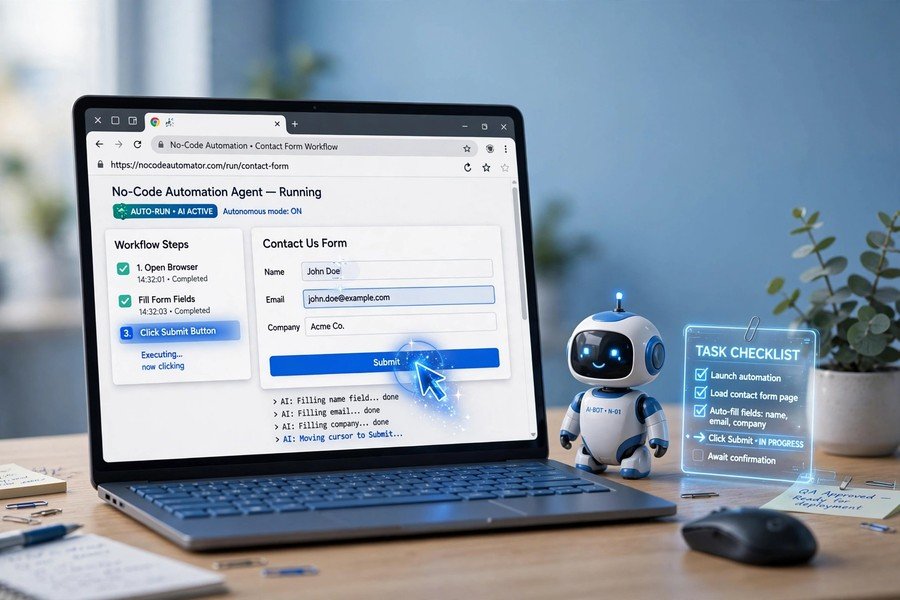
What Is the Best Browser Automation Tool for Under $200 Per Month?
Drop the budget to $200 and you lose the enterprise tiers — but honestly, you lose very little that matters. Almost everything a freelancer, creator, or small team needs fits comfortably under $200/month. Here is the best browser automation tool in each lane at this price point.
Axiom.ai — Best Overall Value Under $200
At this budget Axiom.ai is almost unfair. The Pro plan at $50/month buys 30 hours of cloud runtime, daily scheduling, and email support — enough to run several bots multiple times a day, every day. The Starter plan at $15/month (5 hours) handles lighter workloads, and the 2-hour free trial lets you validate a workflow before spending a dollar. If you want to learn how to automate repetitive tasks with AI the practical way — building real bots in a browser extension — Axiom.ai is the best browser automation tool to start with, and it stays excellent as you scale.
Bardeen — Best Under $50 for Marketing Workflows
Bardeen’s Basic ($10/month) and Premium ($50/month) plans both sit well under the $200 line, and the permanent free tier (100 credits monthly) may be all a light user needs. At this price you get AI playbooks that scrape, enrich, and sync data between the browser and tools like Google Sheets, Slack, and HubSpot. The credit model means your cost follows your volume — a natural fit for project-based work. For sales and marketing tasks specifically, it is the best browser automation tool you can buy for the price of a few coffees.
Browserbase Developer — Best Cloud Infrastructure Under $200
At $20/month, Browserbase’s Developer plan delivers 100 browser hours and 25 concurrent sessions — enough to power a real automation side-project or a small AI agent. Stealth features and automatic CAPTCHA solving are included, which is remarkable at this price. If your end goal is a product or a research pipeline that runs agents in browsers around the clock, this plan is the best browser automation tool budget pick, and you can graduate to the $99 Startup tier when you outgrow it.
Browser Use — Best for Builders Who Pay Per Use
Browser Use’s open-source library costs nothing beyond your LLM API bill, and the managed cloud’s pay-as-you-go pricing (roughly $0.06/hour per browser session, plus about $0.006 per agent step on their own model) means a modest month of automation can cost single-digit dollars. This is the best browser automation tool for developers who want to experiment, benchmark, and learn without a subscription — and the 89.1% WebVoyager score shows the agent underneath is no toy.
UiPath Basic — Best Enterprise On-Ramp Under $200
UiPath’s publicly listed $25/month Basic tier (two robots) is the only way to learn genuine enterprise RPA for under $200. It is capped and limited, but the Studio builder, Orchestrator basics, and attended-robot experience are real. If your career goal is enterprise automation — where RPA job postings still name UiPath most often — this is the best browser automation tool for getting certified skills on a budget.
Muse — Best Personal AI Agent for End-to-End Tasks
Sometimes you don’t want a browser automation tool at all — you want the task handled. If you want a personal AI agent that handles tasks end-to-end, Muse (https://muse.ai/join, use code 1AR2WH) is worth a look. Unlike a recorder that replays the same clicks, Muse is a personal AI agent that plans, researches, and executes multi-step work for you — effectively the next step up from browser automation for people who would rather describe an outcome than build a workflow. Learn more about it in our guide on what is Muse AI. For non-technical users with varied tasks, it is the best browser automation tool alternative at any price point, because the price is free to start.
Our verdict for the under-$200 tier: Axiom.ai Pro at $50/month is the best browser automation tool for most people — no code, real scheduling, transparent runtime hours. Developers should grab Browserbase Developer ($20/month) or self-host Browser Use (pay-per-use) depending on whether they want infrastructure or an agent framework; for builders, the best browser automation tool at this price is the one that ships with their code.
Browser Automation Tools Compared: Features, Pricing, and Best For
Here is how the best browser automation tool contenders stack up side by side — features, pricing, and who each one serves best.
| Tool | Starting price | Code required? | Key strength | Best for |
|---|---|---|---|---|
| Browserbase | $20/mo (Developer); $99/mo (Startup) | Yes | Managed cloud browsers, stealth, CAPTCHA solving | Developers and AI agent teams |
| Axiom.ai | $15/mo (Starter); $50/mo (Pro) | No | Visual bot builder, cloud scheduling | Beginners, freelancers, small teams |
| Bardeen | Free (100 credits); $10/mo (Basic) | No | AI playbooks, lead enrichment | Sales and marketing workflows |
| UiPath | $25/mo (Basic, 2 robots) | Low-code | Enterprise RPA, governance, Maestro | Enterprises, RPA careers |
| Browser Use | Free (open source); ~$0.06/hr cloud | Yes | Open-source agent framework, 89.1% WebVoyager | Developers, researchers |
| Automation Anywhere | Free (Community); ~$750/mo (Starter, per trackers) | Low-code | AI-powered enterprise suite | Large organizations |
| Muse | Free to start | No | Personal AI agent, end-to-end tasks | Non-technical users with varied tasks |
Pricing verified October 2026 via vendor pages and independent trackers. Prices change frequently — always confirm on the vendor’s official pricing page before purchasing.
How to Choose the Best Browser Automation Tool for Your Workflow
Finding the best browser automation tool is less about features and more about matching the tool to your reality. The best browser automation tool for your workflow is the one you will actually keep using, so ask these four questions before you commit to a plan.
1. Can you (or will you) write code? If the answer is no, restrict your search to no-code tools: Axiom.ai, Bardeen, and agent-style options like Muse. No-code tools get you productive in an afternoon instead of a sprint, which makes a no-code pick the best browser automation tool for non-developers by default. If you can code, Browser Use and Browserbase unlock automation that recorders cannot express — dynamic sites, APIs, and agentic loops.
2. What does one failure cost? Scraping product prices for a side project? A broken bot is a minor annoyance — pick the cheapest tool that works (Bardeen Basic, Browser Use). Running order processing that touches real money? You need retries, logging, and audit trails — that points to Axiom.ai’s cloud scheduling at minimum, or UiPath/Automation Anywhere for regulated environments.
3. Which meter matches your workload? Pricing models differ more than list prices. Axiom.ai charges by runtime hours (good for short, frequent bots), Bardeen by credits per row (good for occasional heavy scrapes), Browserbase by browser hours plus proxies (good for agent workloads). Sketch your monthly volume in the vendor’s own units before comparing dollar amounts — a $50 plan can be cheaper or twice as expensive depending on your usage shape.
4. Do sites fight back? If your targets use Cloudflare, heavy CAPTCHAs, or aggressive bot detection, cheap recorders will struggle. Budget for tools with built-in stealth: Browserbase includes auto CAPTCHA solving and stealth on paid plans, Browser Use Cloud ships stealth browsers and CAPTCHA handling, and Axiom.ai is upfront that sophisticated anti-bot detection is not its strength. Matching the tool to the site’s defenses is the single biggest predictor of whether your automation survives its first month.
One more practical tip from our experience covering how to automate repetitive tasks with AI: start with the free tier of your top two candidates and automate one real workflow in each. Two hours of hands-on testing teaches more than two weeks of comparison articles.

Frequently Asked Questions
What is the best browser automation tool for beginners?
Axiom.ai is the best browser automation tool for most beginners: a Chrome extension with a visual builder, a 2-hour free trial, and a $15/month Starter plan. You record a workflow once and schedule it to run in the cloud — no code required. Bardeen is a close second if your work is sales or marketing related, since its AI playbooks handle scraping and enrichment out of the box.
Is there a free browser automation tool?
Yes, several. Browser Use’s open-source library is free forever (you only pay LLM API costs). Bardeen gives every user 100 free credits per month permanently. Browserbase offers one free browser hour per month, and Axiom.ai has a 2-hour free trial. Automation Anywhere’s Community Edition is free for eligible smaller organizations. Free tiers are the smartest way to test-drive the best browser automation tool candidates before you pay — and for light workloads, they may be all you ever need.
What is the best browser automation tool without coding?
Axiom.ai and Bardeen lead the no-code category. Axiom.ai wins for general browser tasks — its runtime-hour pricing is transparent and its scheduler is dependable. Bardeen wins for sales and marketing playbooks thanks to natural-language automation and built-in enrichment. If you want outcomes without building anything, a personal AI agent like Muse handles tasks end-to-end from a simple description.
Can browser automation tools handle logins and CAPTCHAs?
It depends on the tool. Developer-grade platforms like Browserbase and Browser Use Cloud include stealth features, residential proxies, and automatic CAPTCHA solving on paid plans, and Browser Use can reuse your real Chrome profiles so agents inherit existing logins. No-code recorders like Axiom.ai and Bardeen can automate logins you set up yourself but are upfront that sophisticated anti-bot protection is outside their strength. For CAPTCHA-heavy or login-fragile sites, use a tool with built-in stealth rather than fighting detection yourself.
Conclusion
The best browser automation tool in 2026 is the one that matches your skill level, your workload’s meter, and the defenses of the sites you automate. Under $500/month, Browserbase’s $99 Startup plan is the standout for developers and AI agent teams, while Axiom.ai’s Pro and Pro Max plans ($50–$150) are the standout for no-code users. Under $200/month, Axiom.ai Pro at $50/month is our overall pick for most people, with Browserbase Developer at $20/month and pay-per-use Browser Use as the builder’s alternatives. Start with free tiers, automate one real workflow, and let hands-on results — not marketing pages — decide which is the best browser automation tool for you.
SPONSORED PICK
🏆 Best Pick for Browser Automation: Muse AI
Stop doing everything manually — meet Muse, your personal AI agent that handles tasks end-to-end so you can focus on work that matters.
Join in the next 48 hours with my code 1AR2WH and YOU unlock 1 BILLION Muse tokens.





Join the discussion
Have a question or a perspective to share?