
A freelancer quotes you $800 and a two-week wait for a logo. An AI tool gives you forty options in ten minutes for the price of lunch. The catch, as always, is knowing which of those forty you can legally use.
Best AI Logo and Brand Design Tools Compared (2026)
AI logo design tools promise what used to cost hundreds or thousands of dollars from a freelance designer: a professional-looking logo in minutes, for the price of a dinner. For startups, side projects, YouTubers, and small businesses, that value proposition is hard to ignore. But output quality varies enormously, vector file exports are not universal, and — critically — a logo generated by AI carries trademark and originality questions that most tool marketing pages gloss over.
This comparison is based on published feature lists, pricing pages, file-format documentation, and the trademark guidance these vendors themselves publish. It covers how the tools work, how they compare on the dimensions that actually matter, and the legal cautions to keep in mind before you put an AI-generated mark on your business.
How AI Logo Generators Work
Most AI logo design tools follow a similar workflow:
- Input: You enter your business name, tagline, and industry. You pick style preferences — colors, fonts, icon types, layout vibes.
- Generation: The tool produces dozens or hundreds of logo concepts, combining icon libraries, font pairings, and layout templates. (Despite the “AI” branding, most of these tools are closer to smart template engines with machine-learning-assisted layout and pairing than to generative models like image generators — an important distinction for originality.)
- Customization: You pick a concept and refine it — swap icons, adjust spacing, change colors and fonts.
- Purchase and download: You pay (usually a one-time fee or subscription) to download high-resolution files. The free tier typically only offers low-resolution previews with watermarks.
The quality ceiling of these tools is set by the size and taste of their underlying asset libraries and the sophistication of their layout logic — which is why tools differ so much in practice.
The Leading Tools Compared

Looka
Looka is one of the most established names in the space. Its generator produces a large volume of concepts from your inputs, and its editor is among the most polished — fine-grained control over layouts, fonts, colors, and icon variants.
Brand kit: This is Looka’s real strength. Beyond the logo, it generates a full brand kit: business cards, social media templates, letterheads, and brand guidelines documents. For a new business that needs everything at once, this is compelling.
File exports: High-resolution PNG, JPG, SVG, EPS, and PDF files on paid plans, per its published file documentation. Vector formats (SVG, EPS) matter because they let you scale the logo to any size — billboards to favicons — without quality loss.
Pricing: Looka uses one-time payments per published pricing: a basic logo package and a premium package (roughly $20 for basic files and $65 for the full vector + brand kit package), plus a brand-kit subscription option. Verify current pricing on its site.
Best for: New businesses that want a logo plus a complete starter brand kit in one purchase.
Brandmark
Brandmark leans more heavily into machine learning for its generation step, producing distinctive, often more abstract marks than template-driven competitors. Its output tends to look less “obviously templated.”
File exports: Vector files (SVG, EPS, PDF) plus high-res PNGs on paid plans, per published docs.
Pricing: One-time payment tiers published on its pricing page — a basic tier, a designer tier, and an enterprise tier with progressively more files and rights.
Best for: Founders who want something that looks a bit more custom and are willing to iterate through generations to find it.
LogoAI
LogoAI markets itself on generating more varied and creative concepts, with a large icon library and industry-specific templates. It also offers brand kit extensions similar to Looka’s.
File exports: Vector formats included on higher tiers; check which tier unlocks SVG/EPS before paying, as this varies.
Pricing: One-time payments with tiered packages. As with all these tools, the cheapest tier is usually a false economy if it excludes vector files — you’ll pay the difference later when a printer or sign shop asks for them.
Tailor Brands
Tailor Brands wraps its logo generator in a broader business-formation offering: LLC formation services, business mailbox, trademark filing assistance, and a logo/brand studio. The logo tool itself is competent but the ecosystem is the pitch.
Considerations: The subscription model can get expensive if you only wanted a logo. It’s best evaluated as a business-services bundle, not a pure logo tool.
Designs.ai (Logomaker)
Designs.ai offers an AI logomaker as part of a creative suite that includes a video maker, voiceover tool, and design editor. The logo tool is solid, and the suite makes sense if you’ll use the other tools too.
Canva (Logo Templates + Magic Studio)
Canva isn’t a dedicated logo generator, but its enormous template library plus AI-assisted design features make it a legitimate option — especially the free tier. You can start from thousands of logo templates and customize freely.
Caution: Canva’s free templates are widely used, which increases the chance your “logo” resembles someone else’s. And Canva’s licensing terms around logo use in trademarks have specific limitations — read them before filing anything.
Wix Logo Maker
Wix’s logo maker integrates with Wix websites — generate a logo and it flows directly into your site’s header, favicon, and social images. Convenient if you’re already building on Wix; less compelling as a standalone choice.
Head-to-Head Comparison
| Tool | Output style | Vector exports (SVG/EPS) | Brand kit | Pricing model | Free option |
|—|—|—|—|—|—|
| Looka | Polished, template-driven | Yes (paid tiers) | Excellent | One-time payment | Preview only |
| Brandmark | More distinctive/abstract | Yes (paid tiers) | Basic | One-time payment | Preview only |
| LogoAI | Varied, creative | Higher tiers | Yes | One-time payment | Preview only |
| Tailor Brands | Competent | Paid plans | Yes (bundle) | Subscription | Trial |
| Designs.ai | Solid | Paid plans | Suite-wide | Subscription | Limited |
| Canva | Template-based | Varies by plan | Via templates | Freemium | Yes (limited) |
| Wix Logo Maker | Clean, simple | Paid plans | Wix ecosystem | One-time | Preview only |
Pricing and export details change frequently — confirm the current terms on each vendor’s site before purchasing, especially which tier unlocks vector files.
What Actually Matters: A Buyer’s Checklist
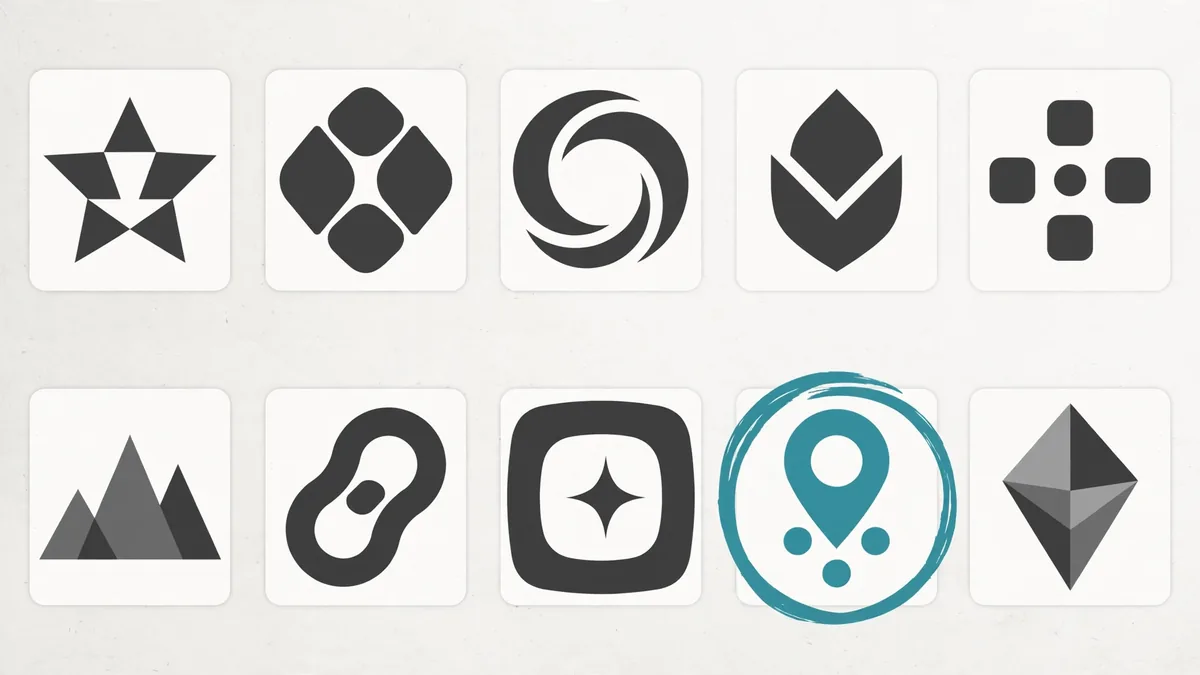
Marketing pages emphasize concept count (“10,000 logos!”). These are the dimensions that determine whether you’ll be happy in a year:
1. Vector file exports
This is non-negotiable for a real business. Without SVG or EPS files, you cannot properly print packaging, signage, merchandise, or vehicle wraps. Raster-only (PNG/JPG) logos pixelate when scaled. Before paying anything, confirm the exact file formats in the tier you’re buying — vendors sometimes bury vector exports in the premium tier.
2. Output originality
Because these tools draw from shared icon and font libraries, similar-looking logos can and do emerge for different customers. Before committing to a mark, do two things: run a reverse image search on your final concept, and check the USPTO’s trademark database (TESS) for confusingly similar marks in your industry. A logo that looks like an existing registered mark is a liability, not an asset.
3. Full ownership and licensing
Read the license terms. Key questions: Do you own the logo outright, or does the vendor retain rights? Can the same or similar concept be sold to another customer? (Most vendors generate unique combinations per customer, but the underlying icons may be licensed non-exclusively.) Can you trademark it? Reputable vendors publish clear answers — vagueness here is a red flag.
4. Customization depth
The difference between a logo that looks “AI-generated” and one that looks professional is almost always in refinement: kerning, spacing, icon weight matching, color balance. Tools with deeper editors (Looka, Brandmark) give you more room to close that gap.
5. Brand kit value
If you need business cards, social templates, and brand guidelines anyway, a tool with a strong brand kit (Looka especially) can replace several separate purchases.
The Trademark Question: What You Must Know
This is the section most logo-tool roundups skip, and it’s the most important one. Based on current US trademark practice and published USPTO guidance:
- AI-generated logos can face registration challenges. The US Copyright Office has held that works lacking human authorship cannot be copyrighted. Trademark law is different from copyright — trademarks protect source identification, not creativity — but a logo with minimal human creative input can still face scrutiny, and the legal landscape is evolving.
- Search before you invest. A federal trademark search (USPTO TESS), plus state and common-law searches, should happen before you print anything. AI tools do not do this for you.
- Distinctiveness matters more than origin. A generic icon-plus-name logo is hard to protect regardless of how it was made. The more distinctive your mark, the stronger your position.
- Consider a trademark attorney for anything serious. If the brand will carry real business value, a few hundred dollars of attorney time for a clearance search is cheap insurance. This article is informational, not legal advice.
Practical takeaway: AI logo tools are excellent for getting to a strong concept fast. For a business that matters, have a designer refine the final mark (adding the human authorship that strengthens your position) and run a proper clearance search before filing.
Getting the Best Results: A Workflow
- Brief yourself first. Write down three adjectives for your brand, your audience, and where the logo will appear most (app icon? storefront? packaging?). Feed the best of this into the tool.
- Generate broadly, then narrow. Run multiple generations across two or three tools before committing. Compare at small sizes — a logo must work as a 32-pixel favicon, not just a hero image.
- Test in black and white. If the mark doesn’t work in single color, it doesn’t work. Every serious logo needs a one-color version.
- Refine spacing and typography. This is where template output looks cheapest. Adjust letter-spacing, align elements optically, and simplify — remove elements rather than adding them.
- Get outside eyes. Show the top three concepts to people in your target audience, without context, and ask what business they think it represents. If they can’t tell, keep iterating.
- Export everything. Download every format offered at the highest tier you can justify — especially vectors. Re-buying later costs more.
Frequently Asked Questions About Best AI Logo Design
Are AI logo makers worth it compared to hiring a designer?
For early-stage projects with tight budgets, yes — a $20–$65 AI logo package beats a blurry DIY job and buys you time until the business can justify a designer. For an established brand or a business where the logo carries significant value, a professional designer (who provides original work, proper files, and trademark clearance support) is still the better investment. Many businesses sensibly do both: AI logo now, designer refinement later.
Can I trademark an AI-generated logo?
Possibly, but with caveats. Trademark protects the mark’s ability to identify your business, and the USPTO evaluates distinctiveness and conflicts — not how the logo was designed. However, you should run a proper clearance search first, and be aware that purely AI-generated work faces evolving questions around authorship. For valuable brands, consult a trademark attorney; this is general information, not legal advice.
Which AI logo tool gives vector files?
Looka, Brandmark, and LogoAI all offer SVG/EPS/PDF vector exports on their paid tiers, per their published documentation. The critical detail is which tier unlocks them — always confirm before paying, since entry-level packages are often raster-only.
Will my AI logo look like someone else’s?
It’s possible. These tools combine shared icon libraries and fonts, so similar concepts can emerge for different users. Mitigate this by customizing heavily, running reverse image searches on your final concept, and checking trademark databases before committing.
Can I use a free AI logo for my business?
Free tiers typically provide only low-resolution watermarked previews — not usable files. Canva’s free tier is the main exception, offering genuinely usable exports, but with heavily-used templates and specific licensing limitations around trademark use. For a real business, budget for at least the entry paid tier with proper files.
Do AI logo tools include the font licenses?
Reputable vendors include commercial-use font licensing in their paid packages, but terms vary. If you plan to heavily use the logo’s typeface elsewhere (website, packaging), verify the font license covers those uses or license the font directly from the foundry.
If you want a gentler starting point, Canva’s built-in AI design tools are free and beginner-friendly.
Keep exploring: If you found this guide to best ai logo design useful, read Midjourney vs DALL-E vs Stable Diffusion: Which Image AI Wins?, Best AI Image Generators for Beginners (2026 Guide), How to Write Effective AI Image Prompts (2026 Guide) for more practical ways to use best ai logo design.
Can the best AI logo design tools replace a human designer?
For simple marks and startups on a budget, the best AI logo design tools produce surprisingly usable results in minutes. But the best AI logo design output still benefits from a designer’s eye for refinement, and truly distinctive brand identities usually need human creativity on top of AI-generated concepts.
Who owns a logo made with the best AI logo design tools?
Ownership depends on the platform’s terms — most of the best AI logo design tools grant full commercial rights to paid-plan outputs, while free tiers may be more limited. Always check the license, and trademark your final mark; the best AI logo design tools cannot file that paperwork for you.
What makes the best AI logo design results look professional?
Simple prompts win: the best AI logo design outputs come from specifying style, industry, and color palette, then iterating. Generate 20+ variations, test the winner at favicon size, and get feedback. The best AI logo design workflows treat AI as a fast concept artist, not a final decision-maker.
Conclusion
AI logo design tools have genuinely democratized the starting point of branding: for the price of a one-time payment, any founder can get a competent logo with proper vector files and a starter brand kit. Looka leads on brand-kit completeness, Brandmark on distinctive output, and Canva on free-tier accessibility — but the tool matters less than what you do after generation. Confirm vector exports before paying, customize beyond the template, search for conflicts, and get professional clearance for anything that will carry real business value. Used that way, AI logo tools aren’t a replacement for designers — they’re the fastest route to a concept worth refining.
What’s the biggest mistake with the best AI logo design tools?
Stopping at the first result. The best AI logo design tools generate dozens of options for a reason — the first output is rarely the strongest. Generate widely with the best AI logo design tools, shortlist five, then refine the winner instead of settling immediately.





Join the discussion
Have a question or a perspective to share?