
What Is the Best AI for Creating Documents? 7 Tools Compared (2026)
If you have spent any time staring at a blank page lately, you already know the question behind this guide: what is the best AI for creating documents in 2026? The market is crowded with assistants that promise to draft, rewrite, summarize, and polish your documents in seconds. Some live inside the apps you already use, like Microsoft Word and Google Docs. Others are standalone platforms built specifically for content teams. And a few, like Grammarly, follow you everywhere you type.
The honest answer is that there is no single winner for everyone. The best AI for creating documents depends on what you write, where you write it, and how much control you want over the final result. A marketing team producing fifty blog posts a month needs something very different from a freelancer drafting client proposals in Google Docs, and both differ from an enterprise that needs AI inside Word with full compliance controls.
In this guide, we compare seven leading AI document tools head to head: Notion AI, Jasper, Copy.ai, Writesonic, Grammarly, Microsoft Copilot in Word, and Google Gemini in Docs. We look at what each tool actually does inside a document, how it is priced, where it shines, and where it falls short — so you can pick the right one for your workflow instead of the one with the loudest marketing.

What the Best AI for Creating Documents Actually Does
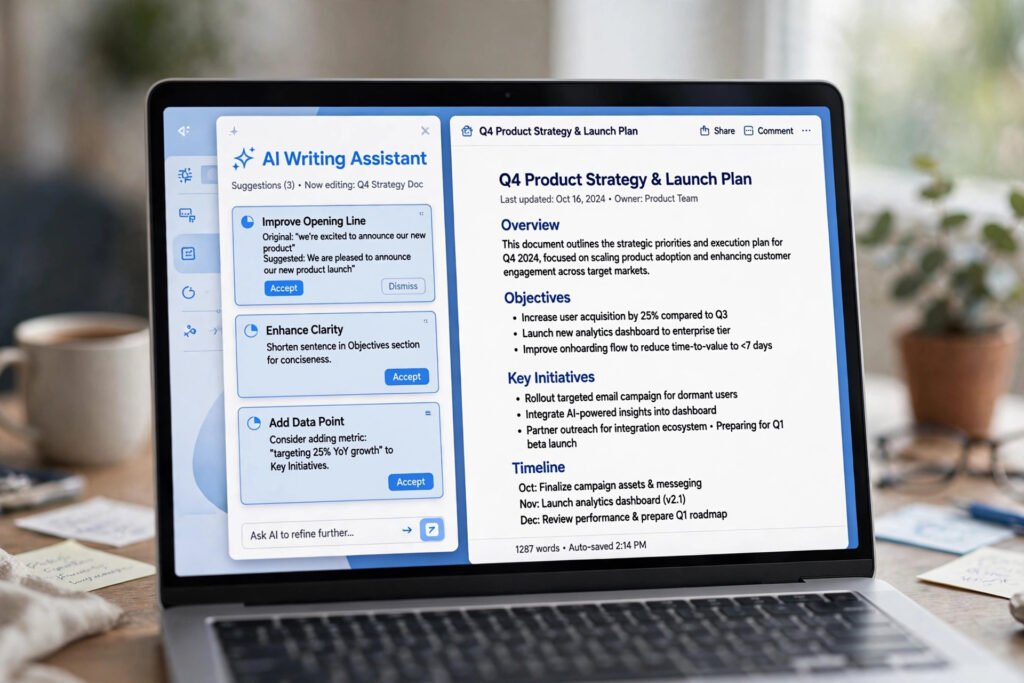
Before comparing tools, it helps to define what these assistants actually do. The best AI for creating documents is not just a chatbot pasted next to a text box. The strongest tools share a few capabilities that separate them from generic AI chat:
- Drafting from a prompt: Turn a rough outline, a few bullet points, or a single sentence into a structured first draft — with headings, paragraphs, and logical flow.
- In-context editing: Rewrite a selected paragraph in a different tone, shorten it, expand it, or fix its structure without leaving the document.
- Summarization: Condense long documents, meeting notes, or research into key points and action items.
- Continued writing: Pick up where you left off and keep the same voice and structure.
- Templates and structure: Start from document types like proposals, reports, briefs, and SOPs instead of a blank page.
- Knowledge grounding: Pull facts from your own files, workspace, or the web so the draft reflects your information, not just training data.
Some tools do all six well. Others specialize. Grammarly, for example, is a superb editor but a modest drafter. Jasper is a strong drafter but lives outside your existing documents. The comparison below scores each tool against the full job, so you can see where each one truly fits.
How We Evaluated These 7 AI Document Tools
Every tool in this roundup was assessed against the same five criteria, which reflect how people actually create documents day to day:
- Drafting quality: Can it produce a coherent, well-structured first draft from a short brief?
- In-document workflow: Does the AI work inside the document itself, or does it force you to copy and paste between apps?
- Editing and refinement: How good are its rewrite, tone-shift, summarize, and proofread capabilities?
- Knowledge and context: Can it reference your own documents, brand voice, or company data?
- Value for money: What does the entry price get you, and how does pricing scale for teams?
We checked current pricing against vendor and review sources as of October 2026. Prices in this space change often, so treat the figures below as a snapshot — always confirm on the vendor’s official pricing page before you buy.
The 7 Best AI for Creating Documents at a Glance
If you want the short version before the deep dive, here is how the seven tools stack up side by side.
| Tool | Best for | Entry price (2026) | Free option | Works inside |
|---|---|---|---|---|
| Notion AI | Teams that live in Notion | ~$20/user/mo (annual, Business plan) | Limited AI trial | Notion |
| Jasper | Marketing teams, brand-voice drafting | $59/seat/mo (annual) | 7-day trial only | Jasper Canvas (own editor) |
| Copy.ai | Sales/marketing workflows, short copy | ~$24/mo (annual, 5 seats) | Free plan available | Own platform + integrations |
| Writesonic | Budget-friendly SEO article drafting | ~$16/mo (annual) | Limited free plan | Own platform |
| Grammarly | Editing and polishing any draft | $12/mo (annual, Pro) | Generous free tier | Everywhere (browser, Word, Docs) |
| Microsoft Copilot in Word | Microsoft 365 power users | $30/user/mo add-on (enterprise) or $19.99/mo (M365 Premium) | Free Copilot Chat (limited) | Word, Excel, Outlook, Teams |
| Google Gemini in Docs | Google Workspace users | Bundled in Workspace (~$14/user/mo, Business Standard) | Free Gemini tier | Docs, Sheets, Gmail, Drive |
Now let us look at each tool in detail — what it does well, what it costs, and who should actually buy it.
The 7 Best AI for Creating Documents, Reviewed in Detail
1. Notion AI — Best AI for Creating Documents Inside a Workspace
Notion AI is the natural pick if your documents already live in Notion. Instead of jumping between apps, you select text or press a key and the AI drafts, rewrites, summarizes, translates, or continues writing right where your notes, wikis, and project databases already sit. In 2026, Notion expanded the offering with Notion Agent (workspace-wide Q&A and actions across your pages), AI Meeting Notes, and enterprise search — making it less of a writing helper and more of a knowledge worker that operates across your whole workspace.
The biggest change to understand is pricing. Notion retired the old standalone AI add-on, and full AI access is now bundled into the Business plan at $20 per member per month billed annually ($24 monthly). Free and Plus users only get a limited AI trial. That makes Notion AI one of the pricier options if you were hoping to bolt AI onto a cheap plan — but if your team already runs on Notion, the AI effectively rides along with the workspace upgrade.
Key strengths:
- Drafts, summarizes, translates, and autofills database content inside your actual pages
- Workspace-wide Q&A: ask questions and get answers drawn from your own documents
- AI Meeting Notes that capture and summarize discussions automatically
- Keeps everything in one place — no export or copy-paste round trips
Limitations:
- Full AI requires the Business tier, so the real floor is $20/user/mo
- Locked to Notion — if your documents live in Word or Docs, it cannot help you there
- Advanced automation (Custom Agents) bills separately on a credit system
Best for: Teams and freelancers who already manage projects, wikis, and content calendars in Notion and want AI woven into that workspace.
Pricing snapshot: Business $20/user/mo annual ($24 monthly) includes full AI; Free and Plus get a limited trial only. Check Notion’s official pricing page for the latest figures.
2. Jasper — Best AI for Creating Documents With a Consistent Brand Voice
Jasper is the veteran AI writing platform, and it remains the strongest pick for marketing teams that publish at volume and care deeply about sounding like themselves. Its headline feature is Brand Voice: you train Jasper on your existing content, and it learns your tone, terminology, and style so every draft comes out on-brand. Add Knowledge assets (product facts, positioning, audience definitions) and the AI stops asking you to re-explain your company in every session.
In 2026, Jasper simplified its lineup to two plans: Pro at $59 per seat per month billed annually ($69 monthly) and Business with custom pricing. Pro includes the Canvas editor, marketing workflow agents, two Brand Voices, and a handful of Knowledge assets and audiences. There is no free plan — only a 7-day trial — which makes Jasper the most expensive entry point in mainstream AI writing. But for a content team shipping dozens of documents a month, the per-document cost can be very reasonable.
Key strengths:
- Brand Voice training keeps every document consistent without manual style policing
- Long-form Canvas editor built for structured, complete marketing documents
- Agents for core marketing workflows, plus a plagiarism checker
- Surfer SEO integration for optimizing drafts against live search data
Limitations:
- $59/seat/mo is steep for solo writers; per-seat pricing multiplies fast on teams
- Collaboration features (shared statuses, permissions) sit behind the Business tier
- Generated drafts still need human review for facts and voice alignment
Best for: Marketing teams and agencies producing high volumes of on-brand content — blog posts, campaign briefs, landing pages, and sales collateral.
Pricing snapshot: Pro $59/seat/mo billed annually ($708 upfront) or $69 monthly; Business is custom-quoted with a 12-month commitment.
3. Copy.ai — Best AI for Creating Short-Form Documents and GTM Workflows
Copy.ai took a different path from the other tools on this list: it pivoted toward go-to-market workflows rather than long-form document drafting. It excels at short copy — outbound email sequences, ad variations, product descriptions, and sales snippets — and at automating the research-to-draft pipeline for sales and marketing teams. If your “documents” are mostly one-pagers, pitches, and campaign copy rather than 2,000-word reports, Copy.ai deserves a close look.
The pricing story is unusually team-friendly: the Chat plan runs around $24/month billed annually (about $29 monthly) and includes 5 seats. That makes it dramatically cheaper per team member than per-seat competitors like Jasper. There is also a free plan for evaluation, which Jasper does not offer. The catch is the ceiling — the next tier up jumps to a much higher Growth plan, so model your costs before your team outgrows the entry plan.
Key strengths:
- Flat team pricing with 5 seats included — excellent per-seat economics
- Strong at short marketing and sales copy, not bloated with long-form features you will not use
- Real workflow automation: research, personalized drafting, and CRM field mapping
- Free plan lets you genuinely evaluate it before paying
Limitations:
- Not built for long-form reports, guides, or structured multi-page documents
- The jump from the Chat plan to the Growth tier is steep
- Brand-voice controls are lighter than Jasper’s
Best for: Sales and small marketing teams that need fast, on-message short copy and automated GTM workflows.
Pricing snapshot: Chat around $24/mo billed annually (~$29 monthly) with 5 seats included; a free plan is available.
4. Writesonic — Best Budget AI for Creating SEO-Friendly Articles
Writesonic positions itself as the value play in AI document creation, and on price alone it is hard to argue. The Individual plan starts around $16/month billed annually with unlimited word generation, the full Article Writer pipeline, brand voice, and access to frontier models. That is roughly a quarter of Jasper’s entry price. Article Writer 6.0 takes you from keyword to structured first draft with live web research, so the content references current information instead of relying purely on model training data.
In 2025–2026, Writesonic split into two tracks: the writing suite for individuals and small teams, and a GEO (generative engine optimization) platform for tracking brand visibility inside ChatGPT, Gemini, and Perplexity. The GEO features start at higher tiers (around $39/month), so if you only want document drafting, the Individual plan is the sweet spot. There is a genuinely useful free plan with no credit card required, though monthly credits are limited.
Key strengths:
- Best price-to-word ratio in its class — unlimited generation near $16/mo annual
- Article Writer pipeline produces structured, research-backed first drafts quickly
- 100+ templates covering most copy formats a small site needs
- Real free plan (no credit card) for proper evaluation
Limitations:
- Output quality varies by template; long-form and SEO templates are the strongest
- Fewer brand-governance controls than Jasper for larger teams
- The product now splits attention between writing and GEO analytics
Best for: Solo creators, bloggers, and small businesses that publish SEO content regularly and want maximum drafting output per dollar.
Pricing snapshot: Individual around $16/mo billed annually (unlimited words); GEO features start at higher tiers. Free plan available with limited credits.
5. Grammarly — Best AI for Editing and Polishing Documents
Grammarly is the odd one out in this roundup, and that is exactly why it belongs here: it is the best tool for what happens after the draft exists. Grammarly follows you into every editor — your browser, Microsoft Word, Google Docs, email, even mobile — and checks grammar, spelling, clarity, tone, and word choice as you type. The Pro plan runs $12 per member per month billed annually ($144/year), or $30 month-to-month, and includes full-sentence rewrites, tone adjustment, plagiarism detection, and 2,000 generative AI prompts per month.
Do not buy Grammarly expecting it to write your documents from scratch. It can generate and rewrite, but its drafting abilities are modest next to Jasper or Copilot. What it does better than anyone is the final 20%: catching the awkward sentence, the wrong preposition, the tone that reads harsher than you intended. The free tier is genuinely useful — real grammar checking plus 100 AI prompts a month — which makes it the easiest tool on this list to start using today at zero cost.
Key strengths:
- Works everywhere you type — Word, Docs, browser, email, desktop apps
- Best-in-class grammar, clarity, and tone suggestions
- Plagiarism and AI-text detection included in Pro
- Free tier you can actually live on
Limitations:
- It polishes; it does not draft long-form documents well
- The monthly-to-annual price gap is huge ($30 vs $12/mo) — commit to annual or overpay
- Team style-guide features matter mostly to organizations, not individuals
Best for: Anyone who writes a lot across many apps and wants a safety net that catches errors and sharpens tone automatically.
Pricing snapshot: Pro $12/mo billed annually ($144/year) or $30 month-to-month; Free tier includes basics plus 100 AI prompts/month.
6. Microsoft Copilot in Word — Best AI for Creating Documents in Microsoft 365
If your workday happens inside Word, Excel, Outlook, and Teams, Microsoft Copilot is the most natural AI document assistant you can buy — because it is already in the toolbar. Copilot in Word drafts from a prompt, rewrites selected text, summarizes long documents, and answers questions grounded in your own files via the Microsoft Graph. It can pull context from your emails, meetings, and SharePoint documents, so a draft proposal can reference the actual client thread instead of generic filler.
Pricing is where you need to pay attention, because Copilot is not one product. For individuals, the Microsoft 365 Premium plan (about $19.99/month) bundles the Office apps with Copilot features in Word, Excel, PowerPoint, and Outlook. For organizations, Microsoft 365 Copilot is an add-on at $30 per user per month (annual commitment) on top of a qualifying Microsoft 365 base plan, with a separate Copilot Business SKU for smaller companies. The in-app Word experience — drafting, rewriting, summarizing inside the document — is what you are paying for; the free Copilot Chat tier does not include it.
Key strengths:
- Lives natively inside Word — no copy-paste, no new app to learn
- Grounds drafts in your actual emails, files, and meetings
- Summarizes long documents and generates from your own data
- Enterprise-grade security and compliance for regulated industries
Limitations:
- Requires the Microsoft 365 ecosystem; useless if you work in Google Docs
- The enterprise add-on price stacks on top of a base license you must already own
- Microsoft has restructured these plans repeatedly — verify current terms on Microsoft’s official Copilot page
Best for: Microsoft 365 shops — corporate teams, consultants, and professionals whose documents, email, and files already live in the Microsoft ecosystem.
Pricing snapshot: ~$19.99/mo via Microsoft 365 Premium (individuals); $30/user/mo annual add-on for enterprise (plus base license).
7. Google Gemini in Docs — Best AI for Creating Documents in Google Workspace
Google took the opposite approach from Microsoft: instead of selling AI as an add-on, it folded Gemini directly into Google Workspace. If you are on Workspace Business Standard (about $14 per user per month billed annually), Gemini is already in your Docs, Sheets, Gmail, and Drive at no extra charge. Inside Docs, the “Help me write” feature drafts from a prompt, refines selected text, summarizes documents, and can pull context from your Drive files. Note that the cheaper Business Starter tier does not include in-app Gemini in Docs, so Standard is the practical floor.
For teams already paying for Workspace, Gemini is effectively free AI — which makes it the best value on this list by default. The trade-offs: it is locked to the Google ecosystem, cross-app automation is still limited compared with Microsoft’s agent push, and everything requires an internet connection. But for drafting, summarizing, and polishing everyday business documents inside Docs, it is genuinely capable, and the price argument is hard to beat when you were already paying for the suite.
Key strengths:
- Bundled into Workspace — no separate AI purchase for most business users
- “Help me write” drafts, refines, and summarizes directly inside Docs
- Can reference your Drive files for grounded, context-aware drafts
- Every user gets AI without per-seat add-on negotiations
Limitations:
- Google ecosystem only — no help for your Word documents
- Business Starter ($7) excludes in-app Gemini; you need Business Standard ($14) or higher
- Weaker cross-app automation than Microsoft’s current agent features
Best for: Startups, freelancers, and teams that already run on Google Workspace and want capable document AI without buying another subscription.
Pricing snapshot: Included with Workspace Business Standard ~$14/user/mo annual; Business Plus ~$22/user/mo. Confirm on Google’s Workspace pricing page.

Which Tool Fits Your Workflow? Use-Case Recommendations
The best AI for creating documents changes with the job. Here is how we would match tools to the most common scenarios:
Marketing teams publishing at volume. Jasper is the premium pick for on-brand long-form content, with Writesonic as the budget alternative that still handles SEO articles well. If your output is mostly short-form campaign copy, Copy.ai’s flat team pricing is hard to beat.
Corporate professionals in Microsoft shops. Microsoft Copilot in Word is the obvious answer — it drafts from your own emails and files, works inside the app everyone already uses, and satisfies IT security requirements. Pair it with Grammarly Pro for a final polish pass.
Google Workspace teams and freelancers. Gemini in Docs gives you capable drafting and summarizing at no extra cost beyond your Workspace seat. Add the free Grammarly tier for proofreading, and you have a complete document workflow for essentially $0 in new spending.
Students and solo writers on a budget. Start with the free tiers: Grammarly for editing, Writesonic’s free credits for occasional drafting, and Notion’s AI trial if your notes live in Notion. Upgrade only when a specific bottleneck — usually editing volume or drafting speed — justifies the spend.
Teams that need one tool to also automate the busywork around documents. Document creation rarely happens in isolation — it sits inside a workflow of research, approvals, and publishing. If that sounds familiar, learning how to automate repetitive tasks can multiply the value of whichever AI writer you choose, and dedicated best browser automation tools can handle the research and data-gathering steps your documents depend on.
How to Get Better Documents Out of Any AI Tool
The tool matters less than the technique. After testing these platforms, a few practices consistently separate great AI-assisted documents from mediocre ones:
Write a real brief, not a one-liner. “Write a blog post about email marketing” produces generic filler. “Write a 1,200-word guide for SaaS founders on re-engagement email sequences, conversational tone, with three examples and a checklist at the end” produces something you can actually use. The more specific your input, the less editing your output needs.
Draft in passes. Let the AI generate the structure first, then ask it to expand section by section. Long documents drafted in one shot tend to repeat themselves and drift off-topic. Section-by-section drafting keeps the logic tight.
Feed it your own material. Tools like Notion AI, Copilot, and Gemini can reference your existing documents. Point them at your best past work — a proposal that won, a report your boss praised — and ask the AI to match its structure and tone. This single habit improves output quality more than any prompt trick.
Always do a human pass. AI drafts confidently state wrong facts, invent statistics, and smooth over the specific details that make a document persuasive. Verify every number, name, and claim. Then read the draft aloud: your ear catches the robotic phrasing your eyes skip.
Build templates for repeat documents. If you write the same document type monthly — status reports, proposals, meeting summaries — save a strong AI-generated version as a template and reuse the prompt. This is where pairing your AI writer with broader workflow automation pays off: the best AI voice generator can even turn your finished documents into narrated audio for accessibility or repurposing.
Frequently Asked Questions
Is there a completely free AI for creating documents?
Yes, with limits. Grammarly’s free tier offers real grammar checking plus 100 AI prompts a month — enough for editing and light drafting. Writesonic and Copy.ai both offer free plans with capped usage. Google’s free Gemini tier can draft and summarize, and Notion gives Free and Plus users a limited AI trial. For occasional document work, these free options are genuinely usable. Heavy users will hit the caps quickly and need a paid plan.
Can AI completely replace human writers for documents?
Not in 2026. AI is excellent at first drafts, structure, summarization, and polishing — the mechanical 70% of document creation. It is unreliable at facts, weak at original insight, and prone to confident-sounding errors. The winning workflow is AI-assisted, not AI-replaced: let the tool do the heavy lifting, then apply human judgment for accuracy, strategy, and voice. Every tool in this roundup works best with a human in the loop.
Which AI is best for creating documents in Word specifically?
Microsoft Copilot in Word is the clear answer if you work in the Microsoft ecosystem. It is the only AI on this list that drafts, rewrites, and summarizes natively inside Word while grounding its work in your emails, meetings, and SharePoint files. Grammarly is the best companion tool — it runs inside Word too and handles the proofreading Copilot does not specialize in.
Notion AI vs. Jasper vs. Copilot — which should I choose?
Choose based on where your documents live. If everything is in Notion, Notion AI (via the Business plan) is the seamless choice. If you are a marketing team publishing branded content at volume, Jasper’s brand-voice training justifies its price. If your company runs on Microsoft 365, Copilot in Word wins on integration alone. And if you want to go further than any single writing tool, see what Muse AI can do — an AI agent that handles multi-step tasks end to end, beyond just drafting text.
Final Verdict: What Is the Best AI for Creating Documents?
After comparing all seven tools, our verdict is refreshingly simple: the best AI for creating documents is the one that lives where you already work.
- Best overall for teams in one workspace: Notion AI — drafting, Q&A, and meeting notes woven into the pages you already use.
- Best for branded marketing content: Jasper — unmatched brand-voice consistency for high-volume publishing.
- Best value for money: Google Gemini in Docs — capable document AI bundled into a Workspace plan you were already paying for.
- Best for Microsoft 365 users: Copilot in Word — native, grounded in your files, and IT-approved.
- Best editing companion (pair with any of the above): Grammarly Pro — the final polish no drafter does as well.
- Best budget drafter: Writesonic — maximum words per dollar for SEO content.
- Best for sales and short copy: Copy.ai — flat team pricing for GTM workflows.
Whichever you choose, remember the real lesson: these tools multiply the output of people who already know what they want to say. Write a sharp brief, draft in sections, verify the facts, and do a human editing pass. Do that consistently, and any of these seven tools will make you dramatically faster at creating documents — which, in 2026, is the whole point.
SPONSORED PICK
🏆 Best Pick for Document Workflows: Muse AI
Stop doing everything manually — meet Muse, your personal AI agent that handles tasks end-to-end so you can focus on work that matters.
Join in the next 48 hours with my code 1AR2WH and YOU unlock 1 BILLION Muse tokens.





Join the discussion
Have a question or a perspective to share?