
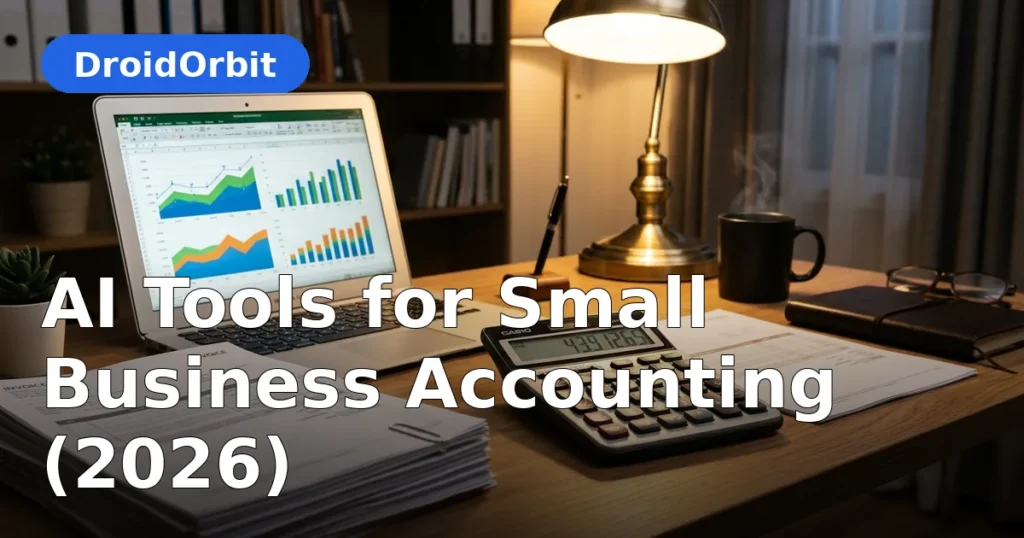
Nobody starts a business dreaming of reconciliations, receipt shoeboxes, and tax-season panic. Yet bookkeeping consumes hours every month for millions of owners — hours stolen from customers, product, and rest. AI tools for small business accounting are changing that equation: software that categorizes transactions on its own, reads receipts from a phone photo, chases unpaid invoices, and warns you about cash-flow trouble before it arrives.
This guide covers what AI actually does inside modern accounting software, the well-known platforms and their documented capabilities, how to choose the right tool for your business type, and the workflows that turn bookkeeping from a dreaded chore into a background process. This is educational information about software — not accounting or tax advice; for tax decisions, work with a qualified professional.
AI Tools for Small Business Accounting: What Happens Inside the Software

Modern accounting platforms embed AI in ways that are invisible when they work well. Here is what is actually happening behind the interface:
- Automatic categorization. The software learns from your past bookkeeping: that monthly charge from your supplier is always "Cost of Goods Sold," that coffee shop is usually "Meals," that software subscription is "Software." After a learning period, most transactions categorize themselves.
- Bank feed reconciliation. Connected bank and card feeds import transactions daily; AI matches them to invoices, bills, and existing records, flagging only the ambiguous ones for your review.
- Receipt capture. Snap a photo of a receipt; optical character recognition plus AI extracts the vendor, date, amount, and tax, then files it against the right category and project.
- Anomaly detection. Unusual patterns — duplicate charges, amounts far outside normal ranges, new vendors with large invoices — get flagged for review. This catches both errors and fraud.
- Invoice intelligence. AI suggests invoice timing, predicts which clients pay late, and drafts follow-up reminders in appropriate tones.
- Cash-flow forecasting. By analyzing historical patterns, the software projects upcoming balances and warns about tight periods weeks ahead.
None of this replaces your judgment or your accountant — the honest pitch for AI tools for small business accounting is that they erase drudgery, not judgment. It replaces the manual sorting, typing, and chasing that used to eat your afternoons.
The Major Platforms and What They Offer
The small-business accounting market has a clear set of leaders. Here is what each is known for, based on publicly documented features:
- QuickBooks (Intuit). The US market leader for small businesses, with AI-assisted categorization, receipt capture, invoicing, payroll integration, and a massive ecosystem of add-ons and accountants who know the software. Its AI features focus on automating routine bookkeeping and surfacing business insights from your data.
- Xero. Strong internationally and popular with accountants, offering bank reconciliation, invoicing, expense claims, and AI-assisted categorization. Known for a clean interface and a large app marketplace for industry-specific add-ons.
- FreshBooks. Built with service businesses and freelancers in mind: simple invoicing, time tracking, expense management, and increasingly automated categorization. Easier learning curve than the full accounting suites, with less depth for complex inventory or multi-entity needs.
- Wave. Free accounting software (with paid payroll and payment processing) aimed at the smallest businesses and freelancers. Includes invoicing, receipt scanning, and basic automation — a legitimate zero-cost starting point.
- Zoho Books. Part of the Zoho business suite, offering automation workflows, invoicing, expense tracking, and AI assistance at competitive pricing — attractive if you already use other Zoho products.
- Sage. Long-established in accounting, with small-business products offering invoicing, cash-flow management, and AI-assisted features, particularly strong in certain international markets.
Beyond the core ledgers, specialized tools handle adjacent jobs: Expensify, Dext (formerly Receipt Bank), and Ramp for expense management and receipt capture; Gusto and QuickBooks Payroll for payroll with tax filings; Stripe, Square, and Plaid-connected tools for payments and banking data.
Choose based on your business type: product businesses with inventory need different depth than service businesses that live on invoicing and time tracking.
Core AI Bookkeeping Workflows

Daily: Let the feeds work
Connect your business bank accounts and cards once. Each morning (or weekly, if volume is low), open the banking feed: most transactions will already be categorized and matched. Your job is reviewing the exceptions — the ones the AI flagged as uncertain. This review takes minutes and is the single habit that keeps books clean.
Weekly: Receipts and invoices
Photograph receipts at the point of purchase — the thirty-second habit that eliminates month-end receipt hunts. Send invoices promptly (ideally the same day work completes); AI-suggested invoice templates and automatic numbering keep this fast. Review the week's uncategorized items every Friday; a clean weekly close prevents the dreaded quarterly pileup.
Monthly: Reconcile and review
Reconcile accounts monthly — the software does the matching, you confirm. Review the AI-generated profit-and-loss summary: revenue trends, expense categories that moved, overdue receivables. This monthly review is where bookkeeping turns into business intelligence. Set aside any questions for your accountant rather than letting them accumulate until tax season.
Quarterly/Annually: Taxes without panic
With clean monthly books, tax preparation becomes an export-and-review exercise instead of an archaeological dig. Estimated tax reminders, categorized deductions, and organized records mean your accountant spends time on strategy instead of data entry — which is also cheaper, since accountants bill for their time.
Invoicing and Getting Paid Faster
Late payments strangle small businesses, and most lateness is passive: invoices go out late, or nobody follows up. AI invoicing features attack both:
- Instant professional invoices generated from job notes, time entries, or completed orders — with online payment links that shorten the path from invoice to money.
- Smart reminders that escalate politely: a friendly nudge at 7 days overdue, a firmer one at 14, an owner alert at 30. The software remembers so you do not have to make awkward calls.
- Late-payer prediction that flags which clients historically pay slowly, so you can require deposits or shorter terms up front.
- Recurring billing for retainers and subscriptions that invoices itself.
The discipline that matters: invoice immediately. AI tools for small business accounting make same-day invoicing painless, and automatic reminders chase the rest. Same-day invoicing plus automatic reminders transforms cash flow more than any other single bookkeeping habit.
Expense Management Without the Shoebox

AI has effectively solved receipt chaos:
- Capture at purchase. Photograph every receipt immediately; apps extract vendor, date, amount, and tax automatically.
- Auto-categorize. The software files each expense against your chart of accounts and learns your patterns.
- Policy checks. For businesses with employees, AI flags out-of-policy spending and duplicates before reimbursement.
- Mileage tracking. GPS-based apps log business miles automatically — a commonly missed deduction made effortless.
At tax time, every deduction is documented, categorized, and searchable. The difference between this and a shoebox is measured in both dollars recovered and stress avoided.
Cash-Flow Forecasting: Seeing Trouble Early
Profit and cash are different things — a profitable business can still fail if cash arrives after bills are due. AI forecasting features project your cash position weeks or months ahead using historical income and expense patterns, upcoming invoices and bills, and seasonal trends.
Use the forecast as an early-warning system, not a crystal ball:
- A projected shortfall in six weeks is actionable: accelerate receivables, delay a purchase, arrange a credit line, run a promotion.
- The same shortfall discovered when payroll bounces is a crisis.
Review the forecast monthly alongside your P&L. The habit of looking ahead is the real value; the AI just does the arithmetic you never had time for.
Payroll, Taxes, and Compliance Assistance
Payroll is one area where "close enough" is not acceptable, which is why AI's role here is assistance plus automation rather than autonomy:
- Payroll platforms (Gusto, QuickBooks Payroll, and similar) calculate withholdings, file payroll taxes, and handle year-end forms automatically.
- Tax categorization throughout the year organizes deductions so nothing is missed.
- Deadline reminders track filing dates for estimated taxes, sales tax, and payroll filings.
- Document organization keeps the records auditors and accountants ask for in one searchable place.
Critical boundary: AI bookkeeping software is not a substitute for professional tax advice. Tax law is complex and jurisdiction-specific. Use the software to keep immaculate records, and use a qualified accountant or tax professional for decisions, elections, and filings. The software makes their job cheaper and your outcomes better — it does not replace them.
Choosing the Right Tool: A Decision Framework
- Business type first. Service business? Prioritize invoicing, time tracking, and simplicity (FreshBooks, Wave, QuickBooks Simple Start tier). Product/inventory business? You need inventory depth (QuickBooks, Xero). Freelancer? Start free or cheap (Wave, FreshBooks).
- Accountant compatibility. Ask your accountant what they use. A tool your accountant knows saves you money every tax season.
- Integration needs. List the software that must connect: payment processor, ecommerce platform, payroll, CRM. Verify real integrations, not just logos on a features page.
- AI features that matter to you. Rank them: categorization accuracy, receipt capture quality, invoice automation, forecasting. Test each with your real data during the trial.
- True cost. Subscription plus per-user fees plus payroll add-ons plus payment processing percentages. Model a full year, not the headline monthly price.
- Exit options. Can you export your full transaction history in standard formats? Never let your financial records be held hostage by a vendor.
Migration: Switching Without Losing Your History
Switching accounting tools feels risky, but it is routine:
- Pick a cutover date — typically a month-end or year-end.
- Export everything from the old system: chart of accounts, customer and vendor lists, open invoices and bills, full transaction history.
- Import opening balances and lists into the new tool; most platforms offer guided migration or accountant-assisted onboarding.
- Run parallel briefly if the stakes are high — one month of overlap catches mapping errors.
- Reconnect bank feeds and re-authorize payment integrations.
Most platforms and accountants have done this hundreds of times. The common mistake is postponing the switch for years while paying for the wrong tool.
Security: Protecting Financial Data
Accounting software holds your business's most sensitive data, so security deserves attention:
- Choose vendors with SOC 2 certification, encryption in transit and at rest, and multi-factor authentication.
- Use unique, strong passwords and a password manager; enable MFA for every user.
- Limit user permissions: staff see what their role needs, nothing more.
- Review connected bank feeds and third-party app authorizations quarterly.
- Understand the vendor's data policies: where data is stored, retention terms, and whether your data trains their AI models.
Common Mistakes to Avoid
- Ignoring the AI's exceptions. The review queue is the whole point — unreviewed auto-categorization drifts into errors.
- Mixing personal and business finances. No AI can cleanly categorize a card used for both groceries and inventory. Separate accounts are non-negotiable.
- Invoicing late. Software cannot fix the habit of sending invoices weeks after the work. Invoice same-day.
- Skipping monthly reconciliation. Unreconciled books compound errors silently. Monthly, without exception.
- Treating software as a tax advisor. It organizes; professionals advise. Keep that boundary clear.
- Choosing on price alone. The cheapest tool your accountant cannot use is the most expensive tool you will ever buy.
FAQ
What is the best AI accounting software for small business?
There is no universal best — it depends on your business type. QuickBooks dominates the US small-business market with deep features and wide accountant support. Xero is strong for businesses working closely with accountants and internationally. FreshBooks suits service businesses and freelancers who prioritize simplicity. Wave is a legitimate free starting point for the smallest operations. Match the tool to your needs and your accountant's familiarity.
How much does AI accounting software cost?
Core accounting subscriptions typically run $15–$60 per month at small-business tiers, with Wave offering free accounting. Payroll add-ons, payment processing fees, and per-user charges add to the total. Model the full year including add-ons rather than comparing headline monthly prices.
Can AI do my bookkeeping completely?
AI handles the repetitive mechanics — categorization, matching, receipt capture, reminders — but it needs your weekly review of exceptions and your monthly reconciliation. Think of it as a tireless bookkeeping assistant, not a replacement for oversight. Complex situations and tax decisions still need a human professional.
Is my financial data safe with AI accounting tools?
Reputable vendors use encryption, SOC 2-compliant infrastructure, and multi-factor authentication. Protect yourself further with unique passwords, limited user permissions, and quarterly reviews of connected apps. Always read the vendor's data policy to understand storage, retention, and whether your data is used for AI training.
Do I still need an accountant if I use AI accounting software?
Yes. The software keeps immaculate records cheaply; the accountant provides judgment on tax strategy, entity structure, deductions, and compliance. In practice, AI bookkeeping makes accountants more valuable per dollar because they spend time on advice instead of data entry.
How hard is it to switch accounting software?
It is routine: choose a cutover date, export lists and history from the old system, import opening balances into the new one, reconnect bank feeds, and optionally run both in parallel for a month. Most platforms offer guided migration, and accountants do this regularly. Do not stay on the wrong tool for years out of migration fear.
Conclusion
AI tools for small business accounting have turned bookkeeping from a dreaded monthly ordeal into a background process: transactions categorize themselves, receipts file themselves from a photo, invoices chase themselves politely, and cash-flow forecasts warn you before trouble arrives.
The owners who benefit most from AI tools for small business accounting follow a simple discipline: separate business finances cleanly, review the AI's exceptions weekly, reconcile monthly, invoice the same day work is done, and keep a qualified professional for tax decisions. The software handles the mechanics; you handle the judgment.
Pick the platform that fits your business type and your accountant, connect your accounts, and commit to the weekly review habit. Within a quarter, you will wonder how bookkeeping ever consumed so much of your time — and tax season will stop being a season of dread.


Join the discussion
Have a question or a perspective to share?