
Teachers don’t need another app; they need their evenings back. Planning, grading, and parent emails eat hours after the bell rings — and that’s the work AI is genuinely good at absorbing.
AI for Teachers: A Practical Classroom Guide
AI for teachers is not about replacing the human judgment at the heart of education — it is about returning hours to the people who need them most. The average US teacher works well beyond contract hours, with planning, grading, and paperwork consuming evenings and weekends. Surveys of educators consistently rank “lack of time” as the profession’s defining strain. Generative AI tools, used deliberately, can absorb a meaningful share of that load: drafting lesson plans, generating differentiated materials, scaffolding feedback on student work, and handling routine communication.
This guide is written as a practical manual, not a sales pitch. It covers concrete workflows for lesson planning, creating differentiated materials for diverse learners, using AI for grading assistance responsibly, building academic-integrity policies that survive the AI era, and protecting student data privacy under laws like FERPA. Every recommendation is framed around published product capabilities, documented school-district policies, and established pedagogical practice — and every section includes the limitations you need to know, because AI used carelessly in a classroom creates real harm.
Why AI Belongs in a Teacher’s Toolkit
The case for AI in teaching rests on a simple observation: much of a teacher’s workload is production work that AI does well, wrapped around relational work that only humans can do. Drafting a week’s lesson plans, writing three versions of a reading passage at different levels, composing parent emails, generating quiz questions — these are pattern-heavy tasks where AI assistance is genuinely strong. The relational work — noticing a struggling student, managing classroom dynamics, inspiring curiosity — remains entirely human.
Teachers adopting AI typically report the biggest wins in three areas:
- Planning speed. A first-draft lesson plan or unit outline in minutes instead of an evening, with the teacher’s expertise applied to refining rather than generating from scratch.
- Differentiation at scale. Producing leveled versions of materials for advanced learners, struggling readers, and English language learners — work that is pedagogically essential and practically impossible to do manually for every lesson.
- Feedback bandwidth. Drafting starter feedback on student writing that the teacher then personalizes, multiplying the volume of formative feedback students receive.
The throughline: AI handles the first draft; the teacher provides the judgment. Every workflow in this guide preserves that division.
Lesson Planning With AI: A Complete Workflow

Here is a practical, repeatable workflow for AI-assisted lesson planning that keeps pedagogical control firmly with the teacher:
Step 1 — Define the learning objectives yourself. Never outsource this. Write 2–3 specific, measurable objectives (“Students will be able to solve two-step equations with variables on both sides”) before opening any AI tool. Objectives are the contract everything else is checked against.
Step 2 — Generate a draft plan from your objectives. Prompt the AI with your objectives, grade level, class length, available materials, and any constraints (“no laptops available,” “35 students,” “include a 10-minute formative check”). Ask for a timed agenda: warm-up, direct instruction, guided practice, independent work, closure.
Step 3 — Request the materials, not just the plan. Ask for the specific artifacts the lesson needs: 5 warm-up questions with an answer key, a guided-practice worksheet, an exit ticket aligned to the objectives. Generating materials in the same session keeps everything aligned to the plan.
Step 4 — Audit ruthlessly. Check every element against your objectives: does each activity actually serve one? Verify factual content (AI can confidently state wrong historical dates, mis-solve math problems, or misquote texts). Adjust timing based on your knowledge of your students — AI estimates of “how long this takes” are generic.
Step 5 — Save what works as reusable templates. The prompt structure that produced a good plan — objectives, constraints, requested artifacts — becomes a template you reuse weekly. Many teachers keep a document of proven prompts per subject.
Which tools? General-purpose AI assistants (ChatGPT, Claude, Gemini) handle planning well; education-specific platforms (MagicSchool, Khanmigo for Teachers, Brisk Teaching, Curipod) add classroom-oriented templates, standards alignment (Common Core, state standards), and in some cases district-approved data handling. The education-specific tools are worth evaluating because they encode pedagogical structure — lesson-plan formats, Bloom’s taxonomy levels, DOK depth — that general tools need to be told about each time.
Differentiated Materials: Meeting Every Learner
Differentiation — adjusting content, process, or product to learners’ needs — is among the most evidence-supported practices in education and among the most time-consuming. AI changes the economics:
Reading Passages at Multiple Levels
Provide the AI with your source text and request versions at specified reading levels: “Rewrite this 400-word passage about the water cycle at a 3rd-grade reading level, a 5th-grade level, and an 8th-grade level. Keep all key vocabulary terms (evaporation, condensation, precipitation) in every version, bolded.” Verify that simplifications did not introduce inaccuracies — a common failure is the “simplified” version subtly changing the science.
Scaffolding for Struggling Learners
Generate worked examples with steps shown, sentence starters for written responses (“One reason the character changed is ___ because ___”), vocabulary pre-teaching lists with student-friendly definitions, and chunked versions of multi-step directions. The AI can also produce “error analysis” exercises: worked solutions containing a deliberate mistake for students to find — excellent for formative assessment.
Extension for Advanced Learners
Ask for enrichment that deepens rather than merely adds: “Create 3 extension questions on this topic that require analysis and evaluation (Bloom’s levels 4–6), plus a short independent research task with guiding questions.” Avoid the trap of “more of the same” — advanced learners need complexity, not volume.
Support for English Language Learners
AI can generate bilingual vocabulary lists, simplified directions paired with visual cues descriptions, sentence frames at varying complexity, and first-language glossaries for key terms. Caution: machine translation of instructional content should always be reviewed by a bilingual educator — subtle errors in directions cause real confusion, and some languages’ educational registers translate poorly.
IEP and 504 Accommodations
AI can help implement accommodations efficiently: generating large-print or high-contrast versions of materials, creating audio-script versions of text for text-to-speech, chunking assessments into sections with breaks, or reformatting tests (fewer items per page, clarified directions). Critical boundary: AI assists with implementing accommodations documented in the IEP — it never determines or modifies the accommodations themselves, which is a team decision governed by law.
Grading Assistance and Feedback at Scale
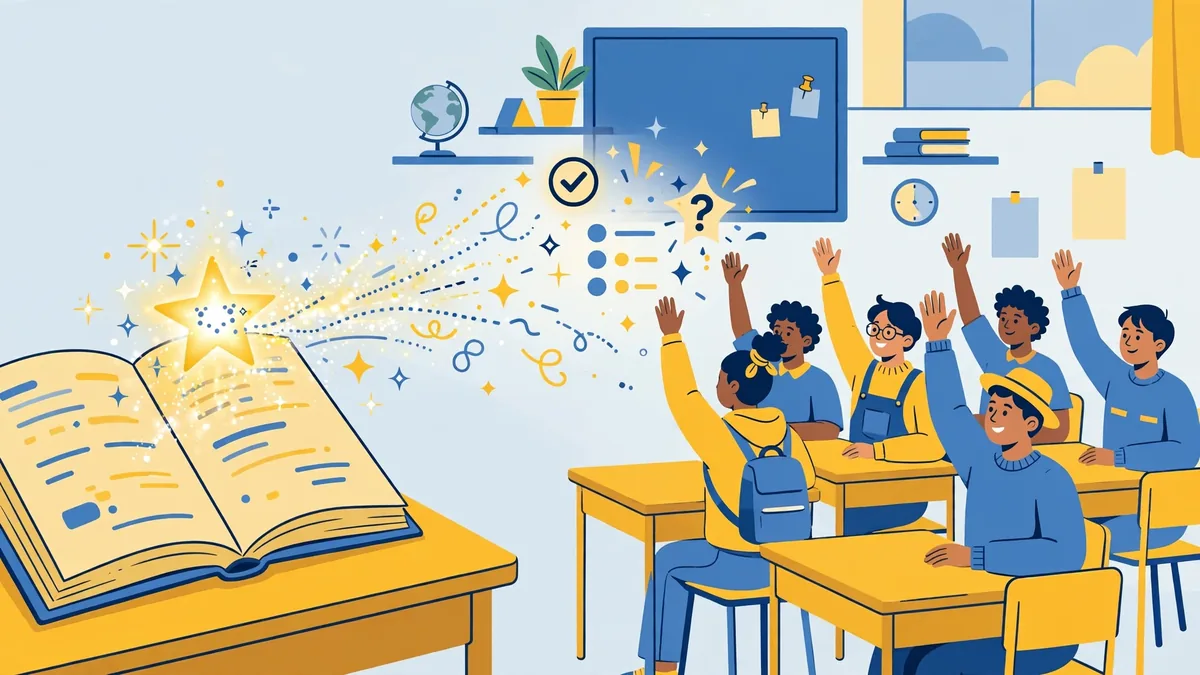
This is the highest-value and highest-risk application. Used well, AI multiplies formative feedback; used carelessly, it outsources professional judgment about students.
What works well:
- Rubric generation. Provide your assignment and learning objectives; the AI drafts a detailed rubric with performance levels. You refine the descriptors — this alone saves significant time and improves rubric quality.
- Feedback starters. For student writing, AI can generate specific, actionable starter comments tied to your rubric (“Your thesis is clear, but paragraphs 2 and 3 need topic sentences that connect back to it”). The teacher reviews, edits, and personalizes — students receive richer feedback faster.
- Error pattern analysis. Feed in anonymized samples of common mistakes; ask the AI to categorize error patterns across the class, informing tomorrow’s reteaching. This aggregate use avoids individual-student data concerns.
- Quiz and test generation. Draft multiple-choice, short-answer, and matching questions from your content with answer keys. Always review: AI-generated distractors (wrong answers) are sometimes accidentally correct or nonsensical.
Hard boundaries:
- Never let AI assign final grades autonomously. AI cannot weigh effort, growth, context, or the accommodations a student receives. Its role is drafting and analysis; grading decisions remain the teacher’s.
- Never paste identifiable student work into consumer AI tools without district approval and a data agreement (see the privacy section).
- Disclose AI assistance to students where it affects them: “I used AI to help draft feedback comments, which I then personalized.” Modeling transparent AI use is itself a lesson.
Administrative Time-Savers
Beyond instruction, AI absorbs the paperwork that eats planning periods:
- Parent communication. Draft newsletters, conference summaries, and routine emails (“Your child is missing three assignments…”) from bullet points. Keep tone warm and specific — templates with AI-personalized details beat generic blasts.
- Reports and documentation. Behavior incident summaries from your notes, IEP progress-report drafts from data points (reviewed before submission — these are legal documents), grant-application narratives.
- Meeting preparation. Agendas, PLC discussion summaries, professional-development reflections.
- Classroom logistics. Seating-chart rationales, group assignments balanced by criteria you specify, supply lists, field-trip checklists and permission-slip text.
The common thread: you supply the facts and judgment; the AI supplies the prose. Never invert that relationship for anything that becomes part of a student’s official record.
Academic Integrity: Policies That Actually Work
AI has broken the traditional homework contract — any take-home assignment can now be AI-completed. Policies built on detection alone will fail, because AI detectors are unreliable (documented false positives, especially for non-native English writers) and the technology evolves faster than the detectors. Effective approaches redesign assessment instead:
1. State a clear, specific policy. Vague “don’t cheat” language is insufficient. Publish exactly what is allowed: e.g., “AI may be used for brainstorming and grammar checks; the ideas, structure, and final wording must be your own. AI-generated drafts submitted as your work violate the honor code.” Different courses can set different lines — the key is explicitness.
2. Require process evidence. The most robust integrity strategy is assessing the process, not just the product: outlines submitted before drafts, revision histories (Google Docs version history is a simple, powerful tool), in-class writing samples that establish a baseline of each student’s voice, and brief oral defenses (“explain your thesis and one piece of evidence”) for major assignments.
3. Design AI-resistant assessments. In-class essays, personalized prompts tied to class discussions (“connect the novel to Tuesday’s debate”), multi-stage projects with checkpoints, and applied tasks (lab work, performances, presentations) are inherently harder to outsource than generic take-home essays.
4. Teach AI literacy directly. Students need to understand what AI does well, where it fails, how to cite AI assistance, and why passing off AI work as their own undermines their learning. Many schools now include AI literacy in digital-citizenship curricula — it is more effective than any detector.
5. Use detectors only as one signal, never as verdict. If your school uses AI-detection software, treat flags as the start of a conversation (“walk me through how you wrote this”) rather than proof. False accusations damage trust far more than missed violations.
6. Model the policy yourself. When teachers transparently disclose their own AI use (see the grading section), students learn the actual skill — ethical, effective AI collaboration — rather than just the rule.
Student Data Privacy: FERPA and Beyond
Student data privacy is the non-negotiable constraint on every AI use in education. The legal and ethical framework US teachers work within:
FERPA (Family Educational Rights and Privacy Act) protects education records — broadly, any records directly related to a student maintained by the school. Key implications for AI use:
- Directory vs. non-directory information. Names, grades, disciplinary records, IEP details, and most student work are protected. Do not enter them into AI tools without proper authorization.
- The “school official” exception. A vendor can access education records without parental consent only if designated as a school official with a legitimate educational interest — which requires a written agreement. Your district’s approved-vendor list exists for this reason: those vendors have signed data agreements.
- Consumer AI tools are generally not FERPA-compliant for student data. Pasting student names, work, or records into a free chatbot account typically violates district policy and potentially FERPA, because there is no data agreement and inputs may be used for training or retained.
COPPA (Children’s Online Privacy Protection Act) adds requirements for students under 13: verifiable parental consent before collecting personal information through online services. Many AI tools set 13+ or 18+ age minimums in their terms — check before any student-facing use.
Practical rules for teachers:
- Use only district-approved tools for anything involving student data. If your district has vetted AI tools with signed data-processing agreements, use those. If it has not, escalate — do not freelance with student records.
- Anonymize before you analyze. Remove names and identifiers before using AI for error-pattern analysis or feedback drafting. “Student A” workflows keep the pedagogical value while protecting privacy.
- Check data settings. Many AI platforms offer settings to opt out of training on your inputs, or enterprise/education tiers with no-training guarantees. Configure these before first use.
- Student-facing AI needs its own review. Tools where students directly interact with AI (tutors, writing coaches) raise additional questions: age requirements, data collection from minors, content filtering, and monitoring. These decisions belong at the district level, not the individual classroom.
- When in doubt, ask your IT/admin team. Privacy missteps with student data carry legal consequences for the district. A five-minute question beats a five-month investigation.
Frequently Asked Questions About AI for Teachers
What is the best AI tool for lesson planning?
Education-specific platforms like MagicSchool, Khanmigo for Teachers, and Brisk Teaching offer classroom-oriented templates, standards alignment, and — importantly — data handling designed for schools, which makes them easier to adopt within district policy. General assistants like ChatGPT, Claude, and Gemini are more flexible but require you to build pedagogical structure into every prompt and should not receive student data without a district agreement.
Can teachers use AI to grade papers?
AI can assist with grading workflows — generating rubrics, drafting feedback comments, analyzing class-wide error patterns, creating answer keys — but final grading decisions must remain with the teacher. Never use AI as an autonomous grader, and never enter identifiable student work into AI tools that lack a district data agreement.
How should schools handle students using AI to cheat?
Detection-first approaches fail because detectors are unreliable. Effective strategies combine clear written policies on permitted AI use, process-based assessment (drafts, revision history, in-class baselines), AI-resistant assignment design, direct teaching of AI literacy, and treating any detector flag as a conversation starter rather than proof of misconduct.
Is it legal to put student work into ChatGPT?
Generally no, not without district authorization. Student work tied to identifiable students is protected under FERPA, and consumer AI tools lack the data agreements FERPA requires for third-party access. Anonymize fully (no names or identifiers) or use only district-approved tools with signed agreements.
How much time can AI actually save teachers?
It varies by task and workflow maturity, but commonly cited estimates from educator surveys and pilot programs suggest several hours per week once workflows are established — concentrated in planning, materials preparation, and routine communication. The savings compound: reusable prompt templates and generated material banks pay dividends across semesters.
Should AI be taught to students, or kept as a teacher-only tool?
Both, at age-appropriate levels. Teacher-only use captures the efficiency gains; student AI literacy — understanding capabilities, limitations, verification habits, and ethical use — is increasingly considered an essential skill, and several states and districts have begun incorporating it into digital-citizenship standards. Student-facing use requires district review of age requirements, privacy, and content safeguards.
Review the U.S. Department of Education’s guidance on AI in schools for policy context before rolling tools out to students.
Keep exploring: If you found this guide to ai for teachers useful, read 10 Free AI Tools for Students That Actually Help, AI for Language Learning: Complete Guide (2026), Best AI Presentation Makers (2026) for more practical ways to use ai for teachers.
What is the most practical use of AI for teachers?
Lesson planning is the breakout use of AI for teachers: draft a week’s plans, worksheets, and quizzes in under an hour. AI for teachers also shines at differentiation — generating the same concept at three reading levels — saving the hours that used to go into manual adaptation.
Is it safe to use AI for teachers with student data?
Only with the right setup. When using AI for teachers, never paste identifiable student information into public tools; use district-approved platforms with education privacy commitments. Check your district’s policy — many now publish approved lists for AI for teachers precisely because of this concern.
Will AI for teachers replace lesson planning skills?
No more than calculators replaced arithmetic. AI for teachers accelerates drafting, but judging what students need, sequencing concepts, and reading a classroom remain human skills. The strongest AI for teachers workflows keep the teacher as editor-in-chief, not a passive recipient.
Conclusion
AI will not replace teachers, but teachers who use AI thoughtfully are already reclaiming hours once lost to production work — hours that go back into the human core of teaching. Start where the value is clearest and the risk lowest: lesson-plan drafts from your own objectives, differentiated materials you verify, feedback starters you personalize. Build academic-integrity policies around process and literacy rather than detection. And treat student data privacy as the hard boundary it is — district-approved tools, anonymization, and no freelancing with protected records. The teachers thriving with AI in 2026 share one habit: they let the technology do the drafting while keeping every consequential judgment — what to teach, how to assess, what a student needs — exactly where it belongs, with them.
What’s the biggest mistake with AI for teachers?
Using AI output without adapting it to your students. AI for teachers generates generic material by default — the magic happens when you add your class context. AI for teachers works best as a drafting partner: generate, then personalize for the actual kids in front of you.





Join the discussion
Have a question or a perspective to share?