

The n8n vs Zapier debate is really a debate about two different philosophies of automation. Zapier is the polished SaaS incumbent: thousands of app integrations, a beginner-friendly builder, and pricing that charges per task. n8n is the open-source challenger: self-hosting, transparent pricing, and full data control. This n8n vs Zapier comparison runs seven rounds — pricing, AI capabilities, integrations, and more — to declare a winner for your use case.
This comparison is based on published pricing pages, official documentation, and third-party analyses updated in 2026 — personal product testing. It covers pricing models in detail (where the two diverge most), AI capabilities, integration breadth, self-hosting and data control, and a decision framework for technical teams, non-technical teams, and everyone in between.

The Core Difference in One Paragraph
Zapier connects apps with simple trigger-action workflows (“when X happens, do Y”), counting every individual action step as a billable task. It is optimized for speed of setup: a non-technical marketer can automate something useful in fifteen minutes. n8n builds visual workflows with branching logic, loops, sub-workflows, and code — counting an entire workflow run as a single execution regardless of how many steps it contains. It is optimized for power and cost-at-scale: a technical team can build AI agents with memory, tool use, and custom logic that Zapier’s model cannot easily express. Choose Zapier when simplicity and integration breadth matter most; choose n8n when complexity, volume, or data control matter most.
Pricing: Where the Gap Becomes a Gulf
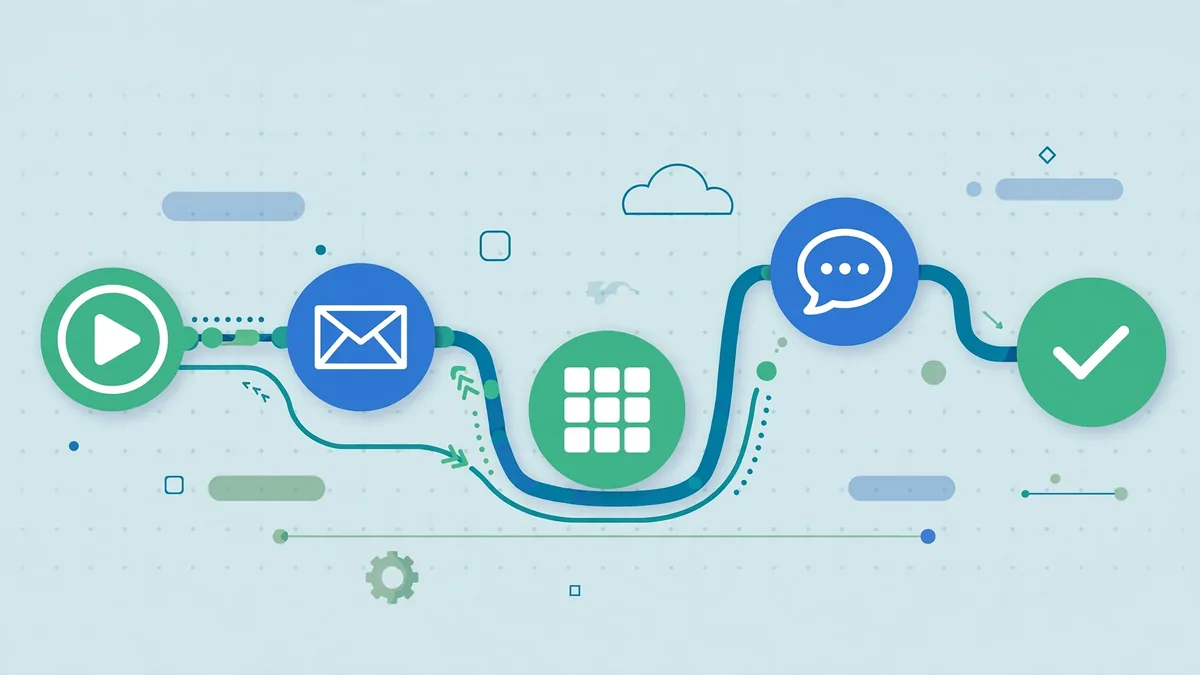
The pricing math: Zapier charges per task, so costs scale with volume; n8n charges per workflow execution with generous self-hosted options. In this n8n vs Zapier round, high-volume teams usually save with n8n, while low-volume teams may find Zapier’s simplicity worth the premium. Calculate your real monthly n8n vs Zapier cost at 10x your current volume before deciding.
Pricing is the single biggest practical difference, and it widens with workflow complexity because the two platforms count different things.
Zapier’s model: per task. Every action step in a workflow consumes one task. A five-step Zap that runs 1,000 times consumes 5,000 tasks. Published 2026 tiers: a free plan with 100 tasks per month; Professional around $19.99 per month for 750 tasks; Team around $69 per month for 2,000 tasks; and Enterprise on custom pricing. Multi-step AI workflows — fetch data, call an LLM, parse the output, write to three destinations — burn through task allowances fast. Third-party analyses in 2026 consistently flag this as Zapier’s scaling pain point: a 10-step workflow running 5,000 times a month consumes 50,000 tasks, pushing costs into the hundreds of dollars monthly.
n8n’s model: per execution. One workflow run equals one execution, no matter how many nodes it passes through. A 20-node workflow processing 500 records counts as one execution. Published 2026 cloud tiers: a free self-hosted community edition with unlimited executions (you pay only server costs, roughly $5–$15 per month on a small VPS); Starter cloud around $20 per month for 2,500 executions; Pro cloud around $50 per month for 10,000 executions; Enterprise custom. The math at scale is stark: 10,000 monthly runs of an 8-step workflow costs roughly $50 on n8n Pro cloud (10,000 executions included) versus an estimated $250–$400+ on Zapier once task bundles are added — or about $10–$15 in server costs self-hosted.
The honest caveats. n8n’s self-hosted “free” still costs server time and maintenance labor — someone has to update, back up, and monitor it. Zapier’s per-task pricing is perfectly economical for simple, low-volume automations; a 50-task-per-month user pays nothing. The pricing gap only punishes you when workflows are multi-step, high-volume, or both — which describes nearly every serious AI automation.
AI Capabilities Compared
AI capabilities, honestly: both platforms now embed AI steps, but they differ in flexibility. The n8n vs Zapier AI round comes down to this: Zapier offers polished AI actions for common cases, while n8n lets you wire any model into any step. If your n8n vs Zapier decision hinges on cutting-edge AI workflows, test both with your actual use case.
This is where the comparison gets interesting in 2026, because “AI automation” now means two different things: using AI inside workflows, and building AI agents as workflows.
Using LLMs inside workflows. Both platforms offer it. n8n provides native AI nodes for OpenAI, Anthropic, Google Gemini, and Hugging Face, plus LangChain-based nodes for building chains, agents with tool use, and memory (conversation history, vector-store retrieval). Zapier offers AI actions including ChatGPT steps, AI Copilot for building Zaps from descriptions, and its Zapier Agents product. For straightforward “summarize this, draft that” steps, both work. For anything involving agent loops, retrieval-augmented generation, or multi-model orchestration, n8n’s LangChain-native architecture is substantially more expressive.
Building AI agents. n8n is the stronger agent platform by design: its AI Agent node supports tool-calling, memory buffers, and sub-workflow delegation, and self-hosting means you can point agents at local or self-hosted models for sensitive data. Zapier Agents targets the no-code audience — easier to start, but less customizable and running entirely on Zapier’s infrastructure. If your roadmap includes autonomous agents rather than linear automations, n8n’s ceiling is much higher.
Bring-your-own-model flexibility. n8n’s HTTP and code nodes can call any LLM API, including self-hosted open-weight models — important for cost control (open models for bulk classification, frontier models for hard reasoning) and for data sovereignty. Zapier’s AI features are tied to its supported integrations, which is simpler but less flexible.
Integrations: Breadth vs Depth

Zapier’s integration library — 7,000+ apps — remains its moat. If you need a niche vertical app (a specific real-estate CRM, a regional email tool, an obscure scheduling product), Zapier almost certainly has a prebuilt connector while n8n may not. For non-technical teams automating mainstream SaaS tools, this breadth means less custom work.
n8n counters with roughly 400+ native integrations (some comparisons cite 1,000+ including community nodes) plus generic HTTP, webhook, and code nodes that can integrate with anything exposing an API. The practical difference: with n8n, integrating an unsupported app requires someone comfortable reading API docs and writing a few lines of JavaScript. With Zapier, it requires finding the app in the directory. Teams with any engineering capacity close this gap quickly; teams without it feel it constantly.
Self-Hosting, Data Control, and Compliance
The self-hosting question: n8n’s self-hosted option is the single biggest n8n vs Zapier differentiator for regulated industries. Data never leaves your infrastructure, which simplifies compliance enormously. If that does not matter to you, this n8n vs Zapier round is a draw — move on to pricing and ease of use.
This category is not close. n8n is open-source (fair-code/Sustainable Use License) and can be self-hosted via Docker, npm, or a VPS — giving you full data ownership, your choice of data residency, and the ability to keep sensitive workflows entirely inside your own network. Zapier is cloud-only SaaS: your workflow data lives on Zapier’s servers under its terms.
For regulated industries, this is often decisive. Healthcare (HIPAA), finance, legal, and EU companies with strict GDPR interpretations frequently require data processing within controlled infrastructure — something only self-hosting (or expensive enterprise SaaS contracts) delivers. n8n self-hosted is the only option in this comparison that gives a small team enterprise-grade data control without enterprise-grade spending.
The trade-off is operational responsibility. Self-hosting means you own uptime, backups, security patching, and scaling. n8n’s cloud plans exist precisely for teams that want n8n’s model without server duty — at $20–$50 per month, still far below Zapier’s at-scale pricing.
Ease of Use and Learning Curve
Zapier wins on approachability by a wide margin. Its linear trigger-action model, plain-language step descriptions, and AI Copilot that builds Zaps from natural-language descriptions make it genuinely accessible to non-technical users. Most people automate their first useful workflow within an hour.
n8n has a real learning curve. Concepts like expressions, data pinning, merge nodes, error workflows, and credentials take days — not minutes — to internalize, and code nodes assume JavaScript or Python literacy. The visual canvas is powerful but denser than Zapier’s. However, the curve flattens: n8n’s documentation, community forum, and 180,000+ GitHub stars mean most problems have documented solutions, and AI assistants are quite good at writing n8n expressions and code nodes on demand.
Team implication: Zapier lets any team member build automations; n8n concentrates automation power in technical staff. For organizations pursuing “citizen automation” across non-technical departments, that difference matters more than any feature table.
Reliability, Debugging, and Operations
Serious automation lives or dies on what happens when things break at 2 a.m. n8n offers execution history with full data inspection at every node, visual debugging, error workflows (automatic retries, fallback paths, alerts), and — self-hosted — complete log access. When a workflow fails, you can see exactly which node received what data. Zapier provides task history and error notifications, but debugging depth is shallower, and you cannot inspect infrastructure you do not control.
Version control favors n8n as well: workflows can be exported as JSON, stored in git, and deployed across environments — real software-engineering practice applied to automation. Zapier’s versioning is more limited, which becomes painful as automation estates grow into the dozens or hundreds of workflows.
Head-to-Head Summary
| Dimension | n8n | Zapier |
|—|—|—|
| Pricing model | Per execution (whole run = 1) | Per task (each step = 1) |
| Entry price | Free self-hosted; cloud from ~$20/mo | Free (100 tasks); paid from ~$19.99/mo |
| Cost at scale | Flat-ish; dramatically cheaper | Compounds with steps × volume |
| Self-hosting | Yes (Docker, npm, VPS) | No (SaaS only) |
| Integrations | 400+ native + HTTP/code for anything | 7,000+ prebuilt |
| AI agents | Native (LangChain, memory, tools) | Zapier Agents (simpler, less flexible) |
| Custom code | JavaScript + Python nodes | Limited code step |
| Ease of use | Moderate learning curve | Beginner-friendly |
| Data control | Full (self-hosted) | Vendor-hosted |
| Best for | Technical teams, scale, compliance | Non-technical teams, quick wins |
n8n vs Zapier: Who Should Choose Which
Choose n8n if: you have technical capacity (even one engineer or a technical marketer); your workflows are multi-step or high-volume; you are building AI agents with memory and tool use; you handle regulated or sensitive data; you want costs that stay flat as volume grows; or you simply prefer owning your infrastructure.
Choose Zapier if: your team is non-technical; your automations are simple trigger-action flows; you need a niche app integration that only Zapier offers; speed of deployment matters more than cost optimization; or you want zero infrastructure responsibility whatsoever.
Consider both: many organizations land here — Zapier for departmental quick wins owned by non-technical staff, n8n for the heavy-duty AI pipelines owned by engineering. They are not mutually exclusive, and using each where it shines is a legitimate architecture.
Migration note: moving from Zapier to n8n is a rewrite, not an import — the models differ too much for automatic conversion. Budget the rebuild time, but also recognize that the rebuild usually produces better workflows: n8n’s branching and error handling express logic that Zapier users had been contorting Paths and Filters to approximate.
Keep Exploring These Guides
If you found this n8n vs zapier walkthrough useful, these related guides go deeper on adjacent workflows:
- AI Tools for Small Business Automation: Workflows That Work
- How to Automate Repetitive Tasks With AI: Practical Guide
Frequently Asked Questions
Is n8n really free?
The self-hosted community edition is free and unlimited — you pay only for the server it runs on (roughly $5–$15 per month for a small VPS) plus your maintenance time. n8n’s paid cloud plans start around $20 per month. “Free” does not mean “zero cost”: budget for hosting, backups, updates, and whoever administers it. For most teams the total is still far below equivalent Zapier spend at volume.
How many tasks does a typical AI workflow use on Zapier?
More than people expect. A workflow that fetches data, calls an LLM, parses the response, and writes to two destinations is five or more tasks per run. At 1,000 runs a month, that is 5,000+ tasks — well above the 750 included in the ~$19.99 Professional tier. Always model tasks as (steps per run) × (runs per month), not just runs.
Can n8n replace Zapier completely?
Technically yes for most use cases, with two caveats: niche app integrations may require custom HTTP/API work in n8n, and non-technical team members will face a learning curve. Organizations with zero technical staff often keep Zapier for that reason alone.
Which is better for building AI agents in 2026?
n8n, by a clear margin. Its LangChain-native AI nodes support tool-calling agents, conversation memory, vector-store retrieval, and sub-workflow delegation, and self-hosting lets you run agents against local models. Zapier Agents is easier to start with but less customizable and entirely cloud-dependent.
Do I need to know how to code to use n8n?
Not strictly — many workflows can be built with visual nodes and expressions alone. But n8n rewards basic JavaScript literacy: code nodes, data transformation, and API integrations all go faster with it. If nobody on your team writes any code, factor learning time (or Zapier) into the decision.
What about Make (formerly Integromat) as a third option?
Make sits between the two: a powerful visual builder with per-operation pricing (free 1,000 ops/month, paid from ~$9/month for 10,000 ops), 3,000+ integrations, and no self-hosting. It is cheaper than Zapier at scale and easier than n8n for complex visual logic, but lacks n8n’s self-hosting and deep AI-agent architecture. Worth evaluating if you want visual power without server duty.
Can I switch from Zapier to n8n easily?
Yes, with planning. Map each Zap to an n8n workflow, migrate in order of criticality, and run both in parallel for two weeks. The n8n vs Zapier migration most teams underestimate is webhook URLs — update every external service pointing at the old hooks. Budget a weekend per ten workflows for a careful n8n vs Zapier move.
Conclusion
The n8n vs Zapier decision comes down to a simple trade: Zapier sells you speed and simplicity — the fastest path from idea to working automation, with the broadest app directory, priced per step. n8n sells you power and economics — agent-grade AI workflows, full data control through self-hosting, and pricing that stays flat while your automation volume grows. Score the seven n8n vs Zapier rounds for your own workload and let the tally decide.
For AI automation specifically, the direction of travel favors n8n: multi-step LLM workflows are exactly the workload where per-task pricing hurts most and where agent architectures matter most. But the best platform is the one your team will actually use — a Zapier automation running today beats an n8n project stalled on the learning curve. Assess your team’s technical capacity honestly, model your costs at 10x current volume, and choose the platform whose trade-offs you would still accept a year from now.





Join the discussion
Have a question or a perspective to share?