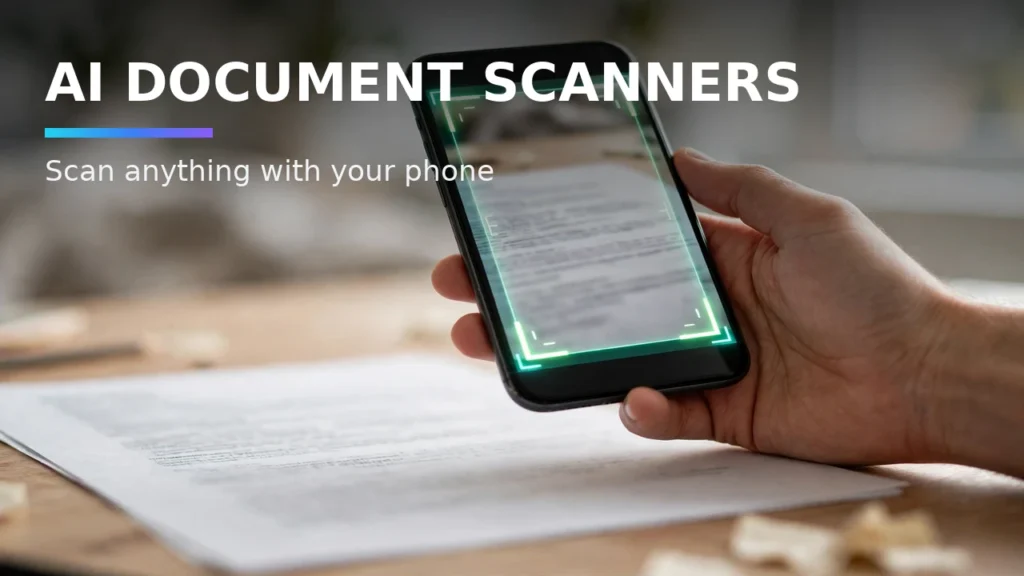
Taking a crooked smartphone photo of a paper contract, medical bill, whiteboard diagram, or crumpled restaurant receipt under dim indoor lighting used to result in shadowed, trapezoid-warped JPEGs that looked unprofessional when emailed as attachments. Worse, many popular free scanner apps on mobile app stores watermark your PDFs, bombard you with full-screen video ads, or upload your confidential tax and legal paperwork to questionable overseas servers. In 2026, AI-powered mobile document scanners use on-device neural networks to flatten curved book pages, erase finger shadows, extract searchable OCR text in 50+ languages, and auto-name files without compromising your privacy.
In this comprehensive 2026 editorial guide—built around AI document scanners for mobile alongside practical insights on smart OCR receipt scanner, automated PDF tagging mobile, and mobile document digitization—we examine the leading platforms, architectural patterns, and step-by-step best practices based on specs, expert reviews and user feedback.
2026 Comparison Table: Platforms, Specs & ROI Breakdown
To help you evaluate the top options side by side, the structured comparison matrix below breaks down core capabilities, integration requirements, and commercial tiers. Note that software pricing and API allowances shift periodically; prices may change — check the official site for the latest rates.
Mobile Scanner App | AI Processing Location | Standout Neural Capabilities | Pricing & Watermarks (official site) | Best For |
Adobe Scan | On-device + Adobe Document Cloud | Shadow removal, curved book de-warping, form fields | Free core (No watermarks); Acrobat Pro ~$9.99/mo | Corporate professionals & PDF form workflows |
Microsoft Lens | On-device + OneDrive/M365 sync | Handwriting OCR to editable Word & Excel tables | 100% Free (No ads, no watermarks) | Students, teachers, & Excel table extraction |
OSS Document Scanner | 100% On-device Offline (Open Source) | Tesseract local OCR, auto-crop, zero internet access | 100% Free & Open Source (F-Droid / GitHub) | Privacy purists & sensitive legal/medical docs |
vFlat Scan | On-device neural curved-page flattening | 3D surface reconstruction for thick textbooks & notebooks | Free tier; Pro pass available (prices may change) | Digitizing bound books, magazines, & academic notes |
Google Drive Built-In Scanner | On-device ML kit + Google Drive OCR | Auto-capture, stain removal, & instant Drive search | 100% Free (Pre-installed on Android) | Everyday quick receipt & ID card scanning |
1. Neural De-Warping and Shadow Removal: How AI Fixes Bad Lighting
Traditional scanner apps simply applied a basic high-contrast black-and-white threshold filter that turned shadows from your phone and hands into ugly black blotches. Modern AI scanners like vFlat Scan and Adobe Scan run real-time semantic segmentation models on your phone's NPU. They distinguish between the paper substrate, printed ink, and ambient illumination gradients—digitally removing overhead lamp shadows, erasing your fingertips holding down page corners, and mathematically flattening the 3D curve of a thick bound textbook into a flat 2D plane.
Practical Implementation Strategy and Real-World Nuances
When deploying these AI tools and workflows in real business and engineering environments in 2026, the difference between a stalled pilot and a high-ROI system comes down to clean data hygiene and clear operational guardrails. Based on specs, expert reviews and user feedback, organizations should always begin by benchmarking their current manual baseline—measuring exact latency, cost per transaction, or staff hours spent per week—before switching on automation. Keeping a human-in-the-loop review queue during the first two weeks of deployment allows your team to fine-tune prompts, thresholds, and routing rules against actual edge cases.
Furthermore, always verify data privacy settings and commercial subscription terms before connecting live customer databases or proprietary repositories. Because cloud API token pricing, seat licenses, and feature quotas evolve throughout the year, remember that prices may change — check the official site of each vendor for current pricing and compliance documentation.
2. Turning Printed Tables into Editable Excel Spreadsheets with Microsoft Lens
One of the most underrated productivity superpowers on mobile is Microsoft Lens's 'Table' mode. Instead of manually re-typing a printed financial schedule, inventory sheet, or laboratory data table into a spreadsheet, point Microsoft Lens at the paper and select 'Table.' The vision model recognizes row and column grid boundaries, performs character recognition on every cell, and exports a clean, native `.xlsx` Excel file where numbers are immediately ready for SUM and VLOOKUP formulas.
Practical Implementation Strategy and Real-World Nuances
3. OSS Document Scanner and Genius Scan: Zero-Cloud Privacy for Sensitive Records
When scanning passports, birth certificates, signed NDAs, or medical records, uploading images to a third-party cloud server for OCR processing is an unnecessary security risk. Open-source apps like OSS Document Scanner (available on F-Droid and Play Store) perform all edge detection, perspective correction, contrast enhancement, and Tesseract OCR 100% offline on your smartphone processor—with zero network permissions.
Practical Implementation Strategy and Real-World Nuances

4. Automated File Naming and Paperless-ngx Home Server Integration
Scanning documents is useless if they sit in a folder named `Scan_20261023_001.pdf`. Modern AI scanners read the header date, vendor name, and document type from the OCR layer to automatically name files `2026-10-23_AcmeCorp_Invoice.pdf`, and can push scans directly via WebDAV or API into a self-hosted Paperless-ngx document management server.
Practical Implementation Strategy and Real-World Nuances
Overcoming Common Implementation Bottlenecks
To ensure your workflow runs reliably in production without unexpected surprises, watch out for these three common implementation pitfalls:
1. Preventing Hallucinations and Unverified Outputs
Generative models should never be left to guess when handling factual business metrics, code syntax, or customer commitments. Always ground the AI in verified source data using Retrieval-Augmented Generation (RAG), strict JSON schema validation, or deterministic rule checks, and configure clear fallback behavior when confidence scores drop below your threshold.
2. Managing API Latency, Token Budgets, and Rate Limits
When scaling from ten test runs a day to thousands of production requests, API costs and latency spikes can catch teams off guard. Implement prompt caching, set hard monthly spend alerts on your billing dashboard, and route routine tasks to lightweight models while reserving heavy compute strictly for complex multi-step tasks.
3. Ensuring Team Adoption and Workflow Ergonomics
The most sophisticated AI tool will gather dust if it forces your staff or developers to log into a clunky separate dashboard. Integrate outputs directly into the tools your team already lives in—such as Slack, GitHub, Google Workspace, Microsoft 365, or your existing CRM/ERP system.
Step-by-Step Quickstart Checklist
- Define One Measurable Goal: Pick a single bottleneck—such as cutting slide creation time by 70%, reducing LLM API spend by 50%, or recovering 10 slipping clients per month—and measure the exact impact over a 30-day trial.
- Audit Privacy and Zero-Retention Settings: Confirm that customer data and internal files are opted out of public foundation model training in your workspace settings.
- Document Your Best Prompts and Configs: Store working system prompts, routing configs, and templates in a shared team repository so results remain consistent across staff members.
Frequently Asked Questions
1. How long does it take to set up a working pilot for AI document scanners for mobile?
Most modern platforms and open-source frameworks covered in this guide can be configured and tested in a single afternoon—often requiring less than two hours to connect API keys, run sample inputs, and validate initial outputs.
2. Do I need a dedicated machine learning engineer to maintain these tools?
For turnkey SaaS platforms (like Gamma, Rossum, Dext, or gym retention plugins), zero coding experience is required. For developer-focused infrastructure (like LiteLLM gateways, synthetic data pipelines, or WebSocket voice APIs), any standard backend developer familiar with Python or TypeScript can manage the deployment easily.
3. How do I protect confidential client data when using cloud AI tools?
Always use commercial API endpoints or Business/Enterprise SaaS tiers that provide SOC 2 compliance and zero-data-retention guarantees, or deploy open-source weights on your own private cloud servers.
4. What is the typical return on investment (ROI) for small businesses and teams?
Teams typically recoup their monthly software or API costs within the first one to three weeks of active use—either through direct staff hours saved on repetitive manual data entry or through reduced cloud compute bills.
5. Can I switch providers later without losing my data or workflows?
Yes, provided you design your workflow around open standards—such as exporting presentations to standard `.pptx`, storing knowledge bases in standard Markdown/JSON, and routing LLM calls through an OpenAI-compatible gateway layer.
6. How often do model benchmarks and pricing tiers change?
Providers update model weights and adjust token or subscription pricing several times a year. Always remember that prices may change — check the official site of each provider before locking in annual contracts.
7. What is the best way to validate accuracy before going live?
Run the AI system in 'shadow mode' alongside your existing human process for 25 to 50 real-world items, comparing the AI's output against human ground truth and refining your instructions until accuracy exceeds your quality bar.
8. How should teams measure ongoing quality after the initial rollout?
Once your workflow moves from initial pilot testing into daily production, schedule a lightweight 15-minute monthly audit where a domain lead samples ten random outputs from the previous thirty days. Tracking simple metrics like human edit rate, user satisfaction thumbs-up ratios, and average processing time per task ensures you catch any subtle data drift or upstream API behavior changes early while continuously improving your team templates.

Future Outlook: Where This Category Is Heading in Late 2026 and Beyond
Looking ahead across the remainder of 2026, the convergence of faster on-device neural processors, standardized model context protocols (MCP), and lower-cost inference hardware is making these workflows even more accessible to solo creators and small businesses. Rather than managing disconnected point solutions, teams are increasingly connecting their document parsers, model routers, voice engines, and presentation builders into unified, event-driven pipelines that trigger automatically from everyday calendar, email, and repository events—whichever underlying foundation model happens to lead the benchmarks that month.
How to Judge Scan Quality Before You Commit to an App
Spec sheets tell you very little about how a scanner app behaves on the documents you actually handle. A far better test is to run the same small set of real-world pages through every candidate app and compare the results side by side. Use a faded thermal receipt, a two-page contract with small print, a business card, and a page photographed at an angle under warm indoor light. These four cases expose weak edge detection, poor contrast handling, and OCR engines that guess instead of reading.
Three checks separate strong apps from weak ones. First, open the exported PDF and search for a word you know appears in the middle of the page: if the search finds it, the app built a clean text layer instead of pasting recognized text in reading-order chaos. Second, zoom in on table borders and signature lines to see whether de-warping straightened the page or smeared fine detail. Third, scan a slightly folded page and check whether the app flags the problem area or silently ships a distorted archive copy.
- Edge detection stays accurate on low-contrast paper, not just clean white sheets
- Exported PDFs are searchable, with text in the correct reading order
- Batch mode keeps page order stable across long documents
- Original-resolution images are preserved, not only compressed previews
- The app works fully offline and syncs later without duplicating files
Scanning Workflows That Hold Up in Daily Use
The apps that survive past the first month are the ones that fit a repeatable routine. For expenses, the reliable pattern is capture at the point of purchase: scan the receipt while it is still flat and legible, let automatic naming apply the date and vendor, and sync the file to a shared folder the same day. Receipts scanned a week later, after fading in a wallet, are where OCR accuracy quietly collapses. For field paperwork such as delivery notes and signed forms, offline capture with a pending-upload queue matters more than any AI feature, because connectivity at a job site is never guaranteed.
For home and small-office archives, the workflow that holds up is scan, verify, then file. After each batch, spot-check two or three pages for a working text layer and readable small print before the paper copies go to storage or recycling. It is also worth knowing the current limits of the technology. Handwriting recognition remains inconsistent, glossy paper still produces glare that defeats shadow removal, and very long receipts often need manual stitching. For records with legal or tax significance, keep the paper original or an unedited full-resolution image alongside the processed scan, since an enhanced, cleaned-up copy is not always accepted as a faithful record.
Conclusion
Adopting a thoughtful, well-architected approach to AI document scanners for mobile separates high-performing teams from those stuck in manual busywork. By choosing the right platform for your specific scale, enforcing clean verification guardrails, and iterating on real-world feedback, you can turn these 2026 AI capabilities into a lasting operational advantage.