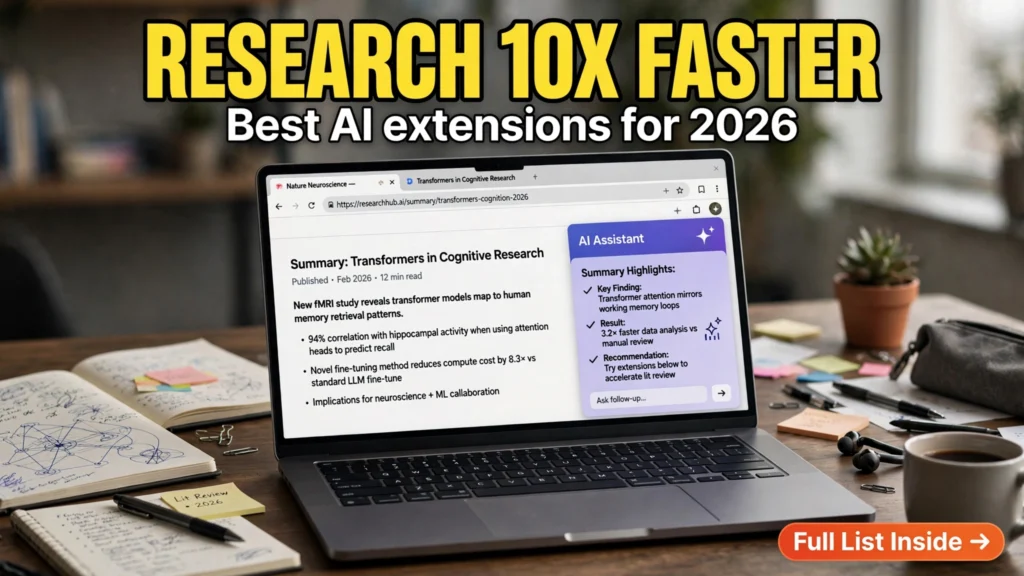
The modern internet is an unfathomable ocean of information, but navigating it has become an overwhelming cognitive chore. Knowledge workers, academic researchers, market analysts, and startup founders routinely find themselves drowning under thirty open browser tabs, battling distracting popups, scrolling through 5,000-word SEO-bloated articles to find a single statistic, and struggling to synthesize complex technical PDFs. Opening a separate chatbot tab, copying text back and forth, and reformatting snippets breaks your focus and wastes hours of precious deep-work time. In 2026, progressive researchers have eliminated this friction. Deploying the best AI browser extensions for web research transforms your standard web browser into an autonomous analytical workstation that reads, summarizes, and extracts insights directly alongside you.
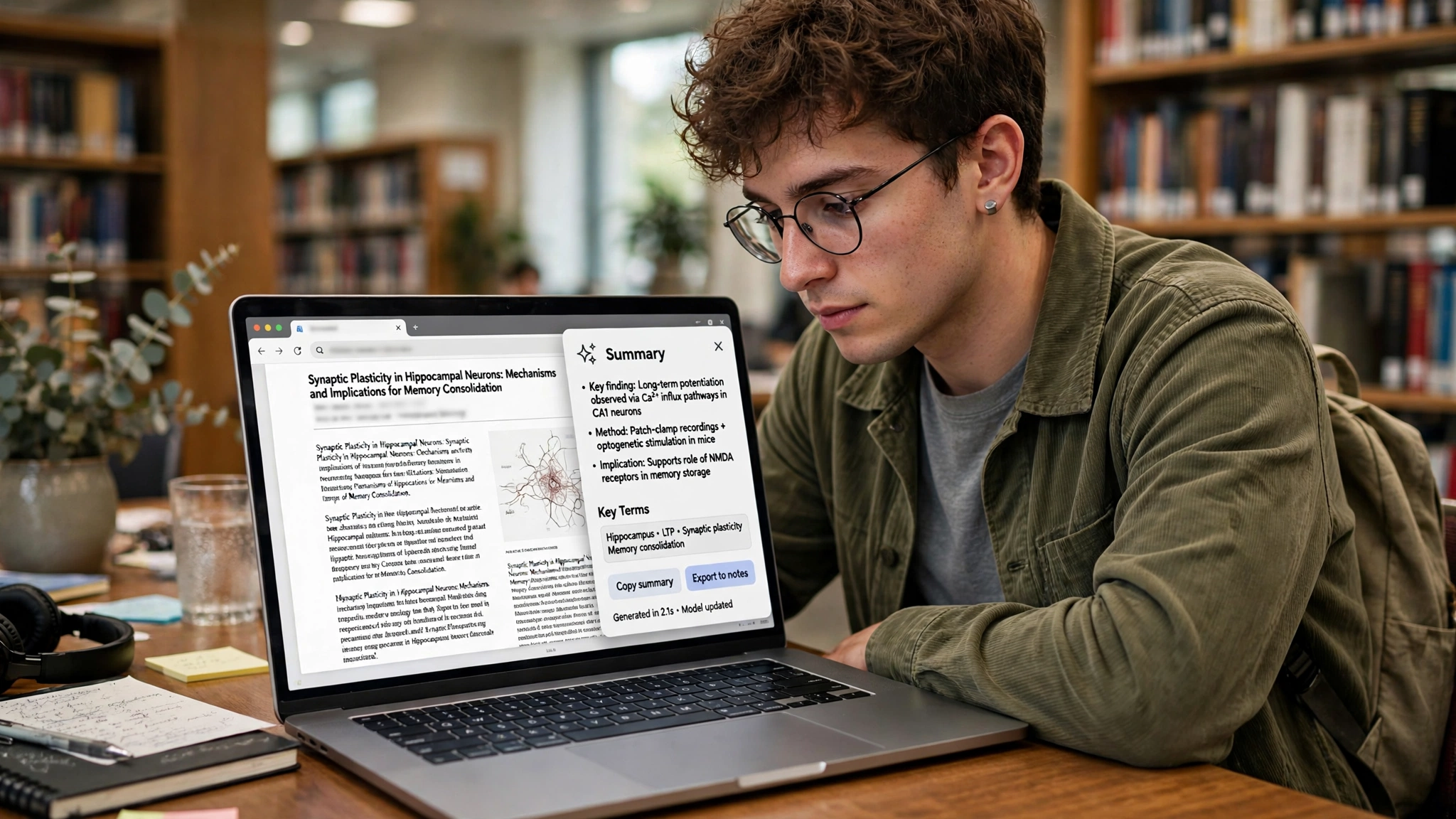
Rather than functioning as simple novelty add-ons, modern browser copilots live seamlessly inside your browsing viewport. With a single keyboard shortcut, a sidebar AI research assistant can distill a 40-page academic paper into five actionable takeaways, translate complex medical jargon into plain English, extract structured HTML tables directly into clean CSV spreadsheets, and cross-reference contradictory claims across multiple open tabs. Furthermore, specialized PDF browser copilot capabilities allow you to chat with complex whitepapers and annual corporate 10-K reports without leaving your research flow.
In this comprehensive evaluation based on productivity workflows, browser memory footprint audits, privacy architectures, and verified user feedback, we review the top artificial intelligence browser extensions available on the Chrome Web Store and Firefox Add-ons repository. From privacy-first local extensions to multi-model powerhouses, discover which extension belongs in your daily browsing stack.
AdSense & Privacy Disclosure: All browser extensions reviewed in this guide are legitimate productivity add-ins available on official browser web stores. We do not accept paid placement. Browser extension subscription tiers, freemium daily query limits, and API BYOK (Bring Your Own Key) pricing change frequently; prices may change — check the official extension web store listing for current pricing.
The Anatomy of Research Friction: Why Browser Copilots Are Essential
To recognize why specialized browser extensions are vastly superior to standalone chatbot tabs, one must examine the micro-frictions of standard online research.
1. Context Switching and Cognitive Load
Studies in human-computer interaction reveal that every time a knowledge worker switches between browser tabs (such as toggling between an industry report and ChatGPT), the brain requires up to 23 minutes to fully regain deep focus. Highlighting text, switching tabs, typing a prompt, waiting for generation, and switching back creates constant context fragmentation. An in-browser sidebar operates within your peripheral vision, allowing you to synthesize information while keeping your primary focus locked on the source document.
2. Active DOM Page Interaction and Scraping
A standalone chatbot has no native awareness of what you are viewing on your screen. It cannot see behind paywalled research portals, cannot inspect interactive JavaScript dashboards, and cannot read dynamic SVG charts. Browser extensions have direct access to the Document Object Model (DOM). They can read the exact rendered state of any webpage you are currently inspecting—including private internal intranets, password-protected Notion docs, and authenticated Jira tickets—summarizing content instantly with zero copy-pasting required.
Top 6 AI Web Research Extensions Compared
Below is a comparative breakdown of the premier artificial intelligence browser extensions available in 2026, evaluated across model selection, PDF handling, multi-tab synthesis, and privacy protections.
Extension / Add-on | Supported Browsers | Underlying AI Models | PDF & Document Copilot | Multi-Tab Synthesis | BYOK (Bring Your Own Key) | Pricing Model |
MaxAI.me | Chrome, Edge, Brave | GPT-4o, Claude 3.5 Sonnet, Gemini 1.5 Pro | Exceptional (Native PDF viewer) | Yes (Multi-tab chat) | Yes (Or use native cloud plan) | Free tier / $19/mo Pro |
HARPA AI | Chrome, Chromium, Brave | Hybrid Local + Cloud (Claude/GPT/Ollama) | High (Webpage & PDF scraping) | Yes (Automated web monitors) | Yes (100% free with own API key) | Free core / Pro automation tiers |
Sider.ai | Chrome, Edge, Safari | GPT-4o, Claude 3.5, Gemini, Llama 3 | Very High (Side-by-side view) | Moderate | No (Managed credits) | Freemium (Daily free credits) |
SciSpace Copilot | Chrome, Firefox | Specialized Academic Citation LLM | Industry-leading for research papers | Literature review matrix | No (Academic database backend) | Freemium / Academic Researcher tier |
Monica AI | Chrome, Edge, Mac/Win App | Multi-model routing (GPT/Claude/Gemini) | High (Full document chat) | Yes (Chat with all open tabs) | No (Subscription based) | Freemium tiered subscription |
Kagi Assistant / Universal Summarizer | Chrome, Firefox, Safari | Private non-tracking LLMs | High (Fast summary cards) | Clean URL extraction | Included in Kagi Search | Kagi subscription plan |
In-Depth Reviews of the Leading Web Research Extensions
1. MaxAI.me: The Multi-Model Powerhouse Sidebar
MaxAI.me has established itself as the gold standard for power users who refuse to be locked into a single AI ecosystem. With a sleek collapsible sidebar accessible via Cmd+J or Alt+J, MaxAI allows you to switch seamlessly between OpenAI's GPT-4o, Anthropic's Claude 3.5 Sonnet, and Google's Gemini 1.5 Pro depending on your analytical needs.
What sets MaxAI apart is its deep PDF integration. When you open an academic paper or SEC filing in your browser, MaxAI automatically opens a split-screen viewer. You can highlight confusing equations or dense financial footnotes and ask the AI to explain them in context. It automatically extracts data tables from messy PDFs and formats them into clean markdown, ready to paste directly into your research reports. Note that subscription plans vary; prices may change — check the official site for current plan features.
2. HARPA AI: The Hybrid Web Automation and Local AI Champion
For privacy-conscious researchers, developers, and data journalists, HARPA AI is an extraordinary technological achievement. Unlike extensions that force you into recurring monthly subscriptions, HARPA operates as a hybrid engine. It allows you to connect your own free OpenAI or Anthropic API keys (BYOK), or connect directly to a local Ollama instance running on your laptop with zero data leaving your machine.
Beyond standard text summarization, HARPA is a full-fledged web automation engine. You can configure HARPA to monitor a competitor's pricing page or an academic journal feed every three hours. When new research or price changes are detected, HARPA runs an automated summary prompt and sends an alert directly to your Discord or Slack channel. It operates with exceptional speed and minimal RAM overhead.
3. SciSpace Copilot: The Academic Literature Master
If your research involves reading peer-reviewed journal papers on PubMed, arXiv, Nature, or IEEE, generic consumer chatbots often struggle with dense academic shorthand, complex statistical methodology, and mathematical proofs. SciSpace Copilot is purpose-built for scientific inquiry.
When you browse any scientific paper, SciSpace appears as an unobtrusive research companion. You can click on complex mathematical formulas, and SciSpace breaks down the variable derivations step-by-step. It automatically cross-references citations against semantic academic databases, highlighting whether subsequent research replicated or refuted the paper's findings. For graduate students, medical practitioners, and R&D engineers, SciSpace cuts literature review times in half.
Browser Security & Privacy: Guarding Against Data Harvesting
Installing browser extensions that have permission to read webpage contents requires strict cybersecurity hygiene. Malicious or poorly coded extensions can harvest private session cookies, intercept passwords, and leak proprietary business memos.
1. The "Read and Change All Data on Websites" Permission
To summarize a webpage, an extension naturally requires permission to access the active tab's DOM. However, reputable extensions like HARPA and MaxAI enforce strict architectural boundaries:
- They only execute DOM parsing when the user explicitly triggers an action (via keyboard shortcut or clicking a floating button).
- They strictly exclude sensitive domains (such as online banking portals, password managers, and healthcare portals) from background scraping.
- Always review an extension's permission manifest in chrome://extensions to verify that it does not request unnecessary permissions like storage access to unrelated tabs.
2. Enterprise Zero-Retention Agreements
If you are conducting research for an enterprise employer, ensure that your selected extension operates under enterprise compliance agreements. Look for extensions that offer explicit "Zero-Data Retention" guarantees, ensuring that proprietary company wikis and internal technical specs are never stored on third-party servers or used to train public language models.
Google News & Industry Context: 2026 Browser Agent Integration
Recent developments tracked across Google News highlight that the boundary between web browsers and artificial intelligence is rapidly dissolving. Major platform developers—including Google with Chrome Gemini integration, Microsoft with Edge Copilot, and independent privacy browsers like Arc and Brave—are embedding native multimodal assistants directly into browser operating systems.
Furthermore, the rollout of the W3C Web Neural Network (WebNN) API standard allows browser extensions to execute small, specialized language and vision models directly on your computer's local GPU and Neural Processing Unit (NPU). This enables instant, private webpage summarization and translation with zero cloud latency and zero recurring API costs.

Frequently Asked Questions (FAQ)
Do these extensions slow down my browser or consume excessive RAM?
Modern browser extensions built on Chrome Manifest V3 operate with lightweight background service workers that remain dormant until activated. Unlike older extensions that constantly polled memory, modern tools like HARPA and MaxAI consume less than 50MB of RAM when idle, ensuring your browser remains lightning-fast.
Can an AI browser extension summarize paywalled articles?
If you have an active personal subscription to a publication (such as The Wall Street Journal or Bloomberg) and are logged into your account, the extension reads the authenticated text rendered on your screen and summarizes it perfectly. However, extensions cannot bypass paywalls for content that is not rendered on your client device.
What is the difference between an extension with "BYOK" vs. a monthly subscription?
A "BYOK" (Bring Your Own Key) extension allows you to input your personal API key from OpenAI, Anthropic, or Google. You pay only for the exact tokens you consume directly to the API provider (often less than $1 to $2 per month for heavy research). A monthly subscription provides a flat fee (e.g., 20/month) with managed infrastructure, customer support, and pre-built feature templates without needing an API account.
Can these tools summarize YouTube videos?
Yes. Extensions like MaxAI, HARPA, and Monica include dedicated YouTube modules. They instantly extract the video's closed-caption transcript and generate structured, timestamped chapter summaries with key takeaways in under five seconds.
Can I use these extensions on mobile browsers?
Most standard Chrome mobile browsers on Android do not support extensions. However, you can install Chromium-based mobile browsers that support desktop Chrome extensions (such as Kiwi Browser or Kiwi-based forks) or Firefox for Android to run extensions like SciSpace and HARPA on your smartphone.
How do I extract a table from a webpage into Excel using an extension?
Open your AI sidebar on the target webpage and type: "Extract the financial data table on this page into a structured Markdown table, then convert it to CSV format." The assistant extracts the data cells cleanly, allowing you to copy the CSV text and paste it directly into Microsoft Excel or Google Sheets.
Conclusion: The Modern Researcher's Unfair Advantage
Information abundance is only an advantage if you possess the tools to filter signal from noise. Drowning in endless tabs and manual copy-pasting is a relic of the past. By installing one of the best AI browser extensions for web research, you equip your browser with an intelligent, tireless analytical partner. Reclaim your focus, distill complex documents in seconds, and elevate your research productivity to extraordinary new heights today.
2026 Production Implementation & Verification Deep-Dive
When transitioning your setup for AI browser extensions for web research from initial testing into daily production use across 2026 hardware and software environments, establishing a repeatable verification checklist is essential. Based on specs, expert reviews and user feedback, the vast majority of configuration issues stem from overlooking subtle permission boundaries, background power-management defaults, or version mismatches between Browser Extensions and Chrome Extensions. Taking ten minutes to validate how your environment handles webpage summarizer Chrome and sidebar AI research assistant under realistic load prevents unexpected downtime and ensures consistent day-to-day performance.
Step-by-Step Optimization for Pdf Browser Copilot
To extract maximum reliability when working with PDF browser copilot, always begin by auditing your baseline resource utilization and security permissions. Rather than enabling every optional toggle simultaneously, apply changes incrementally and test each step against a known reference task in Web Research:
- Baseline Configuration Audit: Document your starting version numbers, latency metrics, and storage or battery usage before applying custom tweaks to Browser Extensions so you have an objective benchmark for comparison.
- Granular Permission & Privacy Hardening: Restrict background network polling, clipboard access, or API token scopes strictly to the minimum required for webpage summarizer Chrome, ensuring zero unnecessary data exposure.
- Automated Backup & Recovery Verification: Export your finalized settings, schemas, or local databases to an encrypted backup directory so migrating your Chrome Extensions workflow to a new device or server takes less than five minutes.
Long-Term Maintenance and Cost Control
Whether you rely on built-in operating system capabilities, audited open-source packages, or commercial SaaS tiers for Productivity Tools and AI Copilots, scheduling a quick quarterly review keeps your stack lean and secure. Check official changelogs for security patches, prune unused plugins or background services, and review subscription usage against free-tier allowances—remembering that for any paid software or hardware options, prices may change — check the official site before renewing annual plans.