

Muse AI Explained: Features, Execution & How to Use It in WhatsApp (2026)
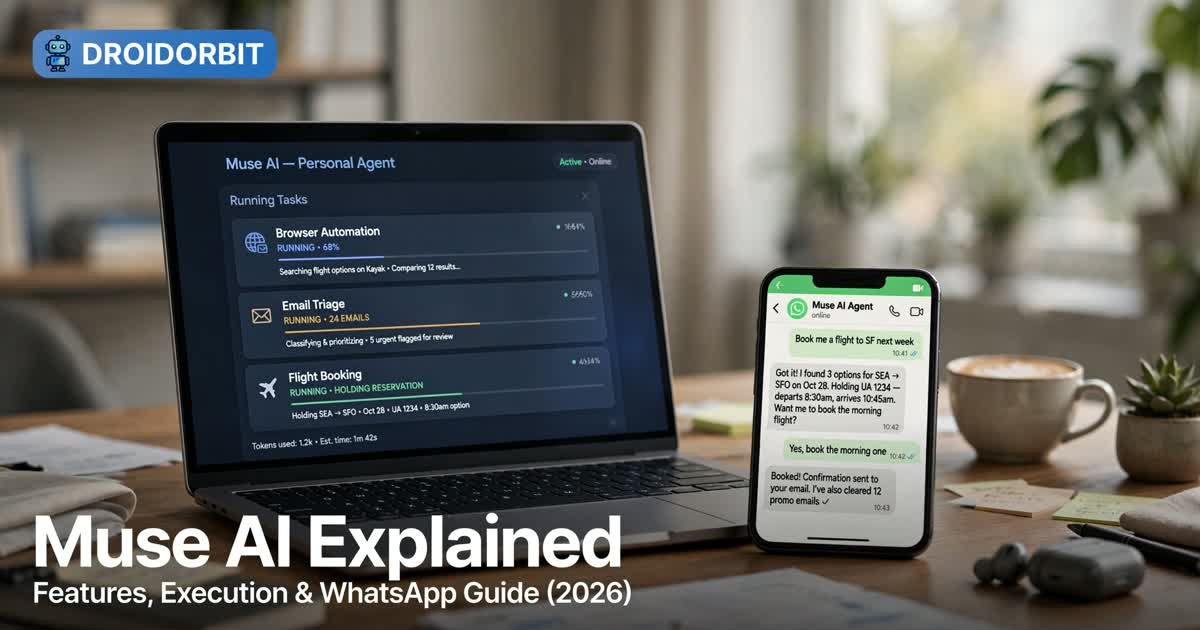
Muse AI is Meta’s answer to a simple question: what if your AI could actually do things instead of just answering questions? Launched in September 2026, Muse AI is a personal AI agent that runs on its own dedicated computer in Meta’s cloud, browses the web, connects to your apps, and carries out multi-step tasks in the background while you get on with your day. You can reach it through the Muse app, the web at muse.ai, and — unusually for an AI agent — directly inside WhatsApp.
In this guide, you’ll learn exactly what Muse AI is, how its agentic execution engine works under the hood, what “Muse or Dove execution” really means, and how to use Muse AI in WhatsApp step by step. Everything here is based on Meta’s own announcements and verified third-party reporting — no invented features, pricing, or integrations.
What Is Muse AI?
Muse AI (often styled “Meta Muse”) is a personal AI agent developed by Meta Platforms and announced on September 8, 2026. The word that matters most is agent: unlike a chatbot that responds to a single prompt, Muse AI takes a goal, breaks it into steps, and executes those steps on your behalf — browsing websites, filling in forms, sending emails, making purchases, and following up days later.
The project was developed under Alexandr Wang, Meta’s first Chief AI Officer, and is powered by Muse Spark 1.3, the latest generation of Meta’s in-house AI models. Muse Spark 1.3 is a natively multimodal model (text, image, video, audio, and PDF input) with a 1,048,576-token context window and built-in multi-agent orchestration — the kind of architecture an agent needs to plan and execute long-running workflows.
Here’s the key distinction Meta itself draws: Muse is not Meta AI. Meta AI is Meta’s personal AI assistant — answers, research, planning, and creative work across Meta’s apps. Muse AI is the agent — it takes tasks and goals off your plate entirely. A chatbot ends where the draft ends. Muse is designed to take the last steps too: sending the email, booking the appointment, filling in the form, and remembering to follow up.
At launch, Muse rolled out in the United States on iOS, Android, and the web, with Canada added on September 18, 2026. Meta has not announced a timeline for other countries. You must be 18 or older to use it.
Key Features of Muse AI
What separates Muse AI from a standard chatbot is its architecture. Here’s a feature-by-feature breakdown of what Meta says the agent can actually do.
1. Its Own Dedicated Computer (Secure VM)
Every Muse user gets a dedicated, isolated virtual machine running Linux, hosted in Meta’s cloud. This machine holds the agent’s workspace, your files, the browser it uses, and credentials for your connected services. Your device — phone, laptop, or browser tab — is just a window into it. Because the real work happens in the cloud, you can close the app and Muse keeps going.
2. A Real Browser You Can Watch
Muse navigates websites the way you would: opening pages, clicking buttons, filling out forms, and completing bookings and purchases. Unusually, Meta lets you watch its browser in action, so you can see exactly what the agent is doing on your behalf. That’s a meaningful transparency feature in a category where most agents are black boxes.
3. App Connectors (Read and Write, Separately)
This is where Muse AI earns its “personal agent” title. It connects to email clients, calendars, Instagram, Facebook, smart-home devices, cars, and — via the September 2026 Muse for Small Business launch — business tools including Asana, Slack, Shopify, Notion, Zoom, Stripe, QuickBooks, Canva, Dropbox, and Figma. Announced commerce partners include Stripe, Best Buy, Gap, Sephora, Walmart, Wayfair, Expedia, Instacart, GitHub, and Notion.
Crucially, connectors distinguish between read and write access, and nothing is connected by default — each integration is opt-in, one at a time.
4. The Goals Tab and Background Operation
Give Muse a bigger goal — “plan my trip,” “monitor prices on this product” — and it builds an action plan tracked in a Goals tab. Then it works in the background, even with the app closed: monitoring daily reports, watching for price drops, and sending you scheduled updates. Interactions are event-triggered or scheduled, and completed work shows up in an Activity log you can audit anytime.
5. Memory You Control
Muse remembers what matters to you across sessions, and that memory is readable, editable, and forgettable — you can review what it knows and ask it to forget things. That’s a stronger privacy posture than the opaque memory of most assistants.
6. Sentinel Permissions and Approval Cards
A permissions system called Sentinel governs which services the agent may reach. Muse is designed to ask your permission before sensitive actions — sending messages, making purchases, sharing information with a connected app. You can allow an action once, always allow it, or deny it, and you can manage default permissions for every connection in Settings.
7. Rich Outputs
Completed work arrives as real deliverables: documents, PDFs, web pages, and dashboards. Files Muse creates land in a Library tab; reminders appear under an Upcoming tab.
8. New Surfaces: Realtime Avatar, Mac Control, and Its Own Email
At an event on September 23, 2026, Meta announced further capabilities: a Realtime Avatar model for video conversations with a visual representation of the agent, the ability to control applications on macOS (Files, Mail, Messages, Calendar, and Notes, with opt-in access), an email address of the agent’s own so you can forward messages to it or copy it into threads, and support via a wake word on Meta’s smart glasses. Meta also introduced Muse Charm, a palm-sized device for using the agent away from your phone.
If you’re coming from the world of classic automation, these features are a leap beyond simple triggers — our guide on how to automate repetitive tasks covers the traditional rule-based approach that Muse AI now augments with real reasoning.
How Muse AI Executes Tasks
Now the part the title promised: execution. How does Muse AI actually go from “book me a flight” to a booked flight? Meta’s design documentation and announcements describe an agentic execution loop that runs entirely inside that Secure VM.
The Execution Loop, Step by Step
1. You describe a goal in plain language. You message Muse in the Muse app, on muse.ai, or in WhatsApp the way you’d message a person. You can send several tasks at once without waiting for each reply.
2. Muse plans the task. Meta says Muse figures out which built-in skills a task needs and assembles the plan itself. For larger goals, it builds an action plan and tracks it in the Goals tab. Under the hood, Muse Spark 1.3’s multi-agent orchestration can fan out reasoning — the model’s “Contemplating mode” coordinates multiple agents working in parallel, which is what makes long, branching plans tractable.
3. Muse acts through its browser and connectors. It opens web pages, navigates sites, fills forms, pulls information from apps you’ve connected (email, calendar, Instagram, and more), and creates documents and files. If a task needs a capability that doesn’t exist yet, Meta says Muse can build its own tool.
4. It pauses for approval at sensitive moments. Before sending an email, spending money, or sharing data, Muse surfaces an approval card. You approve once, always, or deny. You set how often it must ask under Settings > Permissions.
5. It completes the work and keeps monitoring. The result is delivered — a booked flight, a triaged inbox, a comparison document — and for ongoing goals, Muse keeps running in the background: checking, following up, and alerting you when something changes.

Why the Secure VM Architecture Matters
Most AI agents run inside the chat app and touch the real world through APIs. Muse inverts that: the agent lives on its own computer. Meta’s design divides that machine into two zones — a sealed runtime cell where the agent and its tools handle untrusted web data, and services outside the cell that hold your passwords and decide what the agent is allowed to do. The practical goal: if a malicious web page tries to trick the agent (prompt injection), the exploit can’t reach your credentials or send money without your approval.
For comparison with other automation approaches that execute in your own browser, see our best browser automation tools roundup.
The “Muse or Dove” Question, Answered
Searches for “muse or dove execution” keep popping up, so let’s settle it with what we could verify.
Short answer: there is no “Dove” execution feature in Muse AI. Nothing in Meta’s announcements, the official Muse FAQ, or the Wikipedia entry on Muse mentions a product, mode, or execution engine called “Dove.” If you heard the phrase in a video or voice transcription, it’s most likely a mishearing — or a confusion with one of several unrelated projects that share the name:
- DovePaw — an open-source “personal AI agent orchestration runtime” built on the Claude Agent SDK, by a GitHub organization called pixelpaw-labs. It’s a developer tool for building private agents on macOS. It has nothing to do with Meta or Muse.
- DoveWAI — a pre-release, vendor-neutral local AI platform with “guarded agents” and its own “Dove Compute” runtime orchestration. Again, a separate company, unrelated to Muse.
- Dove Soft CPaaS 2.0 — an Indian enterprise communications platform (announced January 2026) with AI-driven WhatsApp and SMS bots. The WhatsApp overlap is coincidental; it’s a business messaging suite, not a consumer AI agent.
So what does “execution” mean in the Muse context? It’s the agentic execution loop described above: planning, browser use, connector actions, approval gates, and background monitoring, all running on Muse’s Secure VM with Sentinel permissions. If someone promised you “Dove execution,” the honest translation is simply this — Muse executing tasks the way Meta designed it to. Don’t pay anyone for a “Dove unlock”; it isn’t a real thing.
How to Use Muse AI in WhatsApp
Here’s the headline feature that surprises most people: WhatsApp is an official launch surface for Muse. Meta launched it on September 8, 2026, alongside iOS, Android, and the web, and describes using it as working “just like messaging another person, in the Muse app or directly in WhatsApp.”
Your agent appears as a WhatsApp chat you text like a contact — with the same memory, connectors, and approvals as the app. All five access points (iOS, Android, Mac, web, WhatsApp) sit on one account, so a task you start on your phone can be checked from your browser and the result can be pinged to you in WhatsApp.

Step-by-Step: Setting Up Muse AI on WhatsApp
What you need first: you must be 18 or older, with a Meta account, in a supported region — the US, and Canada since September 18, 2026. Meta checks your region at the account level, so a VPN won’t get you in from elsewhere.
- Create your Muse account. Download the Muse app on iOS or Android, or go to muse.ai in your browser, and sign in with your Meta account (the same identity tied to your Facebook, Instagram, or WhatsApp).
- Turn on WhatsApp messaging during setup. This is the step most guides gloss over: the WhatsApp entry point is enabled as part of Muse’s onboarding, which links your agent to your WhatsApp number.
- Open WhatsApp and find your agent. Muse appears as a chat you can message directly — users describe it as a private, one-on-one chat, separate from every other conversation. It can’t see your other chats, message people as you, or join groups; it’s just you and your AI.
- Message it like a person. Describe the task or goal in plain words: “Remind me to water the plants every Sunday,” “Find me a hotel in Austin under $150 for next weekend,” or “Summarize the three longest emails in my inbox.”
- Handle approvals in chat. When Muse needs to do something sensitive — sending an email, spending money — it asks in the chat. Approve once, always, or deny, right from WhatsApp.
- Keep everything in sync. Connect apps once (email, calendar) under Settings > Connectors in the Muse app or web, and those same connectors are available from WhatsApp. Files Muse creates land in its Library; everything it did is in the Activity log.
What to Hand Muse From a Chat
WhatsApp is best for quick, conversational hand-offs: reminders and recurring tasks, inbox summaries, calendar conflict checks, price watches, research summaries, and booking lookups. For heavy, multi-hour work, the desktop web app is the better cockpit — but the WhatsApp thread is where you’ll feel the magic, because the result arrives like a text from a very capable assistant.
WhatsApp Limitations Worth Knowing
- Region-locked: US and Canada only for now. No published timeline for other countries.
- 18+ only, with Meta-account sign-in required.
- Approvals still apply: the agent won’t silently spend money or send messages; expect to tap “approve” on anything sensitive.
- Training data: Meta says interactions train its models unless you opt out — review the privacy settings during setup.
- Don’t confuse it with Meta AI: the “Muse” you might see inside the Meta AI chat is not the Muse agent. The real agent is the separate Muse app, muse.ai, or the dedicated WhatsApp entry point.
Muse AI Pricing: Free vs. Paid Plans
Meta says Muse is free for most of what people need, with subscription plans for heavier use. Here’s where we have to be precise: Meta has not published official usage limits, so treat third-party numbers as reports, not promises.
Third-party reporting (TechCrunch, Deeplearning.ai, and independent reviewers) describes three consumer tiers:
| Plan | Reported price | Reported limits |
|---|---|---|
| Free | $0 | Weekly usage limit; full feature access |
| Power | $20/month | Higher weekly token allowance |
| Maximum | $100/month | Highest usage for heavy, continuous agent work |
Some outlets report the free tier at 100 million tokens per week with the paid tiers at 500 million and 3 billion respectively; others cite a 1-million-input-token weekly figure. Because Meta itself doesn’t confirm these numbers and reports differ, we recommend starting on the free tier and upgrading only if you hit a limit — which Muse will tell you about.
For developers, there’s a separate picture: the Meta Model API (public preview) lets developers call the Muse Spark models directly, with Standard and Contributor pricing tiers per million tokens. That’s the API for builders, not the Muse agent itself — don’t confuse the two bills.
Muse AI Use Cases That Actually Shine
Agents earn their keep on tasks with many small steps and a clear definition of “done.” Here are the use cases where Muse AI’s architecture — browser, connectors, approvals, background monitoring — genuinely pays off:
- Inbox triage. Connect email, ask Muse to summarize the longest threads, flag the urgent ones, and draft replies for your approval.
- Travel booking. Research flights or hotels across sites, hold options, and ask for approval before spending — the approval card is the safety net that makes this practical.
- Price and availability monitoring. Set a goal to watch a product; Muse checks periodically and alerts you when the price drops.
- Calendar and scheduling hygiene. Find conflicts, propose reschedules, and send the invites once approved.
- Research briefs and documents. Ask for a comparison of three vendors, a market summary, or a trip itinerary; get a formatted document back in the Library.
- Small-business operations. With Muse for Small Business connectors (Shopify, Stripe, QuickBooks, Slack, Notion), a solo founder can delegate invoicing follow-ups, review triage, and content drafting — tasks that sit squarely in the world of automating repetitive tasks in project management.
The through-line: Muse is best when the alternative is you doing ten minutes of clicking. If a task is a single question, a chatbot is faster. If it’s a workflow, Muse is the tool.
Muse AI vs. Alternatives
| Muse AI | Meta AI | ChatGPT (with agents) | Traditional automation (e.g., Zapier) | |
|---|---|---|---|---|
| What it is | Personal AI agent | Personal AI assistant | Chatbot + agent features | Rule-based workflow triggers |
| Takes real actions | Yes — browser, forms, purchases | Limited | Varies by plan | Yes — within connected apps |
| Own computer | Yes (Secure VM) | No | No | No |
| Approval gates | Yes (Sentinel + cards) | N/A | Varies | Manual rules |
| Background work | Yes, after app closes | Recurring tasks only | Limited | Yes (scheduled) |
| WhatsApp access | Yes (official) | Via Meta apps | No | No |
| Availability | US + Canada, 18+ | Wider | Wider | Global |
| Free tier | Yes | Yes | Yes | Varies |
The honest summary: if you want an agent that does things with guardrails, Muse AI is currently the most complete consumer package in the US. If you’re outside the US, or you want a simple Q&A assistant, Meta AI or ChatGPT is the practical choice. And if your workflow is predictable and rule-based — the same invoice every Friday — traditional automation tools (see our browser automation comparison) are cheaper and more predictable than any agent.
Who Should (and Shouldn’t) Use Muse AI
You should try Muse AI if: you’re a busy professional or freelancer drowning in admin; you run a small business and want a tireless ops assistant; you’re in the US or Canada; and you’re comfortable connecting one or two services to start.
You should hold off if: you’re outside the supported regions; you’re under 18; the idea of an agent touching your email or wallet makes you uneasy (fair — start with read-only connectors); or your needs are simple questions and creative writing, where an assistant is faster and cheaper.
One caution from early coverage: the same download numbers that made Muse the top free app on the US App Store come with the usual launch-hype caveat, and trust is Meta’s biggest hurdle. Use the approval controls deliberately in your first week.
Getting Started With Muse AI
Getting started is deliberately low-friction:
- Sign up in the Muse app or at muse.ai with your Meta account (18+, US or Canada).
- Set your permission posture under Settings > Permissions — decide how often Muse must ask before acting.
- Connect one app, like email or calendar, under Settings > Connectors. Start with one; add more as you build trust.
- Give it a low-risk first task — a reminder, a document summary, an inbox scan — and approve what it proposes.
- Enable WhatsApp during setup if you want the chat-on-the-go experience.
Get started at muse.ai/join with code 1AR2WH — and keep reading Meta’s own Muse FAQ for the latest official capabilities, since this product is changing fast.
Frequently Asked Questions
Is Muse AI free?
Yes — Meta says Muse is free for most of what people need, with a usage limit that refreshes. Two paid tiers ($20/month Power, $100/month Maximum) are reported by third parties for heavier use, but Meta hasn’t published official limits, so start free and upgrade only if you hit the meter.
Is Muse AI the same as Meta AI?
No. Meta calls Muse a personal AI agent and Meta AI a personal AI assistant. Meta AI answers questions and helps with research and creative work across Meta’s apps. Muse AI takes on multi-step tasks and goals — browsing, booking, purchasing, monitoring — through its own Secure VM, with approvals before sensitive actions. They’re separate products.
Can I use Muse AI outside the US?
Not yet. Muse launched in the US, with Canada added on September 18, 2026. Meta checks region at the account level when you sign in, so a VPN won’t unlock it. Meta hasn’t announced a timeline for other countries.
Is Muse AI safe to connect to my email and accounts?
Meta built Muse with an unusual security architecture: a dedicated Secure VM per user, a sealed runtime cell that keeps untrusted web data away from your credentials, the Sentinel permission system, and approval cards before sensitive actions. You control connectors one by one, and memory is editable and forgettable. That said, interactions train Meta’s models unless you opt out — review the privacy settings during setup, and start with read-only permissions until you trust the agent.
What does “Dove execution” mean?
Nothing official. There is no “Dove” mode, product, or execution engine in Muse AI. The name collides with unrelated projects (DovePaw, DoveWAI, Dove Soft) — most likely a mishearing. “Execution” in Muse means its agentic loop: plan, browse, act through connectors, pause for approvals, and monitor in the background.
Conclusion
Muse AI is the clearest sign yet that the AI era is shifting from answering to doing. Meta’s bet — a personal agent on its own secure computer, with real browser use, opt-in connectors, Sentinel permissions, and WhatsApp as a first-class surface — is the most complete consumer agent package available in the US today. It’s not for everyone (region locks, account connections, and the trust question are real), but if your days are full of small, multi-step chores, handing them to an agent that asks before it acts is a genuinely new kind of leverage.
Start small, set your approval thresholds deliberately, and let Muse AI earn the bigger jobs. That’s the execution model in one sentence: you stay in control; the agent does the clicking.
SPONSORED PICK
🏆 Best Pick for Task Automation: Muse AI
Stop doing everything manually — meet Muse, your personal AI agent that handles tasks end-to-end so you can focus on work that matters.
Join in the next 48 hours with my code 1AR2WH and YOU unlock 1 BILLION Muse tokens.
Related: Muse vs ChatGPT vs Claude compared





Pingback: How to Join Muse AI: Sign Up for Meta's AI Agent (Early Access Guide) - DroidOrbit