

5 Free AI Thumbnail Makers That Work Without Signup (2026)
Introduction: Why Use a Free AI Thumbnail Maker No Signup?
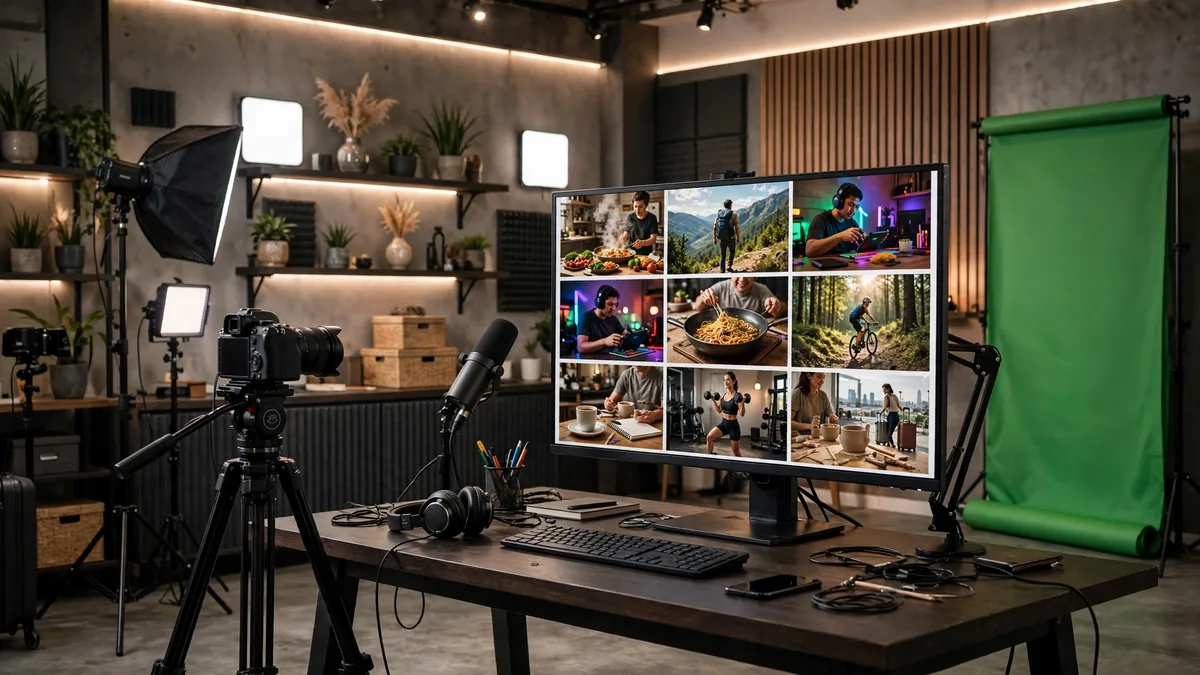
A video’s thumbnail decides its fate before anyone presses play, and most creators spend longer on thumbnails than on editing. Free AI thumbnail makers generate scroll-stopping options in seconds — test five, publish the winner, no signup.
When you do not have time to set up a new account, these platforms provide immediate access to generative tools. Whether you are building brand awareness or managing social media content, knowing how AI helps small businesses through nine efficient workflows can drastically reduce your production time. Using a free AI thumbnail maker no signup allows you to prototype your video covers instantly.
These tools are particularly useful for creators who need to stay anonymous or simply want to avoid the endless spam associated with signing up for new services. By leveraging browser-based AI, you can generate high-quality compositions that fit YouTube’s strict dimension requirements without leaving a footprint.
Adobe Express: A Free AI Thumbnail Maker No Signup
Adobe Express provides one of the most robust suites for image manipulation and AI generation. Because Adobe allows users to access a limited version of their web-based tools without a mandatory login, it stands out as a top-tier free AI thumbnail maker no signup for professional results.
Key features
Adobe Express integrates Firefly, Adobe’s generative AI engine, directly into the workspace. You can use text-to-image prompts to create backgrounds, apply stylistic filters, and use intelligent object removal. The text tools are professional-grade, offering thousands of fonts that are far superior to the basic options found in most web editors.
Free plan and limits
The free version grants access to the core creative tools and thousands of templates. You can generate a significant number of images using Firefly, though these credits replenish monthly. While you can use the editor without an account, you must eventually sign in if you want to export your work without a watermark or save your project for future edits.
Best for
This is best for creators who need high-fidelity imagery and professional typography. It excels when you need your thumbnail to look like it was designed by a graphic artist rather than a robot.
Canva: Streamlining the Workflow
Canva remains the industry standard for quick content creation. While it usually encourages account signups, you can access many of its Magic Media features and template editors in a limited capacity as a guest. It is widely considered a reliable free AI thumbnail maker no signup for those who value ease of use over complex editing.
Key features
Canva’s “Magic Media” suite is its standout feature. You can type a description of your video topic, and the AI will generate four distinct image variations. Furthermore, the background remover and the “Magic Edit” tool allow you to swap specific elements of your thumbnail without re-creating the entire image from scratch.
Free plan and limits
The free plan provides access to millions of stock photos, graphics, and videos. However, many premium assets are gated behind the Pro subscription. If you choose not to create an account, you will face limitations on saving your progress and will eventually be prompted to sign up to download high-resolution files without watermarks.
Best for
Canva is best for social media managers and YouTube creators who need to maintain a consistent aesthetic across dozens of videos. Its library of pre-made templates is the largest in the industry.
Picsart: A Powerful Free AI Thumbnail Maker No Signup
Picsart has evolved from a simple mobile photo editor into a heavy-hitting AI platform. It is a fantastic free AI thumbnail maker no signup, particularly if you are interested in experimental or stylized art styles for your thumbnails.
Key features
Picsart offers a unique set of “AI Replace” and “AI Expand” tools that are highly effective for thumbnails. If you have an image that is cropped too tightly for a 16:9 aspect ratio, the AI Expand feature can intelligently generate the missing sides of the image. Its style transfer filters can turn a plain photo into a digital painting or a 3D-style render.
Free plan and limits
The free web interface is generous. You can use the basic AI generation tools and image adjustment sliders without entering your credentials. Similar to the other platforms listed, you will eventually hit a wall where downloading the final high-resolution file requires a quick sign-in, but the editing process remains entirely accessible for anonymous users.
Best for
Picsart is best for creators who want to experiment with bold, artistic designs. If your channel focuses on gaming, lifestyle, or high-energy content, the platform’s library of AI-driven stickers and effects will prove invaluable.
Fotor
Fotor has transitioned from a basic photo editor to a robust creative suite. As a free AI thumbnail maker no signup option, it provides quick access to layout templates specifically optimized for YouTube. Its interface is browser-based and relies heavily on a drag-and-drop system that feels intuitive for users coming from platforms like Canva.
Key features
The platform includes an AI image generator, an AI background remover, and a large repository of stock assets. For thumbnails, its most useful feature is the “Smart Resize” tool, which allows you to convert assets into standard 1280×720 pixel dimensions quickly. You can also apply filters and overlays that help images pop in a crowded YouTube feed.
Free plan and limits
You can use the basic editing tools and the free AI thumbnail maker no signup features without creating an account. However, the free tier is ad-supported and limits your ability to download high-resolution files. Many of the premium “Pro” templates and AI-specific effects will remain locked behind a paywall, forcing you to crop or work around premium watermarked assets.
Best for
Fotor is ideal for creators who need a quick layout fix without wanting to commit to a platform. It works best if you already have your own high-resolution image and simply need to add text overlays or brightness adjustments to meet the YouTube aesthetic.
VistaCreate
VistaCreate offers a streamlined experience for users who need professional-looking graphics without the bloat of enterprise-level design software. It functions effectively as a free AI thumbnail maker no signup tool, providing thousands of pre-designed templates that are ready to customize immediately upon entering the site.
Key features
The tool excels in its “Brand Kit” integration and its vast library of royalty-free stock imagery. It includes a specific AI tool for background removal, which is essential for placing subjects in front of custom backgrounds. The interface allows you to layer elements, manipulate transparency, and adjust text styling with precision.
Free plan and limits
While it allows you to design as a guest, the platform will eventually prompt you to sign up to save your work to the cloud. The free version provides access to thousands of static templates, though you are limited in terms of downloading files without watermarks if you choose certain premium assets. Always check that the icon on the design template does not have a “diamond” or “crown” symbol, as these represent paid content.
Best for
VistaCreate is best for creators who want to maintain a consistent style across their videos. Because it offers a wide range of typography and preset color palettes, it is the top choice for someone looking to build a recognizable visual brand. If you are integrating these visuals into broader corporate projects, you might find more utility in our AI Business Documents Guide: 5 Workflows That Work to streamline your production.
How to Pick the Right Free AI Thumbnail Maker No Signup
Finding a free AI thumbnail maker no signup service requires balancing speed against quality. Not all tools offer the same level of control over the final file, and some may trap you in a workflow that ultimately requires a subscription to export a usable image.
Evaluating ease of use
Look for tools that allow you to start with a blank 16:9 canvas. If a site forces you to choose a template before you can even see the editor, it may be too rigid for your specific needs. A good tool lets you upload your own photography immediately, as third-party stock photos rarely capture the specific emotion of your video.
Asset library variety
Check the size of the font library and the quality of the stock images. A common issue with free tools is the lack of “bold” or “heavy” fonts that are necessary for mobile readability. Ensure the tool supports importing your own custom fonts or offers a wide variety of sans-serif options that remain legible at small sizes.
Export quality and watermarks
This is the most critical step. Some services claim to be free but embed a massive watermark on the finished product. Before spending twenty minutes designing a thumbnail, perform a test export. If the download comes out as a low-resolution JPG or contains an unremovable logo, the service is not truly useful for professional content creators.
Essential Design Tips for Viral Thumbnails
Color theory and contrast
Use complementary colors to make your subject stand out against the background. If your background is dark, use bright, high-contrast text. Avoid busy backgrounds that distract from the main focal point of the image. The most successful thumbnails use a limited color palette of two or three colors to avoid looking cluttered.
Text legibility on mobile
More than 70% of YouTube views occur on mobile devices. If your text is too thin, cursive, or small, it will disappear on a 6-inch screen. Keep your headlines under five words and use thick, heavy fonts. If you are using a free AI thumbnail maker no signup tool, use the zoom-out feature in the editor to see how the thumbnail looks at 10% scale.
Using human faces and emotion
Thumbnails featuring human faces with high-intensity expressions—surprise, excitement, or focus—consistently outperform those without. Ensure the eyes are in sharp focus and the face occupies a significant portion of the frame. If the lighting on the face is dim, use the tool’s brightness and contrast sliders to pull the subject out of the shadows.
| Tool | Free plan limits | Standout feature | Best for |
|---|---|---|---|
| Fotor | Ad-supported, premium assets locked | Smart Resize | Quick layout fixes |
| VistaCreate | Limited assets, potential watermarks | Brand Kits | Consistent styling |
Common Pitfalls When Using AI Thumbnail Tools
Avoiding uncanny valley effects
AI-generated faces often suffer from distorted eyes or impossible teeth structure. When you use a free AI thumbnail maker no signup, it is tempting to generate human-centric imagery to increase click-through rates. However, if the eyes look glassy or the fingers appear morphed, your audience will subconsciously perceive the content as low-quality or scam-adjacent.
To avoid this, stick to stylistic, illustrated, or abstract designs rather than photorealistic portraits. If you must use a face, run the output through a simple sharpening filter or use a tool that allows for specific prompt constraints to keep the composition clean.
Over-cluttering the composition
A common mistake when using a free AI thumbnail maker no signup is adding too many elements. AI generators often try to fill every pixel with detail, leading to thumbnails that look like a mess when viewed on a small mobile device.
Limit your composition to one primary subject and one clear focal point. If the AI generator adds too much noise, use a background remover or crop the image tightly. Remember that thumbnails are seen at 10% of their actual size; if the subject isn’t immediately recognizable, the AI tool has failed the task regardless of image resolution.
Copyright concerns with stock AI
Generative AI models are trained on vast datasets, and sometimes the outputs can inadvertently mirror protected works. While most platforms allow commercial use, you should be wary of generating images that include recognizable logos, trademarked character designs, or direct artistic homages to living creators.
If you rely on a free AI thumbnail maker no signup, always perform a reverse image search on your output if you are concerned about potential overlaps. For high-stakes branding, it is safer to use these tools to generate backgrounds or assets that you then combine with your own custom typography and brand elements.
Frequently Asked Questions
Are these AI thumbnails copyright-free?
Current US Copyright Office guidance suggests that images created entirely by AI without significant human creative input may not be eligible for copyright protection. You can generally use them for YouTube thumbnails without legal repercussions, but you may not legally “own” the image in the same way you would a custom illustration or photograph. Always check the terms of service on the specific platform you use.
Do I need advanced design skills?
Not necessarily, but basic knowledge of layout helps. Using a free AI thumbnail maker no signup is the easy part; the hard part is knowing how to overlay text that is readable on mobile. If you want to scale your output, consider learning how these generators integrate into AI business automation tools: 7 workflows that pay to streamline your production.
How do I maintain brand consistency?
Brand consistency is difficult with AI because generators often produce varying styles. To mitigate this, keep a “style manual” of your prompts. Use the same keywords regarding color palette, lighting style, and artistic medium (e.g., “flat vector art” or “cinematic studio lighting”) in every prompt. You can also apply a consistent color overlay in a tool like Canva or Photopea to unify your thumbnails after they leave the AI generator.
Conclusion: Choosing Your Workflow
The right choice depends on your specific speed-versus-control trade-off. If you are a solo creator, a free AI thumbnail maker no signup is an excellent way to iterate on concepts quickly without committing to a paid subscription.
If your workflow requires high-fidelity, repeated branding, you may eventually outgrow these free, anonymous tools. At that stage, look toward professional generative models like those found at OpenAI or Google AI, which offer more robust controls and API access. Use these free platforms to test your ideas and validate your click-through rates before committing to a paid creative stack. Keep your designs simple, ensure your text is high-contrast, and always prioritize viewer clarity over AI complexity.





Join the discussion
Have a question or a perspective to share?