

Short answer: If you make short promotional, explainer, or social videos a few times a month and already live inside Google’s ecosystem, yes — Google Vids is now worth switching to. On September 23, 2026, Google made its vids.new “Create AI videos” tile free for anyone with a Google account, powered by the Gemini Omni 1.1 Flash model, generating clips in up to 1080p HD with new scene-extension and duration controls. The catch is a strict monthly cap — six AI clip or avatar generations per month for personal accounts, according to Google’s own Vids help documentation — so heavy creators still need a paid plan or a dedicated tool.
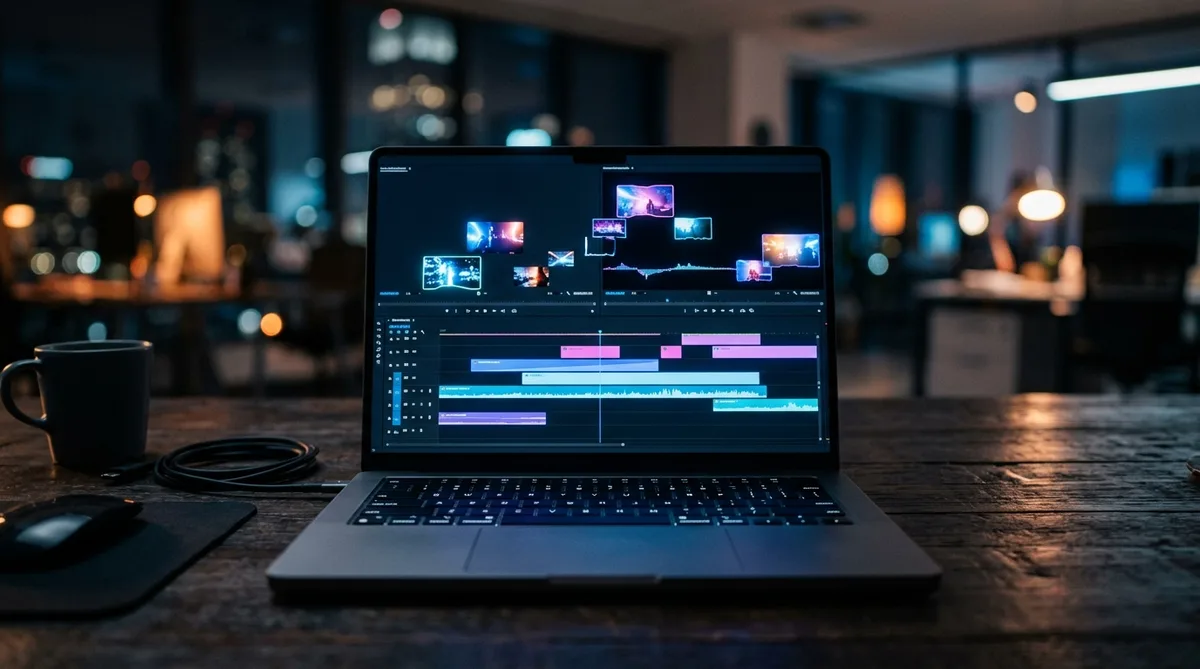
What Google Actually Announced on September 23
Google Vids is the company’s browser-based video editor, originally aimed at Workspace teams making workplace content — pitch decks, product announcements, training clips. Until recently, its AI generation features sat behind paid subscriptions. That changed with the September 23 announcement: Google rolled its Gemini Omni 1.1 Flash model directly into Vids and opened it to anyone with a Google account, no credit card or subscription required.
The entry point is deliberately simple. Open vids.new on a desktop computer, sign in, and select the “Create AI videos” tile. The model accepts text prompts, reference images, audio clips, or existing video footage, and turns them into new video scenes.
Justin Luk, a product manager on the Google Vids team, framed the goal plainly: the rollout is meant to help creators produce content “without professional editing skills or a big budget.” He added that Google “integrated our newest AI models into Google Vids so anyone with a Google Account can create videos for free.”
How we got here
This isn’t the first public appearance of Gemini Omni. The model first launched in May 2026 as a paid-only feature reserved for subscribers to Google’s AI Plus, Pro, and Ultra tiers. Non-paying users could only reach it indirectly, through YouTube Shorts and YouTube Create. The September release is the first time the full model is available directly in a free, browser-based workflow.
What the Free Tier Includes (and the Fine Print)
Before switching, understand exactly what “free” buys you — and what it doesn’t.
The monthly cap: six generations
The single most important number in this announcement is six. Personal Google accounts are limited to six AI video clip or avatar generations per month, combined, per Google’s Vids help documentation as reported by TechRepublic. Coverage of Google’s usage docs notes the allowance resets on the first of each month.
Six clips a month is generous enough for experimenting and for occasional projects — a product teaser, a monthly event announcement, a holiday promo. It is nowhere near enough for a weekly content schedule. Anyone planning regular production should assume they’ll hit the ceiling fast.
Who gets more
Higher allowances go to paid plans. Google AI Pro subscribers get a significantly larger monthly video budget (coverage of Google’s usage documentation puts it at 500 seconds of video per month), while Workspace Business and Enterprise editions get comparable pools plus avatar videos and administrator controls. The free release is a tasting menu, not an unlimited buffet.
Desktop only, for now
Generation and editing remain desktop-only. On mobile, you can view finished output, but you can’t create or edit clips. If your workflow is phone-first, this alone may rule Vids out.
No card, no subscription, one caveat
There is no credit card requirement and no subscription to activate. The real cost is the monthly cap and the desktop restriction — both designed to push heavy users toward paid tiers.
The New Creative Controls (Beyond Generation)
Google didn’t just unlock the model; it added editing controls that previously lived in paid software. These matter as much as the free generations, because they address what creators actually struggle with: keeping AI footage consistent.
Scene extension
The headline feature. You can lengthen a generated scene while the tool preserves the lighting, character appearances, setting, and visual context — no jarring shifts mid-clip. Independent hands-on tests confirmed this works in practice: one creator generated a scene and extended it by 20 seconds while keeping the characters consistent.
Exact clip duration
You can lock a generated clip to a specific length so it aligns precisely with your script or voiceover. For creators syncing footage to narration, this removes a tedious round of trimming.
1080p generation and upscale
New AI scenes can be generated in full 1080p HD, and older, lower-resolution AI clips can be upscaled to 1080p rather than regenerated from scratch — a meaningful time-saver for creators with existing asset libraries.
A real editor, not just a generator
This is Vids’ structural advantage over standalone generators. Clips land on a timeline alongside imports from Google Drive and Google Photos, templates, and (coming soon) AI voiceover. The September update also brings Gemini 3.8 Flash-Lite text-to-speech into Vids, which Google says will convert written scripts into voiceovers in more than 100 languages — potentially taking you from written idea to narrated footage inside one tool.
The watermark you can’t see
Every clip generated with Omni 1.1 in Vids carries an invisible SynthID watermark, developed by Google DeepMind, embedded directly in the video frames. It’s imperceptible to viewers but detectable by machines, and Google operates a SynthID Detector for checking whether a clip was AI-made. This is worth knowing for two reasons: it’s a built-in accountability feature, and — relevant to a California AI disclosure law era — it won’t satisfy legal disclosure requirements on its own. Watermarks are machine signals, not consumer-facing labels.
Google Vids vs. Runway, Pika, and Kling: How It Compares
The “should you switch” question only makes sense against the alternatives most creators actually use. Here’s how Vids stacks up, based on current reporting (pricing shifts frequently — treat this as a snapshot, not a quote sheet):
| Feature | Google Vids (free) | Runway | Pika | Kling |
|---|---|---|---|---|
| Free access | 6 clip/avatar generations per month, no card | One-time starter credits | Free tier with credit packs | Free tier available |
| Starting paid price | N/A (Google AI plans for more) | ~$15/month | ~$8/month | ~$10/month |
| Max resolution | 1080p | Up to 4K | 1080p | 1080p |
| Built-in timeline editor | Yes | Yes (full creative platform) | Limited | Limited |
| Scene extension | Yes | Yes | Yes | Yes |
| Watermark | Invisible SynthID (machine-detectable) | Visible watermark on free exports | No visible watermark on free | Visible watermark on free exports |
| Best fit | Occasional business/promo video, Google Workspace users | Professional filmmaking, agencies | Social and experimental content | High-volume, budget creators |
A few observations:
- Vids wins on integration. Drive and Photos imports, templates, and a real editing timeline come standard. The others generate clips; you edit elsewhere.
- The free allowance is competitive but tight. Runway’s free tier is a one-time starter pool; Kling and Pika offer ongoing free access with limits. Vids’ six monthly generations reset each month — better than a one-time grant for sporadic users, worse than Kling’s daily-ish flow for regular ones.
- Runway still leads on pro control. Features like advanced camera control, motion brush precision, and 4K output keep it the professional choice. Vids doesn’t try to compete there.
- Sora is effectively gone from this comparison. OpenAI shut down its Sora API on September 24, 2026 — the day after Google’s announcement — after closing the consumer Sora 2 app earlier that year. For anyone who’d built on Sora, Vids’ free tier is the most frictionless alternative.
If your AI video needs are conversational rather than cinematic — think avatar explainers — our coverage of Synthesia’s avatar conversation feature maps the other end of the market, where avatar generation is the core product rather than a side feature.

Who Should Switch — and Who Shouldn’t
Switch to Vids if:
- You make a handful of short videos per month — product announcements, event promos, social clips.
- You already work in Google Workspace and want generation inside the same ecosystem as Drive and Photos.
- You want scene extension and duration control without learning a new pro tool.
- You value the invisible SynthID watermark and Google’s detection tooling for provenance.
- You’ve been paying $8–15/month for a tool you use lightly — six free clips may cover your actual usage.
Don’t switch yet if:
- You publish daily or weekly video content — six generations a month will frustrate you within the first week.
- You need 4K output, advanced camera control, or lip-sync at pro levels.
- You create primarily on your phone — Vids generation is desktop-only.
- You need guaranteed commercial-use terms for client work — confirm Google’s current terms for your account type before committing.
A note on real-world output
One honesty check: independent testers who tried the free release reported generating only 720p output during initial generation, despite the advertised 1080p capability — the upscaling path is what reaches full HD. Expect 1080p as a capability, not a guarantee on every first pass, and test it on your own clips before depending on it.
Getting Started: Five Steps
- Open vids.new on a desktop browser and sign in with your Google account.
- Select the “Create AI videos” tile to launch the generation panel.
- Describe your scene — or upload a reference image, audio clip, or existing footage as a starting point.
- Refine with the new controls: extend the scene for length, set the exact duration to match your script, and upscale to 1080p.
- Drop the clip on the timeline, add titles or imports from Drive/Photos, and export when done.
Because generation is capped, make your six monthly clips count: batch your scripts, test prompts on the shortest duration first, and use scene extension rather than regenerating when a clip is almost right.
The Bigger Picture: Why Google Did This Now
The timing is hard to miss. Google announced free Vids generation on September 23, 2026; OpenAI shut down the last remaining access to its Sora video models on September 24. Google also recently cut the API rate for Veo 3.1 Lite to $0.05 per second, undercutting rivals while Chinese competitors like Kling and Hunyuan Video keep price pressure on.
This looks like a deliberate land grab for the mass-market creation tier that OpenAI just vacated. High-definition generative video is moving from premium subscription to standard free tool — and Google is betting that embedding it inside Workspace, with editing and watermarking included, wins the users who’d never pay for a standalone video generator.
It also fits a pattern of Google folding its latest models into consumer surfaces: the same week as this rollout, the company announced Muse-class assistant features elsewhere. The strategy is consistent — make the model the platform, and let the free tier be the on-ramp.
Whether that bet pays off depends on the same question every free AI tier faces: is six clips a month enough to change habits? For the occasional creator, it’s a genuine gift. For the serious one, it’s a trial.
Frequently Asked Questions
Is Google Vids really free for AI video generation?
Yes — anyone with a personal Google account or Google Workspace account can generate AI video clips in Vids at no cost, with no credit card required. The free allowance is six AI video clip or avatar generations per month for personal accounts, per Google’s help documentation.
What model powers the free AI video generation?
Gemini Omni 1.1 Flash. It was previously available only to paying subscribers (Google AI Plus, Pro, and Ultra tiers) after its May 2026 launch; the September 2026 update opened it to free users inside Vids.
How do I access it?
Visit vids.new on a desktop computer, sign in with your Google account, and click the “Create AI videos” tile. Generation and editing are desktop-only — mobile users can only view finished videos.
What resolution does it generate?
Google advertises up to 1080p HD generation, plus the ability to upscale older AI clips to 1080p. Independent testers reported 720p output in initial generation during the free release, so treat 1080p as the advertised capability and verify on your own clips.
Do Google Vids clips have watermarks?
Every AI-generated clip includes an invisible SynthID watermark embedded in the frames — imperceptible to viewers but detectable by machines via Google’s SynthID Detector. Note this is not a substitute for human-readable AI disclosure where the law requires it (see California’s AI disclosure rules for context).
Can I use Google Vids for commercial videos?
The free tier is positioned for creators, side hustlers, local businesses, and marketing teams. Before using free-tier clips in client or revenue-generating work, review Google’s current terms of service for your account type — terms for free consumer tiers can restrict commercial use.
What happened to Sora?
OpenAI shut down its Sora API on September 24, 2026, after closing the consumer Sora 2 app earlier that year, effectively withdrawing from consumer video generation. Google announced free Vids generation the day before.
How does Google Vids compare to Runway and Pika?
Vids is free with a monthly cap and includes a real timeline editor plus Drive/Photos integration; Runway (~$15/month) and Pika (~$8/month) are paid tools with deeper professional controls (4K, advanced camera work, motion precision). Choose Vids for occasional promo content; choose the paid tools for heavy or professional production.
Related guides: Free AI Tools for Small Business: Complete 2026 Guide, AI Tools for Interior Design: 2026 Complete Guide, Top AI Competitor Analysis Tools: 6 Best Picks.





Join the discussion
Have a question or a perspective to share?