

If your calendar is a wall of video calls, you have felt the problem: the decisions made on Zoom at 10 a.m. are a fog by 3 p.m., and nobody wrote anything down. AI meeting assistants fix exactly that. They join your calls, record them, transcribe everything, and hand you summaries, action items, and searchable archives — no manual note-taking required.
Three names dominate the category in 2026: Fathom, Fireflies.ai, and Otter.ai. The fathom vs fireflies debate is the one that comes up most often, but Otter belongs in the conversation too, especially if you care about live transcription or want strong value per dollar. Each tool takes a noticeably different approach to pricing, integrations, and what happens after the meeting ends.
This comparison walks through all three side by side: how accurate their notes really are, which features actually matter, how each one charges you, and where each one falls short. By the end, you should know exactly which of the three fits the way you meet — and which ones you can safely skip.

How We Compared the Three Tools
A fair comparison needs consistent criteria, so we judged each assistant on the same five dimensions. First, transcription and note accuracy: how reliably the tool captures who said what, including speaker labels, jargon, and accented speech. Second, core features: automatic summaries, action-item extraction, CRM sync, and the ability to search across past meetings. Third, pricing approach: what the free tier really covers and what triggers an upgrade. Fourth, integrations: how well meeting output flows into the rest of your stack. And fifth, the limits that actually bite: minute caps, storage limits, language support, and platform coverage, because those are the details that decide whether a tool survives contact with a real calendar.
Fathom: The Free-Plan Standout
Fathom is an AI meeting assistant built for people who live on Zoom, Google Meet, and Microsoft Teams. It connects to your calendar, joins your calls, and produces a recording, a full transcript, and an AI-generated summary for every meeting. Its free tier is unusually generous: unlimited recordings, unlimited transcripts, and unlimited storage, with instant AI summaries on every call. The one meaningful ceiling is that advanced AI summaries and AI-generated action items are limited to five meetings per month on the free plan — after that, you still get recordings and basic summaries, but the richer AI output pauses until the next month.
Paid plans remove those ceilings and add team functionality. Premium, at $20 per user per month ($16 when billed annually), unlocks unlimited advanced summaries and action items, the conversational “Ask Fathom” assistant for querying past calls, follow-up email drafts, and a custom bot name. The Team plan, at $15 per user per month billed annually ($19 monthly, two-user minimum), adds shared libraries and folders, comments, keyword alerts, global search across shared calls, and custom transcription vocabulary. Business, at $25 per user per month billed annually ($34 monthly, two-user minimum), is aimed squarely at sales and customer success teams with native CRM field sync for Salesforce and HubSpot, a Deal View for pipeline review, and AI scorecards with coaching metrics. Enterprise is custom-priced with SSO and SCIM provisioning, organization-wide security controls, and custom data retention.
Two details distinguish Fathom in practice. First, it makes meeting moments shareable: you can clip highlights into playlists, which is genuinely useful for sales handoffs and training. Second, its compliance posture is strong for a tool this easy to start with — SOC 2 Type II audited, GDPR compliant, and HIPAA compliant with a blanket BAA available, which matters if your calls touch regulated industries. Fathom also offers a 90-day guarantee on paid plans, and a 2026 update added bot-free capture (currently in beta on Mac) for people who would rather not have a visible bot join their calls.
Fireflies.ai: The Automation and Integration Workhorse
Fireflies.ai takes a broader view of what a meeting assistant should do. The “Fireflies.ai Notetaker” bot joins calls across Zoom, Google Meet, Microsoft Teams, Webex, and GoToMeeting — wider platform coverage than Fathom — and there is also a Chrome extension for bot-free capture on Google Meet, plus desktop and mobile apps and the ability to upload audio or video files for transcription after the fact. Transcription covers more than 100 languages, and every meeting gets structured summaries, action items, key topics, and conversation analytics such as talk-time ratios and sentiment.
Where Fireflies pulls ahead is what happens after the transcript. It offers more than 200 AI Skills that automate post-meeting work — follow-up emails, CRM entries, candidate scoring for recruiters, deal-risk flags for sales — alongside AskFred, a natural-language assistant that answers questions across your meetings, emails, Slack, and CRM data through connectors. Live Assist provides real-time answers during calls, and the company has even added Voice Agents that can run calls on your behalf. The integration catalog is deep: more than 100 native integrations including Salesforce, HubSpot, Pipedrive, Zoho, Asana, Jira, Slack, and Notion.
The pricing model is worth understanding before you commit. The free plan offers unlimited transcription with limited AI summaries; Fireflies’ own documentation lists 800 minutes of storage per seat, though some independent 2026 reviewers report a smaller 400-minute team-wide pool — confirm the current number on the pricing page before relying on it. Pro, at $10 per seat per month billed annually ($18 month-to-month), adds unlimited transcription and AI summaries, 8,000 minutes of storage, action items, and AI Skills. Business, at $19 per seat per month billed annually ($29 month-to-month), adds unlimited storage, video recording, multi-language mode, and conversation insights. Enterprise, at $39 per seat per month on annual billing only, adds HIPAA compliance, private storage, and custom data retention. Paid tiers also include an AI-credit allocation for AI features (listed as monthly allowances of roughly 20 credits on Pro, 30 on Business, and 50 on Enterprise, with extra credit packs available for purchase); refresh and top-up terms have varied, so confirm the current policy on the pricing page before you budget. The catch is the AI-credit system: heavy automation users can burn through their allocation and end up paying more than the sticker price, so budget for it if you plan to run AI Skills on every meeting. On security, Fireflies is SOC 2 Type II and GDPR compliant on every plan including free, states that it does not train AI models on customer data, and offers HIPAA compliance on Enterprise. One honest caveat: the company faces two reported class actions under Illinois’ biometric-privacy law — Cruz v. Fireflies.AI, filed in December 2025, and Fricker v. Fireflies, filed in March 2026, both in Illinois federal court, alleging voiceprints were collected from meeting participants without the required consent. The claims are unproven; still, if compliance scrutiny is part of your buying process, notify participants before recording and check your legal team’s view.
Otter.ai: The Live-Transcription Value Pick
Otter.ai is the veteran of this group, founded in 2016, and its center of gravity is still the meeting itself rather than the archive. The signature experience is live transcription: the OtterPilot bot joins your Zoom, Google Meet, or Teams calls from calendar sync and shows a real-time transcript you can watch and edit while the conversation is happening. That live layer, combined with Otter AI Chat for asking questions across meetings, AI summaries, action items, and meeting templates, makes Otter feel closer to a collaborative document than a recording archive.
Otter also does something neither rival matches well: in-person capture. Its mobile and desktop apps transcribe face-to-face conversations, which makes it the natural pick for interviews, field work, and anyone who needs notes outside video calls. Pricing is minute-based and straightforward at the entry level. The free Basic plan includes 300 transcription minutes per month, conversations capped at 30 minutes, and three lifetime file imports. Pro, at $16.99 per user per month ($8.33 billed annually), raises that to 1,200 minutes per month with a 90-minute per-meeting cap. Business, at $30 per user per month ($19.99 billed annually), supports four-hour meetings, much higher monthly minute allowances, concurrent meeting joins, and admin reporting. Enterprise is custom-quoted with SSO, HIPAA, a dedicated Sales Notetaker, and API access.
The limits are real and worth weighing. Otter transcribes only six languages, and you select the language manually — multilingual teams will feel that constraint fast. Minute caps are the pricing model’s teeth: 1,200 minutes a month sounds generous until a heavy meeting schedule eats it by the third week, and the 90-minute per-meeting cap on Pro rules out long workshops. API and webhook access, along with some advanced analytics, sit behind Enterprise, and reported SSO minimums are high. On the plus side, Otter offers an MCP server that lets AI assistants query your meeting data, a 20% education discount on Pro, and consistently solid review-site ratings. For English-speaking teams that want the cheapest credible paid plan in the category, Otter Pro at $8.33 per month billed annually is hard to beat — as long as the minute math works for your schedule.
Fathom vs Fireflies vs Otter: Head-to-Head Comparison
The table below puts the three tools on the same dimensions so you can scan the trade-offs at a glance. Pricing figures reflect the vendors’ published annual-billing rates, verified October 2026; vendors adjust pricing, so confirm current numbers on each vendor’s pricing page before you buy.
| Dimension | Fathom | Fireflies.ai | Otter.ai |
|---|---|---|---|
| Free plan | Unlimited recordings, transcripts, and storage; advanced AI summaries and action items capped at 5 meetings/month | Unlimited transcription; limited AI summaries; ~800 min storage per seat (terms have varied — confirm on the pricing page) | 300 transcription minutes/month; 30-minute meeting cap; 3 lifetime file imports |
| Entry paid price (annual) | $16/user/month (Premium) | $10/seat/month (Pro) | $8.33/user/month (Pro) |
| What is metered | Premium AI features (summaries, action items, Ask Fathom) | Storage minutes plus AI credits for AI Skills (refresh terms vary) | Transcription minutes and per-meeting length |
| Meeting platforms | Zoom, Google Meet, Microsoft Teams | Zoom, Meet, Teams, Webex, GoToMeeting, plus file upload | Zoom, Google Meet, Microsoft Teams |
| Transcription languages | Dozens of languages | 100+ languages | 6 languages (manual selection) |
| Live in-call transcript | No (live summaries added in 2026 update) | Live Assist answers during calls | Yes — real-time editable transcript |
| In-person / mobile capture | Limited | Mobile and desktop apps | Yes — mobile and desktop apps |
| CRM sync | Native Salesforce/HubSpot field sync on Business | Native sync (Salesforce, HubSpot, Pipedrive, Zoho) from paid plans | CRM integrations on Pro/Business with limits |
| Integration breadth | Narrower native set (Slack, Notion, HubSpot on Premium) | 100+ native integrations plus email/Slack connectors | Zapier from Pro; API and webhooks on Enterprise |
| Ask-across-meetings AI | Ask Fathom (Premium+) | AskFred with email/Slack/CRM connectors | Otter AI Chat (with query limits) |
| Compliance | SOC 2 Type II, GDPR, HIPAA (BAA available) | SOC 2 Type II, GDPR; HIPAA on Enterprise | SOC 2, GDPR; HIPAA on Enterprise |
| Best for | Individuals and small teams wanting a strong free start | Sales and ops teams needing automation and CRM depth | English-speaking teams wanting live notes and low cost |
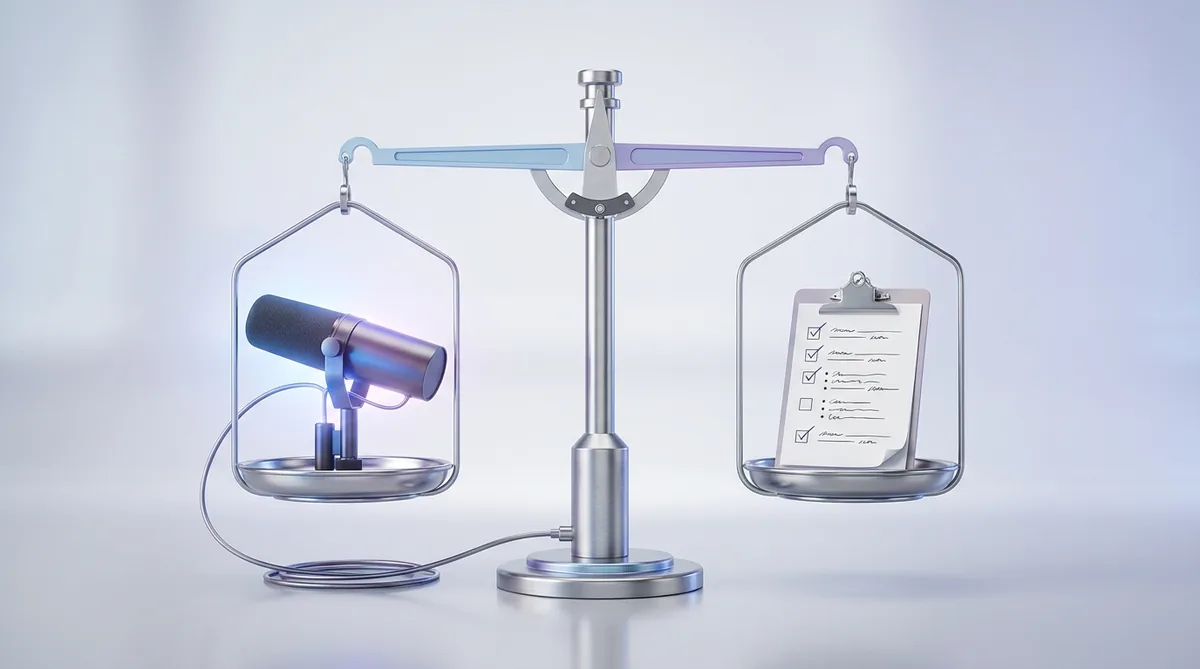
Transcription and Note Accuracy: What to Expect
All three tools transcribe clean, well-mic’d audio reliably — this is a mature technology, and for a standard internal standup with decent microphones you will struggle to tell them apart. The differences show up at the edges: overlapping speech, strong accents, industry jargon, and noisy environments. In one independent comparison test from 2026, Otter came out slightly ahead of Fireflies on mis-transcribed words per thousand on a four-person call with mixed accents and product jargon — but that is a single test on a single call, not a universal verdict, and results will vary with your audio.
Speaker identification matters as much as raw word accuracy for meeting notes, and all three label speakers automatically. Fathom and Fireflies both support custom vocabulary to teach the system your product names and industry terms — Fathom’s version sits on the Team plan, while Fireflies includes custom vocabulary more broadly. Otter’s six-language limit with manual language selection is the standout weakness here: if your meetings switch languages mid-call or your team works across many languages, Fireflies’ 100-plus language coverage with automatic handling is the safer choice.
Summary quality is where subjectivity enters. All three generate structured summaries with decisions and action items, and all three occasionally miss a commitment that a human note-taker would have caught. The practical advice is the same regardless of which tool you choose: treat AI action items as a draft, not a record, for anything with money or deadlines attached. Skim the extracted items after important calls for the first few weeks until you learn where your chosen tool’s blind spots are. None of these products eliminates the need for judgment — they eliminate the need to type while someone is talking.
Pricing Approach: Minutes, Storage, or AI Credits?
The three vendors do not just charge different amounts — they charge for different things, and understanding the metering model matters more than comparing sticker prices. Fathom meters premium AI features: recording and transcription are effectively free forever, and you pay when you want unlimited advanced summaries, action-item extraction, and the Ask Fathom assistant. For an individual having a handful of important meetings a week, the free tier’s five advanced summaries a month may genuinely be enough, which is why Fathom is the easiest tool in this comparison to try without a budget conversation.
Otter meters minutes, plain and simple. The free tier’s 300 minutes a month is the most generous minute allowance of any free plan in this group, but the meter runs on everything, and the 90-minute per-meeting cap on Pro is the kind of limit you discover at the worst possible moment — forty minutes into a two-hour workshop. If your calendar is meeting-heavy, do the math on your actual monthly minutes before choosing Otter, because the jump from Pro to Business is where the cost steps up meaningfully.
Fireflies meters two things: storage minutes and AI credits. Unlimited transcription on every plan sounds like the headline, and it is — but the free plan’s 800 minutes of storage per seat fills up fast if you record everything, and the AI-credit system (20 per month on Pro, 30 on Business, 50 on Enterprise) puts a second meter on the automation features that are Fireflies’ main selling point. If you plan to run AI Skills on every meeting, price the credit packs into your budget rather than discovering them later. One universal caution: meeting-AI pricing shifts frequently, so treat any published figure — including the ones in this article — as a snapshot and confirm current pricing on each vendor’s pricing page before committing.
Integrations, CRM Sync, and Search
A meeting assistant earns its keep after the call ends, and that is where integrations decide the winner for team workflows. Fathom’s native integration breadth is the narrowest of the three: Premium connects with tools like Slack, Notion, and HubSpot, while true CRM field sync — pushing structured call data into Salesforce or HubSpot records — is reserved for the Business tier alongside Deal View and coaching scorecards. For sales teams that live in their CRM, that Business tier is effectively the real product.
Fireflies is the integration leader by a clear margin. More than 100 native integrations cover the major CRMs (Salesforce, HubSpot, Pipedrive, Zoho), project tools (Asana, Jira), and communication platforms (Slack, Notion), and the email and Slack connectors feed context into AskFred so you can query across meetings, messages, and CRM records in one place. If your requirement is “meeting notes must land in the CRM with zero manual steps,” Fireflies is the most complete answer of the three.
Otter sits in the middle: CRM integrations on Pro and Business with some user and feature limits, Zapier from the Pro plan for everything else, and API plus webhook access reserved for Enterprise. Its MCP server is a genuinely interesting differentiator for teams building AI workflows — it lets external AI assistants query your meeting library programmatically. For search, each tool has its own conversational layer: Ask Fathom, AskFred, and Otter AI Chat all let you ask questions across your meeting history instead of scrubbing through recordings, and all three are good enough to replace the “wait, what did we decide about pricing?” scroll through old notes.
The Verdict: Which One Should You Pick?
There is no universal winner here — there is a winner for your specific situation. Pick Fathom if you are an individual professional or a small team on Zoom, Google Meet, or Teams and you want the strongest free starting point in the category. Unlimited recording and transcription with no minute math, shareable highlight clips, and solid summaries make it the lowest-friction choice, and the paid tiers are reasonably priced when you outgrow the free plan’s AI caps.
Pick Fireflies.ai if your meetings feed a larger workflow: sales calls that must land in the CRM, recruiting pipelines that need candidate scoring, or operations teams running automations on every conversation. The 200-plus AI Skills, the deep integration catalog, and the broadest platform and language coverage make it the team and revenue-organization pick — just budget for the AI-credit system and keep the compliance caveats in mind.
Pick Otter.ai if you want live transcription during the call itself, need to capture in-person conversations on mobile, or simply want the cheapest credible paid plan: Pro at $8.33 per user per month billed annually undercuts both rivals, provided your monthly minutes fit inside 1,200 and your team works primarily in English. If you want to see how these three stack up against the wider field of contenders, our roundup of the best AI meeting assistants covers the rest of the category in the same head-to-head format.

Sources and Verification
Plan prices and limits in this comparison were checked in October 2026 against the vendors’ published pricing pages — including Fathom’s pricing page and Fireflies’ official pricing breakdown — plus independent 2026 reviews of each tool. Vendors change tiers, limits, and credit policies, so treat the numbers above as an October 2026 snapshot and confirm current details on each vendor’s pricing page before buying.
Frequently Asked Questions
Which has the best free plan: Fathom or Fireflies?
It depends on how you meet. Fathom’s free plan gives you unlimited recordings, transcripts, and storage with advanced AI summaries capped at five meetings a month. Fireflies’ free plan gives you unlimited transcription with limited AI summaries and roughly 800 minutes of storage (storage terms have varied in 2026 — confirm on the pricing page). If you have a few important meetings a week, Fathom’s free tier stretches further; if you need broad platform coverage or file uploads, Fireflies’ free tier is more flexible.
Can these tools join my meetings automatically?
Yes. All three sync with your calendar and can auto-join scheduled Zoom, Google Meet, and Teams calls. If you would rather not have a visible bot in the meeting, Fathom has bot-free capture in beta on Mac, and Fireflies offers bot-free capture through its Chrome extension and desktop app.
Which is the most accurate meeting AI?
On clean audio, all three are reliable and hard to distinguish. Differences appear with overlapping speech, accents, and jargon. Independent 2026 benchmarks disagree on the details and no single test is definitive — the honest approach is to trial your top two candidates on your own real calls for a couple of weeks.
Do all three work with Microsoft Teams and Zoom?
Yes, all three support Zoom, Google Meet, and Microsoft Teams. Fireflies goes further with Webex, GoToMeeting, and file uploads. If your organization runs on Webex, Fireflies is the only one of the three that covers you natively.
Are these tools HIPAA compliant?
Fathom offers HIPAA compliance with a blanket BAA available across its plans. Fireflies offers HIPAA compliance on its Enterprise plan. Otter offers HIPAA compliance on its Enterprise plan. If you handle protected health information, confirm the BAA terms directly with the vendor before processing any calls.
Which is cheapest for a small team?
Otter Pro at $8.33 per user per month billed annually is the lowest entry price, but the 1,200-minute monthly cap and 90-minute meeting limit constrain heavy users. Fathom’s free tier may cover a light-meeting team entirely, and Fireflies Pro at $10 per seat per month adds unlimited transcription. The cheapest option is the one whose limits you never hit.
Conclusion
The fathom vs fireflies question — with Otter in the mix — resolves into three clean profiles rather than one champion. Fathom is the individual’s choice: the most generous free plan, the simplest pricing story, and a polished experience for anyone whose meetings happen on Zoom, Meet, or Teams. Fireflies.ai is the team’s choice: unmatched integrations, genuine post-meeting automation, and the broadest platform and language coverage, with an AI-credit system you should budget for honestly. Otter.ai is the value and live-notes choice: real-time transcription, in-person capture, and the lowest paid entry price for English-speaking teams whose minutes fit the meter. Match the tool to your meeting reality — your calendar, your CRM, your languages — and any of the three will give you back the hours you used to spend writing notes.

Join the discussion
Have a question or a perspective to share?