Spreadsheets are the undisputed operational backbone of global commerce. From multinational financial modeling and supply chain logistics to small business bookkeeping and digital marketing campaign analytics, Microsoft Excel and Google Sheets power trillions of daily business calculations. Yet despite decades of software maturity, mastering spreadsheets remains one of the most frustrating skills in the modern workplace. Business professionals lose countless productive hours wrestling with nested INDEX/MATCH formulas, debugging cryptic #N/A and #VALUE! errors, writing custom VBA macros, and manually cleaning messy, unstandardized CSV exports.
In 2026, the spreadsheet experience has undergone a radical transformation. Business analysts, accountants, and team leaders no longer need to memorize complex syntax or consult formula cheat sheets. A new generation of intelligent AI spreadsheet assistants has turned data manipulation into a conversational dialogue. Whether you require an automated Excel formula generator to calculate rolling cohort retention, an intelligent copilot for AI data analysis Google Sheets workflows, or no-code formula bot tools that parse complex regex patterns, modern AI copilots bridge the gap between raw data and actionable business intelligence.
However, selecting the right assistant requires evaluating data security boundaries, formula fidelity, native add-in ergonomics, and advanced Python/VBA generation capabilities. In this comprehensive editorial review, we evaluate the premier AI spreadsheet assistants available for Microsoft Excel and Google Sheets in 2026, analyzing their analytical power, formula accuracy, and real-world workplace ergonomics.
Editorial Note: DroidOrbit provides strictly objective software evaluations based on public API capabilities, real-world productivity benchmarks, and verified user community testing. We do not accept sponsored affiliate placements. Software subscription rates cited in this review reflect vendor schedules at publication; prices may change — check the official site for current subscription terms.
How Modern AI Spreadsheet Tools Transform Data Workflows
To appreciate why dedicated spreadsheet copilots outperform generic chatbot windows, it helps to understand the specialized data problems they solve directly within the grid:
1. Bi-Directional Natural Language Formula Generation
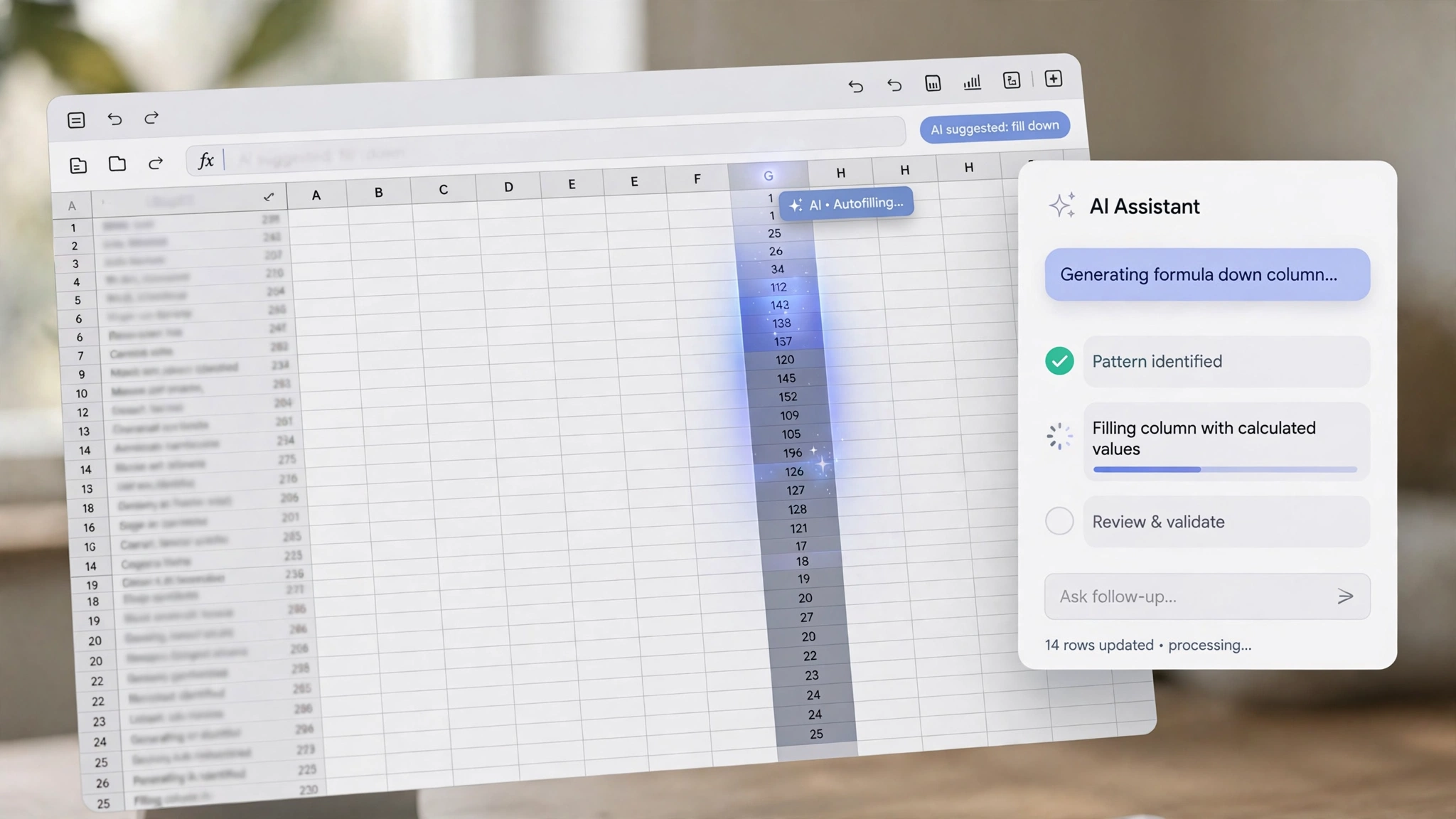
Rather than leaving your workbook to describe a problem in a browser tab, native add-ins operate alongside your active cells. You simply highlight column B and column C and type: "Calculate a 15% bonus only if quarterly sales exceed $50,000 and customer churn is under 3%, otherwise assign 0." The tool instantly generates and inserts the syntactically correct formula (e.g., =IFS(…)) directly into the formula bar.
2. Reverse Formula Explanation and Debugging
Inheriting a legacy financial model built by a former colleague is an intimidating ordeal, often filled with multi-line, undocumented formulas. An AI spreadsheet assistant can reverse-engineer any cryptic formula, breaking down its logic into plain English bullet points and pinpointing the exact circular dependency or range mismatch causing a calculation error.
3. Automated Data Cleaning and Normalization
Real-world business data is notoriously messy. Raw exports contain inconsistent date formats (MM/DD/YYYY vs DD/MM/YYYY), mixed capitalization, trailing whitespace, and concatenated full names. AI spreadsheet copilots can visually analyze messy columns and execute automated regex extraction, deduplication, and standardization across thousands of rows in seconds.
4. Natural Language SQL, Python, and Apps Script Generation
Advanced data manipulation frequently exceeds the capabilities of standard spreadsheet formulas. Modern AI tools generate ready-to-run Google Apps Script routines, Excel VBA macros, or embedded Python data-visualization blocks that automate multi-step reports with a single click.
Top 5 AI Spreadsheet Assistants for Excel and Google Sheets in 2026
We evaluated the leading spreadsheet copilots based on formula generation fidelity, native interface integration, tabular data privacy, and analytical reasoning depth:
1. Microsoft Copilot for Excel — The Native Enterprise Powerhouse
For organizations operating within Microsoft 365 Enterprise environments, Microsoft Copilot is the gold standard for deep, native Excel integration.
- Core Capabilities: Operating directly within the Excel ribbon, Copilot allows users to analyze tabular data conversationally. You can prompt: "Highlight top 10% performing sales reps in green," "Add a column showing month-over-month growth," or "Generate a pivot chart comparing revenue across regions."
- Integrated Python in Excel: Copilot seamlessly writes and executes Python code directly inside Excel workbooks, enabling advanced machine learning forecasts, Monte Carlo simulations, and Seaborn heatmaps without installing external IDEs.
- Enterprise Security: Inherits Microsoft's enterprise-grade data protection, ensuring financial models and payroll records remain encrypted and isolated from public model training datasets.
2. Formula Bot (formerly Excel Formula Bot) — The Multi-Platform Pioneer
Created by David Bressler, Formula Bot pioneered the AI spreadsheet movement and has matured into an expansive, multi-functional analytical suite available across both Excel and Google Sheets.
- Core Capabilities: Provides instant text-to-formula and formula-to-text translation, SQL query generation, regex pattern creation, and automated spreadsheet tasks.
- Direct Add-In Ergonomics: Features dedicated add-ins for both Google Workspace and Microsoft AppSource, allowing users to generate formulas directly inside the active worksheet.
- Affordable & Accessible: Offers a generous free tier and cost-effective individual subscriptions tailored for freelancers, small business owners, and non-enterprise teams.
3. Google Gemini for Google Workspace — Native Sheets Intelligence
For organizations built on Google Workspace, Gemini provides seamless, native sidebar intelligence directly inside Google Sheets.
- Core Capabilities: The "Help me organize" sidebar dynamically creates custom trackers, project management templates, and budget templates based on simple conversational prompts.
- Smart Fill and Data Extraction: Gemini automatically detects patterns in text columns, offering one-click smart autofill to extract email domains, split addresses, or standardize phone numbers across massive sheets.
- Contextual Awareness: Cross-references data across other Google Workspace files (such as Google Drive Docs and Gmail threads) to populate spreadsheet rows automatically.
4. Rows AI (Rows.com) — The Next-Generation Modern AI Spreadsheet
Rows is not merely an add-in; it is a ground-up reimagining of the spreadsheet designed for modern web data, built-in API integrations, and generative AI analysis.
- Core Capabilities: Features native AI Analyst functions that examine datasets, summarize key trends, and generate visual charts automatically. The =ASK_AI() formula allows users to call language models directly within spreadsheet cells to categorize feedback, translate text, or enrich company leads.
- Live API Integrations: Connects natively to Google Analytics, Stripe, LinkedIn, and GitHub without third-party plugins.
5. SheetPlus — Fast, Focused Formula Generation and Scripting
SheetPlus is a focused, high-speed tool engineered specifically to accelerate formula generation and Google Apps Script / VBA development.
- Core Capabilities: Boasts an exceptionally fast response engine that converts complex natural language instructions into formulas for both Excel and Sheets.
- Script Automation: Excels at generating custom Google Apps Script and Excel VBA code, allowing users to automate recurring tasks like emailing PDF invoices or consolidating multiple tabs into a master summary sheet.
AI Spreadsheet Assistant Feature & Platform Matrix
Platform | Host Application | Native Ribbon / Add-In | Python / Macro Support | In-Cell Custom Functions | Best For |
Microsoft Copilot | Excel (M365) | Native Ribbon Sidebar | Yes (Python in Excel & VBA) | Dynamic Array Formulas | Enterprise Financial Analysts |
Formula Bot | Excel & Google Sheets | Add-In (Both platforms) | Yes (VBA & SQL Generation) | Yes (=FORMULABOT) | SMBs, Freelancers & Marketers |
Gemini for Workspace | Google Sheets | Native "Help Me Organize" | Google Apps Script | Smart Fill Auto-Detection | Teams on Google Workspace |
Rows AI | Standalone Modern Web App | Native Core Feature | API Integrations & Python | Yes (=ASK_AI, =EXECUTE_AI) | Data Growth & RevOps Teams |
SheetPlus | Excel & Google Sheets | Add-In & Web Dashboard | Yes (VBA & Apps Script) | Standard Output | Developers & Power Users |
Best Practices for Deploying AI in Financial and Operational Models
Spreadsheets underpin critical business decisions involving payroll, tax reporting, and pricing strategy. To maintain mathematical integrity and prevent costly accounting mistakes, adhere to these four operational safeguards:
1. Never Trust an Unverified Formula in Production
While AI spreadsheet assistants generate accurate formulas in over 90% of standard cases, language models can occasionally misinterpret range boundaries (e.g., using A1:A50 instead of A2:A50, inadvertently including column headers) or fail to lock absolute cell references ($A$1). Always audit generated formulas using Excel's "Evaluate Formula" tool or manual sample calculations before publishing models.
2. Safeguard Confidential Corporate Financial Data
Be vigilant about data privacy when using third-party browser extensions or cloud plugins. Never paste unencrypted employee payroll rosters, social security numbers, or proprietary bank account credentials into unvetted tools. Ensure your organization utilizes enterprise tools (like Microsoft Copilot or enterprise Formula Bot tiers) backed by strict Zero-Data-Retention (ZDR) guarantees.
3. Use AI to Explain Complex Logic to Stakeholders
One of the most powerful collaborative uses of AI spreadsheet assistants is documentation. Use the AI to generate plain-English explanations of your most intricate financial formulas, and paste those explanations into cell comments. This makes your financial models transparent, auditable, and accessible to non-technical executive stakeholders.
Phase 4 — Building Automated ETL Pipelines with AI Formulas
For financial controllers and operations managers, repetitive monthly reporting is an enormous time sink. Integrating AI spreadsheet assistants enables the creation of resilient, automated extraction, transformation, and loading (ETL) routines.
1. Modular Architecture with Modern LET and LAMBDA Functions
Legacy Excel workbooks frequently featured repetitive, unreadable formulas where the same nested VLOOKUP or INDEX/MATCH calculation was repeated three times within an IF statement. Modern AI assistants rewrite these monsters using Excel's LET function, assigning clean variable names to intermediate calculations. This improves calculation performance by up to 80% on large datasets while making the logic clean and maintainable.
2. Bulletproof Error Handling and Edge-Case Safeguards
In automated dashboards, an unhandled error in a single cell can cascade across thirty downstream summary cards. Instruct your AI copilot to build defensive formula wrappers using IFERROR, ISBLANK, and SWITCH. The assistant will insert clean fallback values (such as zero or explanatory status strings like 'Pending Reconciliation') rather than displaying unsightly formula breakdown codes.
3. Optimizing Workbook Recalculation Performance
Workbooks containing tens of thousands of volatile formulas (like OFFSET or INDIRECT) become sluggish, causing Excel to freeze during manual data entry. Use your AI assistant to audit the workbook and replace volatile functions with static non-volatile alternatives (like modern INDEX ranges and dynamic array spill formulas), restoring instantaneous responsiveness to your mission-critical models.

Frequently Asked Questions (FAQ)
Can AI spreadsheet tools write formulas for both Excel and Google Sheets?
Yes. Tools like Formula Bot and SheetPlus understand the subtle syntax differences between Microsoft Excel and Google Sheets (such as Google Sheets' native QUERY and ARRAYFORMULA functions versus Excel's dynamic array formulas like XLOOKUP and LAMBDA) and generate syntax tailored to your specific platform.
Can an AI spreadsheet assistant fix broken formulas?
Yes. You can paste any formula displaying an error code (such as #VALUE!, #REF!, or #N/A) into the assistant along with a description of what you are trying to calculate. The AI will analyze the cell references, identify the underlying logic error, and provide the corrected formula with an explanation.
Does Microsoft Copilot for Excel work on standard non-table data?
Currently, Microsoft Copilot requires data to be formatted as an official Excel Table (created by pressing Ctrl+T) to execute conversational analysis and column additions. This structural requirement ensures the AI accurately recognizes column headers and data boundaries.
How do in-cell AI formulas (like Rows' =ASK_AI) work?
In-cell AI functions treat the language model like a native spreadsheet formula. For example, typing =ASK_AI("Classify sentiment: " & A2) sends the text in cell A2 to an underlying model API and outputs "Positive," "Neutral," or "Negative" directly into the target cell, making batch text processing effortless.
Are AI spreadsheet tools expensive for small businesses?
Most tools are extraordinarily cost-effective. Dedicated platforms like Formula Bot offer free starter tiers and paid unlimited plans starting at approximately $9 to $15 per month. Microsoft Copilot for Microsoft 365 is available as an enterprise add-on for $30 per user per month. Pricing may change — check the official site for current tier structures.
Can AI assistants write custom Excel macros and Google Apps Scripts?
Yes. In addition to standard formulas, leading assistants can generate complete, commented VBA modules and Google Apps Script routines. You can ask for scripts that automatically export specific ranges as PDF files, format headers on new tabs, or synchronize data across workbooks.
Conclusion: Empowering Every Professional with Spreadsheet Mastery
For decades, spreadsheet proficiency was divided by a steep technical barrier: those who mastered intricate formula syntax, and those who struggled with broken calculation errors. Modern AI spreadsheet assistants have permanently eliminated that barrier.
By pairing conversational natural language interfaces with powerful formula generation, automated data cleaning, and instant error debugging, tools like Microsoft Copilot, Formula Bot, and Rows AI empower every business professional to analyze data with speed and precision. Adopting an AI spreadsheet copilot is the single fastest way to transform raw rows and columns into actionable business growth in 2026.