
Your company already wrote the answer. It’s in a doc from 2024, a Slack thread, someone’s head — and it costs you an hour of searching every time. AI knowledge tools make the answer findable before the question is finished.
AI Knowledge Management: Tools and Workflows for Teams
AI knowledge management is the practice of using artificial intelligence to capture, organize, and retrieve the collective know-how of a team or organization — the decisions, processes, lessons, and expertise that traditionally live in people’s heads, scattered documents, and forgotten chat threads. As teams grow and remote work spreads institutional knowledge across dozens of tools, the cost of not finding answers has become enormous: employees spend hours each week searching for information that already exists somewhere in the company. This guide explains how AI changes the equation, which tools handle which parts of the problem, and the workflows that make it all work — based on published product capabilities, vendor documentation, and established knowledge-management practice.
Why Knowledge Management Fails Without AI
Traditional knowledge management had a good theory and a bad track record. Companies bought wikis, wrote documentation policies, and watched them decay within months. The failure modes are well documented:
- The capture problem. Writing documentation takes time nobody has, so knowledge stays in heads and chat messages.
- The organization problem. Even when documents exist, inconsistent naming, duplicate pages, and abandoned folders make them unfindable.
- The retrieval problem. Keyword search only finds exact terms. Ask “how do we handle refunds for enterprise clients?” and keyword search misses the page titled “Enterprise Billing Adjustments Policy.”
- The staleness problem. Documents go out of date silently. Nobody knows which version to trust.
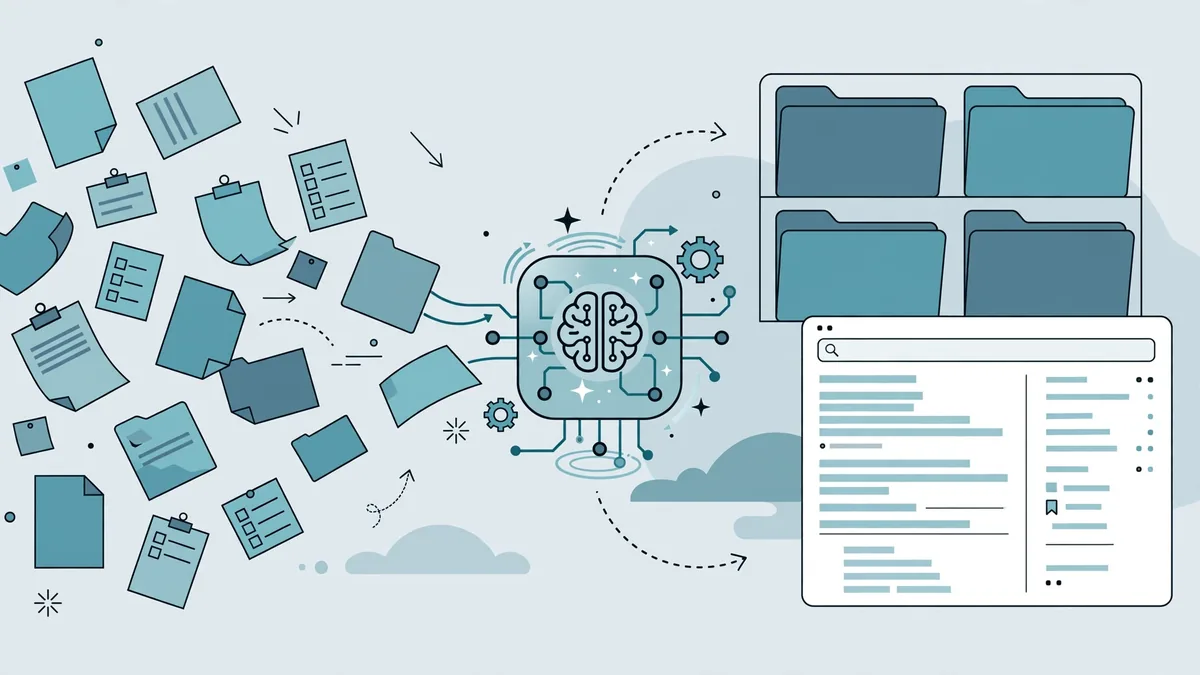
AI attacks all four problems at once: it lowers the cost of capture (transcribe and summarize instead of writing), organizes automatically (tagging, linking, deduplication), retrieves by meaning rather than keywords (semantic search), and can flag or refresh stale content. That combination is why AI knowledge management is succeeding where earlier generations stalled.
The Five Stages of AI Knowledge Management
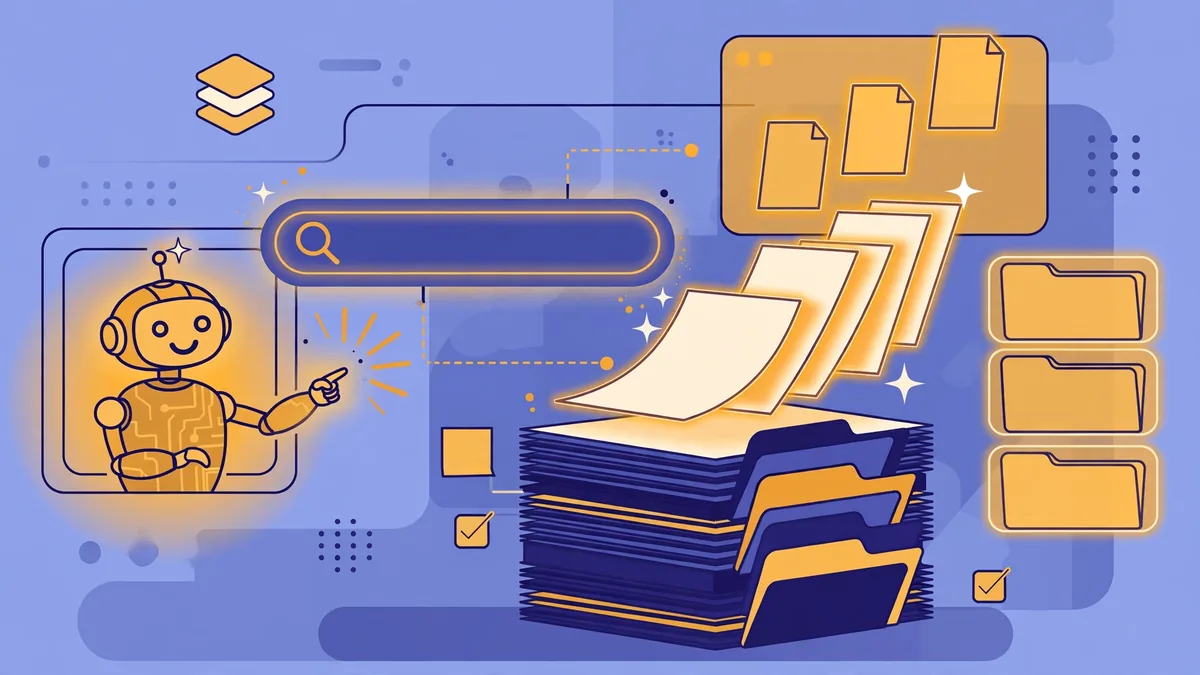
Think of knowledge management as a pipeline with five stages. AI contributes differently at each one.
1. Capture: Getting Knowledge Out of Heads
The cheapest knowledge to capture is the kind people already produce. AI capture workflows include:
- Meeting transcription and summarization. AI meeting tools transcribe calls and extract decisions, action items, and open questions — turning ephemeral conversations into searchable records automatically.
- Chat and thread harvesting. Important decisions made in Slack or Teams threads can be summarized and promoted into the knowledge base instead of disappearing into scroll-back.
- Voice-to-document. Subject-matter experts record short explanations; AI transcribes, cleans up, and structures them into articles.
- Ticket and support mining. Resolved support tickets contain hard-won troubleshooting knowledge. AI can cluster tickets by topic and draft knowledge-base articles from the resolutions.
The principle: capture at the moment of creation, with minimal extra effort from the expert. Every additional step in the capture process loses participants.
2. Organize: Structure Without the Busywork
Once captured, knowledge needs structure — but manual taxonomy maintenance is exactly the busywork that killed old wikis. AI organization capabilities include:
- Automatic tagging and categorization. AI reads new documents and applies consistent tags, categories, and metadata.
- Duplicate detection. AI identifies overlapping or redundant pages and suggests merges, preventing the “seven versions of the onboarding doc” problem.
- Relationship mapping. AI links related documents — connecting the API reference to the troubleshooting guide to the architectural decision record — building a navigable knowledge graph without manual cross-referencing.
- Summarization layers. Long documents get AI-generated summaries and key-point extracts, so readers can decide in seconds whether to read the full page.
3. Store: One Source of Truth (or a Connected Few)
AI retrieval works best when it searches across your real sources. The architectural question is whether to centralize everything in one knowledge platform or connect the AI to your existing tools. Modern approaches favor connection: the AI search layer indexes Confluence, Google Drive, Notion, Slack, GitHub, and other sources without forcing migration. This “search across everything” model avoids the political battle of choosing one platform and respects where teams already work.
4. Retrieve: Ask Questions, Get Answers
This is the stage users actually see — and where AI’s impact is most visible:
- Semantic search. Instead of matching keywords, the system understands intent. “How do I expense a client dinner?” finds the travel policy even though it never uses the word “expense.”
- RAG-style Q&A (retrieval-augmented generation). The AI searches your knowledge base, retrieves the relevant passages, and synthesizes a direct answer — with citations linking back to source documents. The citations are critical: they let users verify the answer and preserve trust.
- Proactive surfacing. AI suggests relevant knowledge in context — the right troubleshooting article appearing inside a support ticket, or related documentation surfacing when someone opens a project page.
Retrieval quality depends entirely on capture and organization quality. AI search over a messy, stale knowledge base returns confident-sounding garbage. The pipeline stages are interdependent.
5. Maintain: Keeping Knowledge Fresh
Knowledge rots. AI maintenance workflows fight the rot:
- Staleness detection. AI flags documents that have not been updated in a set period, or whose content contradicts newer documents.
- Ownership assignment. Each document gets a named owner and a review cadence; AI nudges owners when reviews are due.
- Update assistance. When a process changes, AI can draft the updated documentation from the change description or meeting notes, leaving the owner to review rather than rewrite.
- Usage analytics. AI-powered analytics show which articles are actually read, which searches return no results (revealing knowledge gaps), and which pages have high bounce rates (revealing quality problems).
Tool Landscape: What Handles What
The AI knowledge-management market splits into several categories. Most teams end up with one primary platform plus AI search layered across their existing tools. Capabilities below are drawn from published product documentation.
All-in-One Knowledge Platforms with AI
Notion (with Notion AI and Q&A). Notion combines documents, wikis, and databases in one workspace. Its AI features include writing assistance, auto-summarization, and a Q&A function that answers questions across the workspace’s content. Strengths: flexibility, huge template ecosystem, affordable per-user pricing with AI as an add-on. Considerations: performance can lag in very large workspaces; Q&A quality depends on how well the workspace is organized.
Slite. A documentation-first platform built around team knowledge, with AI search, automatic summaries, and a “knowledge base that writes itself” positioning. Strengths: opinionated structure that resists wiki sprawl, clean editor, verification workflows for keeping docs current. Considerations: smaller ecosystem than Notion or Confluence; best for teams that want documentation discipline enforced by the tool.
Guru. Designed around knowledge that lives where people work — its browser extension and integrations surface verified answers inside Slack, Salesforce, Zendesk, and other tools. AI Suggest and AI Search deliver answers in the flow of work. Strengths: verification workflows (experts confirm content stays accurate), excellent for support and sales teams. Considerations: priced per user with AI features on higher tiers; less of a general document-authoring environment.
Confluence (with Atlassian Intelligence). The enterprise incumbent. Atlassian Intelligence adds AI search, summarization, and Q&A across Confluence and Jira. Strengths: deep integration with the Atlassian suite, enterprise admin controls, massive installed base. Considerations: can feel heavyweight for small teams; AI features are tiered by plan.
AI Search Layers (Connect to Your Existing Tools)
Glean. An enterprise AI search and assistant platform that connects to dozens of workplace apps — Google Workspace, Microsoft 365, Slack, Salesforce, GitHub, Jira, Confluence — and answers questions across all of them with cited sources. Strengths: breadth of connectors, strong permissions-aware search (it respects each source’s access controls), enterprise security posture. Considerations: enterprise pricing and implementation effort; overkill for very small teams.
Slite/Guru-style Q&A vs. dedicated search. The key decision: do you want AI Q&A inside your documentation tool, or a search layer across all tools? Teams with knowledge concentrated in one or two systems usually do fine with built-in AI. Teams spread across five-plus systems benefit from a dedicated search layer.
Meeting and Conversation Capture
AI meeting assistants (Otter.ai, Fireflies.ai, and built-in features in Zoom/Teams/Meet) transcribe meetings and extract summaries, decisions, and action items. For knowledge management, the critical feature is not the transcript — it is the integration: summaries should flow automatically into your knowledge base or project tracker, not sit in the meeting tool’s silo.
Specialized and Emerging Tools
Tettra. A lightweight internal wiki aimed at small teams, with AI-assisted drafting and Q&A. Good for teams that found Confluence too heavy and Notion too unstructured.
Mem (mem.ai). A personal and team knowledge tool emphasizing automatic organization — capture notes quickly and let AI file, link, and resurface them. Interesting for individual knowledge workers and small teams prioritizing speed over structure.
Internal RAG implementations. Larger engineering organizations sometimes build retrieval-augmented generation directly over their documentation using vector databases and LLM APIs. This offers maximum control and data residency but requires real engineering investment — typically only justified at significant scale or in regulated industries.
Designing Team Workflows That Actually Stick
Tools are the easy part. The workflows — the human habits around the tools — determine success. These practices come from established knowledge-management research and practitioner experience.
The Capture Workflow
- Default to recording. Team meetings that produce decisions are recorded and transcribed by policy, not by exception.
- Decide in writing. Important decisions get a short written record: what was decided, why, and what alternatives were rejected. AI can draft this from the meeting transcript; a human approves it.
- Harvest chat weekly. A rotating team member (or an AI-assisted workflow) reviews the week’s significant threads and promotes decisions into the knowledge base.
- Make experts’ lives easy. The expert talks for five minutes; AI produces the draft article; the expert spends two minutes correcting it. Never ask experts to write from a blank page.
The Organization Workflow
- Define a minimal taxonomy. Five to ten top-level categories, consistently applied. AI tagging handles the fine-grained layer.
- Run quarterly dedup passes. AI duplicate detection surfaces candidates; owners merge or deprecate.
- Maintain a “start here” layer. Every major topic gets a curated hub page linking to the current canonical documents. AI search handles the long tail; humans curate the front door.
The Retrieval Workflow
- Teach the team to ask the AI first. The habit shift — searching the knowledge base before pinging a colleague — is the cultural core of the whole system. Track the adoption metric: percentage of questions resolved without human interruption.
- Close the loop on failures. When the AI cannot answer or answers wrongly, that is a knowledge gap or quality problem. Log it, assign it, fix the source content. Every failure is a free content brief.
- Require citations. Whether the AI provides them automatically or users demand them, answers should trace to source documents. Uncited AI answers erode trust in the system.
The Maintenance Workflow
- Every document has an owner and a review date. No orphans.
- AI flags staleness; humans confirm. Automated nudges keep reviews happening without a documentation manager chasing people.
- Archive aggressively. Outdated content that cannot be updated should be archived, not left to confuse search results. AI search quality improves dramatically when the corpus is clean.
Governance, Privacy, and Security
AI knowledge management concentrates your organization’s collective knowledge in systems that AI can read — which makes governance non-negotiable:
- Permissions-aware retrieval. The AI must respect source-system access controls. An engineer should not be able to ask the company AI about executive compensation documents they cannot open. Verify this specifically during tool evaluation — it is the single most important security feature.
- Data residency and training. Confirm whether the vendor trains shared models on your content. Enterprise-grade platforms typically offer contractual guarantees against training on customer data; verify this in writing.
- Sensitive-data handling. Define which content types are excluded from AI indexing (HR records, legal documents, credentials) and enforce it technically, not just by policy.
- Audit trails. Know who asked what and what the AI answered — both for security review and for improving the knowledge base based on real questions.
- Regulatory compliance. Depending on your industry and geography, requirements around data retention, deletion, and access logging apply to AI knowledge systems just as they do to the underlying documents.
Measuring Success
Knowledge management has historically suffered from vague success metrics. AI makes measurement concrete:
- Time to answer. How long does it take an employee to find a reliable answer? Survey-based or inferred from search behavior. Target: steady decline.
- Search success rate. Percentage of AI Q&A queries resolved without escalation to a human. Track weekly; investigate drops.
- Knowledge coverage. Percentage of common questions the system can answer, derived from failed-query logs. Each failed query is a content assignment.
- Content freshness. Percentage of documents reviewed within their review cadence. Stale content is a liability, not an asset.
- Interruption reduction. Fewer “quick question” pings to experts — measurable via chat analytics or self-reporting. This is often the metric executives care about most.
Set baselines before rollout, review monthly for the first quarter, then quarterly. Report the numbers to the team — visible progress sustains the capture habit.
Frequently Asked Questions About AI Knowledge Management Tools
What is the difference between AI knowledge management and a regular company wiki?
A traditional wiki is a passive document store: humans write pages, humans organize them, and keyword search retrieves them. AI knowledge management adds active intelligence at every stage — AI-assisted capture from meetings and chats, automatic organization and deduplication, semantic search and cited Q&A, and staleness detection. The practical difference is maintenance burden: wikis decay without constant human effort, while AI systems reduce that effort dramatically.
Do we need to migrate everything into one platform?
No — and usually you should not. Modern AI search tools connect to your existing systems (Google Drive, Confluence, Notion, Slack, GitHub) and search across them with permissions intact. Migration projects are expensive, political, and often fail. Start by layering AI search over what you have; consolidate only where the tools genuinely overlap.
How does RAG work in knowledge management tools?
Retrieval-augmented generation combines search with language models: when you ask a question, the system first retrieves the most relevant passages from your knowledge base (using semantic/vector search), then feeds those passages to a language model that synthesizes a direct answer. The “retrieval” grounds the answer in your actual documents — reducing hallucination — and good implementations cite the source passages so you can verify. This is the core technology behind “ask your documents” features.
What about hallucinations — can we trust AI answers about company knowledge?
Treat AI answers as well-informed drafts, not gospel. Mitigations that work: require cited sources on every answer, keep the underlying documents clean and current (garbage in, garbage out), use permissions-aware retrieval so the AI only answers from sources the asker could read, and maintain the failure-feedback loop where wrong answers trigger content fixes. For high-stakes topics (legal, safety, financial), keep explicit human verification in the workflow.
How long does it take to see value from AI knowledge management?
AI search layered over existing content can deliver value in weeks — it immediately makes scattered knowledge findable. The deeper workflows (capture habits, dedup, maintenance cadences) take one to two quarters to mature. The fastest wins come from teams with the messiest current state: if people currently cannot find anything, even basic semantic search feels transformative.
Which team should own AI knowledge management?
It needs a named owner with real authority — typically operations, IT, or a dedicated knowledge manager in larger companies — plus distributed content owners in each team. The failure mode is “everyone owns it,” which means nobody maintains it. The platform owner manages the tooling, analytics, and governance; content owners maintain their domains’ accuracy. Executive sponsorship matters: the “ask the AI before pinging a colleague” habit needs visible leadership endorsement.
If your team lives in one workspace app, Notion’s AI features are worth evaluating before buying a standalone tool.
Keep exploring: If you found this guide to ai knowledge management tools useful, read AI Tools for Data Analysis: Turn Spreadsheets Into Insights, Notion AI vs Otter AI vs Mem: AI Note-Taking Compared, How to Use AI Tools Safely Without Losing Privacy for more practical ways to use ai knowledge management tools.
What problem do AI knowledge management tools solve?
They fix the ‘where is that doc?’ problem: AI knowledge management tools search across wikis, docs, and chats with understanding, not just keywords. Good AI knowledge management tools surface answers with citations, cutting the 20% of the workweek many teams lose hunting for information.
How do AI knowledge management tools stay current?
The best AI knowledge management tools re-index connected sources continuously, so answers reflect the latest docs. Stale knowledge bases are the top failure mode — choose AI knowledge management tools with automatic syncing and clear ‘last updated’ indicators on every answer.
Are AI knowledge management tools safe for confidential data?
Enterprise-grade AI knowledge management tools respect existing permissions, so people only see what they could already access. Verify permission-aware search before buying — consumer AI knowledge management tools may not enforce your access controls properly.
Conclusion
AI knowledge management finally makes the old promise — the right knowledge, in the right hands, at the right time — achievable without heroic human effort. The formula is straightforward: capture knowledge where it is created with minimal friction, let AI handle organization and deduplication, retrieve through semantic search and cited Q&A, and maintain freshness with AI-assisted review cycles. Choose tools that connect to where your team already works, enforce permissions-aware retrieval, and invest the real effort in workflows and habits rather than software features. Organizations that do this well convert their scattered expertise into a compounding asset: every question answered makes the system smarter, every document captured makes the next hire productive faster, and the institutional knowledge that used to walk out the door at 5 p.m. stays available around the clock.
What’s the biggest mistake with AI knowledge management tools?
Connecting sources without cleaning them first. AI knowledge management tools answer from whatever you feed them — outdated wikis produce outdated answers. Audit and archive stale docs before rolling out AI knowledge management tools, or garbage-in-garbage-out applies.





Join the discussion
Have a question or a perspective to share?