

AI Tools for Wedding Planning: Plan Your Big Day With Smart Tech (2026)
Planning a wedding means juggling budgets, guest lists, vendors, timelines, and about a hundred small decisions — all at once. AI tools for wedding planning take on the repetitive, organizational heavy lifting so couples can focus on the parts that actually matter: celebrating with the people they love. From drafting a realistic budget to wording invitations and building a day-of timeline, today’s AI assistants can compress weeks of planning work into focused evening sessions.
This guide covers what AI can realistically do for your wedding, a step-by-step planning workflow powered by AI, a comparison of the main approaches, and the honest limits — because some wedding decisions should stay human.
What AI Tools for Wedding Planning Can Actually Do
AI wedding help comes in three flavors: general AI assistants (like the chatbots you already use), wedding-specific planning apps with AI features, and AI-powered vendor marketplaces. Each handles different pieces of the puzzle.
Budget planning and tracking
Tell an AI your total budget and location, and it can draft a realistic allocation across categories — venue, catering, photography, attire, flowers, music, and more — based on typical cost breakdowns. It can also build you a tracking spreadsheet and flag when a category is drifting over budget. This is one of the strongest uses: most couples have never planned a large event and have no intuition for what things should cost.
Vendor research and comparison
AI tools for wedding planning can summarize vendor reviews, compare quotes side by side, and draft the questions you should ask photographers, florists, and caterers before signing. Some can even help you write the initial outreach emails. The final choice stays yours — but the research phase gets dramatically faster.
Guest list and seating management
From organizing RSVPs to suggesting seating arrangements that keep feuding relatives apart, AI can handle the combinatorial headache of seating charts. Give it your guest list with a few relationship notes, and it will propose table groupings you can then refine.
Writing help: vows, speeches, invitations
AI is a strong first-draft partner for wedding vows, toast speeches, invitation wording, and thank-you notes. It gives you structure and phrasing to react to, which is far easier than starting from a blank page. The key is editing: the final words should sound like you, not like a template.
Timeline and checklist generation
Give an AI your wedding date and it can build a month-by-month planning checklist working backward, plus a detailed day-of timeline with vendor arrival times, getting-ready blocks, and buffer time. Couples consistently say the timeline is the piece they would never have built correctly on their own.
AI Tools for Wedding Planning: Step-by-Step Workflow
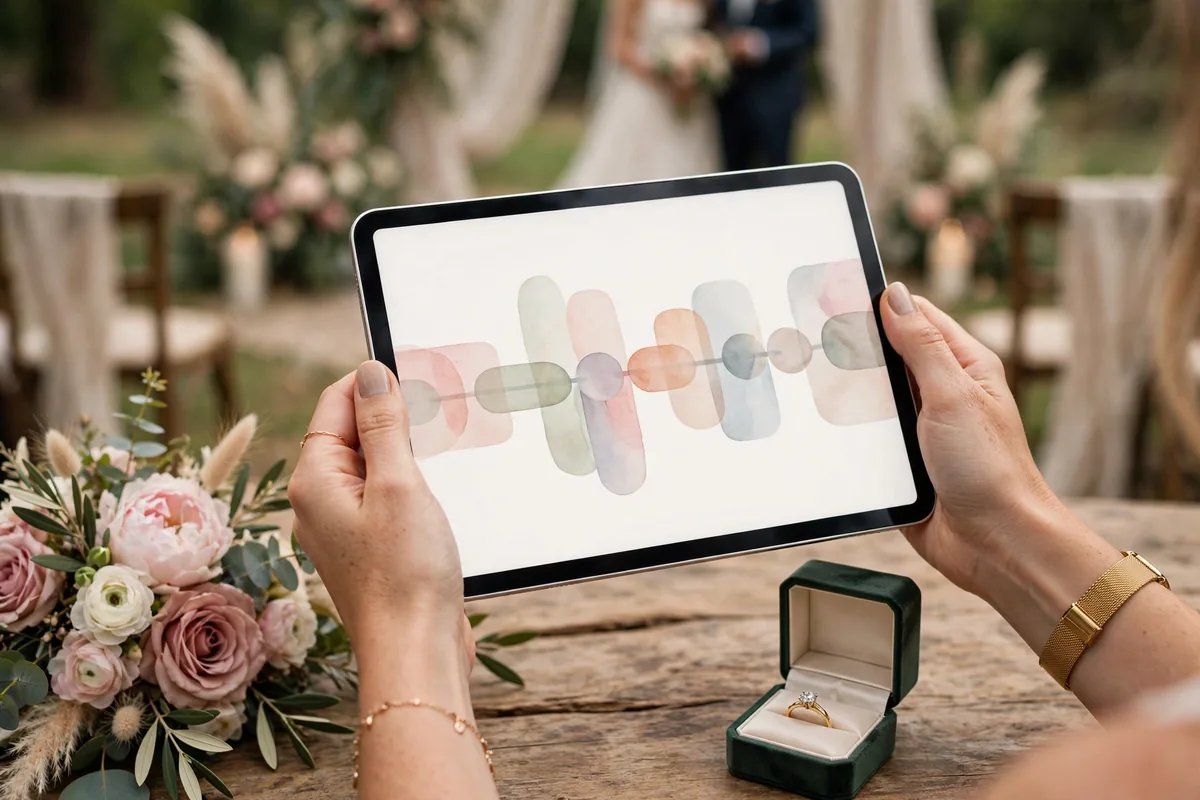
Here is a practical sequence that takes you from engagement to wedding day using AI assistance at each stage. Adapt the timeline to your own planning horizon.
Step 1: Set your budget with AI-assisted allocation
Start by telling an AI assistant your total budget, guest count, and city or region. Ask: “Create a wedding budget breakdown for [budget] with [guest count] guests in [location], with typical percentage allocations per category.” Review the breakdown, adjust the categories you care about most, and ask it to build a tracking spreadsheet you can update as you book vendors.
Step 2: Build your planning checklist
Provide your wedding date and ask for a month-by-month checklist counting backward to today. Include the big milestones: venue booking, vendor hiring, attire ordering, invitation mailing, and final headcount deadlines. Save this as your master plan and revisit it monthly.
Step 3: Research venues and vendors
For each vendor category, ask the AI to list what to look for, typical price ranges in your area, and red flags in contracts. Then feed it the actual quotes you receive and ask for a side-by-side comparison with pros and cons. Draft your shortlist from the comparison, not from the marketing copy.
Step 4: Manage the guest list and invitations
Use AI to organize your guest list into categories (family, friends, plus-ones, children), estimate headcount scenarios, and draft invitation wording in your preferred tone — formal, casual, or playful. Ask it to generate the RSVP questions you need (meal choice, dietary restrictions, song requests) so nothing is forgotten.
Step 5: Draft vows, speeches, and ceremony details
A few months out, start on the words. Give the AI a few personal details — how you met, what you love about your partner, the tone you want — and ask for a first draft of vows or a best-man speech. Then rewrite it in your own voice. AI gives you the scaffolding; the emotion has to be yours.
Step 6: Build the day-of timeline
One month before the wedding, feed the AI your vendor arrival times, ceremony time, and key moments, and ask for a minute-by-minute timeline with built-in buffer time. Share it with your wedding party and vendors. This single document prevents most day-of chaos.
Step 7: Handle thank-yous and post-wedding tasks
After the wedding, use AI to draft personalized thank-you note templates based on each gift, and to build a checklist for name changes, vendor reviews, and photo album planning. The wedding ends; the paperwork does not.
Comparing Approaches: General AI vs Wedding-Specific Tools
| Approach | Best for | Cost | Strengths | Limitations |
|---|---|---|---|---|
| General AI assistants (chatbots) | Writing, brainstorming, timelines, budgets | Free tiers; paid plans unlock more | Flexible, conversational, great at drafts | No wedding-specific data; needs good prompting |
| Wedding planning apps with AI | Checklists, guest lists, seating charts | Free to mid-range paid plans | Purpose-built workflows and templates | Less flexible outside their feature set |
| AI vendor marketplaces | Finding and comparing local vendors | Usually free for couples | Real listings, reviews, and pricing context | Coverage varies by location |
| AI design tools | Invitations, signage, monograms, mood boards | Free tiers available | Fast visual concepts and mockups | Final print design may need a professional |
Most couples get the best results by combining approaches: a general AI assistant for writing and planning logic, a wedding app for the checklist and guest list, and a marketplace for vendor discovery. No single tool does everything well yet.
Budget Planning: Where AI Helps Most
Money is the most stressful part of wedding planning, and it is where AI tools for wedding planning add the most objective value. A common mistake is booking the venue first and discovering later that it consumed the budget meant for everything else. AI helps you see the full picture before you commit.
Ask for a budget model that includes the categories couples forget: tips and gratuities, marriage license fees, alterations, vendor meals, transportation, and a contingency fund of around 5–10% for surprises. Then use the AI as an ongoing advisor: “We just booked a photographer for $X — how does that affect the remaining budget?” This running conversation keeps spending visible instead of letting it drift.
Be honest with the AI about your real number, including any family contributions. A budget built on wishful thinking produces a plan you cannot execute. The AI is only as realistic as the inputs you give it.
Writing Vows and Speeches With AI (Without Sounding Robotic)

The fear with AI-written vows is that they will sound generic — and they will, if you accept the first draft. The trick is to treat the AI as a brainstorming partner, not a ghostwriter. Feed it specific memories: the trip where everything went wrong and you laughed anyway, the small habit that made you fall in love, the promise that actually matters to you. Specific inputs produce specific drafts.
A workable process: ask for three different tones (romantic, humorous, heartfelt), pick the lines that resonate, then rewrite everything in your own words keeping only the structure. Read the final version aloud — anything that does not sound like something you would actually say gets cut. Your guests know your voice; the vows should match it.
The same method works for maid-of-honor and best-man speeches: give the AI two or three real stories, ask for an outline with a strong opening and a toast-worthy closing, then write the actual speech yourself around that skeleton.
Design and Décor: Mood Boards to Invitations
AI image tools can generate décor concepts, color-palette combinations, tablescape ideas, and invitation mockups in minutes. This is enormously useful for communicating with vendors: instead of trying to describe “romantic but not fussy” to a florist, you can show a generated image that captures the mood.
Practical tips: generate multiple variations of your color palette and live with them for a few days before deciding. Use AI mockups for invitations and signage as proofs of concept, but have the final files prepared by a designer or a proper template service if they are going to print — AI-generated text in images is still unreliable, and you do not want a typo on 150 invitations.
What AI Cannot Do (Keep These Human)
Some parts of wedding planning should stay firmly human. AI cannot taste the catering, feel the vibe of a venue, or tell you whether a photographer will put your shy grandmother at ease. Vendor chemistry, food quality, and the energy of a space are things you have to experience in person.
Similarly, keep AI away from the emotional decisions: who to invite, how to handle family tensions, and what traditions matter to you. AI can help you think through the logistics of a difficult guest-list conversation, but it should not make the call. And never let AI-generated content go straight to print or straight to the microphone — every word with your name on it deserves your own edit.
Frequently Asked Questions
Can AI really plan a whole wedding?
AI can handle the organizational backbone — budgets, checklists, timelines, drafts, and research — but it cannot replace in-person vendor meetings, tastings, or your own judgment. Think of AI tools for wedding planning as a very capable assistant, not a wedding planner. Couples who use AI well still make every important decision themselves; they just make those decisions faster and with better information.
Are AI wedding planning tools free?
Many are. General AI assistants offer free tiers that cover most wedding-planning tasks, and several wedding planning apps have free plans with checklists and guest-list tools. Paid tiers typically add more usage, advanced features, or an ad-free experience. Start free and upgrade only if you hit limits during your planning.
How do I keep my wedding data private when using AI tools?
Be thoughtful about what you share. Guest lists contain real people’s names and contact details, so prefer tools with clear privacy policies and avoid pasting full contact information into services you do not trust. For general planning questions, budgets, and writing help, anonymized inputs work just as well. Check whether the tool uses your inputs for training and opt out where possible.
Can AI help with destination weddings?
Yes, and it is particularly useful there. AI can research venues and vendors in unfamiliar locations, explain local marriage-license requirements, draft guest travel information, and build timelines that account for travel days. That said, for destination weddings a local planner or day-of coordinator is still strongly recommended — on-the-ground knowledge matters more when you cannot visit easily.
Will AI-written vows sound fake to my guests?
Only if you do not edit them. AI first drafts tend toward generic romantic language. The fix is personalization: feed the AI your real stories, then rewrite the draft in your own voice and read it aloud. Guests respond to specificity and sincerity, both of which come from you, not the tool.
When should we start using AI for wedding planning?
As early as possible. The budget model and master checklist are most valuable at the very start, before any money is committed. Writing help becomes relevant a few months out, and the day-of timeline comes together in the final month. There is no point in the process where AI assistance does not help, but early use prevents the expensive mistakes.
Final Checklist Before You Start
Before diving in, set yourself up for success: decide your total budget and who is contributing, pick your wedding date or date range, and agree with your partner on the three things that matter most (venue, food, photos, music — pick your three). Feed those decisions into your AI assistant first, and every plan it builds from there will be grounded in your real priorities. The technology is ready; the only thing it needs from you is honest input and final judgment. Happy planning — and congratulations.



Join the discussion
Have a question or a perspective to share?