
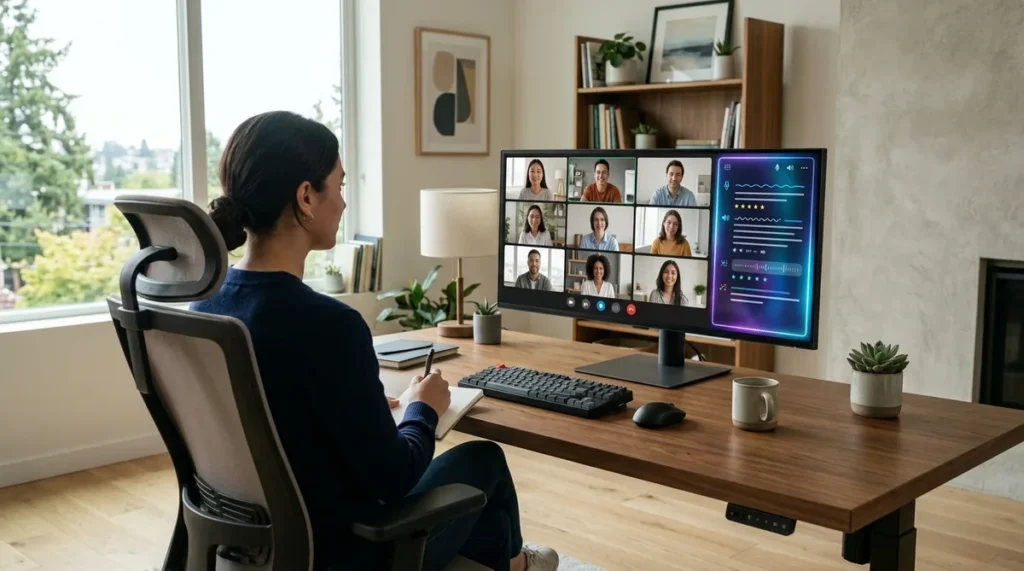
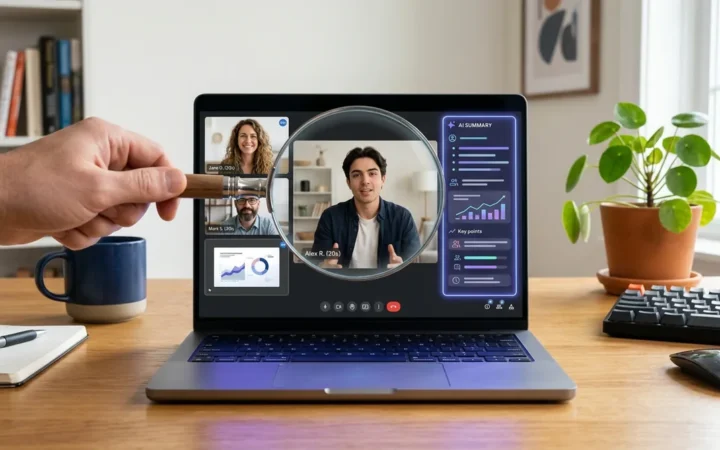
Fathom earned its popularity the honest way: a genuinely useful free plan with unlimited recordings and transcriptions, plus summaries that usually get the gist right. For solo users and small teams, it is hard to beat on value. But popularity is not the same as fit. Plenty of teams are now searching for fathom alternatives because they need something Fathom does not do well — deeper CRM automation, meeting analytics, bot-free recording, or summaries tuned for a specific kind of work like sales coaching.
This guide compares seven real alternatives, with note accuracy as the first criterion. Because accuracy is the whole point of a meeting assistant: if the notes are wrong, every downstream workflow built on them is wrong too. For each tool you will find what it does best, where its note accuracy shines or struggles, how its pricing is structured, and who should pick it.
Why teams look beyond Fathom
Fathom’s free tier covers the basics well: join a Zoom, Google Meet, or Teams call, get a recording, a transcript, and an AI summary. The reasons to look elsewhere tend to cluster around what happens after the meeting. Fathom limits advanced AI summaries and account-wide search on the free plan, and its automation and CRM syncing are lighter than tools built specifically for revenue teams.
Common triggers for switching include: needing notes pushed automatically into a CRM with field-level mapping, wanting conversation analytics or rep coaching, disliking the visible meeting bot on client calls, requiring multilingual transcription, or needing recordings searchable across the whole organization. None of these are Fathom failures — they are simply jobs it was not designed to do. The tools below were.
How this comparison was researched
Note accuracy is not one thing. A tool can transcribe words correctly yet produce a useless summary, or write a beautiful summary from a flawed transcript. To keep this comparison honest, each alternative was assessed against four dimensions that together determine whether you can trust the notes:
- Transcription quality: word-level accuracy, speaker identification (who said what), and handling of accents, crosstalk, and domain jargon.
- Summary fidelity: whether the AI summary captures decisions and context accurately rather than inventing details or missing the point.
- Action-item extraction: whether tasks, owners, and deadlines are pulled out reliably — the most error-prone part of AI notes.
- Verifiability: how easy it is to check the notes against the source — clickable timestamps, transcript search, and clip sharing that let a human audit the AI’s work.
A note on honesty: no hands-on testing of these tools was conducted. The assessments below synthesize each vendor’s published documentation, plan limits, and widely reported user feedback, framed around the four dimensions above. Accuracy varies with your specific meetings — audio quality, accents, and jargon matter more than brand names — so treat these as informed starting points and run your own trial on real calls before committing. Pricing and plan details were verified in October 2026 and change often; confirm on each vendor’s pricing page before you buy.
The 7 best fathom alternatives in 2026
1. Fireflies.ai — best overall alternative
Fireflies is the most direct Fathom replacement for teams that want a full meeting-notes platform rather than a simple recorder. It joins Zoom, Google Meet, Teams, and other platforms automatically, transcribes in over 100 languages, and builds a searchable library of every meeting your team has ever recorded.
On accuracy: Fireflies’ transcription is consistently strong for standard business English, with solid speaker identification, and its AI summaries handle multi-speaker discussions well. Its standout accuracy feature is verifiability — every summary point links back to the transcript moment it came from, so auditing takes seconds. Action-item extraction is reliable for clearly stated tasks and weaker for vague verbal commitments, which is true of every tool on this list.
The free plan includes unlimited transcription with limited pooled storage; AI-summary allotments on the free tier have changed over time, so confirm the current limits on the pricing page. Paid plans start at $10 per seat per month on annual billing. Where Fireflies pulls ahead of Fathom is post-meeting workflow: deep integrations with Salesforce, HubSpot, and Slack push notes, tasks, and insights into the tools your team already uses. Best for teams that want meeting notes to feed directly into their CRM and task systems.
2. Otter.ai — best for real-time and in-person notes
Otter takes a different approach from most meeting assistants: it emphasizes live transcription you can watch and collaborate on during the call, backed by a strong mobile app for recording in-person conversations. That makes it the standout choice for interviews, field work, lectures, and any meeting that happens outside a video call.
On accuracy: Otter’s real-time engine is among the best at keeping up with natural speech, and its AI chat feature lets you ask questions about the meeting and get answers grounded in the transcript — a useful accuracy check in itself. Speaker identification works well for distinct voices and degrades with heavy crosstalk, as with all automated diarization. The free plan offers 300 transcription minutes a month with a 30-minute cap per recording, and paid plans start at $8.33 per user per month on annual billing.
Choose Otter if your note-taking problem is not just video calls but capturing conversations wherever they happen. Its live-collaboration model also suits teams that like to annotate and correct notes together in real time.
3. tl;dv — best for shareable video clips
tl;dv (pronounced “too long; didn’t view”) is built around a simple insight: nobody re-reads a forty-minute transcript, but everybody will watch a ninety-second clip of the key moment. It records, transcribes, and lets you snip timestamped highlights to share with teammates who missed the call.
On accuracy: transcription quality is competitive with the category leaders, and the clip workflow is itself an accuracy feature — instead of trusting a summary of a decision, you share the actual moment the decision was made. AI summaries and action items are solid, and multilingual support is a genuine strength for international teams. The free plan is generous, with unlimited recordings and transcription, though free recordings are retained for only three months; paid plans start at $18 per user per month on annual billing.
tl;dv also offers bot-free recording through its desktop app, which matters for client-facing conversations where a bot attendee changes the dynamic — note that bot-free mode captures audio without video. Best for async and distributed teams that live on shared clips rather than written minutes.
4. Avoma — best for sales and revenue teams
Avoma is not a general-purpose notetaker that happens to work for sales; it is a revenue-intelligence platform that starts with meeting notes and builds upward into scheduling, deal insights, and rep coaching. If your meetings exist to move pipeline, Avoma treats the notes as raw material for that job.
On accuracy: Avoma’s transcription holds up well, but its real accuracy story is structural — it organizes notes by deal and topic, scores talk patterns, and flags risks and next steps against your sales methodology. For pure word-level transcription it is comparable to the others; for “did we capture what matters about this deal,” it is purpose-built. There is no free plan, only a 14-day trial, with paid tiers starting at $19 per recorder seat per month on annual billing.
The tradeoff is scope: Avoma is overkill for general team meetings and priced for revenue teams. But for sales organizations, the combination of notes, coaching, and CRM updates in one platform is exactly what Fathom does not offer.
5. Fellow — best for agenda-driven meetings
Fellow approaches the meeting problem from the other end: instead of only capturing what happened, it structures what should happen. Agendas, shared notes, action items, and feedback live in one collaborative workspace, with AI summaries layered on top of recorded calls.
On accuracy: Fellow’s AI notes are dependable for well-structured meetings — standups, one-on-ones, retrospectives — because the agenda gives the AI a framework to organize around. Its summaries of freeform brainstorming sessions are less impressive, which is a fair reflection of the input. The free plan includes five AI notes and five AI recordings per user for the lifetime of the account, making it easy to test; paid plans start at $7 per user per month on annual billing.
Best for managers and teams that run on agendas and want the meeting assistant to reinforce good meeting hygiene rather than just transcribe chaos.
6. Read AI — best for cross-channel meeting intelligence
Read AI’s distinctive bet is that meeting insight should not live in a silo. Alongside transcription and summaries, it analyzes speaker engagement and sentiment, offers coaching tips, and — unusually — connects meeting content with email and chat so you can search across all of it at once.
On accuracy: summaries are concise and readable, with good handling of action items, and the engagement analytics add a layer of “how did the meeting go” that pure transcription tools miss. As with any sentiment analysis, treat the coaching scores as directional rather than precise. The free plan covers five meetings a month; paid plans start at $15 per user per month on annual billing.
Choose Read AI if your frustration with meeting tools is fragmentation — notes in one place, follow-ups in email, context in Slack — and you want one searchable layer over all of it.
7. Granola — best bot-free personal notes
Granola solves the single most common complaint about meeting assistants: the bot. Instead of joining your call as a visible participant, Granola captures audio from your device and enhances the notes you take yourself, blending your own jottings with AI-generated structure. Nobody in the meeting knows it is there.
On accuracy: this hybrid model is Granola’s accuracy advantage and its limitation. Because you steer with your own notes, the AI focuses on the moments you flagged — summaries of client calls and interviews tend to be sharper than fully automated alternatives. But meetings you barely annotate get thinner notes. The free plan includes unlimited note-taking with a 30-day meeting history window; the Business plan costs $14 per user per month.
Best for client-facing professionals, recruiters, and anyone whose meetings would suffer from a bot attendee. If you take even rough notes today, Granola will make them dramatically better.
Side-by-side comparison
| Tool | Best for | Free plan | Bot-free option | Standout accuracy feature |
|---|---|---|---|---|
| Fireflies.ai | Overall team replacement | Yes — unlimited transcription, capped storage and summaries | Yes, via Chrome extension or desktop app | Summary points linked to transcript moments |
| Otter.ai | Real-time and in-person | Yes — 300 minutes per month | Yes, via desktop and mobile apps | AI chat grounded in the transcript |
| tl;dv | Shareable clips, async teams | Yes — unlimited recordings, 3-month retention | Yes, via desktop app (audio only) | Clips preserve the original moment |
| Avoma | Sales and revenue teams | 14-day trial only | Yes, bot-less native recording option | Notes organized by deal and methodology |
| Fellow | Agenda-driven meetings | Yes — 5 lifetime AI notes | Yes, botless desktop capture | Agenda structure guides the summary |
| Read AI | Cross-channel intelligence | Yes — 5 meetings per month | No | Search across meetings, email, and chat |
| Granola | Bot-free client calls | Yes — 30-day history | Yes, device audio capture | Your own notes steer the AI |
Recording consent and data privacy: read this before you connect anything
Meeting assistants sit on your most sensitive business conversations, so the boring fine print matters more here than in most software categories. Two checks before you commit:
- Recording consent. A visible bot announces itself, but bot-free tools like Granola do not — the legal duty to inform participants stays with you either way. Consent rules vary by US state and country, so announce the recording at the start of every call as a matter of practice.
- What happens to your data. Check each vendor’s data-retention controls and whether meeting content is used to train AI models. Policies differ: some vendors train on anonymized data by default with an opt-out, while others commit to no training on customer data. If you handle regulated or client-confidential material, look for retention controls, SSO, and compliance certifications on the higher tiers before uploading a single call.
One practical tip: on Granola’s free plan, notes older than 30 days stay stored but hidden until you upgrade — export anything important before you switch plans.
Which Fathom alternative should you pick?
Match the tool to your actual bottleneck. If the problem is post-meeting workflow — notes dying in a dashboard nobody opens — pick Fireflies for its CRM and Slack integrations. If the problem is capturing conversations outside video calls, pick Otter. If nobody reads your meeting notes, stop writing them and switch to tl;dv’s clips. If your meetings are sales calls, Avoma’s revenue framing will beat any generic notetaker. If your meetings lack structure, Fellow fixes the meeting, not just the notes. If your context is scattered across email and chat, Read AI unifies it. And if a visible bot is a dealbreaker, Granola removes it entirely.
For a broader view of the category beyond Fathom replacements, see our roundup of the best AI meeting assistants, which covers additional tools and use cases.
Conclusion
Fathom set a high bar: free, unlimited, and usually accurate. But the best fathom alternatives win by solving the problems around the notes — workflow automation, revenue intelligence, bot-free capture, and verifiable accuracy. Start from the comparison above, shortlist two tools that match your bottleneck, and trial both on your real meetings for two weeks. Note accuracy is too important to judge from marketing pages; the only test that matters is your own calls, your own accents, and your own jargon. Run that test, and the right choice becomes obvious.
Frequently Asked Questions
Is there a free alternative to Fathom?
Yes. Fireflies, Otter, tl;dv, Fellow, Read AI, and Granola all offer free plans, though each limits something — transcription minutes, AI summaries, or meeting history. tl;dv’s free tier is among the most generous for recordings. Fathom’s own free plan remains one of the most generous in the category, so compare carefully before switching.
Which Fathom alternative has the most accurate notes?
Accuracy depends heavily on your meetings — audio quality, accents, and jargon matter more than brand. Based on published reviews and user feedback (no hands-on testing was performed for this guide), Fireflies and Otter are frequently cited for transcription quality, tl;dv’s clip-sharing lets you verify key moments directly, and Granola’s hybrid model produces sharp notes when you annotate during the call. Trial your shortlist on real calls.
Can I use a meeting assistant without a bot joining the call?
Yes. Granola captures audio from your own device with no bot attendee, and tl;dv offers a desktop capture mode that avoids the visible bot. These are the best options for client-facing calls where a bot would feel intrusive.
Do these tools work with Zoom, Google Meet, and Microsoft Teams?
All seven support the major platforms — Zoom, Google Meet, and Microsoft Teams at minimum. Fireflies, Otter, and tl;dv cover additional platforms as well. Check each vendor’s integrations page if you use a less common conferencing tool.
Will a Fathom alternative integrate with my CRM?
Fireflies and Avoma offer the deepest CRM integrations, with automatic syncing of notes, action items, and call data into Salesforce, HubSpot, and similar platforms. The others offer lighter integrations or rely on automation platforms like Zapier to bridge the gap.
Is it legal to record meetings with AI notetakers?
It depends on your jurisdiction. Many places require one-party consent, while others require all parties to consent. Most of these tools announce the recording or show a visible bot, which helps, but you should confirm the rules where you and your participants are located and inform attendees as a matter of practice. This is general information, not legal advice.
Sources
- Fireflies.ai — Fireflies pricing: which plan is right for you? (plan limits and per-seat prices)
- Avoma — official pricing page (per-recorder-seat pricing, 14-day trial, bot-less recording option)
- tl;dv — tl;dv vs Otter.ai (free-plan limits, three-month retention, bot-free desktop recording)
- MeetGeek — Fellow AI review (Fellow plan limits and pricing)
- SaaSworthy — Read.ai pricing (free and paid tiers)
- AI Alleyway — Granola pricing (free-plan history window, Business tier)
- TechRepublic — best AI meeting note takers for 2026 (Fathom free-plan terms, category context)
Pricing and plan details change frequently; each vendor’s own pricing page is the final authority.



Join the discussion
Have a question or a perspective to share?