
Managing client websites for a living means juggling a dozen logins, a dozen update schedules, and a dozen clients who all assume you are watching their site around the clock. The freelancers who thrive in this niche are not the ones working longer hours — they are the ones who systematize the repetitive work so their attention goes to the problems that actually need a human. That is where AI tools for freelance web managers come in: centralized dashboards, automated monitoring, and AI-assisted reporting that turn a scattered routine into a managed service.
This guide covers seven tools that fit the real workflow of a freelance web manager: keeping client sites updated, backed up, secure, online, and fast — and then proving that work to clients in clear reports. Each tool has a genuinely free tier or a free core, because when you are scaling from five sites to fifty, per-site pricing math decides everything. I have kept pricing notes conservative and focused on what you can actually do for free.
Plan details below were verified in October 2026. One caveat worth knowing upfront: UptimeRobot’s free plan is restricted to personal, non-commercial use, so freelancers monitoring client sites should read that section before choosing a tier. Vendors here change limits frequently — confirm the current terms on each tool’s pricing page before committing client sites to any tier.
7 AI Tools for Freelance Web Managers Worth Installing in 2026
Think of these tools as layers: a management dashboard on top, backups and security underneath, monitoring on the side, and AI assistance tying the reporting together. Install them in that order.
1. MainWP — The Free Central Dashboard
If you manage more than a handful of WordPress sites, a central dashboard is the single most valuable tool you can install, and MainWP’s core plugin is free forever with no per-site fees. You install the dashboard on a WordPress site you control, connect each client site with the child plugin, and from that one screen you can run bulk updates, manage plugins and themes, monitor uptime, and keep an eye on site health.
MainWP also includes client-facing features that matter for freelancers: a client management module, a cost tracker for keeping tabs on expenses per client, and integrations with backup plugins like UpdraftPlus, security tools like Wordfence and Sucuri, and uptime monitors like UptimeRobot. The free core leans on paid extensions for advanced client reporting, so budget for those once your retainer revenue justifies it — but the dashboard itself, unlimited sites included, costs nothing. It is also self-hosted and privacy-focused, which is a genuine selling point when clients ask where their data lives.
Free-tier reality: unlimited sites, bulk updates, uptime and health monitoring, and core management free forever; advanced reporting and some integrations require paid extensions. Setup needs real technical skill since you host and secure the dashboard yourself.
2. ManageWP — The Hosted Alternative
ManageWP takes the opposite approach from MainWP: instead of self-hosting a dashboard, you use theirs. Connect client sites to your ManageWP account and manage updates and run one-click admin access from a hosted control panel. For freelancers who want the dashboard without maintaining another server, that trade-off is worth considering.
The platform’s core management features are free, with premium add-ons for scheduled backups, white-label client reports, and advanced monitoring. That makes it a low-risk starting point: onboard your first clients on the free tier, then activate paid add-ons only for clients whose retainers cover them. The interface is beginner-friendly, which matters when you are already drowning in client work and need the tooling to be the easy part.
Free-tier reality: basic multi-site management and update control free, plus a free monthly backup; scheduled (daily) backups, white-label reports, security checks, and premium monitoring are paid add-ons (roughly $1–2 per site per month each) you can pass through to clients.
3. UpdraftPlus — Backups You Can Trust
Every freelance web manager learns the backup lesson exactly once, usually the hard way. UpdraftPlus is the standard free backup plugin for WordPress: it schedules automatic backups of files and databases to remote storage like Google Drive, Dropbox, or S3, and restores with a couple of clicks. When a client calls about a broken site, the difference between a calm afternoon and a lost weekend is whether a recent backup exists.
The free version covers what most small client sites need — scheduled full backups to remote destinations. For freelancers, the workflow is: install on every client site, schedule weekly (or daily for active sites) backups to your own storage account or the client’s, and verify a restore at least once per site. Some management dashboards, including MainWP, integrate with UpdraftPlus so you can trigger and monitor backups across all client sites from one screen.
Free-tier reality: scheduled backups to remote storage free; advanced features like incremental backups, multisite support, and migration tooling are in the premium version.
4. Wordfence — Security Scanning on a Free Tier
Security is the part of site management clients never think about until something goes wrong, which makes it your most defensible retainer line item. Wordfence’s free version includes an endpoint firewall and a malware scanner that checks core files, themes, and plugins against known threats, plus login attempt limiting that cuts brute-force attacks dramatically.
For a freelance web manager, the practical workflow is to install Wordfence on every client site, enable the firewall, and schedule scans so problems surface before clients notice them. When a scan flags a vulnerable plugin version, that is billable maintenance work you can point to in your monthly report — it turns invisible security labor into visible value. The premium version adds real-time threat intelligence feeds and country blocking, which you can reserve for higher-tier clients.
Free-tier reality: firewall, malware scanner, and login security free; real-time threat intelligence and advanced blocking are premium.
5. UptimeRobot — Know Before Your Client Does
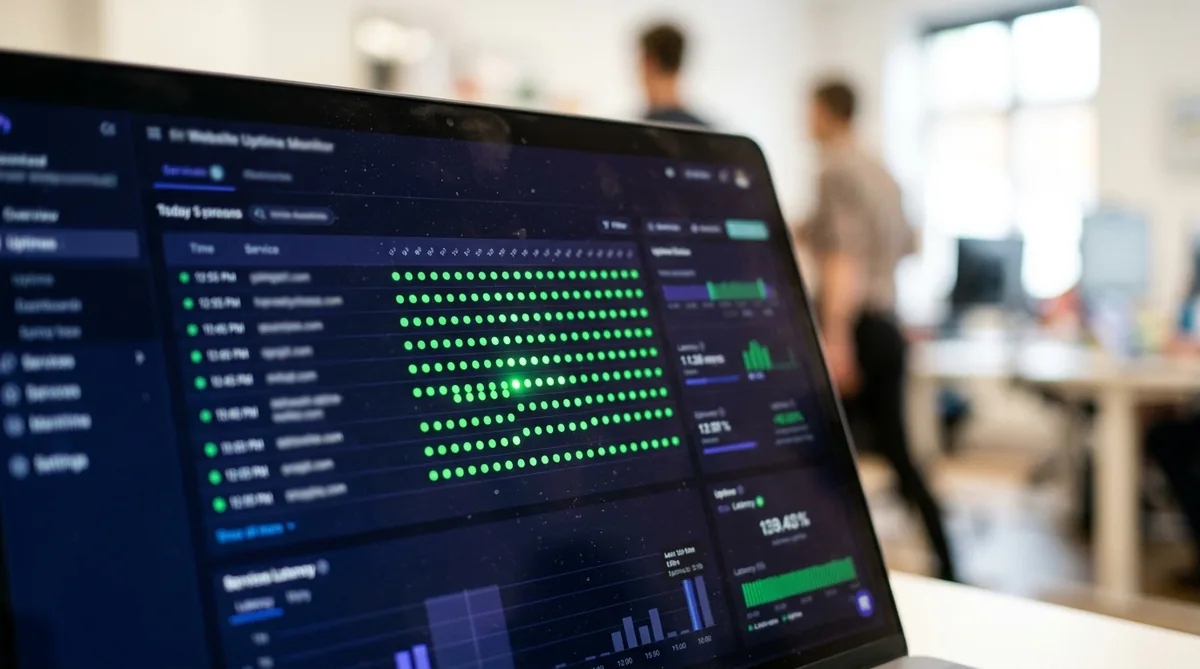
Nothing damages a client relationship faster than the client telling you their site is down. UptimeRobot’s free plan monitors up to 50 websites at five-minute intervals and alerts you by email or push notification through its phone app the moment one stops responding. Fifty monitors covers a healthy freelance roster, and the alerting is fast enough that you can often fix a problem before a single visitor complains.
One important restriction: since late 2024, UptimeRobot’s free plan has been limited to personal, non-commercial use only — monitoring client or revenue-generating sites on it violates the terms and can get the account suspended. If you monitor client sites, use the paid Solo plan (about $10/month on annual billing, with faster 60-second checks — UptimeRobot revised its pricing in 2025, so confirm the current figure) or a commercial-friendly alternative. The free tier is still fine for monitoring your own portfolio site or hobby projects.
It also integrates with management dashboards — MainWP lists UptimeRobot among its integrations — so your monitoring can live alongside your update workflow instead of in a separate tab. Set up public status pages for premium clients and share them as part of your care plan; a live status page is a small feature that signals professionalism far beyond its cost.
Free-tier reality: 50 monitors at 5-minute intervals with email/app alerting — personal, non-commercial use only, so client sites need a paid plan. SMS/WhatsApp alerts cost extra on every plan.
6. Cloudflare — Performance and Protection for Free
Cloudflare’s free plan gives every client site a global CDN, basic DDoS protection, and free SSL — three upgrades that measurably improve speed and security for zero cost. For a freelance web manager, the real win is consolidation: all client domains live under one Cloudflare account, where you can manage DNS, caching rules, and security settings without logging into a dozen hosting panels.
The practical play is to put every new client site behind Cloudflare during onboarding. Page speed improvements show up immediately in reports, DNS management becomes centralized, and the always-on HTTPS fixes a common client complaint in one step. As your roster grows, this one account quietly becomes the most valuable dashboard you own.
Free-tier reality: CDN, DNS, free SSL, and basic DDoS protection free; advanced bot management, image optimization, and enhanced security are on paid plans.
7. ChatGPT and Claude — AI Assistance for Client Reporting
The least technical tool on this list is also the one that saves the most client-facing hours. Both ChatGPT and Claude offer free tiers that can draft the documents freelance web managers write every month: maintenance reports summarizing updates performed, plain-language explanations of security scans, changelog summaries for plugin updates, and professional emails explaining downtime or planned maintenance.
The workflow that works: export your update logs and scan summaries from your dashboard, feed them to the AI with a prompt like “turn these maintenance notes into a one-page client report in plain English,” and review the result before sending. Use the same approach for proposals (turn a site audit into a scoped quote), documentation (write client-friendly how-to guides), and triage (paste an error log and ask for likely causes before you dig in). Always verify technical claims against the actual site — AI drafts the words, you own the accuracy.
Free-tier reality: both offer free tiers sufficient for drafting and brainstorming; paid tiers add higher limits and newer models for heavier daily use.
The Stack at a Glance
| Tool | Job in the stack | Free-tier key limit (verified Oct 2026) |
|---|---|---|
| MainWP | Central management dashboard | Free forever, unlimited sites; you host it |
| ManageWP | Hosted management dashboard | Core free on unlimited sites; monthly backup free; paid add-ons ~$1–2/site/mo each |
| UpdraftPlus | Scheduled backups | Free scheduled backups to remote storage |
| Wordfence | Security scanning | Firewall + malware scanner free; real-time threat feeds paid |
| UptimeRobot | Uptime monitoring | 50 monitors/5-min free — personal use only; client sites need a paid plan |
| Cloudflare | CDN, DNS, security | Free CDN, SSL, and basic DDoS protection; no site cap |
| ChatGPT / Claude | Reporting drafts and client docs | Free tiers for drafting; verify every claim before sending |
MainWP vs ManageWP: How to Choose
The one decision that shapes the rest of your stack is the dashboard. Both are free at the core, but they suit different freelancers:
- Pick MainWP if you are comfortable with WordPress administration, want unlimited sites at zero software cost, or promise clients that their data stays on a server you control. You trade convenience for control — and the monthly bill stays flat as you grow.
- Pick ManageWP if you would rather not host, update, and secure a dashboard yourself, and you prefer a guided interface. The math favors it below roughly twenty to thirty sites; past that, check whether per-site add-ons or a flat bundle costs less for your roster.
- Either way: start on the free tier, and only switch on paid reporting or backup add-ons once a client retainer covers them. The tooling should never cost more than the revenue it protects.
How Freelance Web Managers Turn These Tools Into Revenue
Tools do not make money by themselves — packaging does. The standard model is the monthly care plan: a flat retainer covering updates, backups, security monitoring, and uptime checks, with the client reports generated from the tools above as the visible deliverable. Because the core tooling is free, your cost per client stays low while the perceived value stays high, which is exactly the margin structure that makes freelance site management sustainable.
Start simple: onboard each client with MainWP or ManageWP, UpdraftPlus backups, Wordfence scanning, UptimeRobot monitoring, and Cloudflare. Document the setup once, then replicate it for every new client. Use AI to draft the monthly reports. For a broader look at automation across every part of a freelance business — not just site management — see our guide to AI tools for freelancers.
As your roster grows past twenty or thirty sites, revisit your stack: MainWP’s free unlimited-site model stays cheap at scale, while per-site SaaS pricing needs to be passed through to clients or replaced. The freelancers who scale comfortably are the ones who chose tools with that growth curve in mind from the start.
One more practice that separates hobbyists from professionals: document your onboarding as a checklist and use AI to turn it into client-facing materials. A welcome email explaining what you monitor, a one-page PDF describing the care plan, and a short guide showing clients how to request changes — these small artifacts justify your retainer every month. Draft them once with AI assistance, refine them with your real process, and reuse them for every new client.

Wrapping Up
The right AI tools for freelance web managers do not replace your judgment — they multiply it. A free central dashboard, reliable backups, proactive security, uptime monitoring, and AI-drafted reporting turn site management from a reactive scramble into a calm, repeatable service. Install the stack on your own site first, refine the workflow, then roll it out to clients one by one. Within a few months, maintenance becomes the quiet background engine of your freelance business — and the retainer revenue becomes the most predictable income you earn.

Sources & Verification
Plan details in this guide were cross-checked against vendor and review sources in October 2026: MainWP’s free core via WordPress.org and G2; ManageWP’s free tier via ManageWP’s pricing page; UptimeRobot’s free-plan specs via UptimeRobot’s own knowledge hub and its commercial-use restriction via DEV and 2026 pricing via Notifier. Also checked: Wordfence’s official pricing page, UpdraftPlus’s official free-vs-premium comparison, and Cloudflare’s 2026 plan breakdown via SaaSworthy. Confirm current terms on each vendor’s pricing page before committing client sites to any tier.
Frequently Asked Questions
What is the best free tool for managing multiple WordPress client sites?
MainWP’s core dashboard plugin is free forever with unlimited sites and is the strongest no-cost option, especially if you are comfortable self-hosting. ManageWP is the friendlier hosted alternative with free core management features and paid add-ons for backups and reporting.
How many client sites can I manage on free tiers?
More than most freelancers start with. MainWP is unlimited on its free core, and Cloudflare’s free plan has no site cap. One exception: UptimeRobot’s free plan covers 50 monitors but is restricted to personal, non-commercial use — client sites require a paid plan. The paid upgrades otherwise tend to kick in around advanced reporting, shorter monitoring intervals, and premium backup features.
Should I charge clients for tools that have free tiers?
Yes — clients pay for your time, expertise, and the guarantee that someone is watching, not for the software license. Structure pricing as a monthly care plan covering updates, backups, security, and reporting, and keep your tool costs low so the plan stays profitable.
Can AI write client maintenance reports for me?
AI can draft them from your update logs and scan summaries, and that saves real time — but always review and verify before sending. You are accountable for every technical claim in a report, and a wrong detail in a client-facing document costs more trust than the draft saved in time.
Do these tools replace a staging site for updates?
No. Bulk update dashboards make applying updates fast, but major plugin, theme, and core updates should still be tested on a staging copy first. Automation handles routine execution; your judgment handles the risky changes.




Join the discussion
Have a question or a perspective to share?