
Introduction: Stop Guessing Your Thumbnails
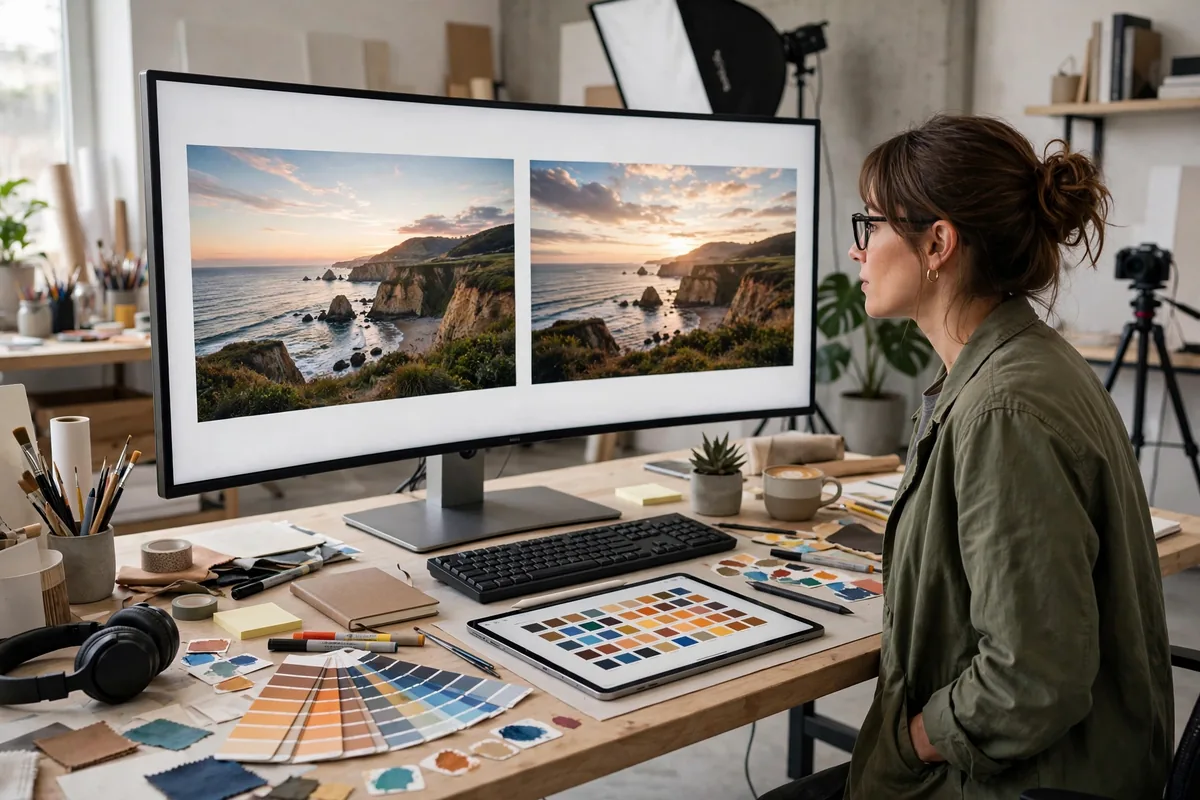
Your thumbnail decides whether your video gets watched — more than the title, more than the topic. Yet most creators pick thumbnails by gut feeling. The best AI tools for thumbnail A/B testing replace guessing with data: show different thumbnails to real viewers, measure which earns more clicks, and let the winner run.
This guide covers the five best AI tools for thumbnail A/B testing in 2026 — from YouTube’s built-in testing to dedicated platforms with AI analysis. If you want higher click-through rates without redesigning by intuition, start here.
Why A/B Testing Thumbnails Is Non-Negotiable in 2026
A one-percentage-point CTR improvement can double a video’s views. Thumbnails are the highest-leverage element on YouTube, and the platform’s algorithm rewards what gets clicked. In 2026, testing is table stakes: YouTube built it into Studio, and third-party tools add AI analysis that explains why a thumbnail won.
The best AI tools for thumbnail A/B testing do more than declare winners — they reveal patterns (faces beat objects, three words beat ten, contrast beats subtlety) that improve every future design. Testing is how good thumbnail instincts are built.
YouTube Test & Compare
YouTube’s native thumbnail testing — free, built into Studio, and powered by the platform’s own data.
- What it does: Tests up to three thumbnails per video against real viewers, then reports watch-time-based winners.
- Standout feature: Real audience data at YouTube scale, free, with zero setup — and winners are chosen by watch time, not just clicks.
- Pricing: Free (in YouTube Studio).
- Limitation: Limited to three variants; results take days; no AI design suggestions.
- Best for: Every creator — this should be your baseline testing habit.
TubeBuddy A/B Testing
TubeBuddy’s Legend-plan testing adds automation and deeper analysis on top of manual testing workflows.
- What it does: Automated thumbnail (and title/description) A/B tests with statistical significance tracking.
- Standout feature: Auto-pilot testing — set rules and TubeBuddy runs tests across your catalog, declaring winners automatically.
- Pricing: Legend plan from about $50/month; testing is a premium feature.
- Limitation: Pricey for small channels; best value at scale.
- Best for: Serious creators running systematic testing programs.
ThumbnailTest.com
The dedicated thumbnail testing platform — purpose-built for rapid creative iteration.
- What it does: Upload thumbnail variants, get preference data and CTR predictions from panels and AI analysis.
- Standout feature: Speed — feedback in hours, not days, so you can iterate before the algorithm decides your video’s fate.
- Pricing: Credit-based; plans from about $20/month.
- Limitation: Panel data approximates but does not equal your real audience.
- Best for: Creators who iterate thumbnails aggressively in the first 48 hours.
TestMyThumbnails.com
AI-powered thumbnail scoring — get an instant predicted CTR and specific improvement suggestions before publishing.
- What it does: AI analyzes your thumbnail against millions of data points, predicting performance and suggesting fixes.
- Standout feature: Pre-publish scoring — know your thumbnail’s likely CTR before risking real impressions.
- Pricing: Free tier available; paid from about $15/month.
- Limitation: Predictions are estimates; real-audience testing (Test & Compare) remains the ground truth.
- Best for: Screening thumbnails before publishing — kill weak designs early.
Spotter Studio
Spotter’s AI generates thumbnail concepts and directions informed by what works in your niche.
- What it does: AI ideation for thumbnails — generates concept directions, layouts, and text options based on top-performing patterns.
- Standout feature: Niche-aware ideation — concepts tuned to what actually gets clicked in your specific category.
- Pricing: Free tier; paid from about $20/month.
- Limitation: It ideates; you still design and test the final thumbnail elsewhere.
- Best for: Beating creative block and generating test-worthy variants fast.
The Best AI Tools for Thumbnail A/B Testing Compared
The best AI tools for thumbnail A/B testing compared:
| Tool | Best for | Standout feature | Free tier |
|---|---|---|---|
| YouTube Test & Compare | Baseline testing | Real audience, free | Yes (free) |
| TubeBuddy | Automated programs | Auto-pilot catalog testing | Paid only |
| ThumbnailTest.com | Rapid iteration | Feedback in hours | Credits |
| TestMyThumbnails.com | Pre-publish screening | AI CTR prediction | Yes |
| Spotter Studio | Concept ideation | Niche-aware directions | Yes |
The ideal workflow: ideate with Spotter, screen with TestMyThumbnails, test live with Test & Compare, and automate at scale with TubeBuddy. Creators studying what works also mine competitor thumbnails with AI YouTube summarizers, and those systematizing creative research use AI document tools to log winning patterns.
How to Choose the Right Tool for You
- Start with Test & Compare. It is free, uses your real audience, and should be running on every important video.
- Add pre-publish screening. TestMyThumbnails catches weak designs before they cost you impressions.
- Speed up iteration. If you publish frequently, ThumbnailTest.com’s fast feedback pays for itself.
- Automate at scale. Channels with large catalogs benefit from TubeBuddy’s auto-pilot testing.
- Feed the top of funnel. Spotter Studio ensures you always have strong variants worth testing.
- Track learnings, not just winners. Log why each test won — patterns compound across videos.
Pricing and Free Tiers: What You Really Get
Thumbnail testing is cheap: $0–50/month. YouTube’s native testing is free and excellent; $15–25/month buys fast iteration and AI screening. TubeBuddy’s $50 Legend plan suits high-volume creators. Given that a single CTR win can transform a video’s trajectory, testing tools have the best ROI of any YouTube investment.
Tips to Get Professional Results
- Test one variable at a time. Change the background OR the text OR the face — never all three, or you will not know what won.
- Give tests time. YouTube needs meaningful impressions for significance; do not declare winners after 100 views.
- Design for stamp size. If it is not readable at 120px wide, it fails — test on your phone, not your monitor.
- Keep a swipe file. Save every winning thumbnail with notes on why it won; your future designs start from proven patterns.
- Match thumbnail to content. Clickbait that disappoints kills watch time and the algorithm notices — curiosity must be paid off, a trust principle as vital as honest student-focused AI guides are for new creators.
For official documentation, YouTube Help covers Test & Compare, and YouTube Creators publishes packaging best practices.
Thumbnail Design Principles That Win Tests
Testing reveals patterns, and the best AI tools for thumbnail A/B testing keep confirming the same principles. Faces win: thumbnails with expressive human faces consistently outperform object-only designs, because humans are wired to look at faces. Three words beat ten: thumbnails are read at stamp size, so text must be huge and minimal — if you need a sentence, it belongs in the title, not the image. Contrast beats subtlety: bold color separations between subject and background stop the scroll; muted tasteful designs disappear in a busy feed. Emotion beats information: a shocked face outperforms a product shot because curiosity drives clicks. Consistency beats novelty: channels with a recognizable thumbnail style build “pattern recognition” — subscribers spot their videos instantly. One focal point beats three: the eye needs a single place to land within half a second. These are not opinions; they are the aggregated findings of millions of tests. Design every thumbnail against this checklist, then let the best AI tools for thumbnail A/B testing confirm or correct your instincts.
Building a Testing Routine That Compounds
Testing works when it is a habit, not an event. The routine: for every video, create two thumbnail variants minimum — your best instinct plus one deliberate alternative (different emotion, different background, different text). Launch Test & Compare immediately on publish; the first 48 hours carry disproportionate algorithmic weight. Log every result in a simple spreadsheet: video, variants, winner, and your hypothesis about why. Review monthly and extract rules (“close-up faces + yellow text win on tutorials”). Apply those rules to the next batch, then test against them — the goal is a personal playbook that keeps improving. Creators who run this routine for six months develop thumbnail instincts that look like genius but are really just compounded data. The best AI tools for thumbnail A/B testing make the mechanics effortless; the compounding comes from your consistency in showing up with variants worth testing.
When Testing Misleads: Avoiding False Winners
Testing is powerful but not infallible. Small sample sizes produce false winners — a thumbnail that “won” on 200 impressions may lose on 20,000, so respect significance indicators and be patient. Seasonal and topical skew distorts results: a Halloween-themed variant wins in October and flops in March, which tells you about timing, not design quality. Audience mismatch misleads: panel-test winners sometimes lose with your real subscribers, which is why native Test & Compare remains the ground truth. And the biggest trap — optimizing CTR while ignoring watch time: a misleading thumbnail can win clicks and kill retention, and the algorithm punishes the tradeoff brutally. Always pair thumbnail tests with retention checks on the same video. The best AI tools for thumbnail A/B testing give you the data; interpreting it holistically is the creator’s job.
Sample Size: When Results Are Trustworthy
Most creators declare A/B test winners far too early. As a rule of thumb, do not call a thumbnail test before each variant has at least 1,000 impressions, and treat anything under 500 as noise. YouTube’s own testing holds variants for up to 14 days for a reason: early leads frequently reverse.
Test one element at a time. If you change the background, the face, and the text simultaneously, a win tells you nothing about what to repeat. Keep a log of every test with the variants, the dates, and the result. After 20 tests you will have a personal playbook of what works for your audience, which is worth more than any generic advice.
FAQ
What are the best AI tools for thumbnail A/B testing?
The best AI tools for thumbnail A/B testing are YouTube Test & Compare (best free baseline), TubeBuddy (best automation), ThumbnailTest.com (fastest feedback), TestMyThumbnails.com (best pre-publish AI scoring), and Spotter Studio (best AI ideation).
How long should I run a thumbnail test?
Until statistical significance — typically a few days to a week depending on traffic. YouTube’s Test & Compare handles this automatically; third-party tools show confidence levels.
Can AI predict if my thumbnail will perform?
Approximately — tools like TestMyThumbnails score against historical patterns. Use predictions for screening, but trust real-audience tests for final decisions.
How much does thumbnail A/B testing cost?
$0–50/month. Native YouTube testing is free; dedicated tools run $15–50/month. The ROI from a single CTR improvement dwarfs the cost.
Should I test thumbnails on old videos?
Absolutely — refreshing thumbnails on back-catalog videos with proven content is one of the highest-ROI activities on YouTube. Test systematically through your top performers.
The creators dominating YouTube in 2026 share one trait: they stopped arguing about thumbnails in the abstract and started testing in the concrete. Every test makes the next thumbnail better, every winner teaches a lesson, and the compound effect over a year is staggering. Your thumbnails are already being judged by every potential viewer — testing just lets you hear the verdict before it counts. Set up Test & Compare on your next upload, run your first real experiment this week, and join the ranks of creators who know instead of guess.
The click is the beginning of everything on YouTube — earn it with data, keep it with great content, and grow with the compound interest of better packaging on every single upload.
Test one thumbnail this week and start building your playbook.
Remember that testing never replaces taste — it refines it. The best thumbnail designers in 2026 use AI tools to validate bold creative instincts, not to replace them with averages. Keep pushing creative boundaries, keep testing the results, and let the data sharpen an eye that was already good. That combination — human creativity plus machine measurement — is unbeatable.
Your next breakthrough thumbnail is one test away.
Go find your winner.
The data is waiting to teach you.
Start testing today and never guess again.
Conclusion
The best AI tools for thumbnail A/B testing turn YouTube’s most important creative decision into a science. Test every important video, learn from every result, and watch your click-through rates climb.
Stop guessing. Start testing — your next video’s thumbnail is a data problem now, and data problems are solvable.

Join the discussion
Have a question or a perspective to share?