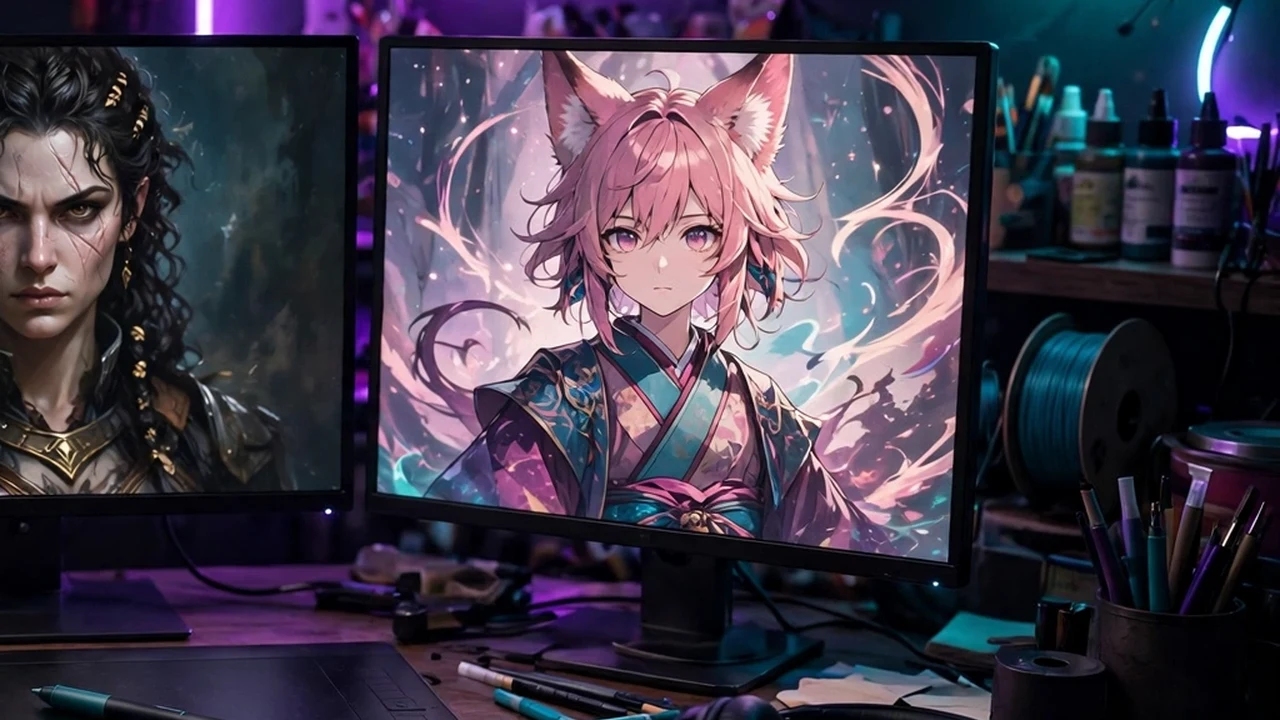
The standard baseline foundation models for open-source visual generative artificial intelligence—including Stable Diffusion XL (SDXL), SD 1.5, and modern architectures like Flux.1—possess immense creative breadth. They can generate convincing cyberpunk skylines, Renaissance oil portraits, and photorealistic landscapes across millions of artistic concepts. However, generalist foundation models suffer from an inherent creative limitation: they do not know your specific subject matter. They cannot generate your specific indie game character with consistent clothing across twenty different camera angles, they cannot render your company’s proprietary physical hardware product with exact brand logos, and they cannot replicate the signature visual style of a bespoke boutique illustrator.
Historically, teaching a deep learning model new concepts required full fine-tuning (DreamBooth), demanding massive high-end datacenter GPUs, modifying gigabytes of base model weights, and risking catastrophic forgetting where the model loses its general knowledge. In 2026, the global creative machine learning community relies on custom LoRAs for Stable Diffusion. Based on Low-Rank Adaptation (LoRA) mathematics, this technique keeps the multi-gigabyte foundation model completely frozen while injecting tiny, trainable low-rank adapter matrices into its cross-attention layers. Following this practical train SDXL LoRA tutorial and mastering this comprehensive Kohya_ss LoRA guide, creators can curate professional image datasets, master dataset captioning image generation methodologies, and train high-fidelity 50MB to 200MB adapter models on a single consumer GPU in less than an hour. This step-by-step technical masterclass provides the exact hyperparameter configurations, dataset curation standards, and troubleshooting techniques required to train flawless custom LoRAs.
Hardware & Tooling Notice: Training custom LoRA models locally requires a dedicated NVIDIA GPU with a minimum of 8GB to 12GB of VRAM (for SD 1.5 and quantized SDXL) or 16GB to 24GB of VRAM (for full-resolution SDXL and Flux.1). Creators lacking local GPU hardware can execute identical Kohya_ss training scripts on cloud GPU providers such as RunPod, Vast.ai, or Google Colab Pro.
The Mathematical Foundation: Why Low-Rank Adaptation Is Revolutionary
To train an effective LoRA, one must understand how Low-Rank Adaptation alters the weight update process within neural networks:
During traditional model training, a dense neural network layer represents weight updates as a massive matrix ΔW sharing the exact same dimensions as the original weight matrix W (e.g., 4096 x 4096, requiring millions of trainable parameters). Fine-tuning these full matrices requires immense VRAM to store optimizer momentum states.
In 2021, Microsoft researchers Hu et al. discovered that the weight updates during task-specific adaptation have a low "intrinsic dimension." Instead of training a giant 4096 x 4096 matrix, LoRA decomposes ΔW into two much smaller low-rank matrices, A and B:
W_adapted = W_frozen + (B * A) * (alpha / r)
Where:
- W_frozen represents the original multi-gigabyte foundation model weights, kept strictly immutable in memory.
- r is the Rank (typically 16, 32, or 64). Matrix A has dimensions 4096 x r and Matrix B has dimensions r x 4096.
- alpha is a constant scaling hyperparameter that regulates how strongly the adapter influences the base model.
By decomposing the update, LoRA reduces the number of trainable parameters by over 99%. An SDXL model that would traditionally require a 6.5-gigabyte fine-tuned checkpoint can be adapted using a compact 100-megabyte LoRA file that can be shared instantly, loaded into ComfyUI or Automatic1111, and toggled on or off with a simple strength slider.
Feature Matrix: LoRA Training Targets Across Model Architectures
Different generative model architectures demand different training resolutions, dataset sizes, and VRAM footprints. The table below outlines the core hardware and training parameters for the primary models in 2026.
Target Base Model | Optimal Dataset Size | Native Image Resolution | Recommended Rank / Alpha | Minimum VRAM (Batch Size 1) | Estimated Training Time (RTX 4090) |
Stable Diffusion 1.5 | 15 – 30 images | 512 x 512 (or 768 x 768) | Rank 32 / Alpha 16 | 6 GB – 8 GB VRAM | ~15 to 25 minutes |
SDXL 1.0 (Standard) | 25 – 50 images | 1024 x 1024 (Multi-aspect) | Rank 64 / Alpha 32 | 12 GB – 16 GB VRAM | ~45 to 75 minutes |
Pony Diffusion V6 (SDXL) | 30 – 60 images | 1024 x 1024 (Multi-aspect) | Rank 32 / Alpha 16 | 12 GB – 16 GB VRAM | ~40 to 60 minutes |
Flux.1 [dev] (Flow Transformer) | 20 – 40 images | 1024 x 1024 (Flow Matching) | Rank 16 / Alpha 16 | 16 GB – 24 GB VRAM | ~60 to 90 minutes |
Phase 1: Dataset Curation and Preparation (The Golden Rule)
The single most important axiom in generative machine learning is: Garbage in, garbage out. A pristine dataset of 20 high-resolution images will produce an extraordinary LoRA; a messy dataset of 100 blurry, poorly cropped screenshots will produce an overcooked, unpromptable disaster.
Guidelines for a High-Quality Subject Dataset (Person, Character, or Product)
- Image Count: 20 to 35 high-quality, high-resolution photographs.
- Angle Diversity: Include 6 close-up portraits (capturing facial micro-details), 10 medium torso shots, 6 full-body environmental shots, and several 45-degree profile angles.
- Lighting & Background Variance: Ensure the subject is photographed in varied lighting conditions (warm indoor lamps, overcast natural daylight, bright direct sunlight) against diverse, uncluttered backgrounds. If your subject appears against a white brick wall in all 20 images, the model will mistakenly correlate the white brick wall with the subject.
- Expression Variety: Include neutral, smiling, and serious facial expressions to prevent the model from freezing a permanent grimace onto the character.

Phase 2: Dataset Captioning and the "Concept Isolation" Principle
Captioning teaches the neural network what to associate with your custom trigger word versus what to associate with existing general concepts.
The Concept Isolation Rule
When training an object or person, assign a unique, non-dictionary trigger word (e.g., ohwx_man or skydancer_mech).
Rule: Anything you describe in your text caption will NOT be permanently baked into your trigger word; anything you leave uncaptioned WILL be permanently absorbed by your trigger word.
Example: Training a Unique Character
Suppose you have a photo of your character elena_warrior wearing a blue leather jacket on a city street:
- If you caption: elena_warrior, a woman wearing a blue leather jacket, standing on a rainy city street at night
The model learns: elena_warrior represents the woman’s facial geometry and hair. The concepts of "blue leather jacket," "rainy street," and "night" already exist in the base model. Later, when you prompt elena_warrior in a spacesuit on Mars, the model will effortlessly change her clothing and background. - If you caption: elena_warrior (with no other words)
The model learns: elena_warrior means this face, plus a blue leather jacket, plus rain, plus a city street. Later, when you prompt elena_warrior in a spacesuit, she will stubbornly continue wearing the blue leather jacket!
Automating Captions with Multimodal Vision Models
In Kohya_ss, use the integrated BLIP or WD14 Tagger utilities to generate automated draft captions, or utilize local vision LLMs (like LLaVA or Florence-2) to generate descriptive .txt files for each image. Manually review the text files to prepend your unique trigger word to the very beginning of every single file.
Phase 3: Configuring Kohya_ss for SDXL LoRA Training
Kohya_ss is the open-source graphical training suite utilized by professional AI artists worldwide. Download and launch Kohya_ss locally or inside a cloud notebook, navigate to the LoRA > Training tab, and configure these optimal production hyperparameters:
1. Folder Structure Setup
Kohya utilizes a standardized folder naming convention that dictates training repeats:
dataset_dir/10_elena_warrior/
The prefix number 10_ instructs the trainer to repeat each image 10 times per epoch. If you have 25 images repeated 10 times, each epoch equals 250 steps. Training for 10 epochs yields 2,500 total training steps.
2. Core Training Hyperparameters
- Pretrained Model Name: Select stabilityai/stable-diffusion-xl-base-1.0 (or your preferred community checkpoint like Juggernaut XL).
- Resolution: Set to 1024, 1024. Enable Enable buckets (which automatically groups non-square images into matching aspect ratio buckets, preventing awkward stretching or aggressive cropping).
- Train Batch Size: Set to 1 (or 2 on 24GB GPUs).
- Epochs: Set to 10. Set Save every n epochs to 1. (Saving every epoch allows you to test different weights and select the perfect epoch before overtraining occurs).
- Network Rank (Dimension): 32 or 64. (Higher ranks capture more complex details, but increase file size).
- Network Alpha: 16 or 32. (Best practice: set Alpha to half of your Rank).
3. Optimizer and Learning Rates
- Optimizer: AdamW8bit (Drastically reduces VRAM consumption with zero loss in training accuracy).
- Learning Rate: 0.0001 (1e-4) for UNet; 0.00005 (5e-5) for Text Encoder.
- LR Scheduler: cosine_with_restarts or constant_with_warmup.
- Mixed Precision: bf16 (or fp16 on older GPUs).
- Gradient Checkpointing: Checked / ON. (Essential for fitting SDXL training into consumer VRAM).
Click "Start Training". On an NVIDIA RTX 4090, training a 25-image dataset for 2,500 steps will conclude in roughly 45 to 60 minutes.
Phase 4: Testing, Auditing, and Preventing Overfitting
Once training concludes, Kohya outputs numbered safetensors files (e.g., elena_warrior-000006.safetensors, elena_warrior-000008.safetensors). Testing these checkpoints is crucial for identifying the "sweet spot" between undertraining and overtraining.
Evaluating the Epoch Curve
- Undertrained (Epochs 1–3): The model captures the basic color scheme, but facial features look generic and do not match the subject. Increase training steps.
- The Sweet Spot (Epochs 5–8): The model captures the subject with pristine likeness, but remains highly flexible and obedient to prompt instructions (e.g., changes clothes, background, and lighting seamlessly).
- Overtrained / Burned (Epochs 9–10): The model reproduces the exact pose, contrast, and artifacts from your training photos. Prompts to change clothing or style are ignored, and skin textures appear crunchy and over-sharpened. If this occurs, discard the late epochs and deploy an earlier checkpoint (e.g., Epoch 6).
Frequently Asked Questions (FAQ)
What is the difference between a LoRA, an Embedding, and a Checkpoint?
A Checkpoint is a full standalone foundation model (2GB to 6.5GB) containing complete base knowledge. An Embedding (Textual Inversion) is a tiny vector (few kilobytes) that guides the model toward a concept using existing words, but cannot teach new visual styles. A LoRA (50MB to 200MB) modifies internal attention weights, teaching the model brand-new faces, complex styles, and unique objects with exceptional fidelity.
Can I combine multiple LoRAs simultaneously in a single prompt?
Yes! In tools like ComfyUI or WebUI, you can stack multiple LoRAs. For example, you can load a Character LoRA at 0.8 weight alongside an Architectural Style LoRA at 0.6 weight, generating your custom character seamlessly rendered inside a specific artistic aesthetic.
Can I train a LoRA on an AMD graphics card?
Yes, on Linux using AMD’s ROCm framework. However, on Windows, training is substantially more complex due to limited native PyTorch CUDA emulation on consumer Radeon hardware. Most AMD users utilize cloud GPU rentals (RunPod or Vast.ai) for fast, affordable LoRA training.
How do I make a LoRA flexible so it doesn't freeze the background?
Ensure that your dataset contains varied backgrounds, and explicitly caption background elements in your .txt files (e.g., "standing in a modern kitchen", "sitting in a park"). This teaches the model to separate the subject from the environment.
What is the difference between LoRA and LyCORIS?
LyCORIS (such as LoHa and LoKr) is an advanced evolution of LoRA that applies matrix factorization across convolutional layers as well as attention layers. While LyCORIS captures intricate artistic styles exceptionally well, standard LoRA (LoRA-LierLa) remains the most widely compatible format across mobile and desktop inference runtimes.
Can I train custom LoRAs for the new Flux.1 model?
Yes. Specialized Flux training scripts in Kohya (and tools like AI-Toolkit by Ostris) allow training high-fidelity LoRAs on Flux.1 [dev]. Because Flux uses Flow Matching Transformers, training requires 16GB to 24GB of VRAM, but produces peerless anatomical and photorealistic likenesses.
Conclusion: The Ultimate Creative Freedom in Generative AI
Mastering the creation of custom LoRAs for Stable Diffusion and Flux.1 is the bridge that transforms artificial intelligence from a chaotic novelty into a precision commercial design tool. You are no longer restricted to the generic artistic interpretations of broad cloud foundation models.
By curating disciplined image datasets, mastering concept isolation captioning, and utilizing Kohya_ss LoRA guide methodologies, you possess the power to teach state-of-the-art neural networks your exact characters, proprietary products, and unique artistic visions. Deploy your custom weights into production workflows and experience the limitless creative freedom of sovereign generative AI throughout 2026.