
Two people can type words into the same image generator and get wildly different results. The difference is rarely luck and almost never the model version — it is the prompt. Learning to write effective AI image prompts is the single highest-leverage skill in AI art. This guide gives you reusable AI image prompts formulas, negative prompts, and an iteration method that works on any generator.
Why Prompting Skill Matters More Than the Generator
Every mainstream image generator works on the same basic principle: a diffusion model converts your text into a visual by matching words to patterns it learned during training. When your description is vague — “a nice dog in a park” — the model fills every unspecified gap with the most statistically average choice: an average dog, an average park, average lighting. The result looks generic because the input was generic.
A detailed prompt does the opposite: it removes ambiguity. “A golden retriever puppy shaking water off its fur in a sunlit meadow, low-angle action shot, water droplets frozen mid-air” leaves the model far less room to improvise, so the output lands closer to what you pictured. Experienced users consistently get dramatically better results from the same model simply because they describe more of what they want — the skill gap is real and well documented in community galleries and official prompting guides alike.
There is a second reason prompting skill matters: it is portable. Model versions change every few months, but the underlying craft — specifying subject, style, lighting, and composition in precise language — works on every generator. Learn it once, and every new tool release makes you faster instead of resetting your progress.
Finally, good prompting saves money. Most generators charge per image or per generation. Users who iterate blindly burn through credits; users who write strong first drafts and change one variable at a time reach a usable image in far fewer generations.
The Anatomy of an Effective AI Image Prompt

The anatomy in one line: subject + style + composition + lighting + detail level. Every strong entry in our AI image prompts formula collection follows this skeleton — the order can vary, but missing elements are what separate weak AI image prompts from strong ones.
Strong prompts are built from the same six building blocks, whether they are ten words or a hundred. Think of them as dials you can turn independently.
Subject: The Who, What, and Doing
Start with a concrete noun, not an abstraction. “Freedom” generates nothing useful; “an eagle spreading its wings over a canyon at dawn” does. Add specifics: age, clothing, material, quantity, and — critically — an action or pose. Static subjects produce static-feeling images; a verb (“striding,” “pouring,” “laughing”) injects energy. If the subject interacts with the environment, say so: “rain beading on a cyclist’s jacket” beats “cyclist in rain.”
Style and Medium
This dial tells the generator which visual universe to draw from. Options include photographic (“shot on 35mm film,” “editorial fashion photography”), illustrative (“flat vector illustration,” “watercolor”), 3D (“octane render,” “clay render”), and art-historical (“ukiyo-e woodblock,” “art deco poster”). Be specific rather than stacking five styles at once — “cinematic photo” is a direction; “cinematic photo, anime, oil painting, pixel art” is a contradiction the model will resolve by mushing them together.
Lighting
Lighting is the fastest way to make an image feel professional. Terms like “golden hour,” “soft window light,” “dramatic rim lighting,” “volumetric fog,” and “neon glow” each push the render in a distinct direction. Photographers’ language works well here because models were trained on captioned photography: “shallow depth of field,” “bokeh background,” and “high-key studio lighting” are all well-represented concepts in training data.
Composition and Camera Language
Tell the model where to put the camera. “Extreme close-up,” “aerial view,” “low angle,” “wide establishing shot,” and “centered symmetrical composition” all produce visibly different images from the same subject. Compositional rules from photography — rule of thirds, leading lines, negative space — are understood by current models and worth naming when they matter to your layout.
Mood, Color, and Atmosphere
Mood words (“serene,” “ominous,” “playful”) and palette descriptions (“muted earth tones,” “vibrant teal and orange,” “monochrome”) control the emotional register. This dial is especially important for marketing and editorial images, where the feeling matters as much as the content. Weather and atmosphere — mist, dust particles, rain — sit naturally in this category too.
Details and Technical Finish
Quality tags like “ultra-detailed,” “sharp focus,” and “8k” nudge the model toward cleaner renders, though their effect is subtler on newer models than folklore suggests. More useful are concrete detail requests: “intricate embroidery on the jacket,” “visible brushstrokes,” “film grain.” Aspect ratio and size, meanwhile, are best set with the generator’s actual settings (Midjourney’s –ar parameter, for example) rather than words like “wide” — text-based size requests are unreliable.
AI Image Prompts: A Reusable Formula
When you are starting out, assemble prompts in a fixed order so nothing gets forgotten:
[Subject + action] + [environment/setting] + [style/medium] + [lighting] + [composition/camera] + [mood and color] + [detail/quality tags]
Here is the formula in action, built step by step:
- Subject: “A lighthouse keeper climbing spiral stairs”
- Setting: “inside a 19th-century stone lighthouse”
- Style: “cinematic photograph, shot on medium-format film”
- Lighting: “light streaming through a small window, dust motes in the beam”
- Composition: “shot from below, spiral staircase leading the eye upward”
- Mood: “moody, desaturated blues and warm amber accents”
- Details: “highly detailed, sharp focus”
Combined: “A lighthouse keeper climbing spiral stairs inside a 19th-century stone lighthouse, cinematic photograph shot on medium-format film, light streaming through a small window with dust motes in the beam, shot from below with the spiral staircase leading the eye upward, moody, desaturated blues with warm amber accents, highly detailed, sharp focus.”
You will not always need every dial — a simple icon needs less than a cinematic scene — but running through the checklist prevents the most common failure: the vague prompt that leaves everything to chance.
Negative Prompts: What to Exclude
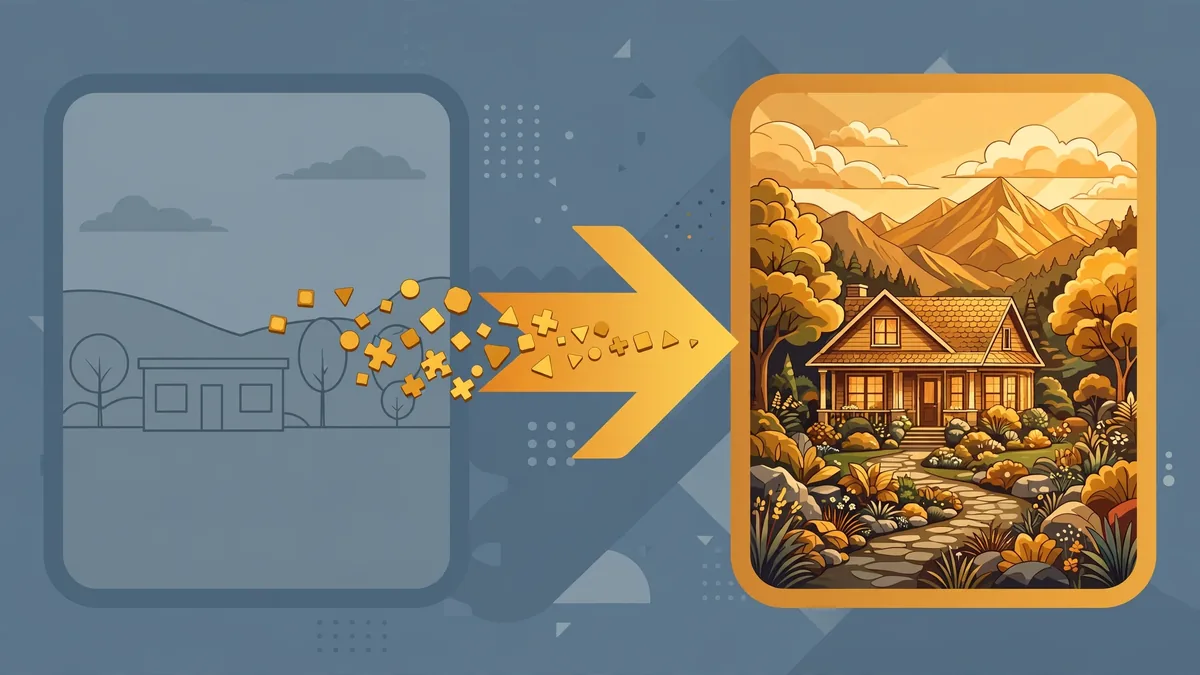
Negative prompts, demystified: they are simply “do not include” lists — blurry, watermark, extra fingers. Good AI image prompts use negatives sparingly: three to five terms targeting your generator’s known weaknesses. Overlong negative lists in AI image prompts can confuse the model more than they help.
Negative prompts tell the generator what to avoid, and they are supported differently across tools. Stable Diffusion interfaces provide a dedicated negative-prompt field. Midjourney uses the –no parameter (“–no text, watermark”). DALL-E 3, accessed through ChatGPT, has no negative prompt field — exclusions work best as plain-language instructions (“with no text or watermark in the image”).
Effective negative prompts target the most common AI artifacts: “blurry, low quality, distorted, deformed hands, extra fingers, extra limbs, watermark, logo, text, signature, frame, border.” Anatomy terms earn their place because hands and faces remain the most frequent failure points; artifact terms matter because training data is full of watermarked stock photos.
Two cautions. First, negative prompts are suggestions, not guarantees — a long exclusion list will not fix a fundamentally confused prompt. Second, over-negating backfires: excluding “dark” can wash out a moody night scene, and excluding “cartoon” from a stylized render can strip the style itself. Negate the specific failure you see, not everything you can think of.
Words That Actually Move the Needle
Power words that earn their place: “cinematic lighting,” “intricate detail,” and “shot on 35mm” work because they point at specific visual traditions. The best AI image prompts borrow vocabulary from photography and art history — learning ten such terms upgrades all your AI image prompts permanently.
After the subject itself, a small vocabulary of high-impact terms does most of the work. Keep a personal list; these are the ones that show up repeatedly in strong community prompts and official guides:
Lighting: golden hour, blue hour, soft diffused light, rim lighting, chiaroscuro, volumetric lighting, neon glow, candlelight, overcast daylight.
Photography: 35mm film, medium format, macro lens, tilt-shift, long exposure, shallow depth of field, bokeh, film grain, editorial photography.
Composition: wide establishing shot, extreme close-up, aerial drone view, low angle, dutch angle, symmetrical composition, negative space, rule of thirds.
Style: photorealistic, hyper-detailed illustration, flat vector, isometric 3D, clay render, ukiyo-e, art deco, cyberpunk, watercolor, charcoal sketch.
Quality and finish: ultra-detailed, sharp focus, intricate details, 8k, studio quality, award-winning photography.
Word order matters too. Most models weight early words more heavily, so front-load the subject and the two or three attributes you care about most; park quality tags at the end. And prefer concrete nouns over adjectives: “oak table” beats “nice table,” “rain-soaked street” beats “moody street.”
Adapting Your Prompt to the Generator
The same idea needs different packaging on each platform. Based on each tool’s official documentation and published guides:
Midjourney
Midjourney responds well to concise, comma-separated descriptive phrases plus parameters. Keep prompts focused — very long prompts dilute. Use –ar 16:9 for aspect ratio, –no for exclusions, –style raw for a less stylized photographic result, and version parameters to pin a model release. Midjourney’s own documentation notes that short, clear prompts often outperform paragraph-length ones on this platform.
DALL-E 3 (via ChatGPT)
DALL-E 3 is built for conversational prompting: long, natural-language paragraphs work well because ChatGPT rewrites your request into a detailed prompt behind the scenes. Describe the scene as you would to a human illustrator, and specify text-rendering needs explicitly — DALL-E 3 handles short text in images better than most competitors, but keep the wording minimal (“a sign reading OPEN”). Aspect ratio is requested conversationally (“wide 16:9 image”).
Stable Diffusion (SDXL and Variants)
The Stable Diffusion ecosystem favors keyword-dense, comma-separated tag prompts with a separate negative prompt field — a legacy of its caption-style training data. Quality tags (“masterpiece, best quality”) are conventional here. Advanced interfaces let you control samplers, steps, and CFG scale; the published guidance is to leave defaults until you have a reason to change them. Community models vary enormously, so match the prompt style to the specific checkpoint’s documentation.
Adobe Firefly
Firefly is designed for commercial-safe generation, trained on licensed and public-domain content. Its interface emphasizes visual controls — style, lighting, and composition pickers, plus Structure Reference and Style Reference image inputs — so much of what other tools require in text can be set with controls. When you do write prompts, Firefly’s guides recommend clear subject descriptions and using the built-in settings for camera and mood rather than stuffing everything into the text box.
The Iteration Technique: Change One Variable at a Time
The iteration loop: change one variable per generation and keep a log of what worked. This is where AI image prompts become a skill instead of a lottery — after twenty logged iterations, your AI image prompts hit rate doubles because you know exactly which words move your generator.
Strong results rarely arrive on the first generation. The professional skill is in diagnosing the gap and adjusting precisely:
- Generate a first version from your full formula prompt.
- Name the single biggest gap between the result and your goal — not five gaps, one. (“The lighting is right, but the composition is too tight.”)
- Change only that variable and regenerate. If you rewrite the whole prompt, you will never learn which change fixed the problem.
- Keep a prompt log. Save the prompt alongside the image you kept. Over weeks, this becomes a personal playbook of phrases that work for your style.
- Lock the seed when comparing. Most generators let you fix the random seed; identical seeds with slightly different prompts isolate the effect of your edit instead of re-rolling everything.
Worked Example
Weak first attempt: “a coffee shop, cozy, illustration.”
Diagnosis: no subject action, no style specificity, no lighting, no composition.
Iteration 1 — specify subject and style: “A barista pouring latte art in a cozy neighborhood coffee shop, warm flat vector illustration.” Better, but flat and front-on.
Iteration 2 — add lighting and camera: “…morning light streaming through large windows, shallow depth of field, shot from a low three-quarter angle.” Now it has depth and warmth.
Iteration 3 — mood and details: “…muted terracotta and cream palette, steam rising from the cup, intricate details, no text.” The final version is distinctive and usable.
Each round changed one dial. Three generations, one keeper — that is the entire method.
Common Mistakes to Avoid
- Contradictory instructions: “photorealistic cartoon” or “bright dark moody” forces the model to split the difference. Pick one direction.
- Too many subjects: three characters, a dragon, and a city skyline in one prompt means none of them get rendered well. One hero subject per image.
- Style soup: stacking five art movements produces mush. Commit to one style, add at most one modifier.
- Expecting exact text: even the best models garble long text. Keep in-image wording to a few words, or plan to add typography afterward in an editor.
- Ignoring aspect ratio: a portrait composition crammed into a landscape frame will always look wrong. Set the ratio before you prompt, not after.
Keep Exploring These Guides
If you found this ai image prompts walkthrough useful, these related guides go deeper on adjacent workflows:
Frequently Asked Questions
How long should an AI image prompt be?
Long enough to cover the six building blocks, short enough to stay focused — typically one to three sentences, or roughly 20 to 75 words. DALL-E 3 tolerates longer conversational descriptions; Midjourney’s documentation suggests shorter prompts often work better there. If your prompt exceeds 100 words, check whether every phrase earns its place.
Do negative prompts really work?
They help with specific, recurring artifacts — watermarks, blur, distorted hands — especially in the Stable Diffusion ecosystem, which has a dedicated negative field. They are not magic: a negative prompt cannot rescue a confused or contradictory main prompt, and overuse can strip desirable qualities. Treat them as fine-tuning, not a foundation.
Why does the same prompt give different results each time?
Image generators start from random noise, controlled by a “seed” value. A new seed means a new starting point, hence a different image. Fix the seed in the generator’s settings to reproduce a result, then vary the prompt to explore alternatives from the same starting point.
Can AI image generators render text correctly?
Short text — a word or two on a sign — works reasonably well on current models like DALL-E 3 and recent Midjourney versions, according to their published release notes. Longer passages, unusual fonts, and precise spelling still fail often. For designs where typography matters, generate the artwork and add text afterward in an editor.
Which image generator is best for beginners?
It depends on the goal. ChatGPT’s DALL-E 3 integration is the most forgiving because it accepts plain conversational descriptions. Adobe Firefly’s visual controls suit designers who prefer dials over text. Midjourney rewards learning its parameter syntax with a distinctive aesthetic. Stable Diffusion offers the most control but the steepest learning curve. Most offer free or trial access worth exploring before committing.
Are AI-generated images okay to use commercially?
It depends on the tool’s terms and your jurisdiction. Adobe Firefly is explicitly positioned as commercially safe; Midjourney’s paid plans include commercial rights per its terms of service; other tools vary. Separately, AI-copyright law is still evolving in the United States. Read the current terms of the specific generator you use and consult qualified counsel for high-stakes commercial work.
How long should AI image prompts be?
Long enough to specify, short enough to control: 30–75 words hits the sweet spot for most generators. Great AI image prompts are dense with visual specifics, not padded with adjectives. If your AI image prompts run past 100 words, you are probably diluting the important terms.
Conclusion
Writing effective AI image prompts is a learnable craft, not a talent: specify a concrete subject in action, choose one style, direct the lighting, place the camera, set the mood, and finish with detail tags — then iterate by changing one variable at a time. Keep a log of what works, adapt the packaging to each generator’s strengths, and use negative prompts surgically rather than superstitiously. The generators will keep improving, but the ability to describe exactly what you want will remain the skill that separates average outputs from exceptional ones. Write three AI image prompts using the formula today and compare the results.


Join the discussion
Have a question or a perspective to share?