


What Windows Hybrid Intelligence Is — and Why It Matters
Microsoft has a new plan to keep AI from living only in the cloud. At a Windows and Surface event in San Francisco on October 7, 2026, the company announced Windows Hybrid Intelligence, a set of Windows features that let the Copilot assistant read the files on your PC, take actions on the machine, and choose to run AI models locally on the device instead of in the cloud whenever cost or privacy matter more.
The announcement came alongside a new wave of hardware: PCs built around Nvidia’s RTX Spark chip, including Microsoft’s $2,599 Surface Laptop Ultra (shipping October 16) and a $5,999 Surface RTX Spark Dev Box for developers (shipping in the United States in November). Together, the software and hardware signal Microsoft’s biggest attempt yet to move AI workloads onto the Windows PC — and to give the company a distinct answer to ChatGPT, Anthropic’s Claude, and Apple’s Mac in the AI era.
What Windows Hybrid Intelligence Actually Does
Windows Hybrid Intelligence is not a single feature. It is a design philosophy for Windows in which Copilot decides, task by task, whether an AI model should run on the PC or in the cloud. The simplest way to understand it: Windows now treats your own computer as a legitimate place to run serious AI work, not just as a window into someone else’s servers.
Microsoft’s executive vice president of Copilot, Jacob Andreou, described three new capabilities for the assistant on stage:
- Draw on all the files on a PC. Copilot can use local documents, emails, and other files as context for its work.
- Take actions on the machine. The assistant can move files, change settings, and operate apps directly.
- Choose local models when cost or privacy matter more. Simpler or more sensitive tasks run on-device; Copilot still uses the cloud for the hardest tasks.
Crucially, Copilot will act on the PC only with the user’s permission. Microsoft said the features are expected to begin rolling out in the coming months on Copilot+ PCs, the AI-focused Windows machines it introduced in 2024.
The Demo: An AI Assistant That Did Your Taxes Without the Cloud
The clearest explanation came from a live demonstration of Copilot’s “Autopilot” agent. In the example shown on stage, the agent found an email from Andreou’s accountant, gathered scattered tax documents across the PC, renamed and sorted them into folders, compressed them into a zip file, and drafted a reply email with the file attached — pausing for the user’s approval before sending.
The point Microsoft wanted to make: the sorting and organizing was handled by AI models on the laptop, so the tax details were never sent to the cloud. That is the hybrid pitch in one demo — privacy-sensitive grunt work stays on your desk, while the heavy lifting that genuinely needs a datacenter goes there.
Microsoft CEO Satya Nadella summed up the ambition with a prediction: “I think agents are going to be the largest users of the file system.” He also posted on X that Microsoft is bringing “unmetered intelligence to every desk and every home,” echoing the company’s original mission of a computer on every desk and in every home. A slide in the presentation said local models would run tasks on the PC “at no extra cost” — a direct shot at the per-token cloud bills that frustrate users and CIOs alike.
The Hardware: Nvidia RTX Spark and the New AI PCs
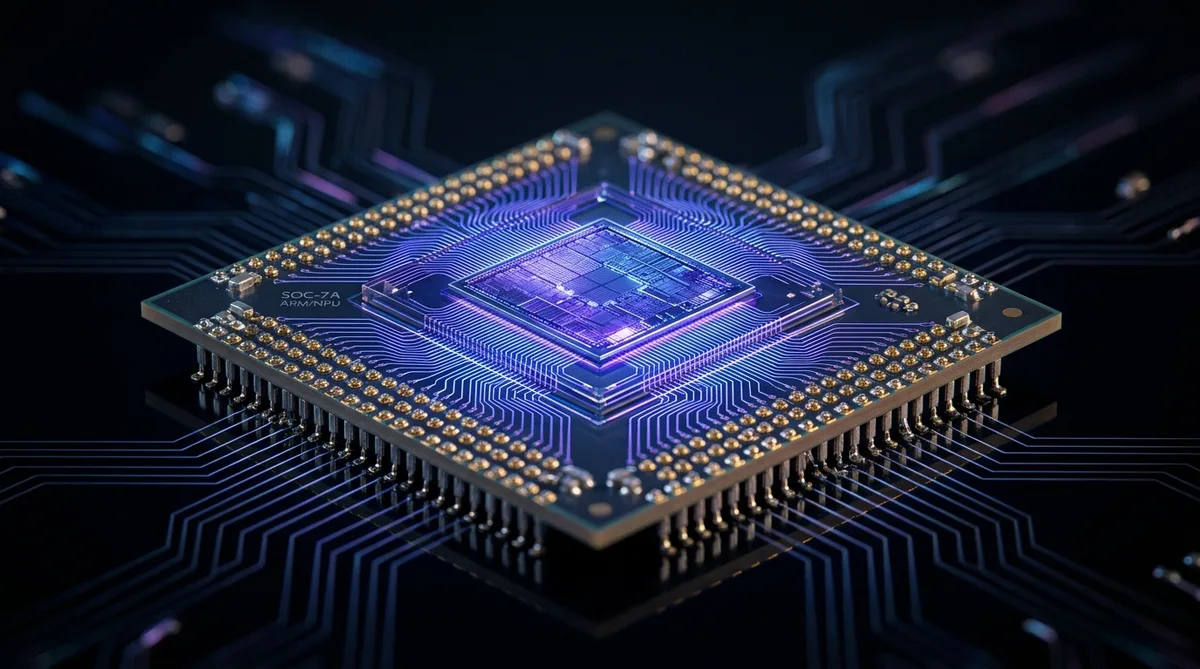
The software story only works with hardware that can run large models locally. That is where Nvidia comes in. The machines announced at the event are built around Nvidia RTX Spark, an Arm-based platform that combines a Blackwell-architecture RTX GPU with an Arm-based Grace CPU and up to 128GB of unified LPDDR5X memory.
At the top of the range, RTX Spark pairs a 20-core CPU with a 6,144-core Blackwell GPU, with components connected at high bandwidth so the GPU can address the full memory pool — the detail that lets a laptop load very large models without separate VRAM. Nvidia describes figures of up to one petaflop of AI compute with FP4 precision and sparsity. Microsoft says machines with the chip can run AI models with more than 120 billion parameters locally.
Surface Laptop Ultra: Pricing and Configurations
Microsoft’s flagship is the 15-inch Surface Laptop Ultra. Preorders opened October 7, 2026, with shipments beginning October 16. Configuration options reported from Microsoft’s spec sheet and store page:
| Configuration | Chip | Memory | Storage | Starting price |
|---|---|---|---|---|
| Entry | 18-core CPU, 5,120-core GPU | 24GB unified | 512GB SSD | $2,599 |
| Mid | 20-core CPU, 6,144-core GPU | 32GB unified | 1TB SSD | $3,699.99 |
| Top | 20-core CPU, 6,144-core GPU | 128GB unified | — | $5,899.99 |
The laptop features a 15-inch touchscreen (3270 x 2180, up to 120Hz, up to 2,000 nits peak HDR), and Microsoft rates the battery for up to 15 hours of local video playback. Similar RTX Spark laptops from Asus, Dell, HP, Lenovo, and MSI are expected to ship around the same time, with compact desktop versions expected in November.
Microsoft also showed the Surface RTX Spark Dev Box, a $5,999 desktop aimed at frontier developers, sold on Microsoft.com in the US and shipping in November. Nvidia also previewed a DGX Station for Windows, a much larger desktop system aimed at enterprises running demanding local AI workloads.
Microsoft vs. Apple: The Head-to-Head Claims
Microsoft is pitching these machines directly against Apple. It claims RTX Spark systems start producing AI responses up to 2.1 times faster than a 16-inch MacBook Pro with Apple’s M5 Pro chip, and generate AI images up to 4.3 times faster — citing tests it commissioned or that Nvidia ran on preproduction machines. Take those numbers as vendor claims rather than independent reviews: they came from Microsoft’s own tests, not third-party benchmarks.
The competitive framing goes further: Microsoft is offering up to $1,000 back to buyers who trade in a MacBook Pro. For context on where local image generation stands today, Google’s Nano Banana 2.1 4K image model shows how quickly image AI is improving — but it still runs in the cloud, while Microsoft wants image work to happen on the PC.
Local GPU muscle also matters beyond AI models: video and content work benefits directly from powerful on-device graphics. Our roundup of the best AI video editors in 2026 breaks down which tools take advantage of local GPUs like these.
The Models Coming to Windows
Hardware is only half the story. Microsoft also detailed how it is optimizing large AI models so they can actually run on a PC:
- MAI Code 1.1 Flash — Microsoft’s own coding model: 137 billion total parameters with 6.8 billion active parameters, compressed with 3-bit quantization that cuts its size by nearly 80%. The optimized model supports a 256,000-token local context window.
- DeepSeek V4 Flash — a 284-billion-parameter model that Microsoft says can run on RTX Spark systems.
- Nvidia Nemotron — an upcoming model with more than 70 billion parameters, compressed with 2-bit quantization to bring memory requirements down to just over 20GB.
Microsoft is also adding support for llama.cpp in Windows ML, letting developers run open-source models locally across GPUs, neural processing units (NPUs), and CPUs. Windows ML becomes the common runtime layer for on-device inference — a meaningful move for developers who have been cobbling together per-chip tooling.
The Developer Story: HydraFusion Comes to the PC
For developers, the most practical part of the announcement is how model routing works. Microsoft is extending GitHub HydraFusion — technology that currently routes coding tasks between cloud-based models — to include models running directly on Windows devices. An experimental release coming later in October will let GitHub Copilot automatically send simpler coding tasks to an AI model on the PC and harder ones to the cloud, extending to GitHub Copilot CLI and Visual Studio Code.
That is the developer version of hybrid intelligence: write the code that needs a frontier model against the cloud, and let autocomplete, summarization, and routine refactors run free on your own machine. If cloud AI costs have been a line item you dread, this is Microsoft’s answer.
The wider agentic-coding ecosystem keeps moving fast alongside this — Anthropic’s Claude is embedded in Microsoft’s own Copilot Cowork, and debates about what AI systems can genuinely accomplish continue, including recent scrutiny of Anthropic’s AI scientist discovery claims.
Security: The Execution Containers Answer
Giving AI agents access to your whole file system raises an obvious question: what stops them from misbehaving? Microsoft’s answer is a technology called Microsoft Execution Containers, now generally available in Windows 11. It lets an organization set exactly which files and networks an AI agent can reach, and keeps a separate record of what the agent does.
Microsoft’s executive vice president of Windows and Devices, Pavan Davuluri, said AI agents that run on PCs today are “fundamentally insecure because they have broad system access.” The container technology is designed to fix that: agents get isolated environments, identifiable permissions, and policy controls — built for software that may work continuously in the background rather than behave like an ordinary app.
Third-party agents are already signing on. Microsoft said OpenAI’s Codex and OpenClaw already support Execution Containers, Anthropic’s Claude Code and Perplexity plan to, and Meta’s Muse agent is coming to Windows as an app built on the technology.
Then there is the Recall precedent. Microsoft’s Recall feature — which takes periodic screenshots of user activity to make it searchable — drew objections from security researchers when announced in 2024. Microsoft delayed it and made it opt-in before releasing it widely in 2025. Recall did not come up at Wednesday’s event, but the lesson is visible in the new design: Microsoft’s blog says Copilot’s access to local content, described as “files and recent activity,” will require the user’s permission.
Search Gets Smarter Too
Hybrid intelligence also reaches the humble Windows taskbar search box. Microsoft is adding thousands of quick actions to search — switching to dark mode, arranging windows, sending a text message — which began rolling out October 7 to people in the Windows Insider testing program. An option to get Copilot answers directly in the search box will be opt-in and arrives in select markets later this year.
Why Microsoft Is Doing This Now
Microsoft got an early jump in AI with its 2019 investment in OpenAI and the 2021 debut of GitHub Copilot. But its Copilot products for consumers and businesses have since been overshadowed by OpenAI’s ChatGPT and Anthropic’s Claude. Both rivals moved quickly on AI agents that work with the files on a user’s computer — the kind of software Microsoft is now building into Windows itself.
Earlier this year, Microsoft put its Copilot teams for consumers and businesses under Jacob Andreou, and last month released a new version of the app with tools for coding and long-running tasks. Copilot Cowork, introduced in March, integrates Anthropic’s Claude. The competitive pressure is also coming from new entrants: Meta launched its Muse consumer agent in September, and OpenAI followed at the end of September with Dots, ChatGPT-powered agents positioned as personal assistants for enterprise users.
Only Microsoft, however, can build agentic features into Windows itself — along with the security controls and the audit trail. That is the card the company is playing: nobody else owns the operating system on the PC.
There is also a hardware reality behind the partnership. The PC market is one of the few chip-heavy sectors where Nvidia is not the default supplier — Intel and AMD chips are found in most PCs. RTX Spark is Nvidia’s entry into the PC CPU market, and Windows is its distribution channel. As Nvidia CEO Jensen Huang put it on stage: “We have reinvented the computer as we know it.” Asked for a favorite memory of working with Microsoft, Huang said Nvidia owes its existence to Windows, recalling that in late 1992 he and his co-founders started imagining a PC with 3D graphics — and that “If not for Windows, Nvidia wouldn’t have been founded.”
And there is the money angle. Running models locally reduces the cloud usage charges that come with AI. For enterprises watching AI budgets balloon, a PC that handles routine inference “at no extra cost” is a real cost-control story — one reason chief technology officers are paying attention.
When Can You Get It?
Here is the timeline as Microsoft announced it:
- October 7, 2026: Preorders opened for RTX Spark PCs; quick actions began rolling out to Windows Insiders.
- October 16, 2026: Surface Laptop Ultra and partner laptops from Asus, Dell, HP, Lenovo, and MSI begin shipping.
- Later in October 2026: Experimental GitHub Copilot release with local/cloud model routing for developers.
- November 2026: Surface RTX Spark Dev Box ships in the US; compact RTX Spark desktops expected.
- Coming months: Windows Hybrid Intelligence features expected to begin rolling out on Copilot+ PCs.
- Later this year: Opt-in Copilot answers in the search box, in select markets.
One important note for existing PC owners: the Hybrid Intelligence rollout is tied to Copilot+ PCs, the AI-focused Windows machines introduced in 2024 with NPUs. If your PC is not a Copilot+ PC, you may not see these features — check your device’s specifications before expecting the update.
What This Means for Everyday Users
Strip away the keynote theatrics and the practical question is simple: what changes on your desk?
For professionals handling sensitive work: the tax-document demo is the template. Anything you would rather not upload — client files, financial records, HR documents — can be processed by models that never leave the machine. With permission-based access and Execution Containers keeping an activity record, there is at least a governance story to tell your IT department.
For developers: a laptop that runs 120-billion-parameter models changes what “works on my machine” means. Local model experimentation without cloud bills, plus automatic routing between local and cloud in your coding tools, is a genuinely new workflow. Video is the one area still waiting — video generation models remain largely cloud-bound for now; see our coverage of the Vidu Q4 preview for video generation for where that field stands.
For creators: the same unified memory and Blackwell GPU that run local AI models also accelerate rendering, upscaling, and generative media work. Our guide to AI tools for content creators covers the software side of that workflow.
For the budget-conscious: the hybrid promise is that routine AI tasks cost nothing extra in tokens. That is Microsoft’s pitch against per-request cloud pricing — and it is the part of the announcement most likely to show up in your wallet.
The Open Questions
As with any platform announcement, some things remain unproven:
- Performance claims are vendor-supplied. The 2.1x and 4.3x figures against the MacBook Pro M5 Pro come from tests Microsoft commissioned or Nvidia ran on preproduction machines. Independent reviews will matter.
- The Copilot+ PC requirement is a gate. “Coming months” on Copilot+ PCs excludes most of the existing Windows installed base.
- Trust has to be earned. The Recall episode showed how quickly an AI feature that looks at your PC can turn into a controversy. Permission-first design and Execution Containers are the right starting point — adoption will tell whether users believe it.
- Developers get it first. The experimental developer release lands later in October; consumer features follow. If you are not a developer or a Windows Insider, expect to wait.

Frequently Asked Questions
What is Windows Hybrid Intelligence?
It is Microsoft’s name for a set of Windows features announced October 7, 2026, that let the Copilot assistant read files on your PC, take actions on the machine, and run AI models locally when cost or privacy matter more — using the cloud for harder tasks. It rolls out to Copilot+ PCs over the coming months.
Which PCs support Windows Hybrid Intelligence?
Microsoft ties the rollout to Copilot+ PCs, the AI-focused Windows machines introduced in 2024 with neural processing units. The new RTX Spark systems — Surface Laptop Ultra and laptops from Asus, Dell, HP, Lenovo, and MSI — are the flagship hardware for local AI workloads.
What AI models can run locally on Windows?
Microsoft announced local versions of DeepSeek V4 Flash (284 billion parameters), its own MAI Code 1.1 Flash (137B total parameters, 3-bit quantization, 256K-token local context), and Nvidia’s upcoming Nemotron (70B+ parameters, 2-bit quantization, just over 20GB memory). Windows ML also adds llama.cpp support for open-source models.
How much does the Surface Laptop Ultra cost?
It starts at $2,599 with an 18-core CPU, 5,120-core GPU, 24GB of unified memory, and 512GB of storage. A mid configuration starts at $3,699.99, and the top configuration with 128GB of unified memory costs $5,899.99. It ships October 16, 2026.
Is Windows Hybrid Intelligence safe for my files?
Microsoft says Copilot only acts on your PC with your permission, and its Execution Containers technology — now generally available in Windows 11 — restricts which files and networks AI agents can reach while keeping a separate activity record. That said, the 2024 Recall controversy shows why scrutiny is warranted: opt-in design is a start, not a guarantee.
Will running AI locally cost me extra?
Microsoft’s presentation said local models run tasks on the PC “at no extra cost,” and avoiding cloud per-token charges is part of the pitch. You still pay for the hardware — these are premium machines starting at $2,599 — but routine inference does not add cloud usage bills.
How is this different from Copilot+ PCs?
Copilot+ PCs are the hardware category (Windows machines with NPUs, introduced in 2024). Windows Hybrid Intelligence is the software strategy — Copilot features and model routing — that runs on them. Think of Copilot+ as the stage and Hybrid Intelligence as the performance.
Sources
- GeekWire — “Microsoft plays the Windows card in the AI game, with help from Nvidia” (October 7, 2026): geekwire.com
- TechWire Asia — “Microsoft and Nvidia bring AI models and agents to Windows PCs” (October 2026): techwireasia.com
- Barron’s — “Microsoft and Nvidia Unveil AI-Centric Laptop and ‘Hybrid Intelligence'” (October 7, 2026): barrons.com
- Windows Mode — “Surface Laptop Ultra: Prices, Specs and Pre-Order” (October 2026): windowsmode.com
- Intelligibberish — “Surface Laptop Ultra and RTX Spark: Can It Run Local AI” (October 8, 2026): intelligibberish.com
- Harava News — “Microsoft and Nvidia Open Orders for RTX Spark AI PCs” (October 8, 2026): harava.news





Join the discussion
Have a question or a perspective to share?