

Planning an event used to mean spreadsheets, endless email threads, and a week of panic before showtime. An AI event planning workflow replaces that chaos with a system: AI helps you brainstorm the concept, build the budget, find the venue, promote the event, run the show, and follow up — each step feeding cleanly into the next.
Whether you are organizing a 30-person workshop or a 500-attendee conference, the six steps below give you a repeatable framework. Small teams and solo organizers benefit most, because AI fills the roles you cannot afford to hire: researcher, copywriter, designer, and data analyst.
Why Events Need an AI Event Planning Workflow, Not Just a Checklist

A checklist tells you what to do. A workflow tells you what to do, in what order, with what inputs — and what happens next. Events have dozens of dependencies: you cannot print badges before registration closes, and you cannot finalize catering before the headcount firms up.
An AI event planning workflow shines at managing these dependencies. AI tools can draft timelines from your event date working backward, estimate budgets from venue quotes, write promotional copy in your brand voice, and analyze post-event surveys in minutes instead of days. The result is fewer dropped balls and a calmer planning process.
The stakes are real: attendees judge your brand by the event experience. A smooth registration, clear communication, and a well-run program signal professionalism. AI does not replace the human touches that make events memorable — it clears the administrative fog so you can focus on them.
Step 1: Define the Concept and Set Measurable Goals
Every successful event starts with clarity. Before booking anything, lock down the concept and what success looks like.
Nail the event concept
Write a one-paragraph concept statement: who the event is for, what they will experience, and why it matters. Then use AI to stress-test and expand it — ask for ten variations of the event name, tagline options, or theme ideas that fit your audience. The goal is not to let AI decide, but to give yourself better raw material to react to.
Set goals you can measure
Vague goals produce vague results. Define 3–5 measurable targets:
- Attendance: registered vs. attended (aim for 60–70% show rate for free events)
- Revenue or pipeline: ticket sales, sponsorships, or qualified leads
- Engagement: session attendance, app usage, survey response rate
- Satisfaction: target NPS or average session rating
Build the working-backward timeline
Give AI your event date and ask it to draft a planning timeline with milestones: venue booking, speaker confirmations, ticket launch, promotion pushes, and rehearsal. Adjust for your reality — a 500-person conference needs 6–9 months; a workshop can run on 6–8 weeks. The AI event planning workflow starts paying off here: a solid timeline prevents the classic mistake of promoting before logistics are locked.
Step 2: Budget With AI Cost Modeling

Events die from budget surprises. AI helps you model costs before you commit.
Build a line-item budget
Start with the major categories: venue, catering, AV/production, speakers, marketing, staffing, technology (registration platform, event app), and contingency. Ask AI to estimate ranges for your city and event size based on typical vendor pricing, then replace estimates with real quotes as they come in.
| Budget category | Typical share | AI assistance |
|---|---|---|
| Venue + catering | 40–50% | Quote comparison, capacity modeling |
| AV and production | 15–20% | Equipment lists, vendor briefs |
| Marketing | 10–15% | Copy, ad targeting, email sequences |
| Speakers and talent | 10–15% | Research, outreach drafts |
| Technology | 5–10% | Platform comparison, setup guides |
| Contingency | 10% | Risk scenario planning |
Model scenarios
Ask AI to model best-case, expected, and worst-case attendance against your fixed and variable costs. Knowing your break-even attendance before you sign the venue contract is the single most valuable number in event planning.
Track spending in real time
Set up a shared budget tracker and log every commitment the day it happens. AI expense categorization — the same technology behind an AI bookkeeping workflow — keeps the budget accurate without manual data entry marathons.
Step 3: Secure the Venue and Vendors
With concept and budget set, lock in the physical foundation.
Venue selection
Define must-haves first: capacity, date availability, location, AV capabilities, catering flexibility, and accessibility. AI can shortlist venues from your criteria and draft comparison scorecards, but always visit your top three in person. Photos lie about lighting, acoustics, and the walk from parking.
Vendor outreach at scale
For caterers, photographers, AV companies, and decorators, AI drafts personalized outreach emails from a template — same core brief, customized per vendor. Track responses in a simple pipeline: contacted, quoted, negotiating, booked. Follow up once after five business days; vendors are busy, and polite persistence wins.
Contracts and confirmations
Read every contract for the clauses that matter: cancellation terms, payment schedules, overtime rates, and exclusivity restrictions (some venues force you to use their caterer). AI contract review tools can flag unusual terms in minutes. Get everything in writing — verbal promises from venues evaporate.
A useful discipline borrowed from research workflows: keep a single source of truth. One shared document with vendor contacts, contract PDFs, and payment status beats ten email threads every time.
Step 4: Promote With an AI Content Engine
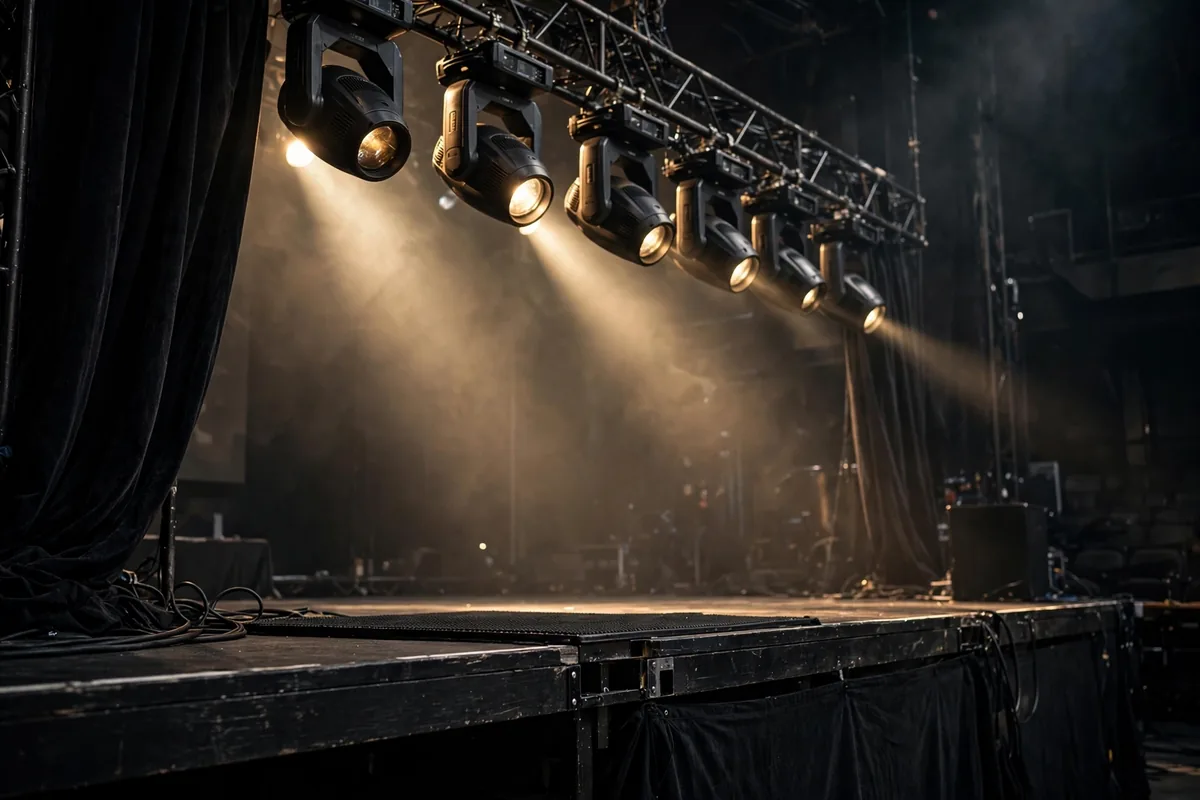
An empty room is the nightmare scenario. Promotion deserves its own engine within your AI event planning workflow.
Build the promotional calendar
Map content to the attendee decision journey: awareness (8–6 weeks out), consideration (6–3 weeks), and urgency (3–0 weeks). AI generates the volume — social posts, email sequences, speaker announcements, countdown content — while you handle strategy and approval.
Email does the heavy lifting
Email remains the highest-converting event channel. Build segmented lists: past attendees, warm leads, partners, and cold prospects. AI drafts the sequences; you personalize the hooks. Platforms like Mailchimp combine list management with automation, and their AI features can optimize send times per subscriber.
Proven promotion tactics
- Early-bird pricing with a real deadline to force decisions
- Speaker-driven promotion: give every speaker a swipe file of posts and graphics
- Partner cross-promotion: trade email mentions with complementary organizations
- Retargeting ads for site visitors who viewed the agenda but did not register
- Referral incentives: discount codes for attendees who bring colleagues
Track registrations by source weekly. If a channel is not converting by the halfway mark, reallocate that budget — AI ad copy variations make testing cheap.
Keep messaging consistent
With AI generating high volumes of promotional content, brand consistency becomes the risk. Create a one-page messaging guide — event name spelling, tagline, key dates, tone — and include it in every content generation prompt. Review AI drafts for accuracy before publishing: wrong dates or venue names in promotional copy destroy trust instantly. A five-minute review pass per batch of content is the cheapest insurance in your entire AI event planning workflow.
Step 5: Execute Flawlessly on Event Day
All planning converges on execution. The AI event planning workflow front-loads preparation so event day is about presence, not panic.
The run-of-show document
Create a minute-by-minute run-of-show: setup, rehearsals, doors, sessions, breaks, meals, teardown. Assign every item an owner and a phone number. Print copies for key staff — phones die, paper does not. AI helps draft it from your agenda, but a human must sanity-check transitions and buffer time.
Communication command center
Set up a staff group chat and a shared issue log. Every problem — a missing mic, a late speaker, a registration glitch — goes in the log with an owner and a status. The event lead triages; everyone else executes. This single practice separates professional operations from chaos.
Attendee experience details
- Registration under 3 minutes per person (staffed plus self check-in)
- Clear signage from entrance to every room
- Dietary options labeled at every food station
- Charging stations and strong Wi-Fi (test with real load beforehand)
- A quiet room for attendees who need a break
Small touches compound. The events people remember are the ones where everything just worked — and that invisibility is engineered, not accidental.
Step 6: Follow Up and Measure Everything
The event ends; the workflow does not. Follow-up determines whether your event was an expense or an investment.
Immediate follow-up (24–72 hours)
Send thank-you emails to attendees, speakers, sponsors, and vendors — AI drafts personalized versions from templates and attendance data. Publish session recordings, slides, and photos while interest is hot. Post an event recap with highlights; it markets next year’s edition.
Analyze against your goals
Pull the numbers: attendance rate, revenue vs. budget, session ratings, NPS, leads generated, social reach. AI survey analysis tools cluster open-ended feedback into themes in minutes. Compare against the goals from Step 1 and write an honest debrief: what worked, what failed, what to change.
Build the asset library
Archive everything reusable: email templates, design files, vendor contacts, the run-of-show, and the debrief. Next year’s planning starts at 50% complete instead of zero. Teams that treat each event as a template iteration get dramatically more efficient — the same compounding logic behind good prompt libraries and content systems.
Platforms like Eventbrite simplify the follow-up mechanics with built-in post-event emails and analytics, making step six nearly automatic for smaller events.
Common Event Planning Pitfalls
Even with a solid AI event planning workflow, watch for these classic failures:
- Promoting before logistics lock: selling tickets before the venue contract is signed
- No contingency budget: something always costs more; 10% contingency is a minimum
- Single points of failure: one person holding all vendor relationships or passwords
- Ignoring the show rate: planning catering for registrations instead of realistic attendance
- Skipping the debrief: repeating the same mistakes next year because nobody wrote them down
The Run-of-Show Doc: Your Day-Of Safety Net
AI can draft timelines, vendor emails, and checklists, but on event day you need one artifact it cannot improvise: the run-of-show. This is a minute-by-minute document listing every cue, from doors opening to the last speech, with a named owner and phone number beside each line. Generate the first draft with AI from your timeline, then walk it with your venue contact and MC the week before.
Build in two buffers most planners forget. First, a 15-minute float between major segments, because something always runs long. Second, a printed contact sheet, because phones die and Wi-Fi fails. AI handles the planning; the run-of-show handles reality.
FAQ
How far in advance should I start planning an event?
For a 100–300 person conference, start 6–9 months out. Workshops and meetups need 6–12 weeks. The AI event planning workflow compresses research and content creation, but venue availability and speaker calendars do not compress — book those first.
How much does AI actually save in event planning?
Most organizers report saving 30–50% of administrative time: faster vendor research, instant content drafts, and automated follow-ups. The biggest savings are in promotion content and post-event analysis, which used to take days.
What is a realistic event budget contingency?
Hold 10–15% of total budget as contingency. Outdoor events, first-time venues, and complex AV setups warrant the higher end. If you finish under budget, roll it into the attendee experience or next year’s seed fund.
Should I use an all-in-one event platform or separate tools?
For events under 200 attendees, an all-in-one platform (registration, email, check-in) is simpler and cheaper. Larger events often need best-of-breed tools integrated together. Decide based on your team’s capacity to manage integrations.
How do I improve event attendance show rates?
Charge something (even a nominal fee) — free events typically see 40–60% show rates versus 70–85% for paid. Send reminder sequences at 7 days, 48 hours, and the morning of. Make the agenda specific enough that skipping feels like missing out.
Conclusion
An AI event planning workflow turns event chaos into a repeatable system: define the concept, model the budget, secure venue and vendors, promote with an AI content engine, execute from a run-of-show, and follow up relentlessly. Six steps, each feeding the next, with AI absorbing the administrative load at every stage.
Start with your next event — even a small one. Build the timeline, set the budget model, and draft the promotion calendar with AI assistance. You will feel the difference immediately, and by your third event, you will have a machine that runs smoother every time.



Join the discussion
Have a question or a perspective to share?