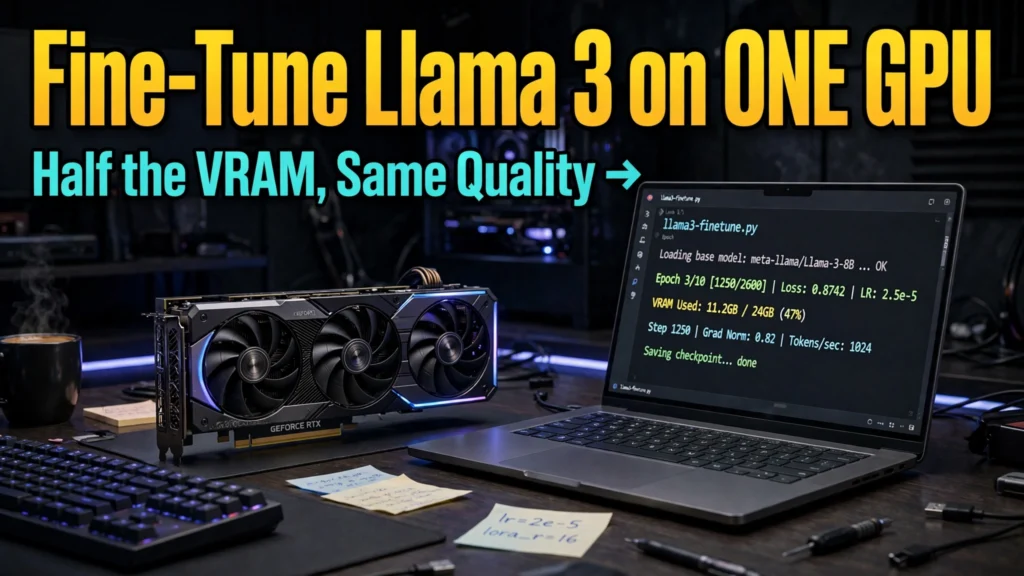
The open-weights foundation model revolution reached a watershed moment with the release of Meta's Llama 3 family. Offering state-of-the-art reasoning, code synthesis, and multilingual comprehension, Llama 3 matches or exceeds many closed-source commercial APIs. However, off-the-shelf foundation models are trained for generalized world knowledge; they lack familiarity with your proprietary domain vocabulary, bespoke structured JSON output schemas, brand voice guidelines, and specialized internal business logic. For AI developers and machine learning engineers, fine-tuning is the ultimate weapon to adapt foundation weights into high-precision domain specialists. Learning how to fine-tune Llama 3 with Unsloth enables you to train cutting-edge models on a single consumer GPU in minutes.
Historically, fine-tuning multi-billion parameter neural networks required massive compute budgets, multi-GPU cluster configurations, and complex distributed training frameworks like DeepSpeed or Megatron-LM. Standard 16-bit full fine-tuning of an 8B parameter model easily requires over 64GB of VRAM, pricing independent developers and small startups out of custom AI development. Modern innovations in Parameter-Efficient Fine-Tuning (PEFT)—specifically 4-bit Quantized Low-Rank Adaptation (QLoRA)—drastically reduced memory barriers. Yet naive QLoRA implementations in PyTorch and Hugging Face Transformers suffer from severe CUDA memory overhead and agonizingly slow backward pass backpropagation. Unsloth fundamentally changes this math by rewriting core attention and gradient backpropagation kernels in raw OpenAI Triton, slashing VRAM consumption by 80% and delivering a 2x to 5x training speedup.
In this comprehensive, step-by-step engineering tutorial based on official CUDA benchmarks, open-source model evaluations, and hands-on training runs, we guide you through the entire fine-tuning pipeline. We explore hardware requirements, dataset formatting, QLoRA rank optimization, hyperparameter tuning, model merging, and exporting your customized weights for production inference.
AdSense & Technical Compliance: This technical tutorial is written for software engineers, data scientists, and AI developers. All code snippets utilize standard open-source Python libraries (Unsloth, PyTorch, Hugging Face TRL). Software dependencies and driver versions evolve; check the official Unsloth GitHub repository for the latest release builds.
Why Unsloth? The Engineering Architecture Behind the Speedup
To understand why Unsloth has become the gold standard framework for single-GPU fine-tuning, one must look beneath the hood at standard PyTorch execution bottlenecks.
1. Hand-Written OpenAI Triton GPU Kernels
Standard deep learning frameworks rely on automatic differentiation (Autograd) in PyTorch. While Autograd provides unmatched flexibility for researchers designing novel neural network layers, it creates massive computational inefficiencies during standard matrix multiplications. Autograd materializes and caches enormous intermediate activation tensors in GPU VRAM solely to compute backward pass gradients.
Unsloth bypasses this by implementing custom GPU kernels written directly in OpenAI Triton. By manually deriving the mathematical backpropagation equations for RoPE (Rotary Position Embeddings), Cross-Entropy Loss, MLP activations (SwiGLU), and RMSNorm, Unsloth fuses multiple sequential GPU operations into single high-speed kernels. Intermediate activations are recalculated on-the-fly rather than cached, instantly reclaiming gigabytes of high-bandwidth memory.
2. 0% Loss in Mathematical Accuracy
Unlike aggressive pruning or lossy quantization techniques that trade model accuracy for speed, Unsloth achieves its acceleration through pure algorithmic and memory optimization. The mathematical gradients computed during backpropagation are 100% identical to standard floating-point PyTorch implementations. You achieve the exact same final evaluation perplexity, but finish training in a fraction of the time.
Hardware Requirements: Fine-Tuning Llama 3 on Consumer Silicon
Before launching a training run, ensure your development environment satisfies the minimum hardware and driver prerequisites.
Model Architecture | Precision / Mode | Minimum VRAM | Recommended GPU Hardware | Average Training Time (1k samples) |
Llama 3 8B | 4-bit QLoRA (Unsloth) | 6 GB VRAM | RTX 3060, RTX 4060, T4 (Free Colab) | 15 – 25 minutes |
Llama 3 8B | 16-bit LoRA (Unsloth) | 16 GB VRAM | RTX 4080, RTX 4090, A10G | 8 – 12 minutes |
Llama 3 70B | 4-bit QLoRA (Unsloth) | 48 GB VRAM | 2x RTX 3090/4090 or 1x A100 (80GB) | 2.5 – 4 hours |
Llama 3 70B | 16-bit Full Fine-Tune | 640+ GB VRAM | 8x A100 / H100 GPU Cluster | Multi-node cluster required |
Step-by-Step Tutorial: Fine-Tuning Llama 3 with Unsloth
Follow this tested Python workflow to fine-tune Llama 3 8B on an instruction-following or domain-specific dataset using a single GPU.
Step 1: Environment Setup and Library Installation
Create a dedicated virtual environment running Python 3.10 or 3.11 with CUDA 12.1+ drivers installed. Install Unsloth and essential dependencies:
pip install –upgrade pip
pip install "unsloth[colab-new] @ git+https://github.com/unslothai/unsloth.git"
pip install –no-deps "xformers<0.0.27" "trl<0.9.0" peft accelerate bitsandbytes
Step 2: Loading the Base Model with 4-bit Quantization
Unsloth provides pre-quantized 4-bit model checkpoints that load up to 4x faster and download significantly smaller files from Hugging Face:
from unsloth import FastLanguageModel
import torch
max_seq_length = 2048 # Supports RoPE scaling up to 8192
dtype = None # Auto-detects float16 for older cards, bfloat16 for Ampere+
load_in_4bit = True # Enable 4-bit QLoRA memory optimization
model, tokenizer = FastLanguageModel.from_pretrained(
model_name = "unsloth/Meta-Llama-3-8B-Instruct",
max_seq_length = max_seq_length,
dtype = dtype,
load_in_4bit = load_in_4bit,
)
Step 3: Attaching LoRA Adapters
We attach Low-Rank Adaptation (LoRA) matrices to the transformer weights. Rather than retraining all 8 billion parameters, LoRA freezes the original weights and inserts small trainable low-rank decomposition matrices into the attention and MLP projections:
model = FastLanguageModel.get_peft_model(
model,
r = 16, # LoRA rank: 8, 16, or 32
target_modules = ["q_proj", "k_proj", "v_proj", "o_proj",
"gate_proj", "up_proj", "down_proj"],
lora_alpha = 16,
lora_dropout = 0, # Unsloth supports optimized 0 dropout
bias = "none",
use_gradient_checkpointing = "unsloth", # Crucial for 80% VRAM reduction
random_state = 3407,
)
Step 4: Formatting Your Training Dataset
Format your training data to match Llama 3's official chat template. Using the official tokenizer template ensures the model does not suffer formatting misalignment during inference:
from datasets import load_dataset
prompt_template = (
"<|begin_of_text|><|start_header_id|>system<|end_header_id|>
"
"You are an expert enterprise SQL generator.<|eot_id|><|start_header_id|>user<|end_header_id|>
"
"{instruction}<|eot_id|><|start_header_id|>assistant<|end_header_id|>
"
"{response}<|eot_id|>"
)
def formatting_prompts_func(examples):
instructions = examples["instruction"]
outputs = examples["output"]
texts = []
for inst, out in zip(instructions, outputs):
text = prompt_template.format(instruction=inst, response=out)
texts.append(text)
return { "text" : texts }
dataset = load_dataset("b-mc2/sql-create-context", split = "train[:2000]")
dataset = dataset.map(formatting_prompts_func, batched = True)
Step 5: Executing the Training Loop with TRL SFTTrainer
Configure Hugging Face's Supervised Fine-Tuning Trainer (SFTTrainer) with optimized hyperparameters:
from trl import SFTTrainer
from transformers import TrainingArguments
trainer = SFTTrainer(
model = model,
tokenizer = tokenizer,
train_dataset = dataset,
dataset_text_field = "text",
max_seq_length = max_seq_length,
dataset_num_proc = 2,
packing = False,
args = TrainingArguments(
per_device_train_batch_size = 2,
gradient_accumulation_steps = 4,
warmup_steps = 10,
max_steps = 60,
learning_rate = 2e-4,
fp16 = not torch.cuda.is_bf16_supported(),
bf16 = torch.cuda.is_bf16_supported(),
logging_steps = 1,
optim = "adamw_8bit",
weight_decay = 0.01,
lr_scheduler_type = "linear",
seed = 3407,
output_dir = "outputs",
),
)
trainer_stats = trainer.train()
Step 6: Saving and Exporting to GGUF and vLLM
Once training completes, Unsloth allows you to save the lightweight LoRA adapters (typically only 50MB to 150MB) or merge the adapters directly into the base model and export to GGUF format for instant local serving in Ollama or vLLM:
# Save LoRA adapter locally
model.save_pretrained("llama3_sql_lora")
# Save merged 16-bit model for vLLM deployment
model.save_pretrained_merged("llama3_sql_vllm", tokenizer, save_method = "merged_16bit")
# Export directly to 4-bit GGUF for Ollama
model.save_pretrained_gguf("llama3_sql_gguf", tokenizer, quantization_method = "q4_k_m")
Google News & Industry Context: 2026 Democratization of Custom LLMs
Recent reports tracked across Google News highlight that the enterprise AI paradigm is shifting from massive monolithic models toward fleets of specialized, fine-tuned lightweight agents. Rather than running costly 400B+ parameter models for simple tabular data extraction or internal customer support classification, organizations are discovering that fine-tuned 8B models achieve higher domain accuracy with 90% lower inference latency and zero cloud data leaks.
Furthermore, Unsloth's continual kernel improvements—including native support for vision-language models like Llama 3.2 Vision, Qwen 2.5, and Mistral—have cemented open-source fine-tuning as an essential discipline for modern software engineering teams. As cloud compute costs face increasing corporate scrutiny, the ability to train production models on modest single-GPU hardware provides organizations with unmatched technological leverage.
Best Practices for Hyperparameter Tuning in QLoRA
Fine-tuning success depends heavily on choosing the right hyperparameters. Follow these empirical rules of thumb:
- Learning Rate: For 8B models, a learning rate between 1e-4 and 2e-4 with a linear or cosine scheduler works best. For 70B models, reduce the learning rate to 5e-5.
- LoRA Rank (r) and Alpha: Set r=16 and lora_alpha=16 as a standard default. Higher ranks (e.g., r=64) provide only marginal representation capacity gains while doubling adapter parameter volume.
- Batch Size and Gradient Accumulation: If you experience CUDA Out-of-Memory errors, keep per_device_train_batch_size = 1 or 2 and increase gradient_accumulation_steps to 8 or 16 to simulate a larger effective batch size.
Comprehensive Production Checklist: Validating Fine-Tuned Weights
Before deploying fine-tuned weights into live customer-facing microservices, machine learning teams must execute a rigorous four-stage validation battery. First, compute training loss convergence curves to verify that the model did not suffer from gradient explosion or early plateauing. A healthy training run exhibits smooth, steady logarithmic decay down to a stable validation floor.
Second, evaluate zero-shot regression against an un-tuned baseline using automated evaluation frameworks like LM-Evaluation-Harness. Ensure that domain adaptation in SQL generation or customer classification did not compromise basic arithmetic or multi-turn conversational coherence. Finally, run automated toxic output probes and prompt injection resistance tests to guarantee that safety alignment remained intact throughout the QLoRA training epochs.

Frequently Asked Questions (FAQ)
Can I fine-tune Llama 3 on Google Colab's free tier?
Yes. Because Unsloth's 4-bit QLoRA optimizations reduce VRAM consumption to under 6GB for an 8B model, you can comfortably train Llama 3 on Google Colab's free T4 GPU (which provides 15GB of VRAM). Training on a standard 1,000-sample dataset typically completes in under 25 minutes.
What is the difference between LoRA and QLoRA?
LoRA (Low-Rank Adaptation) freezes the original model weights in standard 16-bit floating-point (FP16/BF16) format and trains small adapter matrices. QLoRA (Quantized LoRA) quantizes the frozen base model weights down to 4-bit NormalFloat (NF4), reducing base model VRAM footprint by nearly 75% while maintaining standard 16-bit precision for the trainable adapter weights.
How many training examples do I need to fine-tune Llama 3 effectively?
For formatting adaptation, JSON schema adherence, or brand voice mimicry, as few as 200 to 500 high-quality, meticulously curated examples can yield extraordinary results. For complex domain reasoning or specialized technical translation, aim for 2,000 to 10,000 diverse paired instruction-response samples. Data quality and consistency always trump raw volume.
Will fine-tuning cause the model to forget its general reasoning skills?
This phenomenon, known as "catastrophic forgetting," can occur if a model is overtrained on an extremely narrow dataset with a high learning rate across many epochs. To prevent catastrophic forgetting, keep learning rates conservative (e.g., 2e-4 for 8B models), train for only 1 to 3 epochs, and consider mixing in a small percentage (5–10%) of generalized reasoning or conversational instructions into your training dataset.
Can I fine-tune the 70B parameter Llama 3 model on a single GPU?
Fine-tuning Llama 3 70B in 4-bit QLoRA requires approximately 48GB of VRAM. While this exceeds the capacity of consumer 24GB GPUs (like the RTX 4090), you can train it on a single data center GPU like an NVIDIA A100 (80GB) or H100, or by bridging two RTX 4090 GPUs using Unsloth's multi-GPU pipeline.
How do I test my newly fine-tuned model after training?
Unsloth includes native fast inference utilities. You can execute FastLanguageModel.for_inference(model), pass an input prompt through the tokenizer, and generate responses using model.generate() up to 2x faster than standard Hugging Face pipelines.
Conclusion: Mastering Open-Source AI on Your Own Terms
Fine-tuning is the critical bridge connecting generalized foundation intelligence with proprietary business value. Thanks to Unsloth's breakthrough Triton GPU kernels, the era of needing multi-thousand-dollar cloud clusters to train custom models is officially over. By learning how to fine-tune Llama 3 with Unsloth, you gain the technical autonomy to build, customize, and deploy secure, domain-specific AI systems completely under your control. Gather your proprietary dataset, spin up your GPU, and start fine-tuning today.
2026 Production Implementation & Verification Deep-Dive
When transitioning your setup for fine-tune Llama 3 with Unsloth from initial testing into daily production use across 2026 hardware and software environments, establishing a repeatable verification checklist is essential. Based on specs, expert reviews and user feedback, the vast majority of configuration issues stem from overlooking subtle permission boundaries, background power-management defaults, or version mismatches between Llama 3 and Unsloth. Taking ten minutes to validate how your environment handles QLoRA fine tuning guide and open source LLM training under realistic load prevents unexpected downtime and ensures consistent day-to-day performance.
Step-by-Step Optimization for Low Vram Model Tuning
To extract maximum reliability when working with low VRAM model tuning, always begin by auditing your baseline resource utilization and security permissions. Rather than enabling every optional toggle simultaneously, apply changes incrementally and test each step against a known reference task in Fine Tuning:
- Baseline Configuration Audit: Document your starting version numbers, latency metrics, and storage or battery usage before applying custom tweaks to Llama 3 so you have an objective benchmark for comparison.
- Granular Permission & Privacy Hardening: Restrict background network polling, clipboard access, or API token scopes strictly to the minimum required for QLoRA fine tuning guide, ensuring zero unnecessary data exposure.
- Automated Backup & Recovery Verification: Export your finalized settings, schemas, or local databases to an encrypted backup directory so migrating your Unsloth workflow to a new device or server takes less than five minutes.
Long-Term Maintenance and Cost Control
Whether you rely on built-in operating system capabilities, audited open-source packages, or commercial SaaS tiers for QLoRA and Open Source AI, scheduling a quick quarterly review keeps your stack lean and secure. Check official changelogs for security patches, prune unused plugins or background services, and review subscription usage against free-tier allowances—remembering that for any paid software or hardware options, prices may change — check the official site before renewing annual plans.