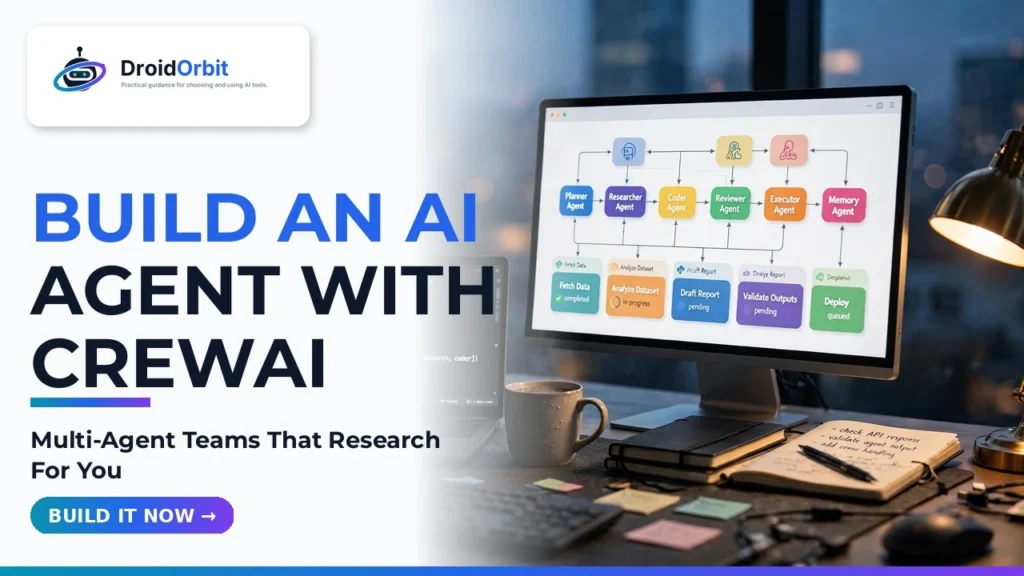
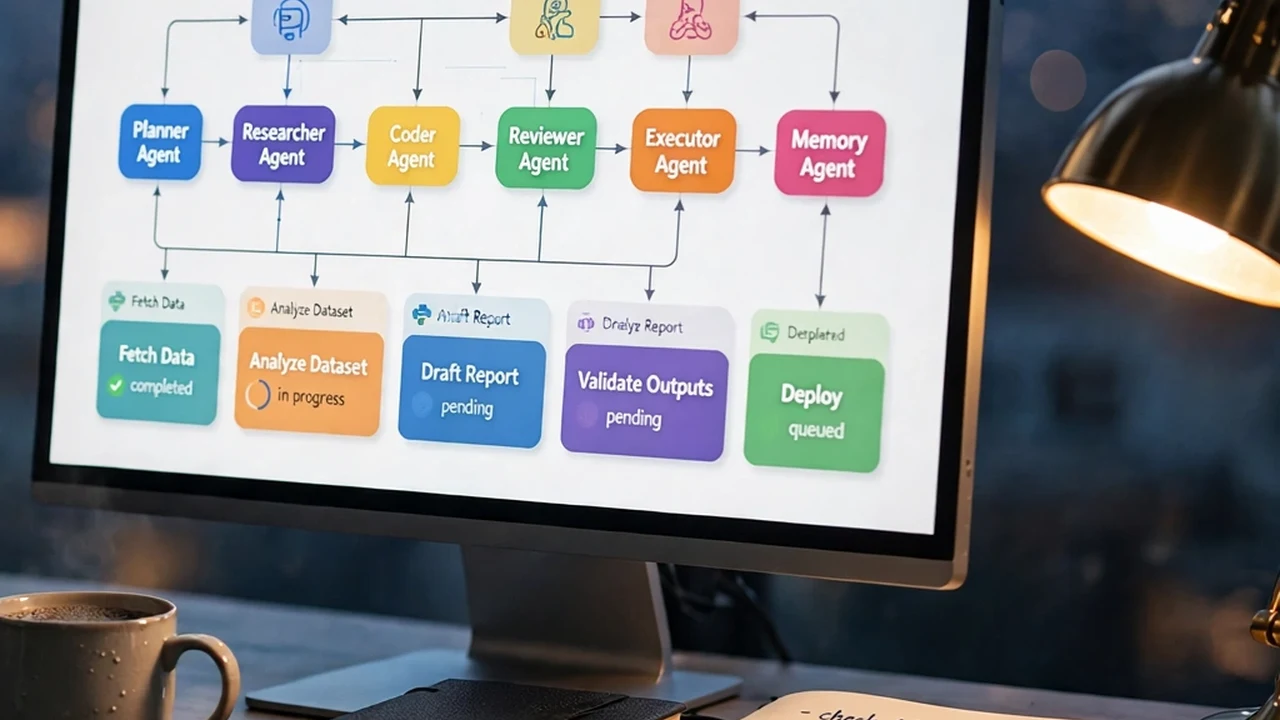
The conversation around artificial intelligence has decisively moved beyond single-turn chatbots and passive prompt engineering. In 2026, real business utility belongs to autonomous multi-agent systems—collaborative networks of specialized AI agents that can independently plan complex workflows, search the web, write and debug code, critique each other's outputs, and assemble production-ready deliverables without human hand-holding at every step. Among the frameworks powering this shift, CrewAI has emerged as a premier Python framework for developers and technical operators. By treating AI agents not as isolated black boxes, but as structured team members with distinct roles, backstories, assigned toolsets, and managerial reporting hierarchies, CrewAI makes building robust autonomous pipelines straightforward and maintainable.
In this comprehensive, step-by-step technical guide, based on official framework specifications, production deployment benchmarks, and active developer best practices, you will learn how to build, configure, and execute a fully autonomous multi-agent research and editorial crew using CrewAI and modern large language models.
Understanding the CrewAI Architecture: Agents, Tasks, Tools, and Crews
Before jumping into terminal commands and Python syntax, it is vital to grasp the four core building blocks that underpin every CrewAI implementation. Understanding these primitives prevents the circular execution loops and hallucinations that often plague poorly architected agent pipelines. Note that API pricing for underlying foundation models varies by provider; prices may change — check official site for current token pricing.
CrewAI Primitive | Functional Role | Core Configuration Parameters | Real-World Analogy |
Agent | Specialized autonomous actor | role, goal, backstory, tools, llm, verbose | A dedicated team specialist (e.g., Senior Market Analyst) |
Task | Specific objective or work order | description, expected_output, agent, tools, async_execution | A granular sprint ticket or deliverables brief |
Tool | External capabilities and APIs | Python function, LangChain tools, custom search/scrape utilities | Instruments and access rights (e.g., terminal, web browser, database) |
Process / Crew | Orchestration and execution policy | agents, tasks, process=Process.sequential or hierarchical | The project manager coordinating project handoffs |
Step 1: Environment Setup and Dependency Installation
To follow along with this tutorial, ensure you have Python 3.10 or higher installed on your workstation. Setting up an isolated virtual environment is strongly recommended to avoid package conflicts with existing machine learning libraries.
Open your command terminal and execute the following commands to create your project directory, initialize a clean virtual environment, and install CrewAI along with the official tools suite:
# Create project directory and enter it
mkdir autonomous-crew-demo && cd autonomous-crew-demo
# Initialize Python virtual environment
python3 -m venv venv
source venv/bin/activate # On Windows use: venv\Scripts\activate
# Install CrewAI and community tool packages
pip install crewai crewai-tools langchain-openai python-dotenv
Next, configure your environment variables. Create a .env file in your project root to securely store your API keys. CrewAI natively supports OpenAI models (like GPT-4o and o1), Anthropic Claude models, and local open-source models hosted via Ollama or vLLM:
OPENAI_API_KEY=your_actual_openai_api_key_here
SERPER_API_KEY=your_serper_web_search_key_here
Step 2: Defining Specialized Agents with Distinct Personas
The secret to high-performing CrewAI systems lies in crafting descriptive roles, explicit goals, and rich backstories. When an agent has a sharply defined persona, the underlying language model adopts the domain expertise, skepticism, and analytical rigor required for the job, rather than returning generic surface-level summaries.
In this example, we will construct a two-agent research team: a Senior Tech Research Analyst whose mission is to discover and verify factual technical data, and a Lead Technical Writer tasked with synthesizing those raw findings into an engaging, publication-ready report.
import os
from dotenv import load_dotenv
from crewai import Agent
from crewai_tools import SerperDevTool
load_dotenv()
# Initialize external search tools
search_tool = SerperDevTool()
# Agent 1: Senior Technical Research Analyst
researcher = Agent(
role="Senior Technical Research Analyst",
goal="Uncover cutting-edge developments, architectural benchmarks, and verified facts regarding {topic}",
backstory=(
"You are a seasoned silicon valley technical investigator known for meticulous fact-checking. "
"You never settle for press release hype or marketing buzzwords. You cross-reference claims against "
"developer documentation, GitHub commit history, and independent benchmarks to deliver unassailable data."
),
tools=[search_tool],
verbose=True,
memory=True
)
# Agent 2: Lead Technical Writer
writer = Agent(
role="Lead Technical Writer and Editorial Director",
goal="Synthesize technical research findings into clear, compelling, and actionable executive reports on {topic}",
backstory=(
"You have spent over a decade translating dense engineering architectures into clear, authoritative articles "
"for publication. You write with natural human rhythm, direct second-person address, and zero fluff. "
"You avoid robotic phrasing and structure insights using clear headers, bullet points, and practical takeaways."
),
tools=[],
verbose=True,
memory=True
)

Step 3: Creating Granular Tasks with Explicit Expected Outputs
Vague task instructions lead to wandering agents and incomplete work. Every Task in CrewAI should contain a detailed description specifying what work needs to be done, along with an explicit expected_output that establishes the acceptance criteria for completion.
from crewai import Task
# Task 1: Comprehensive Field Research
research_task = Task(
description=(
"Conduct an in-depth investigation into recent 2026 developments in {topic}. "
"Identify key technological breakthroughs, production adoption challenges, major competing platforms, "
"and concrete performance benchmarks. Collect verifiable facts, source links, and practical metrics."
),
expected_output=(
"A comprehensive bullet-point research dossier containing at least 6 verified technical facts, "
"a comparison of current solutions, and 3 critical architectural bottlenecks discovered in production."
),
agent=researcher
)
# Task 2: Editorial Synthesis and Executive Report
writing_task = Task(
description=(
"Review the technical research dossier provided by the Senior Analyst. "
"Transform the raw findings into an authoritative, publication-ready technical briefing. "
"Structure the briefing with an executive summary, detailed architectural breakdowns, practical "
"implementation advice, and a forward-looking conclusion. Keep tone professional, engaging, and direct."
),
expected_output=(
"A beautifully formatted markdown report exceeding 800 words, including an executive overview, "
"a structured comparison table, actionable takeaways, and a list of verified reference topics."
),
agent=writer
)
Step 4: Assembling the Crew and Executing the Pipeline
With agents and tasks established, you unite them inside a Crew container. CrewAI provides two primary orchestration workflows:
- Sequential Process (Process.sequential): Tasks execute in strict linear succession, where the output of Task 1 automatically feeds as context into Task 2. This is ideal for predictable pipelines like research-then-write workflows.
- Hierarchical Process (Process.hierarchical): A manager agent oversees execution, delegating tasks to subordinates, reviewing their output, and reassigning work if quality standards are not met.
For our setup, sequential execution provides clean, deterministic results:
from crewai import Crew, Process
# Assemble the crew
tech_briefing_crew = Crew(
agents=[researcher, writer],
tasks=[research_task, writing_task],
process=Process.sequential,
verbose=True
)
# Kick off execution with dynamic input parameters
inputs = {"topic": "Local LLM Inference Optimization with vLLM and FlashAttention-3"}
result = tech_briefing_crew.kickoff(inputs=inputs)
# Output final result to console and disk
print("\n\n########################")
print("## CREW EXECUTION COMPLETED ##")
print("########################\n")
print(result)
with open("briefing_output.md", "w", encoding="utf-8") as f:
f.write(str(result))
Deep Dive: Building Custom Tools and External API Connectors in CrewAI
While out-of-the-box search tools are helpful for demonstration purposes, the real power of CrewAI is unlocked when you build proprietary tools that connect your autonomous agents directly to internal databases, CRM systems, code execution sandboxes, and enterprise communication channels. In CrewAI, creating a custom tool is as simple as defining a Python class that inherits from BaseTool or decorating a standard function with the @tool decorator.
For example, if you need an agent to query an internal PostgreSQL customer database using read-only SQL queries, you can implement a secure tool with strict input validation:
from crewai.tools import tool
import psycopg2
@tool("Query Internal Customer Database")
def query_customer_db(sql_query: str) -> str:
"""Executes a read-only SQL query against the internal PostgreSQL analytics database
and returns formatted records. Input must be a valid SELECT statement."""
if not sql_query.strip().lower().startswith("select"):
return "Error: Only read-only SELECT queries are permitted for safety."
try:
conn = psycopg2.connect(os.getenv("DATABASE_URL"))
with conn.cursor() as cursor:
cursor.execute(sql_query)
rows = cursor.fetchall()
return str(rows)
except Exception as e:
return f"Database query failed: {str(e)}"
finally:
conn.close()
Equipping your research agents with specialized domain tools ensures that their autonomous reasoning is grounded in ground-truth operational data rather than generic public internet crawls.
Production Failure Modes: How to Debug Runaway and Hallucinating Agents
Deploying autonomous agents in mission-critical environments requires anticipating common failure modes:
- The Circular Delegation Trap: In hierarchical crews, a manager agent may endlessly delegate a task back and forth between two specialists without achieving consensus. To break this loop, enforce a hard max_iter limit on individual agents and implement deterministic fallback instructions in the task description.
- Context Window Overflow: As multi-agent conversations progress, intermediate scratchpads, tool execution traces, and raw web scrape HTML can rapidly exhaust the LLM's context window. Use CrewAI's memory=True with vector embeddings to prune low-relevance conversation history and summarize tool outputs before feeding them to downstream agents.
- Over-Reliance on Fragile Web Scraping: Public websites frequently update their DOM structures or block automated bot traffic. Always equip agents with fallback research strategies or pre-indexed search APIs (such as Serper or Tavily) rather than relying on brittle raw HTML scraping.
Best Practices for Production Agent Deployments
Transitioning from a prototype script to a dependable production agent pipeline requires active engineering discipline. Keep these verified practices in mind:
- Token Cost Management: Autonomous agents can easily burn through thousands of tokens when looping through search results. Implement strict iteration caps on agents by setting max_iter=5 and max_execution_time=120.
- Model Routing: Do not use your most expensive frontier models for simple scraping or formatting tasks. Route your heavy reasoning tasks (like the Researcher) to frontier models while assigning lightweight synthesis tasks to fast, cost-effective models.
- Memory Architecture: CrewAI provides built-in short-term, long-term, and entity memory backed by local vector stores. Enabling memory allows agents to recall key entities and decisions across extended multi-step workflows.
- Human-in-the-Loop Safeguards: For high-stakes operations like sending emails, publishing live articles, or triggering financial transactions, add human_input=True to the final task to require explicit human sign-off before completion.
Frequently Asked Questions
Is CrewAI free to use, or does it require a commercial license?
CrewAI's core Python framework is open-source and released under the Apache 2.0 license, meaning you can freely build, modify, and deploy agents in commercial applications. Note that external API calls to providers like OpenAI, Anthropic, or Serper will incur standard API usage fees based on your token volume; prices may change — check official site for current API rates.
Can I run CrewAI entirely locally without sending data to cloud APIs?
Yes. CrewAI integrates seamlessly with local inference servers such as Ollama, LM Studio, and vLLM. By passing an open-source model like Llama 3 or Mistral through LiteLLM configurations, you can execute completely private, on-premises multi-agent pipelines with zero data egress.
How does CrewAI compare to LangGraph and AutoGen?
CrewAI emphasizes intuitive, role-based organizational modeling where agents mirror real-world human teams. LangGraph offers lower-level cyclical graph state control, making it powerful for complex engineering architectures with branching logic. AutoGen focuses on conversational multi-agent chat dynamics. Many developers prefer CrewAI because it requires significantly less boilerplate code to achieve practical, goal-directed task automation.
What happens if an agent gets stuck in an infinite research loop?
To prevent runaway loops, CrewAI includes built-in safeguards such as max_iter and max_rpm (requests per minute) parameters. Setting reasonable limits ensures that if an agent cannot locate a specific piece of information after multiple attempts, it falls back to synthesizing available findings rather than exhausting API rate quotas.
Can CrewAI agents execute custom Python code or database queries?
Yes. You can equip agents with custom tools simply by decorating any standard Python function with the @tool decorator. This allows your agents to query internal SQL databases, run calculations in Python REPL sandboxes, or communicate with enterprise REST APIs.
How does CrewAI handle rate limits when making rapid API calls to frontier LLMs?
CrewAI includes a built-in max_rpm (maximum requests per minute) parameter on the Crew class. By configuring max_rpm=30 or matching your specific OpenAI/Anthropic organization tier quota, CrewAI automatically pauses execution and throttles requests to prevent HTTP 429 rate limit exceptions.
Can I deploy CrewAI pipelines inside serverless environments like AWS Lambda?
While possible for short, single-task runs, serverless environments with strict 15-minute execution timeouts (like AWS Lambda) are generally ill-suited for complex multi-agent crews that may require 5 to 10 minutes of iterative research. For production workloads, deploy CrewAI services inside long-running containers on AWS ECS, Google Cloud Run with extended timeouts, Kubernetes clusters, or dedicated virtual machines.
Conclusion and Next Steps
Building autonomous AI agents with CrewAI unlocks an entirely new paradigm of automated productivity. By breaking complex engineering, operational, and research challenges into focused tasks assigned to specialized agents with clear personas and tools, you can build self-directing pipelines that deliver deep, verified results. Start by deploying the basic two-agent research workflow outlined above, experiment with custom tool integrations, and observe how collaborative multi-agent intelligence transforms your automated data workflows.