
Every business runs on documents: contracts, invoices, proposals, meeting notes, compliance filings, HR paperwork, vendor agreements. And every business loses shocking amounts of time to them — searching for the right version, retyping data from PDFs into spreadsheets, waiting days for someone to "review and get back." AI tools for business documents don't just speed up individual tasks; they reshape the entire document workflow from intake to archive.
This is a workflow guide to AI tools for business documents, not a tool roundup. Instead of listing fifty apps, we'll walk through the five stages of a modern AI-assisted document pipeline — intake, extraction, drafting, review, and archiving — and show how AI fits into each one, what good looks like, and where human judgment stays mandatory. The goal: fewer bottlenecks, fewer errors, and documents that move at the speed of your business instead of slowing it down.
Stage 1: Intake — Getting Documents Into the System
The Problem with Document Intake
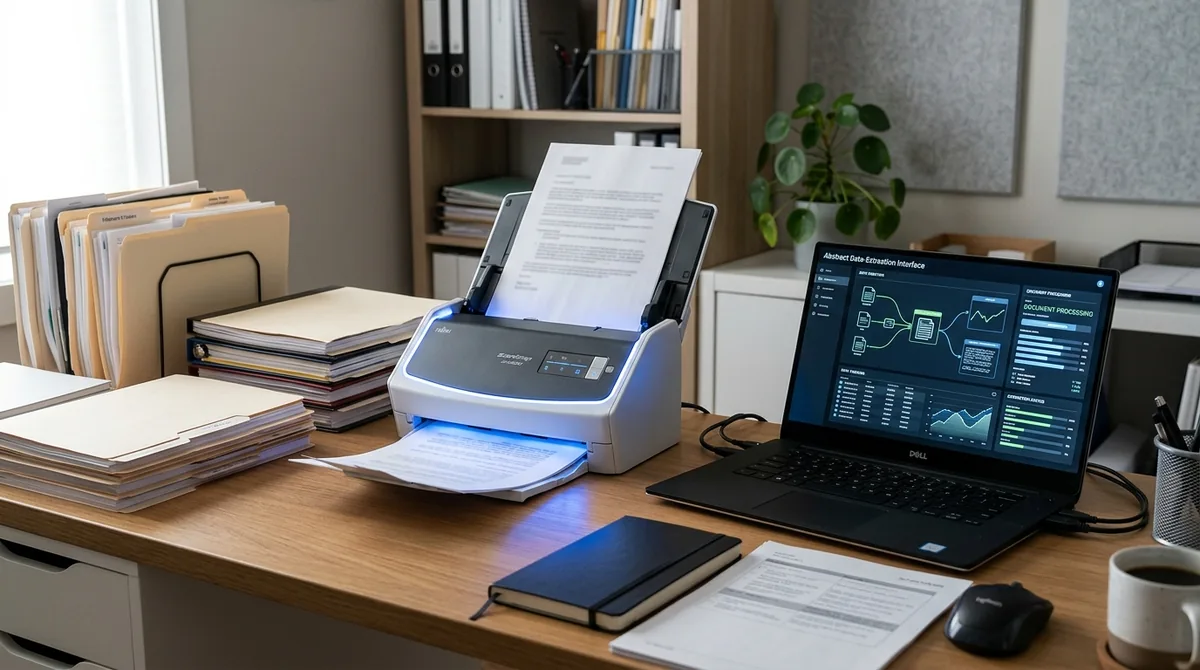
Documents arrive chaotically: email attachments, scanned PDFs, photos of receipts, shared-drive uploads, fax-era forms. Before AI can help, the business needs a single intake discipline — every document lands in one place, in a searchable format.
AI-Powered Capture and Classification
Modern AI document tools can watch an intake folder or inbox and automatically classify what arrives: "this is an invoice," "this is a signed NDA," "this is a W-9." Optical character recognition (OCR) has been around for decades, but AI-enhanced OCR now handles crooked phone photos, handwriting, and low-quality scans far better than legacy software. Tools in this space — from dedicated platforms like Rossum and Hyperscience to features inside Microsoft 365 and Google Workspace — can route documents to the right workflow without a human triaging every file.
Practical setup: create one monitored intake point (a shared email alias like documents@yourcompany.com or a cloud folder), and let AI classification sort from there. The discipline of a single intake point matters more than which vendor you choose.
Naming and Version Conventions
AI search works best on well-organized foundations. Adopt a naming convention (e.g., `2026-10-05_VendorName_Invoice-1042.pdf`) and a strict "one current version" rule. AI can help enforce this — flagging likely duplicates or outdated versions — but the convention itself is a human decision. Write it down, share it, and follow it.
Stage 2: Extraction — Turning Documents Into Data
Why Extraction Is the Highest-Value Step
A contract sitting in a PDF is information; the same contract's key dates, renewal terms, and payment obligations sitting in a structured table is actionable intelligence. Extraction — pulling structured data from unstructured documents — is where AI delivers its biggest document-workflow ROI.
What AI Extraction Handles Well
- Invoices: vendor name, invoice number, dates, line items, totals, tax, payment terms, due dates
- Contracts: parties, effective dates, term length, renewal/termination clauses, payment terms, liability caps, governing law
- Resumes: candidate name, contact info, work history, skills, education
- Forms: field values from applications, surveys, and registrations
- Receipts: merchant, date, amount, category
General-purpose AI assistants (ChatGPT, Claude, Gemini) can perform extraction on individual documents you upload: "Extract the renewal date, termination notice period, and payment terms from this contract into a table." Dedicated document-AI platforms do the same at volume, with validation rules and human-in-the-loop review queues.
Building an Extraction Workflow
- Define your schema first. List exactly which fields you need from each document type. For invoices: vendor, number, date, total, due date. For contracts: parties, dates, renewal terms, key obligations. Don't extract everything — extract what you'll act on.
- Start with a general AI assistant. Upload 5–10 sample documents and test extraction quality. This costs nothing and reveals which fields the AI handles reliably versus which need attention.
- Add validation rules. Totals should match line items. Dates should be in the future for new contracts. Flag anything that fails validation for human review.
- Keep the human in the loop. For financial and legal documents, AI extraction should propose, humans dispose. A quick review pass on extracted fields takes seconds and catches the errors that matter.
- Scale to a dedicated platform only when volume justifies it — typically hundreds of documents per month.
Measuring Extraction Quality
Track two numbers for your AI tools for business documents: accuracy (what percentage of extracted fields are correct) and exception rate (what percentage of documents need human correction). If the exception rate stays under 5–10% for a document type, the workflow is working. If it's higher, your documents may be too variable — standardize the input (ask vendors for consistent invoice formats) before blaming the AI.
Stage 3: Drafting — Creating Documents with AI

Templates Plus AI: The Right Combination
The fastest document drafting combines locked templates (your letterhead, your standard terms, your brand voice) with AI filling in the variable parts. A proposal template with AI-drafted project descriptions. A contract template with AI-summarized scope sections. An HR offer letter template with AI-personalized role details.
Common Business Documents to Draft with AI
- Proposals and quotes: AI drafts the narrative sections from your bullet-point notes; you verify pricing and commitments.
- Meeting notes and action items: AI converts transcripts or rough notes into structured minutes with owners and deadlines.
- Reports: AI assembles first drafts from data exports and bullet points; analysts add interpretation.
- Policies and SOPs: AI turns "how we do X" conversations into documented procedures.
- Customer communications: AI drafts responses, notices, and updates in your brand voice.
The Drafting Workflow That Works
- Start from your template, never from a blank AI prompt. Templates carry your legal and brand requirements.
- Feed the AI your source material — notes, data, prior similar documents — not just a topic.
- Specify the audience and purpose. "Draft a project proposal for a non-technical client, confident but not pushy tone, under 800 words."
- Review like an editor, not a reader. Check facts, numbers, dates, names, and commitments. AI drafts are starting points; the authority is yours.
- Save good outputs as new templates. When an AI-assisted document works well, templatize it. Your template library is a compounding asset.
Stage 4: Review — AI-Assisted Proofing and Analysis
Contract Review Assistance
AI contract review tools (from features in general assistants to dedicated platforms like those offered by legal-tech vendors) can compare a draft against your standard terms, flag unusual clauses, and summarize "what changed" between versions. For small businesses without in-house counsel, this is transformative: you still need a lawyer for important agreements, but AI triage means you send the lawyer a short list of flagged issues instead of a cold document — cutting review time and legal bills.
A practical approach with a general AI assistant: "Compare this vendor agreement to our standard terms [paste or attach them]. List every clause that differs, and flag anything unusual for a services contract." Then take the flagged list — not the AI's legal conclusions — to your attorney.
Proofreading and Consistency Checks
Before any document goes out, run AI checks for: internal consistency (do the numbers in the executive summary match the appendix?), defined terms (is every capitalized term actually defined?), date logic (does the timeline make sense?), and tone. These mechanical checks are where AI excels and humans get tired.
Redlining and Version Comparison
Ask AI to summarize differences between document versions in plain language: "What changed between v3 and v4 of this proposal, and does any change affect pricing or timeline?" This turns a tedious line-by-line comparison into a two-minute review — invaluable during negotiations.
What AI Review Cannot Do
AI cannot give legal advice, cannot assess whether a contract is "fair," and cannot know your risk tolerance. It finds patterns and differences; judgment about what those differences mean remains human. Never let AI be the final approver on contracts, compliance filings, or anything with legal or financial consequences.
Stage 5: Archiving — Searchable, Intelligent Document Storage

From Filing Cabinet to Knowledge Base
The final stage turns your document archive from dead storage into a working knowledge base. Modern AI search — sometimes called retrieval-augmented generation — lets you ask questions across your entire document library: "Which of our vendor contracts auto-renew in Q1?" "What's our standard payment term across active agreements?" "Show me every mention of the Acme project in 2025 proposals."
Setting Up AI Search Over Your Documents
Options range by technical appetite:
- Simplest: Upload document collections to a general AI assistant's project/knowledge feature and ask questions. Works for dozens to hundreds of documents.
- Built-in: Microsoft 365 Copilot and Google Workspace AI can search across your organization's files natively — the path of least resistance if you're already on these platforms.
- Dedicated: Document management platforms with AI search for larger or regulated archives.
Whichever route, the prerequisites are the same: documents in searchable formats (OCR your scans), consistent naming, and access controls (AI search should respect who can see what — a question-answering tool that leaks salary data to the whole company is a disaster).
Retention and Compliance
AI doesn't change your retention obligations — it just makes the archive more useful while documents are retained. Define retention schedules (how long you keep invoices, contracts, HR records) according to your jurisdiction and industry, automate deletion or archival at the end of retention, and ensure your AI tools don't retain copies beyond your policy. Check vendor data-retention terms before uploading regulated documents.
AI Tools for Business Documents: Security and Privacy Across the Pipeline
Documents are where a business's most sensitive information lives. Apply these rules at every stage:
- Classify before you upload. Know which documents contain personal data, financial credentials, trade secrets, or regulated information — and choose tools (and tiers) with appropriate protections for each class.
- Read data-use policies. Understand whether your inputs train vendor models, and use opt-outs or business tiers where available.
- Control access. AI search and assistants should inherit your existing permission structures. Test with a restricted document before rolling out broadly.
- Keep audit trails. For regulated industries, log which documents were processed by which tools and when. Several document-AI platforms provide this natively.
- Prefer redaction for external sharing. When a document must leave the organization, AI can help redact sensitive fields first — but verify redactions manually.
Choosing Tools: Build vs. Buy vs. Borrow
You don't need to buy AI tools for business documents on day one. A sensible progression:
- Borrow (free, now): Use a general AI assistant's document features for extraction, drafting, and review on individual files. Learn what works.
- Build light (low cost): Add templates, naming conventions, and a shared intake folder. Connect built-in AI in your existing office suite.
- Buy (when volume demands): Invest in dedicated document AI when you're processing hundreds of documents monthly and the human-in-the-loop review queue is itself becoming a bottleneck.
At each step, the question is the same: does this reduce total document-handling time (including setup, review, and exception handling) enough to justify its cost? Measure, don't assume.
FAQ
What's the difference between OCR and AI document processing?
Traditional OCR converts images of text into machine-readable text — that's it. AI document processing goes further: it understands document structure, classifies document types, extracts specific fields into structured data, and can answer questions about content. Think of OCR as reading the words; AI as comprehending the document.
Can AI replace our document review process?
No — it transforms it. AI handles the mechanical parts (extraction, comparison, consistency checks, first-pass flagging) far faster than humans, but judgment calls, legal interpretation, and final approval stay human. The realistic outcome is reviewers handling 3–5x the volume with better accuracy, not zero reviewers.
How accurate is AI data extraction from invoices and contracts?
For clean, standard documents, modern AI extraction is highly accurate on common fields — but "highly accurate" still means errors happen, which is why validation rules and human review of exceptions are part of every serious workflow. Accuracy drops with poor scans, unusual layouts, and handwritten content. Always measure on your own documents rather than trusting vendor claims.
Is it safe to upload contracts to AI tools?
It can be, with the right precautions: use business tiers with clear data-use commitments, check whether inputs are used for model training (and opt out if so), avoid uploading documents with highly sensitive personal data to consumer free tiers, and ensure access controls carry over. For highly sensitive agreements, some businesses restrict AI processing to on-premises or private-cloud tools.
What document types benefit most from AI processing?
High-volume, semi-structured documents: invoices, receipts, purchase orders, standard contracts, resumes, insurance claims, and forms. Documents that are highly variable or require deep contextual judgment (complex litigation, novel deal structures) benefit less from automation and more from AI-assisted review.
How do we get employees to actually use AI document tools?
Start with their biggest pain point, not the fanciest feature. If the team dreads monthly invoice processing, automate that first and let the time savings sell the concept. Provide templates and examples rather than blank tools, keep humans in the loop so they feel in control, and celebrate the hours saved publicly.
Conclusion
AI tools for business documents deliver their value not as isolated tricks but as a connected pipeline: disciplined intake, automated extraction, template-driven drafting, AI-assisted review, and a searchable archive. Each stage compounds the others — clean intake makes extraction accurate, good extraction makes review fast, and a searchable archive makes every future document easier to produce.
Start where the pain is sharpest. For most businesses, that's extraction (stop retyping invoice data) or review (stop dreading contract redlines). Build the workflow around one document type, measure the time saved, then expand. Documents will always be the paperwork of business — but with AI handling the mechanical work, they can finally move at the speed of the decisions they support.


Join the discussion
Have a question or a perspective to share?