

5 Ways the Gemini Agent Could Change Your Workday
On October 8, 2026, at “Gemini at Work 2026,” Google announced the Gemini agent — “your new single, universal agent for work.” It is designed to handle knowledge work, question answering, content creation, and coding from one prompt box. Instead of step-by-step instructions, you give it objectives: it plans the work, uses skills and tools, and connects to your business systems. This article walks through five concrete workday use cases — built only from what Google has announced — so you can judge for yourself what might actually change about how you work. For the full background, see our complete explainer on the Gemini agent.

1. Meeting Prep on Autopilot
Picture this: a 10 a.m. product review with the finance team. You know almost nothing about the numbers on the agenda.
The old way
You block 45 minutes the night before. You hunt through Gmail for the latest deck, dig up last quarter’s spreadsheet in Drive, and skim a Slack thread where someone mentioned a budget concern you can’t quite place. By the time the meeting starts, you have 12 tabs open, three contradictory versions of the numbers, and a nagging feeling you missed something.
The agent way
The evening before the meeting, you type one objective into the prompt box: “Get me ready for tomorrow’s product review with finance.” The Gemini agent could check your calendar, pull the latest deck from Drive, cross-reference the budget figures in Sheets, and scan the relevant Gmail thread for open questions. Because it connects to business systems and has session memory of your work, it could then draft a one-page pre-read: the agenda, the key numbers, who is attending, and three questions worth asking. You review it with your coffee and arrive informed instead of scrambling.
Which announced capabilities power this
- One prompt box with objectives, not instructions — you state the goal; the agent plans the steps.
- Business-system connections — calendar, Gmail, Drive, and Sheets are all listed surfaces.
- Session memory — one of four memory types, so the agent can carry context across your work.
- Cloud-hosted continuation — the prep could keep running after your laptop closes.
Realistic limits
The agent is only in private preview for enterprise customers, and Google has not announced a general-access date. Its summary is only as good as the documents it can reach — disorganized drives will still produce gaps. For anything consequential, you stay the reviewer: trust the pre-read after you verify the numbers, not before.
2. Market Research to Boardroom Deck
You need a competitive analysis for the leadership meeting next Tuesday. Today that means a week of browser tabs.
The old way
You spend days gathering data: competitor pricing pages, analyst reports, internal sales figures. You paste it all into a spreadsheet, build charts by hand, and then wrestle the findings into a slide deck the night before the meeting. The research is solid; the formatting ate your weekend.
The agent way
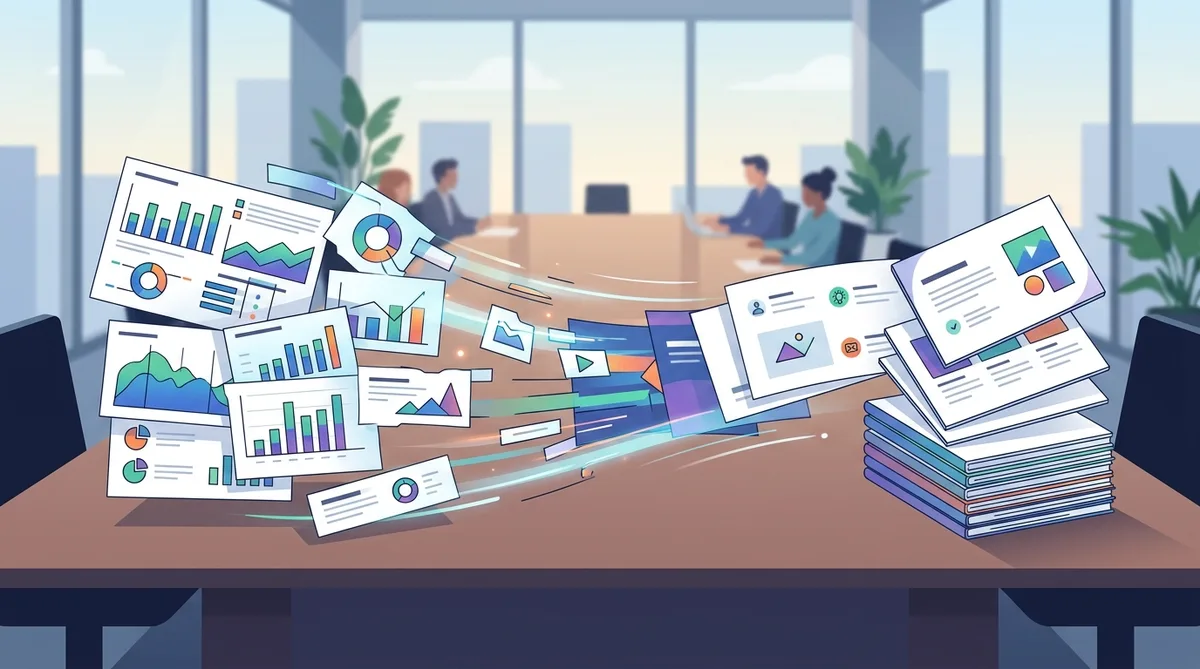
You give the agent an objective: “Build a competitive analysis of our three main rivals and draft a ten-slide deck for Tuesday’s leadership meeting.” The agent could gather information across sources, organize the data into Sheets, run the analysis, and draft the deck in Slides — all from the single prompt box. It could pick the right model for each job along the way, since dynamic model selection lets it use the Gemini and Claude families today (with open-source and other private models planned later), with built-in cost controls keeping enterprise usage in check. You get a draft deck to refine rather than a blank slide to fill.
Which announced capabilities power this
- Content creation plus knowledge work — both listed as core agent abilities.
- Workspace surfaces — Sheets for the analysis, Slides for the draft deck.
- Dynamic model selection — the best model per subtask, not one model for everything.
- Cloud-hosted execution — a multi-step research job can run unattended.
Realistic limits
“Research across sources” depends on which sources your enterprise actually connects — the announced surfaces are the Workspace apps, Slack, Salesforce, and a few others, not the open web by default. Treat the draft as a draft: chart choices, framing, and any claim that reaches leadership still needs a human pass.

3. Inbox Triage
You return from two days off to 300 unread emails. Half are noise; the other half are not, and you can’t tell which is which at a glance.
The old way
You spend the first two hours of your Monday deleting newsletters, forwarding threads to the right people, and writing quick replies one by one. By noon you are caught up on email and behind on everything else.
The agent way
The agent could work through Gmail as a connected surface: sorting the backlog, drafting replies in your voice for the routine ones, and flagging the messages that genuinely need your judgment. It could use session memory to remember how you handled similar threads before, so its drafts sound like you. You open your inbox to a short list — replies to approve, two items flagged urgent, everything else filed — and you are back to real work before lunch.
Which announced capabilities power this
- Gmail as a connected surface, inside the Workspace integrations.
- Objectives, not instructions — “triage my inbox” is the objective; sorting, drafting, and flagging are the plan it builds.
- Session memory — it can learn your reply patterns over time.
Realistic limits
Drafts are drafts: anything the agent sends in your name is on you, so review matters, especially with customers and executives. An agent that flags “urgent” wrongly can hide a real emergency behind a tidy summary. And access to your mailbox is the most sensitive permission on this list — enterprise IT will (rightly) want guardrails before switching it on.

4. Coding Help From One Prompt Box
A bug report lands in Jira. The fix touches two repos and a deployment config you have never edited.
The old way
You clone the repos, read through unfamiliar code, reproduce the bug locally, write the fix, and open a pull request. Along the way you context-switch between the Jira ticket, the codebase, docs, and chat three times. What should be a two-hour fix becomes a two-day one.
The agent way
From the one prompt box, you set the objective: “Fix the timeout bug in ticket PROJ-412.” The Gemini agent could pull the ticket context from Jira, read the relevant code in Git, plan the fix, write it, and iterate — coding is one of its four announced abilities. It could run the change, adjust based on results, and hand you a proposed pull request with a summary of what changed and why. You review the diff like a senior reviewing a junior’s work, instead of doing the archaeology yourself.
Which announced capabilities power this
- Coding from the prompt box — a first-class capability, not an add-on.
- Jira and Git integrations — both named among the connected systems.
- Skills and tools — the agent uses tools to execute multi-step work, not just generate text.
- Dynamic model selection — planning, writing, and reviewing code could each use the model best suited to the job.
Realistic limits
No agent understands your system’s hidden constraints the way your team does — database quirks, undocumented behavior, “we don’t touch that service on Fridays.” Code review stays mandatory; an approved-looking diff can still be wrong. And in private preview, enterprise customers are the testers — expect rough edges, and keep the agent out of production deploys until your team trusts it.
5. Your Coworker Agent
Your team runs a weekly partner report: someone collects numbers from three systems, writes it up, and emails it every Friday. It is important, recurring, and nobody’s favorite task.
The old way
Someone — usually whoever is newest — spends Friday afternoon assembling the report. They pull data from Salesforce, format it, write the summary, and send it out. It ships late whenever that person is busy, and the format drifts every time the task changes hands.
The agent way
Your team could create a coworker agent for the role: an agent with its own email address at your company’s agents domain (Google’s example: @agents.company.com), its own calendar, and its own Drive. It appears in the company directory and can be added to Google Chat spaces like any colleague. Every Friday, it could gather the numbers, assemble the report, and send it — a recurring workflow owned by a persistent identity rather than whoever drew the short straw. New hires would find “Reporting Agent” in the directory and know exactly what it does.
Which announced capabilities power this
- Coworker agents — purpose-built agents for a role or team, with their own email, calendar, and Drive.
- Company directory presence — discoverable like any employee.
- Salesforce and Workspace connections — the data sources and the delivery surfaces.
- Cloud-hosted — the Friday job runs whether or not anyone’s laptop is open.
Realistic limits
A persistent agent with its own email raises real governance questions: who approves what it sends, who audits its Drive, and what happens when it misreads a data source two Fridays in a row. This is the scenario where “humans stay in the loop for consequential decisions” matters most. Expect enterprises to start coworker agents on internal, low-stakes workflows long before anything customer-facing.
The Five Scenarios at a Glance
| Scenario | The old way | The Gemini agent way | Key capabilities used |
|---|---|---|---|
| Meeting prep | 45 minutes of tab-hunting the night before | One objective; a pre-read draft waiting by morning | Calendar/Gmail/Drive/Sheets, session memory, cloud execution |
| Research to deck | Days of research, a weekend lost to formatting | Data gathered, Sheets analysis, Slides draft from one prompt | Content creation, Workspace apps, dynamic model selection |
| Inbox triage | Monday morning buried in 300 unread emails | Sorted inbox, drafted replies, only the real decisions left for you | Gmail integration, objectives-based planning, session memory |
| Coding help | Two-day fix after repo archaeology | Ticket context from Jira, code from Git, proposed PR to review | Coding ability, Jira/Git, skills and tools, model selection |
| Coworker agent | Friday report depends on whoever is newest | A persistent agent with its own email owns the recurring workflow | Coworker agents, directory presence, cloud hosting |
What It Won’t Do (Yet)
Honesty first. The Gemini agent is in private preview for enterprise customers only — Google has announced no date for general access, so if you are reading this as an individual or a small business, you are waiting. Everything above is forward-looking: real-world results will vary, and the first enterprise pilots will surface rough edges that keynotes never show.
It also will not replace your judgment. Google’s framing — objectives, not instructions — means the agent plans and executes, but the plan can be wrong: a misread document, a hallucinated number in a pre-read, a pull request that looks clean and breaks in production. For consequential decisions, humans stay in the loop. That is not a limitation of this product; it is the correct way to use any of them.
Finally, access is the real cost. The scenarios above assume the agent can reach your calendar, mailbox, code, and CRM. Enterprise IT teams will need to weigh productivity against data governance: what the agent can read, what it can send, and who audits both. Companies like PayPal, Bradesco, and Orange Spain are already running early workloads — PayPal at 10 million multi-model requests per week, Bradesco cutting document review from an hour to five minutes, Orange Spain operating over 1,000 custom agents — but those are Google’s showcase numbers from the same keynote, and your mileage will differ.
Who Benefits Most
Managers with meeting-heavy weeks. If your calendar is the bottleneck, meeting prep and inbox triage are the two scenarios that could give you the most hours back first.
Analysts and operators. Recurring reporting, competitive research, and deck assembly are exactly the multi-step, multi-app workflows the agent is built for — one objective in, a draft out.
Engineering teams. Jira-to-Git workflows map directly onto the announced integrations. Teams with good test coverage and review discipline are best positioned to use coding help safely.
IT and operations leaders. Coworker agents are the long game: recurring workflows with persistent identities. The winners here will be the teams that set up governance — permissions, auditing, human review — before they scale.

Frequently Asked Questions
When will the Gemini agent be available to everyone?
Google has not announced a date. It is currently in private preview for enterprise customers only. For the full announcement details, see our explainer on the Gemini agent.
How is this different from a chatbot?
A chatbot answers questions in a conversation. The Gemini agent takes an objective, plans the work, uses skills and tools, connects to business systems like Gmail, Jira, and Salesforce, and keeps working in the cloud after your laptop closes. It is built to do multi-step work, not just produce text.
What data can the Gemini agent access?
Based on Google’s announcement: the Gemini Enterprise app, Google Workspace (Gmail, Docs, Slides, Sheets), and connected systems including Slack, Microsoft 365, Salesforce, Jira, Git, ServiceNow, and Shopify — plus coworker agents with their own email, calendar, and Drive. Actual access depends on what your enterprise connects and permits.
How much will it cost?
Google has not announced pricing. The announcement mentions built-in cost controls and dynamic model selection (Gemini and Claude families today, with open-source and other private models later), which suggests usage-based pricing is likely — but that is speculation, not an announced fact.
Is this related to Meta Muse or OpenAI Dots AI?
They are part of the same wave: Meta announced Muse on September 8, 2026, and OpenAI announced Dots AI on September 29, 2026, before Google announced the Gemini agent on October 8, 2026. All three point toward agents that work across your apps rather than inside a single chat window.
Can it replace employees?
Nothing in the announcement suggests replacement. The scenarios Google describes — prep, research, triage, coding assistance, recurring workflows — remove busywork around the work, not the judgment the work requires. Humans stay in the loop for consequential decisions.
Will my company need Gemini Enterprise to use it?
The agent was announced as part of the Gemini Enterprise story — Google noted that about 90% of the Fortune 100 use Gemini Enterprise, and that roughly 500 customers have each processed over 1 trillion tokens in the past year — but Google has not stated the exact packaging or requirements for the agent itself.
The Bottom Line
The Gemini agent is a bet that the next productivity leap is not a better chatbot but an agent you brief with objectives and trust with the busywork: the pre-read before the meeting, the draft after the research, the triaged inbox, the first pass at the code, the Friday report that ships itself. It is early — private preview, no public date, governance questions unanswered — but the shape of the workday it points to is clear enough to start planning for. The teams that will get the most from it are not the ones waiting for perfection; they are the ones deciding now which recurring workflows they would hand to a coworker agent first, and what guardrails they would put around it.





Join the discussion
Have a question or a perspective to share?