

Quick Confirmation:
This Timeero Guide is written for readers who want a simple and practical overview of how Timeero works for time tracking, GPS tracking, mileage tracking, geofencing, scheduling, and team management. It is meant for informational purposes and helps beginners understand the platform before deciding whether it suits their workflow. This guide has been researched and prepared by Qamar Abbas for readers who want a clear starting point before exploring the platform in more detail. If you manage mobile teams, field staff, or employees who travel between job sites, this guide gives you a helpful introduction.
If you have been searching for a clear Timeero Guide, you are probably trying to understand one simple thing: is Timeero the kind of tool that can actually make daily work easier?
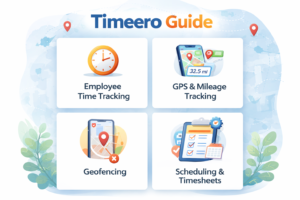
That is a fair question. Time tracking tools often promise a lot, but many teams end up with systems that feel clunky, confusing, or difficult to manage. Timeero stands out because it combines employee time tracking, GPS tracking, mileage tracking, scheduling, geofencing, and reporting in one platform. According to Timeero’s official site, the platform is built to help businesses track employee hours, mileage, and GPS location in real time, while also supporting schedules and payroll reporting.
This article is written as a conversational guide for readers in the US, the UK, and global markets who want a practical introduction instead of sales-heavy language. Whether you run a field service company, manage a mobile workforce, or simply want to understand how the platform works, this Timeero Guide walks through the basics in a way that is easy to follow.
What Is Timeero?
Timeero is a workforce management and tracking platform designed for businesses that need more than a basic clock-in and clock-out app. Its official product pages highlight employee time tracking, GPS tracking, mileage tracking, geofencing, scheduling, and integrations as core features.
In simple terms, it helps managers answer common day-to-day questions:
Who is currently working?
Where are they when they are on the clock?
How many hours have they worked?
How much mileage should be reimbursed?
Are people clocking in from the correct job site?
For businesses with field teams, delivery staff, home care teams, construction crews, and similar mobile operations, those questions matter a lot. A tool like Timeero is not only about attendance. It is also about visibility, accuracy, and reducing manual admin work. That is one reason many businesses explore it as an all-in-one time and mileage tracking option.
Why People Search for a Timeero Guide
Many users look for a Timeero Guide because they want help getting started without wasting time. Software pages can tell you what a platform offers, but they do not always explain how it feels in real use.
New users usually want to know:
How to set up the account
How employees join the platform
How time tracking works
How GPS and mileage tracking work
How to review timesheets
How to configure company settings
How to avoid common setup mistakes
Timeero’s own help center reflects those needs. It includes onboarding instructions for employees, general company settings, timesheet management, route maps, tracker settings, and troubleshooting resources.
That tells you something useful right away: this is a platform designed for active daily operations, not just occasional time entry.
How Timeero Works in Everyday Use
At a basic level, Timeero works through a mobile app and a web portal. Employees use the mobile app to clock in, clock out, track time, and, depending on company settings, record mileage and location information. Managers use the admin side to configure settings, assign work, review timesheets, and run reports.
The typical workflow looks like this:
An admin sets up the company account.
Employees are added to the system and invited to log in.
Employees install the app and complete onboarding.
They clock in when work starts and clock out when work ends.
If enabled, Timeero records GPS and mileage data while they are on the clock.
Managers review timesheets, route history, and related reports from the dashboard.
This structure is one of the reasons Timeero appeals to businesses with moving teams. It keeps the employee side simple while giving managers more operational control in the background.
Getting Started With Timeero
A good Timeero Guide should begin with setup, because that is where most new users either build a strong system or create future headaches.
According to Timeero’s help documentation, employee onboarding starts when an admin creates the user profile and sends an invitation so the employee can set up login credentials. From there, the employee installs the app and follows the onboarding process for accurate time and mileage tracking.
On the admin side, Timeero’s help center says general company settings are managed from the gear icon in the upper-right area of the admin web portal. That is where the company can enable the settings that fit its workflow and save them for the whole account.
For many businesses, the best way to start is with the essentials first:
Create the company structure
Add users
Set time tracking rules
Review break settings
Enable GPS or mileage features if needed
Test the workflow with a small group before rolling it out to everyone
This gradual approach usually works better than turning on every feature at once.
Time Tracking Features
Time tracking is still the heart of the platform. Timeero’s official site says users can track employee hours, overtime, breaks, and generate timesheet reports from one place.
That matters because time tracking is rarely just about the total hours worked. Businesses often need records for payroll, project oversight, attendance accuracy, and compliance. A tool becomes much more useful when it makes those records easier to review and export.
Timeero’s help center also notes that managers can view timesheets from the Time & Mileage page, where they can filter results and search more easily.
In practical terms, that means managers are not forced to dig through scattered records. They can review shifts in one area and take action more quickly when something looks off.
GPS Tracking and Location Visibility
One of the biggest reasons teams choose Timeero is its GPS functionality. Timeero’s site says the platform provides a breadcrumb trail of where employees are or have been while on company time, including timestamped location tracking and real-time visibility.
That can be valuable for field teams because location data helps answer questions that traditional timesheets cannot. It can show whether employees reached the right job site, whether they moved between jobs during a shift, and how routes unfolded throughout the day.
Timeero also provides route maps for timesheets that include GPS tracking, according to its help center.
For managers, this can reduce guesswork. For employees, it can also create a more accurate record of work activity when they are moving between locations.
Mileage Tracking and Reimbursement Support
Mileage is another major part of the platform. Timeero’s official pages say businesses can track employee mileage, view routes, and generate mileage reports, helping avoid overpaying for longer routes or relying on manual odometer logs.
This is especially useful for companies where employees drive regularly for work. Manual mileage logs can be inconsistent and time-consuming. A digital process can make reimbursements more accurate and easier to audit.
For businesses in the US and UK, where clear reimbursement records and transparent payroll practices matter, mileage tools can save admin time while also improving trust between staff and management. That is one of the strongest practical reasons to explore Timeero beyond basic attendance tracking. This is an inference based on Timeero’s reporting and mileage-tracking features.
Geofencing and Smarter Clock Ins
A useful part of any Timeero Guide is explaining geofencing in plain language. Timeero says geofencing can restrict clock-in activity or send automatic reminders when employees arrive at or leave a geofenced location.
That means the system can help encourage clock-ins at the right place rather than from anywhere. For teams that work on job sites, client locations, or fixed service areas, this can improve timekeeping accuracy.
It also helps reduce one of the most common headaches in field management: trying to verify whether hours were recorded at the correct location. When used thoughtfully, geofencing can support both operational efficiency and accountability. This is an inference based on the official description of restricted clock-ins and reminders.
Scheduling, Breaks, and Daily Operations
Timeero’s official site says the platform includes scheduling features and allows team members to stay updated on shifts, including the ability to accept or decline assigned schedules.
Its help center also shows that break settings can be customized, including different types of breaks such as meal or rest, paid or unpaid, depending on company needs.
Together, these features make the tool feel broader than a standard punch-clock app. It can help businesses coordinate not only when people worked, but when they were expected to work and how breaks were handled during the day.
For companies that deal with rotating shifts or distributed workers, that combination can make daily management a lot smoother.
Offline Tracking and Mobile Setup
A strong mobile setup is essential for any field tracking platform. Timeero’s help center includes a Tracker Checklist for iOS and Android so users can confirm the phone settings needed for proper GPS and mileage tracking.
Timeero also says it supports offline tracking, with time, mileage, and location data syncing to the cloud once connectivity is available again.
That is important because many field teams work in areas with weak signal coverage. Without offline support, time records can become unreliable. With it, businesses can keep better continuity even when employees move through areas with unstable mobile service.
Reporting and Admin Oversight
Timeero’s platform pages repeatedly emphasize report generation for both time and mileage. Its help center also describes the Time & Mileage page as the place where managers can review timesheets and related data.
This is where the software becomes more than a tracker. The value is not only in collecting data. The value is in being able to review, verify, and export it in a way that supports payroll and decision-making.
For busy teams, that reporting layer can reduce manual spreadsheet work and make internal reviews much faster. That benefit is an inference based on the official reporting and dashboard descriptions.
Who Should Use Timeero?
Timeero appears best suited for businesses that manage people outside a single office desk environment. Its official positioning around GPS tracking, mileage, scheduling, and route visibility suggests that it is especially relevant for field operations.
That may include:
Home healthcare teams
Construction and trade services
Cleaning services
Delivery operations
Field sales or support teams
Maintenance and inspection crews
It may be less essential for businesses where every employee works from one fixed office and detailed location or mileage data is not needed. In those cases, a simpler time tracker could be enough.
Frequently Asked Questions
What is Timeero used for?
Timeero is used for employee time tracking, GPS tracking, mileage tracking, scheduling, and timesheet management. It is mainly helpful for businesses that manage field teams, mobile workers, and staff who travel for work.
Is Timeero good for small businesses?
Yes, Timeero can be useful for small businesses, especially if they need a simple way to track working hours, employee location, and mileage in one place. It can help reduce manual records and improve daily oversight.
Does Timeero track mileage automatically?
Timeero is known for mileage tracking features that help businesses record work-related travel more accurately. This can be useful for reimbursements, route checks, and reporting.
Can employees clock in and clock out from their phones?
Yes, Timeero is designed with mobile use in mind, so employees can usually clock in and clock out from their phones. This makes it practical for remote teams and on-site workers.
What industries can use Timeero?
Timeero can work well for industries like construction, home healthcare, cleaning services, delivery, maintenance, field sales, and other businesses with staff working outside a single office.
Does Timeero offer GPS tracking?
Yes, GPS tracking is one of the main reasons many businesses consider Timeero. It helps managers view employee movement during working hours and improves visibility for field operations.
Final Thoughts on This Timeero Guide
A good Timeero Guide should leave you with a realistic impression, not just a polished one. Based on Timeero’s official pages and help documents, the platform is built for businesses that need time tracking plus location, mileage, scheduling, and oversight in one system.
Its biggest strengths appear to be its all in one workflow, mobile first setup, route visibility, mileage tracking, and operational controls like geofencing and scheduling.
For readers in the US, the UK, and global markets, the main takeaway is simple: Timeero is most useful when your business needs accurate field-based tracking, not just a basic digital timesheet. If your team moves, drives, visits job sites, or needs clearer accountability during the workday, it is the kind of platform worth understanding in more detail.