
Confirmation Box
Quick Confirmation:
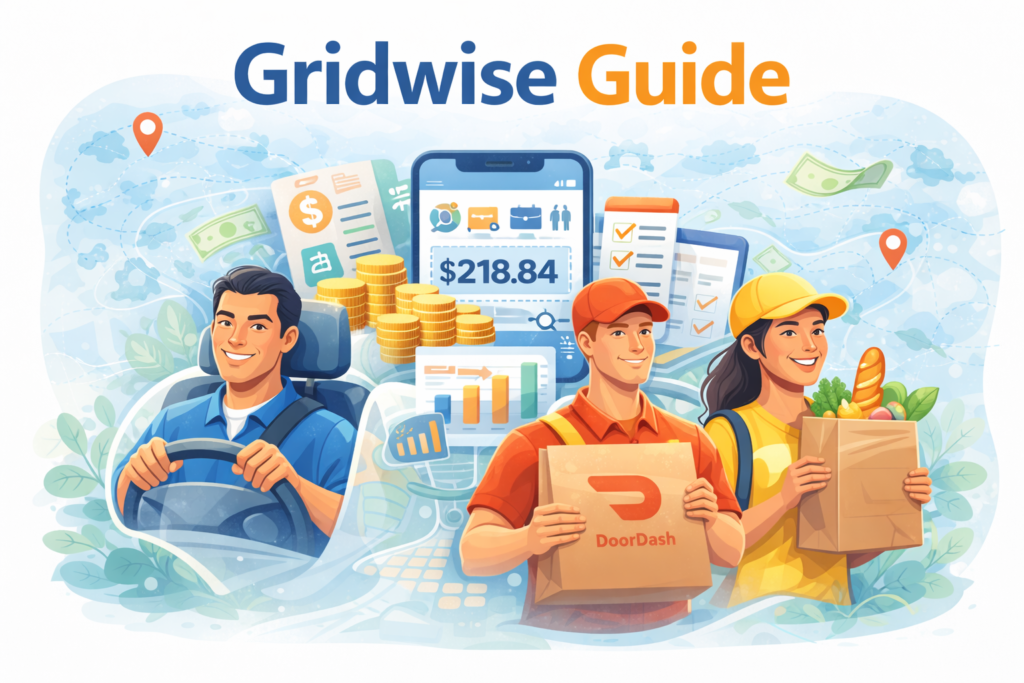
This Gridwise Guide is written for readers who want a simple and practical overview of how Gridwise works for mileage tracking, earnings tracking, expense tracking, and gig driver support. It is meant for informational purposes and helps beginners understand the platform before deciding whether it suits their workflow. This guide has been researched and prepared by Qamar Abbas for readers who want a clear starting point before exploring the platform in more detail. If you are a rideshare driver, delivery worker, or independent contractor who drives for work, this guide gives you a helpful introduction.
If you are searching for a proper Gridwise Guide, you are probably trying to answer one simple question. Is Gridwise actually useful for gig drivers, or is it just another app with big promises?
That is a fair question.
Many drivers in the US, the UK, and other countries want better control over their work. They want to track miles, see earnings clearly, record expenses, and make smarter decisions about when and where to drive. Gridwise is built around that idea. On its official site, Gridwise says it helps gig drivers sync their apps and track earnings, expenses, and mileage in one place. It also says drivers can use personalized insights to make smarter driving choices.
That sounds useful. However, a good guide should go beyond marketing language. It should explain what the app does, who it is for, and where it really helps.
This article does exactly that.
What Is Gridwise?
Gridwise is a gig-driver assistant app. It is designed for people who work in rideshare and delivery. According to its official site, the app helps users track gig work in one place by syncing platforms and showing earnings, expenses, and mileage together. Gridwise also says it offers insights on when and where to drive so users can make smarter work choices.
In simple terms, Gridwise is not just a mileage app. It tries to be a work-management tool for gig drivers.
That is an important difference.
A basic app may only count miles. Gridwise goes further by combining mileage tracking with earnings tracking and expense tracking. Its official features pages say it can automatically track work miles, help users track expenses, and sync earnings from rideshare and delivery apps.
Why People Search for a Gridwise Guide
There is a reason people search for a Gridwise Guide instead of only searching for the app name.
They want clarity.
Most people are not looking for technical language. They want direct answers to basic questions:
Is Gridwise good for drivers?
Does it track miles automatically?
Can it track earnings from different apps?
Does it help with tax records?
Is it useful for delivery and rideshare workers?
What does Gridwise Plus offer?
Those are practical questions. Drivers do not want to waste time testing five different tools just to find one that fits their daily routine.
That is why a clear guide matters.
How Gridwise Works
Gridwise works by bringing different parts of gig work into one dashboard. On its official site, the company says drivers can link rideshare and delivery accounts to see earnings in one place. It also says the app can automatically track mileage and help users log expenses.
That means the app is trying to solve three common problems at once:
First, it helps drivers see how much they are earning.
Second, it helps them record how much they are spending.
Third, it helps them track mileage for tax and business use.
For many drivers, that combination is useful because gig work often gets messy fast. If someone is working across more than one app, it becomes harder to understand true profit without a central tool.
Main Features in This Gridwise Guide
A Yoast-friendly article works best when features are broken into clear sections. So let’s keep it simple.
Mileage tracking
Mileage tracking is one of Gridwise’s main features. Its official mileage feature page says the app automatically tracks work miles for gig drivers and lets them download saved miles into a report for tax season. Gridwise also says it helps drivers track all the work miles they put on their vehicle, not just certain trip segments.
This is a major benefit for drivers because missed miles can mean missed deductions.
Earnings tracking
Gridwise also focuses heavily on earnings. Its official earnings page says the app tracks earnings, mileage, and expenses, and it can show performance metrics such as earnings per hour, trips per hour, and earnings per trip across gig services. Gridwise also says linked accounts help users see which services are making them the most money.
This makes the app more useful than a simple trip logger.
Expense tracking
Another important feature is expense tracking. Gridwise’s official expense page says it syncs with rideshare and delivery apps so users can track mileage, earnings, and expenses across services. The same page says Gridwise supports platforms such as Uber, Lyft, DoorDash, Uber Eats, Grubhub, and Gopuff.
For gig workers, this matters because expenses can reduce real profit more than expected.
App syncing
Gridwise says drivers can sync their gig apps and get an all-in-one view of earnings, expenses, and mileage. That central view is one of its strongest practical advantages. Instead of switching between several apps, users can get a broader picture in one place.
Smart driving insights
Gridwise also says it gives personalized insights on where and when to drive. Its Plus page adds that members can find profitable neighborhoods, times to work, and gig apps, and can also use flight information and event alerts to reduce waiting time and improve earnings.
This feature is especially appealing for drivers who want more than accounting support.
What Makes Gridwise Useful?
The biggest strength of Gridwise is that it understands gig-driving work as a full business process.
That is important.
Many drivers do not only need a mileage log. They need a way to see what they earn, what they spend, and how their working pattern affects income. Gridwise is built around that broader need. Its official site repeatedly presents the app as a tool for tracking gigs in one place and making smarter driving choices through combined data and insights.
That makes the app more practical for active rideshare and delivery workers than a plain mileage-only tool.
Another reason Gridwise feels useful is its tax angle. Its mileage page says saved miles can be downloaded into a report for tax season, and its earnings page links mileage, expenses, and gig earnings together for maximum tax deductions.
For self-employed drivers, that is a real advantage.
Who Should Use Gridwise?
This Gridwise Guide makes the most sense for people who drive regularly for app-based work.
That includes:
Uber drivers
Lyft drivers
DoorDash drivers
Uber Eats drivers
Grubhub drivers
multi-app gig workers
Gridwise’s official expense page explicitly says it supports Uber, Lyft, DoorDash, Uber Eats, Grubhub, Gopuff, and more. That makes its target audience very clear.
It may also help independent contractors who want a cleaner view of vehicle-related work records.
However, it may be less useful for people who do not drive for work or for businesses that need full employee scheduling and payroll tools. Gridwise is much more driver-centered than team-management-centered based on its official positioning.
Is Gridwise Good for Mileage Tracking?
Yes, mileage tracking is one of its strongest points.
Gridwise’s official mileage page says the app automatically tracks work miles and lets users export those records into a report. It also states that the app is designed specifically for gig drivers.
That focused design matters.
A generic mileage app may work for many people, but gig drivers often want more detailed context. They want an app that understands multiple platforms, active shifts, and tax-season reporting. Gridwise leans into that driver-specific use case.
Is Gridwise Good for Earnings Tracking?
Gridwise also performs an important role in earnings tracking.
Its official earnings page says the app tracks earnings across services and shows metrics such as earnings per hour, trips per hour, and earnings per trip. It also says linked accounts help users understand which services make them the most money.
That feature can be valuable because total revenue does not always show real performance. A driver may earn more through one app but spend more time or fuel doing it. Seeing the work more clearly can help users make better decisions.
That is one of the strongest reasons the app stands out.
Does Gridwise Help With Expenses?
Yes, expense tracking is part of the Gridwise system.
Its official expense-tracker page says the platform syncs with delivery and rideshare apps so users can track earnings and expenses across services.
This matters because earnings alone can be misleading.
A driver may think they are doing well, but after counting fuel, tolls, maintenance, and other costs, the picture can change. Expense tracking helps bring more honesty into income planning.
That is why Gridwise feels more complete than a basic mileage counter.
What Is Gridwise Plus?
Gridwise also offers a premium option called Gridwise Plus. Its official Plus page says members get automatic mile tracking, synced earnings, profitable-neighborhood insights, timing guidance, flight information, event alerts, and exclusive gig benefits. The same page says Plus members earn 30% more on average within their first month and lists pricing of $14.99 per month after a 14-day free trial, with a monthly plan shown at $9.99 on the page as well, so users should check the latest pricing details directly before subscribing.
The main point is simple: the free side of Gridwise focuses on tracking and visibility, while Gridwise Plus pushes more advanced insights and planning tools.
Pros of Gridwise
Every strong article should cover the positive side clearly.
One, Gridwise is built specifically for gig drivers. Its features are not generic. They are centered on mileage, earnings, expenses, and work timing.
Two, it combines several tools into one system. Instead of using separate apps for miles, expenses, and earnings, users can see more in one place.
Three, it includes planning help. Personalized insights, airport information, and event alerts can help drivers make better work choices.
Four, it helps with tax preparation by organizing mileage and related work records.
Cons of Gridwise
A balanced Gridwise Guide should also cover the weak points.
One possible downside is that some users may not need all the features. If someone only wants a very basic mileage tracker, Gridwise may feel broader than necessary. This is an inference based on Gridwise’s official positioning as an all-in-one gig-driver tool rather than a simple mileage-only app.
Another issue is that some advanced value appears tied to Gridwise Plus. The official Plus page highlights premium insights and extra benefits, so users who want the deeper optimization side may need a paid plan.
A third point is that performance still depends on how well users connect and maintain their accounts across platforms. Since Gridwise’s value comes partly from syncing services, users who want a very simple offline-only tool may not get the same benefit. This is an inference based on Gridwise’s official emphasis on linking gig accounts and syncing earnings.
Is Gridwise Worth It?
For many gig drivers, yes.
If your work depends on rideshare or delivery income, Gridwise offers a practical combination of mileage tracking, earnings tracking, expense records, and work insights. Its official site clearly presents those as core strengths.
That said, whether it is worth it depends on your needs.
If you only want a tiny mileage app, you may prefer something simpler. If you want one place to see work data, tax-related miles, expenses, and performance insights, Gridwise looks much more useful.
That is why the app has continued to stand out in the gig-driver space.
Final Thoughts on This Gridwise Guide
To sum up this Gridwise Guide, Gridwise is designed for rideshare and delivery drivers who want a better way to manage gig work. It combines mileage tracking, earnings tracking, expense tracking, and smart driving insights in one platform. Official Gridwise pages repeatedly highlight those exact strengths.
Its biggest advantage is that it treats gig driving like a business, not just a collection of random trips. That makes it especially helpful for drivers who work across multiple apps and want a clearer view of profit, costs, and strategy. This is an inference based on Gridwise’s all-in-one tracking model and multi-service syncing.
For readers in the US, the UK, and global markets, the takeaway is simple. If you drive for work and want a more organized view of mileage, earnings, and expenses, Gridwise is worth understanding. If you want deeper insights, Gridwise Plus may be worth comparing too.
Frequently Asked Questions
What is Gridwise used for?
Gridwise is used by gig drivers to track mileage, earnings, and expenses in one place. Its official site also says it helps users make smarter driving choices with personalized insights.
Is Gridwise good for Uber and delivery drivers?
Yes. Gridwise’s official pages show that it supports rideshare and delivery workers, including services such as Uber, Lyft, DoorDash, Uber Eats, Grubhub, and Gopuff.
Does Gridwise track mileage automatically?
Yes. Gridwise’s official mileage page says the app automatically tracks work miles and lets users download reports for tax season.
Can Gridwise track earnings from different apps?
Yes. Gridwise says drivers can link rideshare and delivery accounts to see earnings in one place, and its earnings page says it tracks performance across services.
Does Gridwise help with expenses?
Yes. Gridwise’s official expense page says users can track expenses along with earnings and mileage across supported services.